



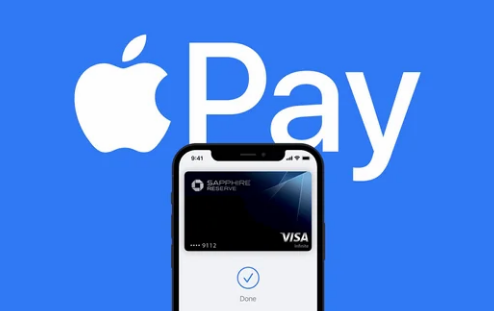
Apple Pay has been around since 2014. For most of that time, the core experience stayed consistent: tap your iPhone or Apple Watch to a payment terminal, authenticate with Face ID or Touch ID, done. It worked, but it was not particularly ambitious.
That has changed in the last year. The updates Apple shipped through iOS 18 and the 2025 fall software cycle, extending into early 2026, have pushed Apple Pay and Apple Wallet into genuinely new territory. The changes are not cosmetic. Several of them alter how people think about paying, financing, and tracking their purchases.
Here is what is actually new and what it means in practice.
In-Store Installments and Rewards Now Work at the Physical Checkout
This is the most commercially significant update Apple Pay has received in years.
Previously, buy now pay later options and rewards redemption through Apple Pay worked only in apps and on websites. At a physical retail checkout, Apple Pay was simply a tap-to-pay system with no financing options visible. That gap has closed.
When you make an in-store Apple Pay purchase on iPhone, you can now see installment loan offers from eligible credit and debit cards directly at checkout. The rollout in the United States includes Affirm, Cash App Afterpay, Klarna, Synchrony, and US Bank. In the UK, Monzo and Klarna are live. Canada has Klarna support.
Rewards redemption at in-store purchases is similarly now possible, currently available with Synchrony and US Bank in the US.
The practical implication is significant. A customer buying a piece of furniture, a new appliance, or any higher-value item can see financing options from their existing cards at the moment of payment rather than needing to apply separately through a browser or app beforehand. The financing happens inside the Apple Pay checkout flow they already know.
This brings Apple Pay meaningfully closer to what credit card companies have offered in-app for years, and it positions Apple as a more complete financial interface rather than just a tap-to-pay layer.
Apple Intelligence Now Tracks Your Packages Automatically
Apple Wallet received a feature that uses Apple Intelligence, Apple's on-device AI system, to automatically identify order tracking information from emails sent by merchants and delivery carriers.
This means your package tracking now appears in Apple Wallet without you doing anything. Open Wallet and your recent purchases are listed with current delivery status, expected arrival, and progress notifications pulled directly from your inbox.
The feature works across all orders regardless of retailer. Whether you bought from Amazon, a boutique online store, or a major department chain, if a tracking email arrives in your inbox, Apple Intelligence reads it and surfaces the relevant information in Wallet.
This is a meaningfully different approach from Amazon's ecosystem, which only tracks Amazon orders within its own app. Apple's version is inbox-agnostic and consolidates tracking from everywhere into a single view.
The processing happens on-device using Apple Intelligence, which means the content of your emails is not sent to Apple's servers to power the feature.
Boarding Passes Got a Major Redesign
If you have flown on a major airline in 2026, your boarding pass in Apple Wallet looks noticeably different from previous years.
Apple redesigned the boarding pass experience with Live Activities that provide real-time flight updates. Gate changes, boarding calls, and delay notifications appear on the boarding pass card itself rather than requiring you to open a separate airline app. The pass updates dynamically throughout the travel day.
You can share the Live Activity with friends and family so they can track your flight status without downloading anything.
Apple Maps is now integrated into the boarding pass view for airports that have added indoor map support. Instead of wandering through an unfamiliar terminal, tapping the boarding pass surfaces a map showing your gate location and the most efficient walking route.
American Airlines recently added full support in its app, joining the major carriers that have already adopted the upgraded boarding pass standard. The experience depends on airline adoption, which is expanding throughout 2026.
Group Payments in Apple Cash
Apple Cash gained a feature that makes splitting costs between groups significantly easier.
You can now send or request Apple Cash payments directly inside a group iMessage conversation. The flow is straightforward: someone in the group asks to collect money for dinner, event tickets, or a shared purchase, and each person in the thread can pay or receive directly without leaving the Messages app.
This mirrors functionality that Venmo and PayPal have had for several years but brings it into iMessage natively. For iPhone users already using group texts for coordination, it eliminates the step of switching to a separate app to settle up.
Expanded Transit Coverage
Apple Pay for transit has expanded significantly across US cities in 2026. Atlanta's MARTA transit system launched contactless tap-to-pay in March 2026, joining an existing network of cities including New York, Chicago, Los Angeles, Boston, and others.
The transit expansion matters because of Express Mode. When you add a transit card to Apple Wallet, you can designate it as your Express Transit card. This allows you to tap through subway gates and bus fare readers without unlocking your iPhone or authenticating with Face ID. The payment is instant.
On iPhones that support Power Reserve mode, transit payments work even when the battery is dead. The NFC chip retains just enough power for a transit tap when the rest of the phone is out of battery.
Digital Car Keys Are Getting Broader
Apple Wallet's car key feature, which lets you lock, unlock, and start your car using your iPhone or Apple Watch, expanded its list of compatible manufacturers again.
Toyota is the notable addition in 2026, with the 2026 RAV4 being the first Toyota model to support digital car keys through Apple Wallet. More Toyota models are expected to follow.
The car key feature allows you to share your digital key with another person via AirDrop or iMessage, which is particularly useful for households with multiple drivers or for giving temporary access to a family member or trusted person.
The caveat on Toyota's implementation is a monthly subscription through Toyota Connect. This is the manufacturer's requirement rather than Apple's and represents an ongoing friction point as more car companies add support with their own access models.
What the Changes Mean Together
Looked at individually, each of these updates is an incremental improvement. Looked at together, they represent Apple gradually consolidating more of the financial and logistical experience of daily life into the Wallet and Pay ecosystem.
Order tracking, boarding passes, transit, car keys, installment financing, group payments, and contactless checkout are all now flowing through the same app. The more of these that work seamlessly together, the harder it becomes to replicate the complete experience elsewhere.
For everyday iPhone users, the most immediately useful changes are the in-store installments if you finance purchases regularly, the AI-powered order tracking if you shop online frequently, and the boarding pass improvements if you travel. Each of these solves something that was genuinely awkward before.
Frequently Asked Questions
Which banks support in-store Apple Pay installments?
In the United States, in-store installment access is available through Affirm, Cash App Afterpay, Klarna, Synchrony, and US Bank at launch. Rewards redemption at in-store purchases is currently available with Synchrony and US Bank. In the UK, Monzo and Klarna support installments. In Canada, Klarna is available. More partners are expected to be added throughout 2026.
Does the Apple Intelligence order tracking feature read all my emails?
Apple Intelligence processes your email to identify order tracking details on-device. The content of your emails is not sent to Apple's servers to power this feature. The processing happens locally using the Neural Engine on compatible iPhone models. Compatible devices are iPhone 15 Pro, iPhone 15 Pro Max, and all iPhone 16 models.
Does Apple Pay work with Express Transit when my phone battery is dead?
Yes, on compatible iPhone models. Apple's Power Reserve feature retains just enough power in the NFC chip to support transit payments even when the rest of the phone has shut down due to a depleted battery. This requires that you have set up Express Transit in Wallet settings and that your device supports Power Reserve.
Discussion (0)
Be the first to comment.