



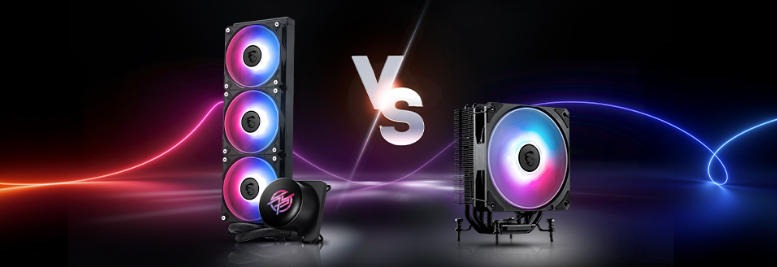
Few PC building debates have lasted as long or generated as much confident misinformation as this one. Visit any hardware forum and you will find people absolutely certain that liquid cooling is essential for any serious build, sitting alongside other people equally certain that air cooling is superior in every way that matters. Both camps have real arguments. Both camps also tend to overstate their case.
The honest answer is that neither is universally better. The right choice depends on your CPU, your case, your budget, and honestly, how much you enjoy fiddling with things. Here is what you actually need to know.
How Each One Works
Understanding the difference in approach makes the trade-offs much easier to follow.
An air cooler is direct and mechanical. A metal base plate sits on top of the CPU, making contact through a thin layer of thermal paste. Heat transfers from the CPU into the base plate, then travels up a set of copper or aluminium heat pipes into a large stack of metal fins. A fan attached to those fins blows air across them and pushes the heat out into the case. The whole process happens fast. Air coolers reach their steady-state temperature within about 80 seconds of a CPU under load.
A liquid cooler, specifically the all-in-one type which is what almost everyone uses rather than a custom loop, works differently. A cold plate sits on the CPU and transfers heat into liquid coolant circulating inside a sealed system. A small pump moves that coolant through flexible tubes to a radiator mounted elsewhere in the case, usually on a front or top panel. Fans on the radiator cool the liquid down and it cycles back to start again. This takes longer to reach steady state, around 400 seconds, but the advantage is that the heat ends up at the radiator rather than directly next to the CPU socket.
That distinction sounds minor but it has real consequences for the rest of the system's temperatures.
Thermal Performance: The Real Story
The marketing around liquid cooling has created an impression that AIO coolers dramatically outperform air coolers in thermal performance. The reality is more nuanced and depends enormously on which specific products you are comparing.
A high-end dual-tower air cooler like the Noctua NH-D15 or the Thermalright Peerless Assassin 120 SE competes directly with, and sometimes beats, a 240mm AIO radiator in direct thermal comparisons. These are not boutique enthusiast products. Both are widely available and reasonably priced. The air cooler wins at this level because the large surface area of a dual-tower heatsink dissipates heat effectively even without moving liquid around.
Where liquid cooling genuinely earns its thermal advantage is at the 360mm radiator size and above. A high-quality 360mm AIO handling a flagship CPU under sustained load will keep temperatures lower than the best air coolers, typically by 5 to 10 degrees Celsius under the most demanding conditions. For a CPU that routinely pushes 200 to 300 watts of heat, that margin matters for sustained clock speeds and thermal throttling.
For a mid-range CPU like the Ryzen 5 7600X or Intel Core Ultra 5, a good tower air cooler keeps it perfectly cool with headroom to spare. The thermal argument for liquid cooling only becomes compelling when the CPU is generating serious heat continuously.
Noise: It Depends More Than You Think
Liquid cooling has a reputation for being quieter. This is true in specific circumstances and misleading as a generalisation.
An AIO's radiator fans sit further from your ears than a CPU fan and run at lower speeds because they are moving heat over a larger surface area. Under sustained heavy load, this gives AIOs an acoustic advantage because the fans do not need to spin as aggressively. AIOs also take longer to react to sudden temperature spikes, which means they ramp up gradually rather than instantly.
The complication is the pump. Every AIO has a pump running continuously, producing a constant low hum or gurgling sound that some people find perfectly inaudible and others find deeply irritating once they notice it. High-quality pumps in premium AIOs are nearly silent. Budget AIO pumps are not. This is one of the reasons the noise reputation of AIOs varies so dramatically between people and products.
Premium air coolers from Noctua or be quiet! with their own high-quality fans are genuinely near-silent at typical loads. A dual-tower cooler with good fans barely registers acoustically during everyday gaming. Under extreme sustained load they spin up, but so do AIO fans under the same conditions.
The practical difference in noise between a quality air cooler and a quality AIO is smaller than the marketing suggests for most use cases. Budget AIOs can actually be louder than budget air coolers because cheap pumps add constant mechanical noise rather than reducing it.
Reliability and Longevity
This is where air cooling has a clear, unambiguous advantage that deserves to be stated plainly.
An air cooler has two potential failure points: the fan and the thermal paste. Fans can be replaced. Thermal paste is replaced every few years. High-quality air coolers routinely last a decade or more. There is nothing to leak, nothing to degrade chemically, and nothing to pump.
A liquid cooler adds a pump and coolant to the equation. The pump runs continuously and will eventually wear out. The coolant can degrade and in rare cases develop microbial growth that clogs the system or corrodes the cold plate. The hoses, while far more durable than they were in the early days of consumer AIOs, can still fail. The risk of catastrophic failure, where a leaking AIO damages a motherboard, RAM, or GPU, is real even if genuinely rare.
The expected lifespan of a quality AIO pump is often quoted as 60,000 to 100,000 hours in marketing materials. Real-world longevity varies. Pump failures within five to seven years are not unusual. When an AIO pump fails, the entire cooler requires replacement. When an air cooler fan fails, you buy a new fan for a few pounds.
For someone who builds a PC and wants it to run reliably for a long time without intervention, air cooling is simply less to worry about.
Installation and Maintenance
Air cooler installation ranges from straightforward to mildly awkward depending on the size of the cooler. A large dual-tower sitting over the CPU socket can be unwieldy to position and tighten, and there is the perpetual concern about whether it will clear your RAM sticks. Most modern dual-tower coolers have cutouts or mounting options that address tall RAM, but it is worth checking before buying.
Once installed, an air cooler requires almost no maintenance. Dust occasionally, replace thermal paste every few years if temperatures start creeping up, and leave it alone.
AIO installation involves mounting a cold plate to the CPU socket, routing hoses to the radiator location, and mounting the radiator and fans to the case. Most people manage it without difficulty but it takes longer and requires planning which way the tubes will run and whether the pump or tubing will interfere with anything. The radiator also needs appropriate space in the case, and some cases are more accommodating than others.
Maintenance is minimal for a closed-loop AIO but not quite zero. Checking occasionally that the pump is running, that temperatures look right, and that hoses are not kinked or degrading is sensible.
Space, Aesthetics, and Case Compatibility
This is where the conversation shifts away from pure performance and into personal preference and build constraints.
Large air coolers are tall and imposing. A dual-tower cooler can easily extend 160mm or more above the motherboard. This affects case compatibility, since not every case accommodates that height, and it can make accessing the motherboard after installation more difficult. The area around the CPU socket becomes crowded. Building inside a small form factor case with a large air cooler requires careful planning.
AIOs move the radiator away from the CPU socket entirely. The cold plate is compact and leaves the motherboard area clear. The radiator mounts to the case at whatever location suits the build. This gives much more flexibility inside the case for RAM access, GPU installation, and cable management, and makes the area around the CPU socket cleaner and easier to work with.
For builders who care about aesthetics, AIOs generally look more polished. The cold plate often has an LCD display or RGB lighting. Radiators with matching fans look intentional and designed. Air coolers have improved aesthetically over the years, but a large aluminium heatsink is still a large aluminium heatsink.
Small form factor builds present a specific case for AIOs. In a compact case where a massive heatsink simply will not fit, a slim AIO radiator mounted to the case can provide meaningfully better cooling than whatever small air cooler fits in the remaining space.
Air vs Liquid: Side by Side
| Air Cooler | AIO Liquid Cooler | |
|---|---|---|
| Thermal performance | Excellent for mid and high-end CPUs | Best for flagship CPUs under sustained load |
| Noise | Near-silent with quality fans | Can be quieter under load, but pump adds constant noise |
| Reliability | Very high, few failure points | Good but pump adds long-term risk |
| Longevity | 10+ years typical | 5 to 7 years typical before pump replacement |
| Installation | Moderate difficulty | Slightly more involved but manageable |
| Maintenance | Minimal | Minimal, occasional checks |
| Case space around CPU | Takes significant space | Leaves CPU area clear |
| Compatibility concerns | Height clearance, RAM clearance | Radiator space, hose routing |
| Cost | £30 to £100 for quality options | £80 to £180 for quality options |
| Aesthetics | Functional, less flashy | Cleaner look, RGB and LCD options |
Which One Should You Actually Buy
For most gaming builds with a mid-range or high-end CPU, a quality tower air cooler is the better value decision. It performs admirably, costs less, lasts longer, and involves fewer potential failure modes. The performance difference between a good air cooler and a 240mm AIO is modest enough that the money saved is better spent on other components.
An AIO makes genuine sense in specific situations. running a flagship CPU known for high heat output and you want to push sustained performance or overclock, the thermal headroom of a 360mm AIO is a real advantage. If you are building in a small form factor case where a large heatsink simply will not fit, an AIO solves a physical constraint that air cooling cannot. If the aesthetics of a clean build with RGB liquid cooling matter to you and the budget is there, that is also a legitimate reason.
What does not make sense is buying an AIO purely because it seems more serious or more premium. A Noctua NH-D15 cooling a Ryzen 7 is a completely capable and sensible combination. Adding a £120 AIO to that build to cool the same CPU adds cost and complexity without proportionally improving the outcome.
Final Thoughts
The best CPU cooler is the one that matches your CPU's thermal demands, fits your case, and leaves money available for the parts that actually determine your system's capabilities. For most people, that is a quality tower air cooler. For those with genuinely hot CPUs, compact cases, or a clear preference for liquid cooling aesthetics and do not mind the additional complexity, an AIO is a perfectly good choice.
Neither answer is wrong. But the default assumption that liquid cooling is better is worth questioning every time you see it made.
Frequently Asked Questions
Can a liquid cooler actually damage my PC if it leaks?
Yes, though modern closed-loop AIOs have low leak rates when purchased from reputable brands. The risk is real but not common. The most vulnerable period is shortly after installation if fittings are not properly seated, and later in the cooler's life as components age. Buying from established brands and inspecting the unit before installation significantly reduces the risk.
Do I need a liquid cooler if I am overclocking?
Not necessarily, but it helps at the extreme end. Moderate overclocking on a mainstream CPU is manageable with a good tower air cooler. Pushing a flagship CPU to its absolute limits under sustained all-core load will benefit from the additional thermal headroom of a 360mm AIO, as the difference in peak temperatures becomes more meaningful at those extremes.
Does the size of the AIO radiator matter?
Significantly. A 240mm AIO competes with high-end air coolers and does not dramatically outperform them. A 360mm AIO provides meaningfully better thermal performance and is where liquid cooling earns its clear advantage over air cooling. If you are investing in an AIO specifically for better cooling, 360mm is where the performance justification is strongest.
Will a large air cooler damage my motherboard from its weight?
This concern comes up regularly but is rarely a real problem in practice. Large air coolers are heavy, sometimes over a kilogram, but modern motherboard mounting systems are designed to distribute that load safely. Taking care during transport and not picking up the PC by the motherboard handles the real risk. Mounting correctly is the important part.
How often does thermal paste need replacing?
For air coolers, every three to five years is a reasonable interval, or when temperatures rise noticeably compared to when the cooler was first installed. For AIOs, the cold plate's thermal paste similarly degrades over time. Most people notice temperatures rising by 5 to 10 degrees when paste replacement is due.



Discussion (0)
Be the first to comment.