




If you want Hello Kitty iPad wallpapers that actually look sharp on a large screen, size and composition matter. Below you’ll find carefully selected Hello Kitty wallpapers that work well on iPad displays, followed by practical setup tips to get the best result.
Table of contents
- 1) Hello Kitty pastel cloud wallpaper
- 2) Hello Kitty cherry blossom aesthetic wallpaper
- 3) Hello Kitty minimalist white background wallpaper
- 4) Hello Kitty pink kawaii pattern wallpaper
- 5) Hello Kitty night sky dark mode wallpaper
- 6) Hello Kitty watercolor art wallpaper
- 7) Hello Kitty retro pastel stripes wallpaper
- 8) Hello Kitty cozy home illustration wallpaper
- Why Hello Kitty wallpapers look better when sized for iPad
- Hello Kitty iPad wallpapers by iPad model
- How to download and set Hello Kitty wallpapers on iPad
- Tips for getting the best look on your iPad
- Summary
1) Hello Kitty pastel cloud wallpaper
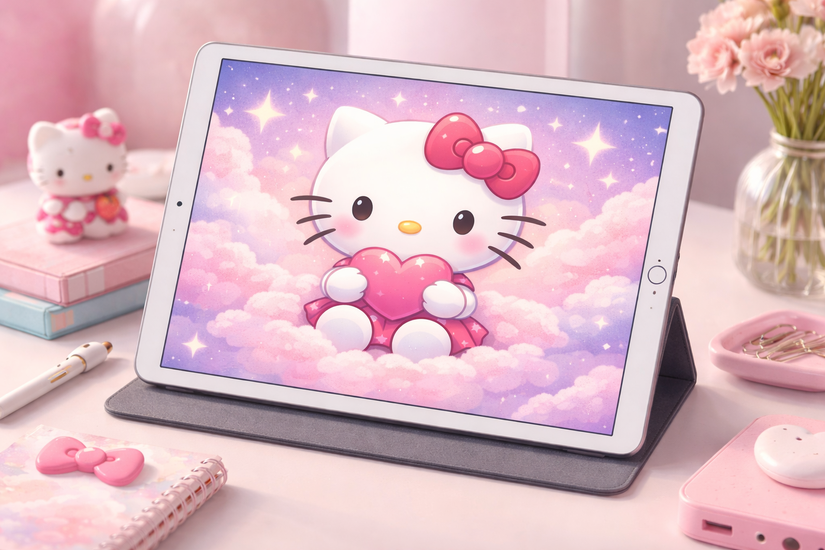
This wallpaper features Hello Kitty floating among soft pink and lavender clouds with subtle sparkles. The pastel tones reduce eye strain and work well for long reading or drawing sessions. The centered composition fits iPad screens without cutting off key details.
2) Hello Kitty cherry blossom aesthetic wallpaper
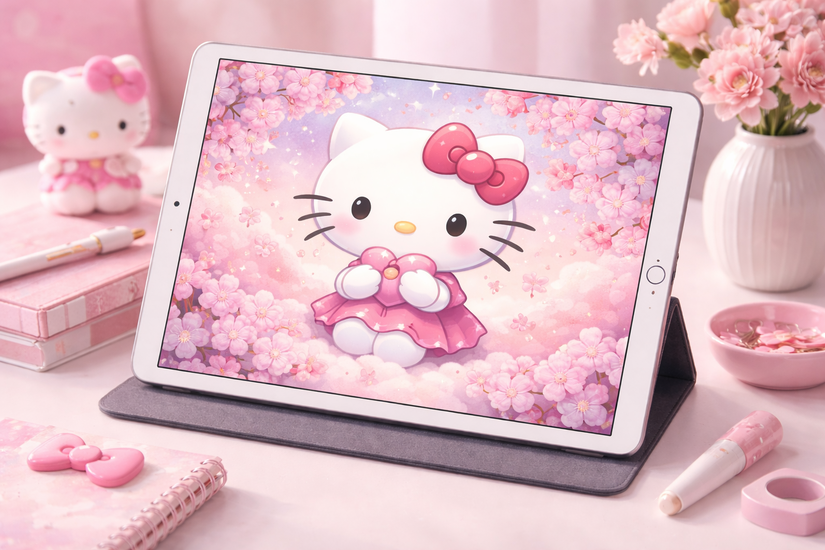
Cherry blossom petals frame Hello Kitty against a light sky background for a calm, seasonal look. The soft gradients blend smoothly on larger displays, avoiding visible pixelation. It works especially well for users who prefer a gentle, spring-inspired aesthetic.
3) Hello Kitty minimalist white background wallpaper
This design places Hello Kitty on a clean white background with minimal decoration. The simplicity keeps app icons readable while still adding personality. It’s a strong choice for productivity-focused iPad setups.
4) Hello Kitty pink kawaii pattern wallpaper
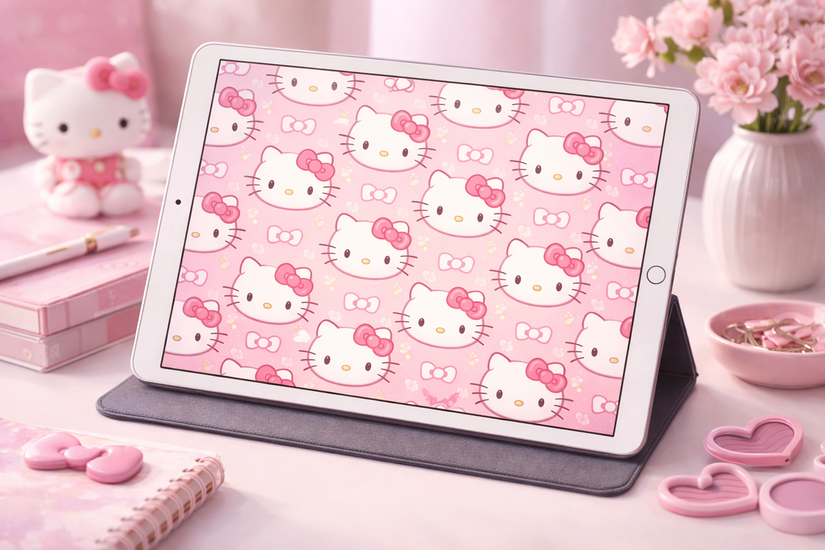
This wallpaper uses repeating Hello Kitty faces with bows on a pastel pink background. The pattern scales evenly across iPad resolutions, preventing distortion at the edges. It’s ideal if you want a playful look without a single focal point.
5) Hello Kitty night sky dark mode wallpaper
A deep navy background with stars surrounds Hello Kitty in a subtle glow. The darker tones feel comfortable during nighttime use and reduce visual glare. This wallpaper pairs well with dark app icons and widgets.
6) Hello Kitty watercolor art wallpaper

This version uses a watercolor-style illustration with soft brush textures and blended colors. The artistic finish looks especially good on Retina displays where fine details remain visible. It adds a hand-painted feel without overwhelming the screen.
7) Hello Kitty retro pastel stripes wallpaper
Pastel stripes inspired by retro stationery designs run horizontally behind Hello Kitty. The balanced layout avoids stretching on landscape orientation. It suits users who like nostalgic designs with modern clarity.
8) Hello Kitty cozy home illustration wallpaper

Hello Kitty appears in a cozy indoor scene with warm colors and soft lighting. The illustration fills the frame naturally, so no cropping occurs on iPad screens. It creates a relaxed, comforting look for everyday use.
Why Hello Kitty wallpapers look better when sized for iPad
iPads use wider aspect ratios than phones, so many wallpapers stretch or crop incorrectly. Wallpapers designed for iPad keep Hello Kitty centered, preserve details, and avoid awkward zooming. The results look cleaner on both the Home Screen and Lock Screen.
Hello Kitty iPad wallpapers by iPad model
Different iPads use different resolutions, so matching the wallpaper to your model improves sharpness. iPad Pro wallpapers work best at higher resolutions, while iPad mini designs benefit from tighter compositions. Choosing the right size prevents unwanted zooming or blur.
How to download and set Hello Kitty wallpapers on iPad
Save the wallpaper image directly to the Photos app. Open Settings, tap Wallpaper, then choose Add New Wallpaper and select your image. Adjust zoom if needed, then set it for the Lock Screen, Home Screen, or both.
Tips for getting the best look on your iPad
- Turn off Perspective Zoom for cleaner framing
- Match wallpaper colors with app icons for better contrast
- Use simpler wallpapers if your Home Screen feels cluttered
Summary
- iPad-specific Hello Kitty wallpapers prevent cropping and blur.
- Pastel, minimalist, and dark mode styles suit different usage needs.
- Correct sizing improves clarity across all iPad models.
- Simple setup steps ensure the wallpaper displays properly.
These Hello Kitty iPad wallpapers combine style and screen-fit accuracy, making them ideal for everyday use. Pick a design that matches your workflow, set it once, and enjoy a cleaner, sharper Home Screen experience.
Finally, if you also need cute Hello Kitty wallpapers for your iPhone, we have a detailed guide with some excellent picks.

Discussion (0)
Be the first to comment.