



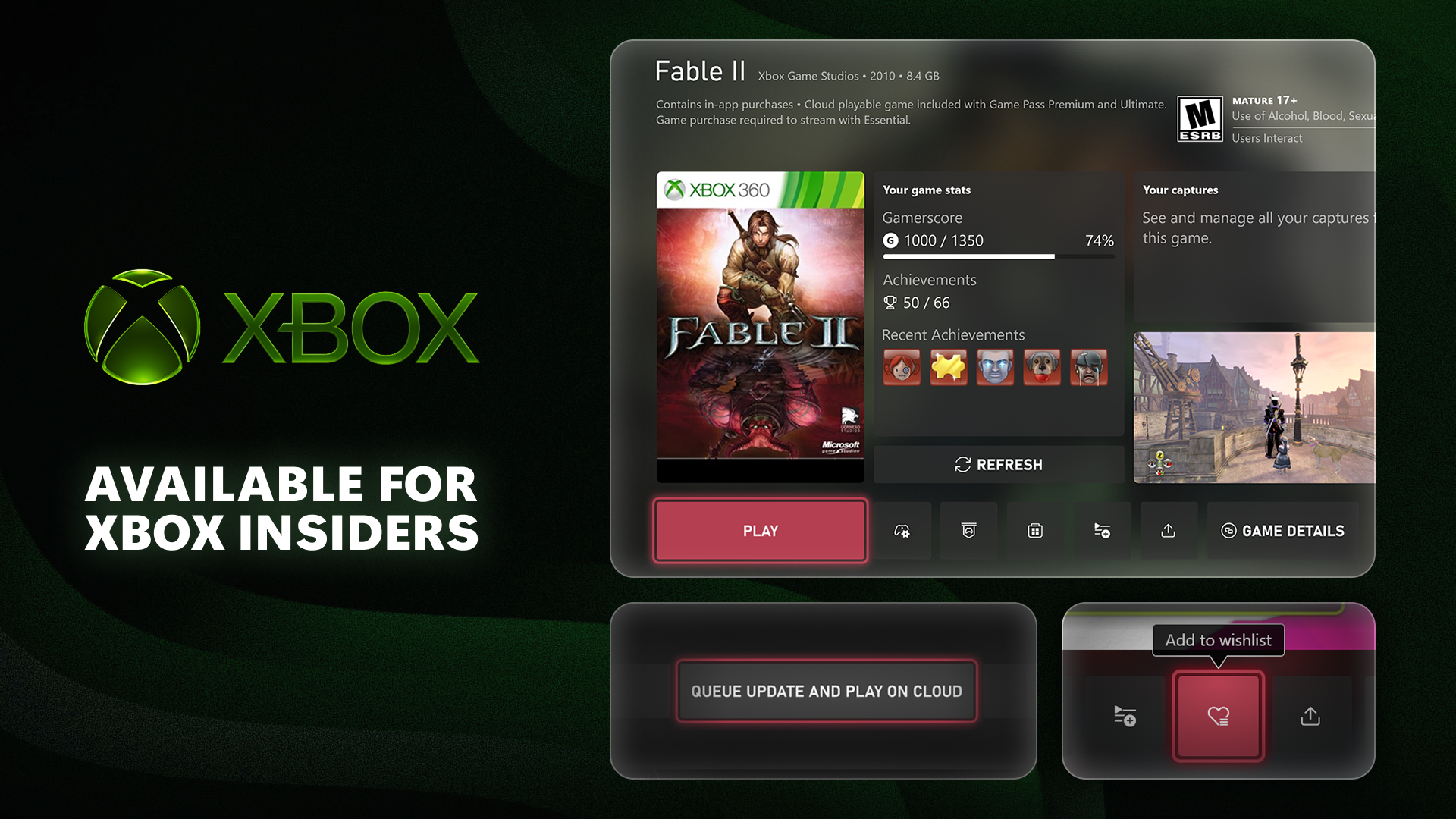
Microsoft has released another Xbox Insider update, bringing longer Gamertags, improved Xbox 360 game support, cloud gaming options during downloads, and easier wishlist controls. The new features are currently available to members of the Alpha Skip Ahead ring, which is one of the earliest testing groups in the Xbox Insider Program.
The update continues Microsoft’s recent push to improve the Xbox interface and make older games feel more connected to the current console ecosystem. Some of these changes are small, but they could make a noticeable difference for players who care about profile customization, achievement progress, and faster access to their games.
The most visible update is the expansion of the Gamertag character limit. Xbox players who create a unique Gamertag can now use up to 15 characters instead of the previous 12 character limit. However, the longer limit is only available for names that are fully unique and use Latin characters.
Xbox Gamertags Can Now Be Up to 15 Characters Long
Gamertags have been part of Xbox identity since the original Xbox Live era, but the character limit has often made it difficult for players to choose the name they want. Many names are already taken, leading people to use numbers, unusual spelling, or shorter versions of their preferred online name.
The new 15 character limit should give Xbox players more flexibility when creating or updating their Gamertag. However, the older 12 character restriction will remain in some situations.
| Gamertag Type | Character Limit |
|---|---|
| Unique Gamertag using Latin characters | Up to 15 characters |
| Non unique Gamertag | Up to 12 characters |
| Gamertag with non Latin characters | Up to 12 characters |
Microsoft has not said when the expanded limit will reach every Xbox account, but testing it through the Alpha Skip Ahead ring is the first step before a broader rollout.
Xbox 360 Games Are Getting Better Achievement Support
The update also improves the Game Hubs experience for Xbox 360 titles played on newer Xbox consoles. When you select an installed Xbox 360 game, the Game Hub can now show achievement progress, captures, and other game related information.
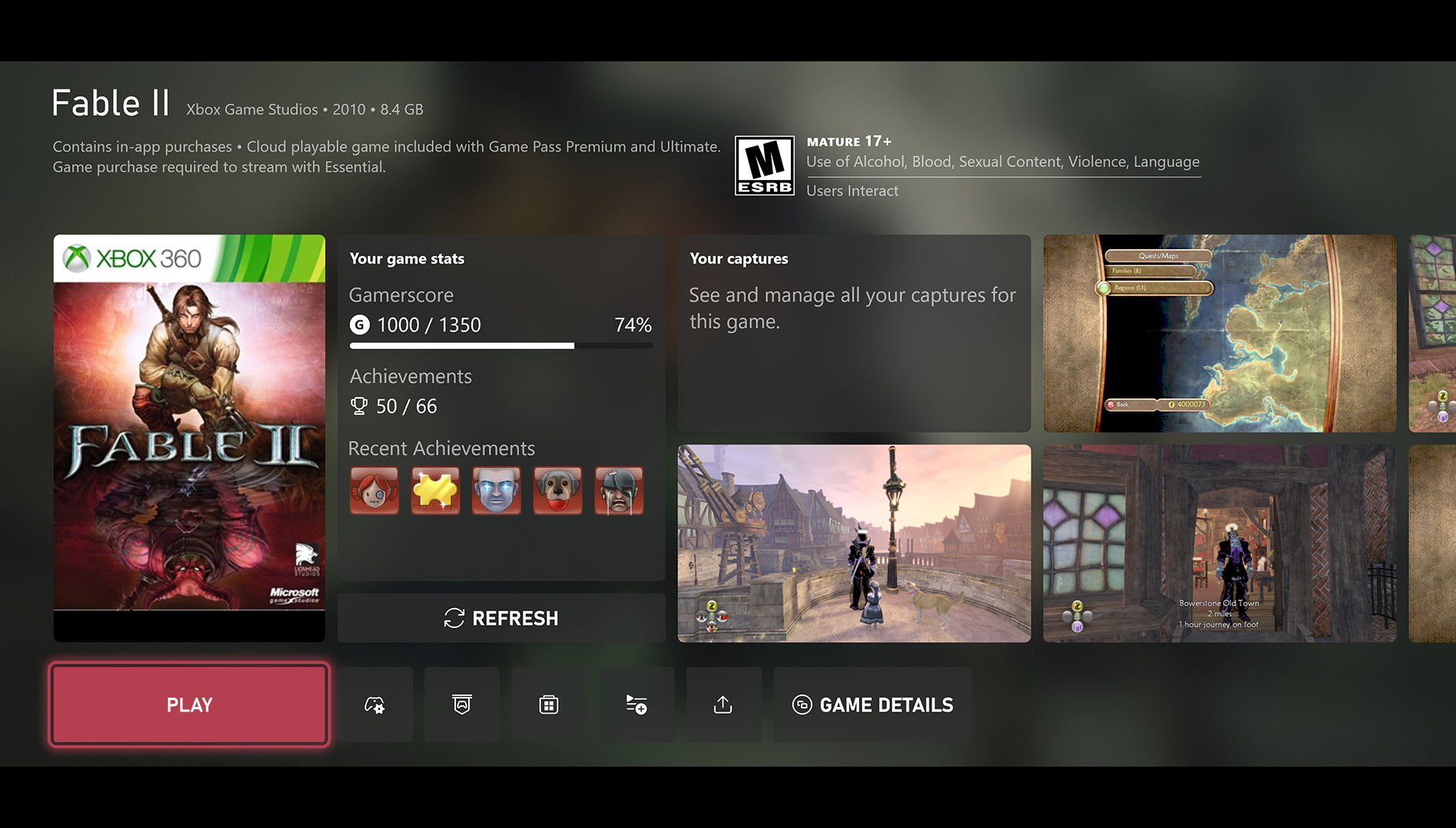
Achievement notifications are also returning for Xbox 360 games. This should be especially useful for players revisiting older titles through backward compatibility and trying to complete remaining achievements.
Xbox has spent years making older games accessible on modern consoles, but some classic titles have not always received the same interface features as newer releases. Bringing achievement progress and captures into Game Hubs helps make Xbox 360 games feel less separate from the rest of your library.
Cloud Gaming Can Help You Play While Updates Download
Another useful feature is aimed at players who want to start a game immediately but need to install an update first. If a title is available through cloud gaming as part of a Game Pass membership, you can begin streaming the game while its update downloads in the background.
This could be useful for large games that require major patches before they can launch locally. Instead of waiting for the update to finish, eligible Game Pass members may be able to start playing through the cloud and move back to their installed version later.
The feature depends on cloud gaming availability, a supported Game Pass membership, and a stable internet connection. Still, it offers a practical option for players with slower download speeds or limited time.
Wishlisting Games Is Becoming Easier
Microsoft is also simplifying wishlists through game cards. Both released and upcoming games will now include a direct button that lets you add them to your profile wishlist without opening a separate store page.
That change may appear minor, but it should make it easier to track upcoming releases, wait for discounts, and keep a list of games you plan to buy later.
The update is currently limited to Alpha Skip Ahead Xbox Insiders. Microsoft usually expands these features to more Insider groups over time before releasing them to all Xbox console owners.



Discussion (0)
Be the first to comment.