




Windows Task Manager is a useful built-in tool, but it’s limited in the amount of info it displays and hasn’t changed significantly in years.
When issues happen in the background or resolve themselves quickly, the real-time readings aren’t much use. That’s where third-party alternatives come in, offering deeper insights, historical logs, and greater control to help you better understand and manage your PC.
8 Best Windows Task Manager Alternatives
We narrowed down 8 of the best Windows Task Manager alternatives, so you can find the best solution for you.
1. AppControl – Task Manager on Steroids
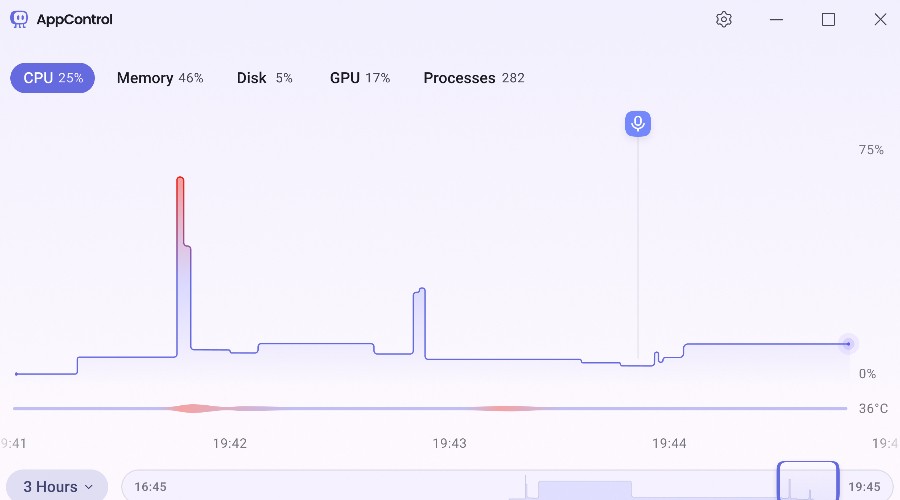
AppControl earns the top spot by rethinking what a system monitor should actually do. While Windows Task Manager is still useful for quick, real-time checks, it fundamentally lacks context. If a slowdown, spike, or strange behavior has already occurred, you’re left guessing. AppControl closes that gap by logging a continuous 72-hour history of system activity, letting you go back in time to see exactly what happened and why.
What makes this especially powerful is how much hidden activity it surfaces. Short-lived processes, silent installs, and background launches are clearly logged and easy to trace. Instead of cryptic executable names, everything is translated into plain English, making it accessible even if you’re not particularly technical.
The timeline interface is a standout feature. It lets you scroll through moments of high CPU, GPU, or memory usage. As well as temperature spikes and other unusual behavior, allowing you to pinpoint the apps and processes involved. This alone makes it far more practical for troubleshooting real-world issues than constantly trying to catch problems live.
Beyond visibility, AppControl adds meaningful control. You can not only kill processes but permanently disable apps or even block entire publishers. Combined with alerts for things like microphone or webcam access and unsigned apps, it also adds a layer of transparency around privacy and system changes.
The newest Claude AI integration pushes things even further, letting you ask direct questions about your system activity instead of manually digging through logs. It’s optional, local-first, and genuinely useful once set up.
For a free tool, AppControl feels like what Task Manager should have evolved into.
2. Process Explorer – Official Microsoft Alternative
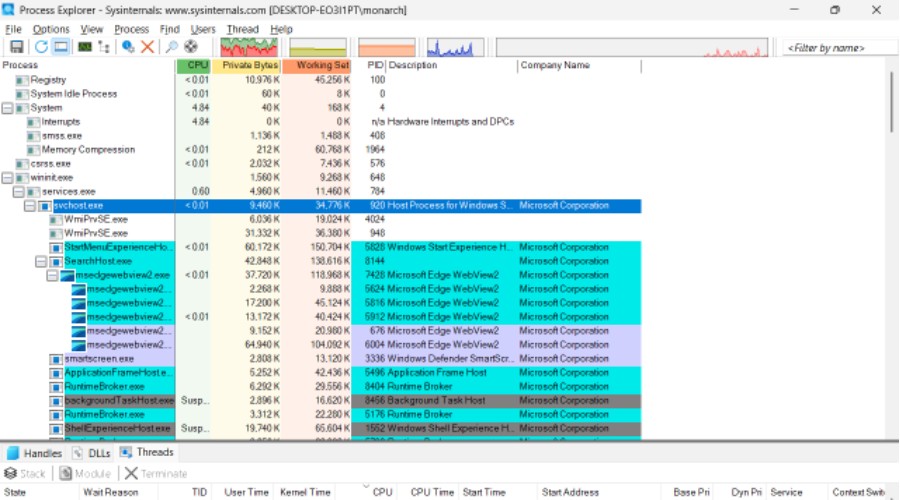
Process Explorer by SysInternals is now an official Task Manager alternative since Microsoft acquired the suite of utilities. And it’s clear to see why.
The tool offers much more depth than Task Manager, particularly when it comes to understanding exactly what’s running on your system.
At its core, Process Explorer provides a detailed, hierarchical view of processes, showing parent-child relationships that Task Manager largely abstracts away. This makes it far easier to trace how applications launch, identify hidden background processes, and understand dependencies between services.
Where it really stands out is in its technical insight. You can inspect DLLs, handles, CPU usage per process, and even verify digital signatures. This gives you a clearer sense of whether something is legitimate or potentially suspicious. The powerful search function lets you quickly find which process is locking a file or consuming a specific resource.
However, this level of detail comes with a steeper learning curve. Unlike more modern alternatives, Process Explorer is built with power users in mind, and its interface can feel dense and outdated.
That said, if you want a trusted, highly granular view of your system straight from Microsoft itself, Process Explorer remains one of the most capable and reliable upgrades over Task Manager available today.
3. System Informer – Best for Hidden Malware Detection
System Informer takes a more security-focused approach compared to most Task Manager alternatives, making it a standout choice for advanced users.
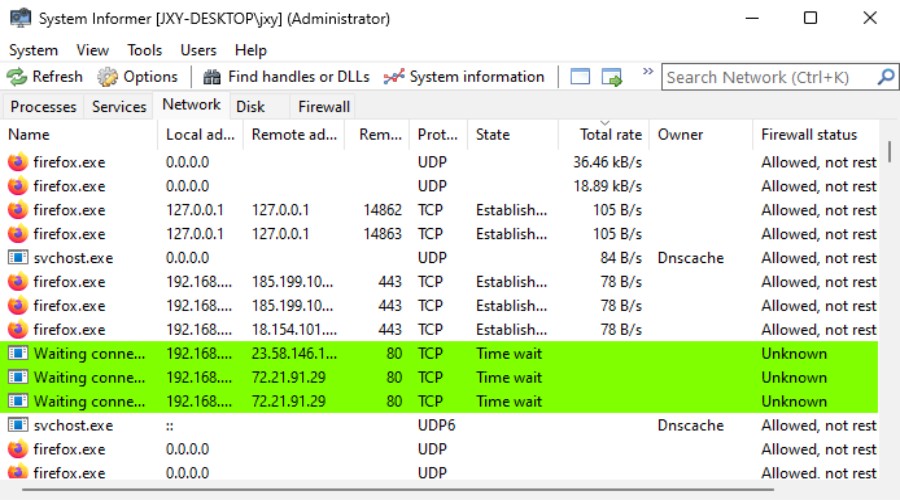
It provides a highly detailed, real-time view of processes, services, drivers, and network activity, giving you deep visibility into what’s happening across your system. Suspicious or unsigned processes are clearly highlighted, and its integration with online reputation services helps flag potential threats quickly.
Because System Informer uses a custom kernel-mode driver, it can bypass malware cloaking techniques to show you every process actually running on the hardware. Moreover, it shows exactly which applications are connecting to the internet.
All this makes it particularly useful for identifying hidden or malicious activity that would otherwise go unnoticed.
Like Process Explorer, it also offers granular technical data, including handles, memory usage, and process hierarchies. However, System Informer pushes further with more aggressive inspection tools and customization options, allowing users to tailor the interface and monitoring depth to their needs.
The trade-off is complexity. Its interface can feel overwhelming, especially for less technical users, and some features require a deeper understanding of Windows internals.
Still, for those who want both powerful system monitoring and an added layer of security insight, System Informer is one of the most capable alternatives available.
4. Process Lasso – Best for CPU Optimization
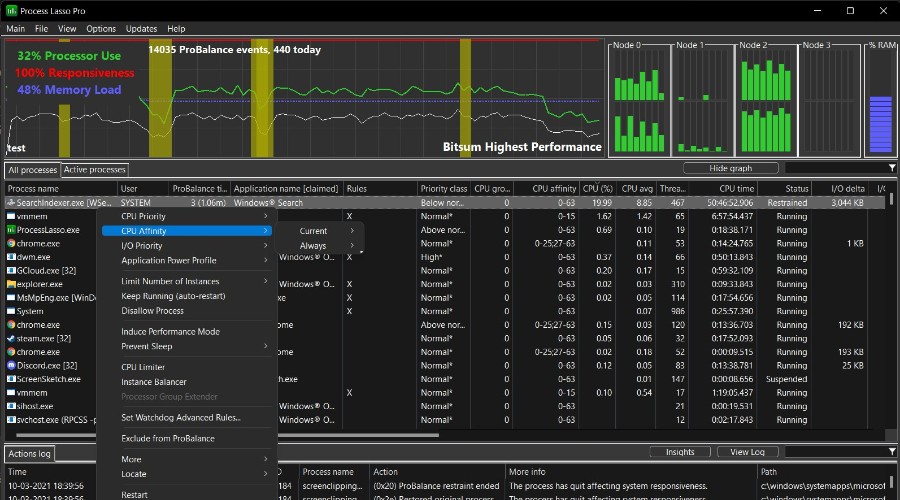
Process Lasso stands out as the best Task Manager alternative for CPU optimization and system responsiveness. Rather than just showing what’s happening on your PC, it actively improves performance in real time.
Its core feature, ProBalance, automatically adjusts process priorities to prevent background apps from overwhelming your CPU. This helps eliminate slowdowns, freezes, and lag spikes. It’s especially useful on systems running multiple demanding applications. Unlike Task Manager, which requires manual intervention, Process Lasso works continuously in the background to keep your system responsive.
Beyond CPU management, it offers advanced control over process priorities, CPU affinities, and power profiles. You can create persistent rules for specific apps, ensuring they always run exactly how you want. For example, you can prioritize a game or work application while restricting less important background processes.
It also includes real-time graphs and detailed system metrics, though its interface leans more toward function than design. While not focused on historical analysis like AppControl, its strength lies in proactive optimization.
For users who care most about squeezing maximum performance out of their CPU and maintaining a smooth experience under load, Process Lasso is an effective upgrade over Task Manager.
Process Lasso only offers some of its features for free. To unlock the ability to save settings, advanced automation, process blacklisting, and other advanced features, you must upgrade to the pro version.
5. Task Manager DeLuxe – In Depth Real-Time System Data
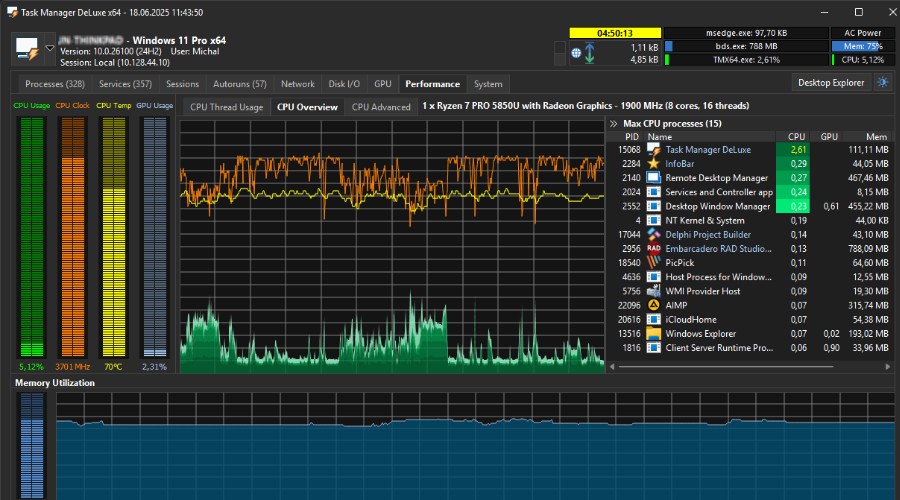
Task Manager DeLuxe is one of the most data-rich Task Manager alternatives available. It offers an impressive breadth of real-time system information in a lightweight, portable package. Designed for users who want maximum visibility, it goes far beyond the basics by exposing detailed metrics across processes, services, drivers, network connections, and hardware performance.
One of its biggest strengths is just how much it shows at once. You can monitor CPU, memory, GPU usage, and network activity. As well as drilling into things like open files, active sessions, and process-level network connections—all from a single interface. It also includes advanced tools like a process monitor with graphs and a window explorer that lets you inspect running applications in detail.
This makes it particularly appealing for power users and IT professionals who want a comprehensive snapshot of everything happening on a system without needing multiple tools. The fact it’s portable and doesn’t require installation is another bonus.
Nonetheless, while it excels at showing what’s happening right now, it lacks meaningful historical tracking, making it harder to investigate issues after the fact.
Still, if your priority is depth of data over time-based analysis, Task Manager DeLuxe is one of the most information-dense tools available.
6. Daphne – Best for pre-Windows 10 Operating Systems
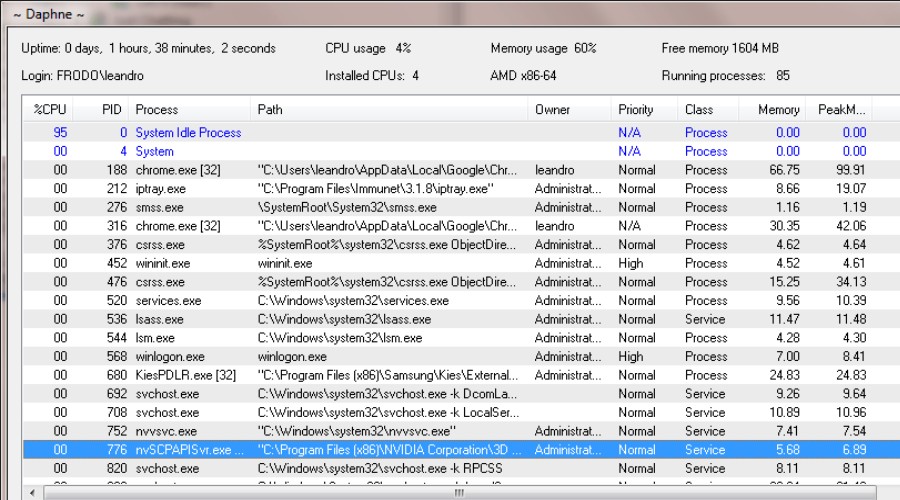
Daphne Task Manager is a lesser-known but capable open-source alternative that takes a more lightweight, hands-on approach to process management. Originally built as a tool to quickly terminate processes, it evolved into a surprisingly versatile Task Manager replacement.
The catch is it’s not officially supported for systems beyond Windows 8, so is only suitable for users running legacy systems.
One of its standout features is how intuitive it makes process control. You can kill apps in multiple ways, such as right-clicking from a list, targeting by name, or even dragging a crosshair over a window to instantly terminate it. This makes it faster and more flexible than the standard Task Manager when dealing with frozen or stubborn programs.
Daphne also introduces “Traps,” a unique automation feature that lets you define rules for processes. For example, you can automatically kill or modify an app the moment it launches, helping reduce unwanted background activity or enforce custom behavior.
Overall, it provides a solid real-time overview, including CPU usage, memory stats, process paths, and thread counts. However, like many older tools, it lacks modern features such as historical tracking, advanced security insights, or a polished interface.
Its open-source nature adds transparency and trust, but development has slowed over time, and the UI feels dated by today’s standards.
Still, for users who want a simple, portable, and highly controllable process manager for older computers or networks, Daphne remains a practical and efficient alternative.
7. Htop – Best Process Viewer
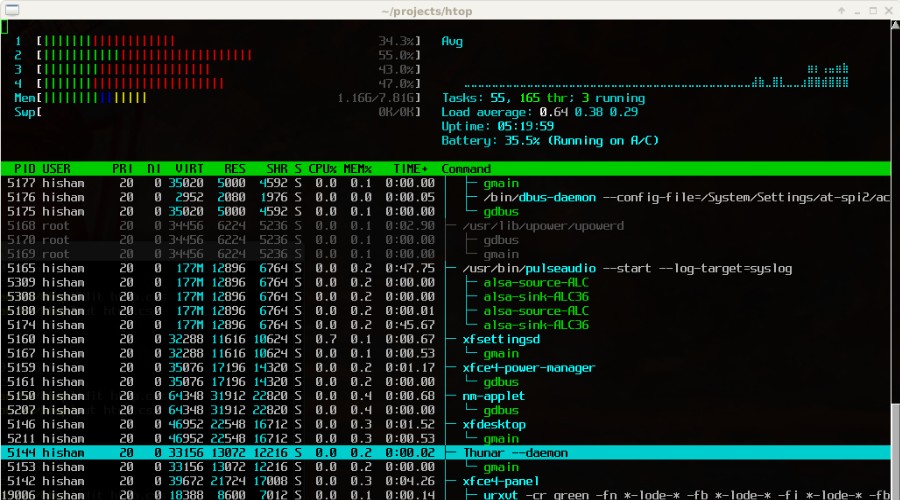
Unlike the default Task Manager experience in Windows, which often feels segmented and GUI-heavy, htop delivers a fast, fluid, and information-dense terminal interface that prioritizes clarity and control.
At a glance, htop provides real-time CPU, memory, and swap usage with intuitive color-coded meters, alongside a full, scrollable list of processes. This alone already surpasses Task Manager’s more static and panel-based layout. Where it really excels, however, is interactivity. You can search, filter, kill processes, and change priorities instantly without navigating multiple menus. The tree view makes process hierarchies easy to understand, which is especially useful for debugging complex applications.
Compared to Windows Task Manager, htop feels significantly more suitable for advanced users. It removes friction, exposes more system detail, and remains lightweight despite its capabilities.
While Task Manager benefits from being graphical and beginner-friendly, it lacks the speed and density that htop users rely on.
For Windows users, htop itself isn’t native, but its design philosophy has clearly influenced tools like Process Explorer and newer terminal-based clones.
8. Vital Utilities – Best Open-Source Task Manager
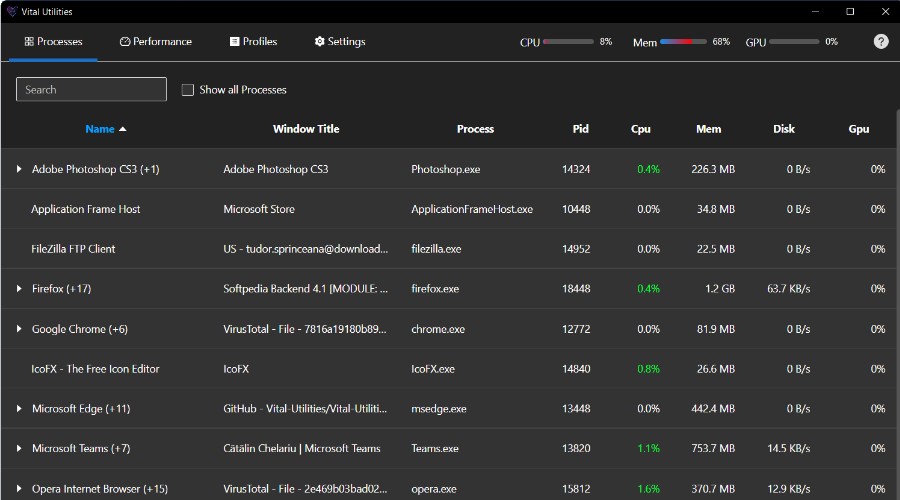
Vital Utilities is one of the more modern and ambitious open-source entries on this list. It aims to blend traditional system monitoring with performance optimization tools.
Built with newer technologies and a clean interface in mind, it feels closer to a next-generation Task Manager than many legacy alternatives.
At its core, Vital Utilities offers comprehensive real-time monitoring across CPU, GPU, memory, disk, and network activity. This is paired with responsive graphs and a fast process search.
What sets it apart is its focus on optimization. The ability to create process affinity and priority profiles allows you to assign specific apps to certain CPU cores or adjust their priority automatically.
This makes it particularly useful for gamers, streamers, or power users looking to balance workloads and prevent resource-heavy apps from interfering with performance-critical tasks. Profiles can even be applied automatically, turning it into a semi-automated tuning tool rather than just a monitor.
That said, it’s still very much a work in progress. The project is currently in an alpha state, with missing features, occasional bugs, and some gaps compared to more mature tools.
Still, if you’re looking for a modern, open-source alternative that combines visibility with performance tuning, Vital Utilities is one of the most promising options for the future.
Final Word on the Top Alternatives to Windows Task Manager
Each of our picks for the top Windows Task Manager alternatives excel in their own way. However, AppControl currently stands out as the best all-round solution.
It provides detailed logs and a user-friendly timeline view, going back up to 3 days, which most alternatives lack. Moreover, its recent addition of AI is a strong sign that the free tool is only going to improve over time.
If you’re more interested in finding hidden malware manually, System Informer may be a better option. Process Lasso excels in CPU optimization, while Task Manager DeLuxe displays the most amount of information, although only in real time.
Do you use a Task Manager alternative? Let us know in the comments below!

Discussion (0)
Be the first to comment.