



Microsoft has released two new Windows 11 Insider Preview builds that introduce taskbar size controls, File Explorer improvements, startup fixes, and stronger security options for business devices. The updates are now rolling out to the Experimental and Beta channels, although some features may take time to appear on every Insider PC.
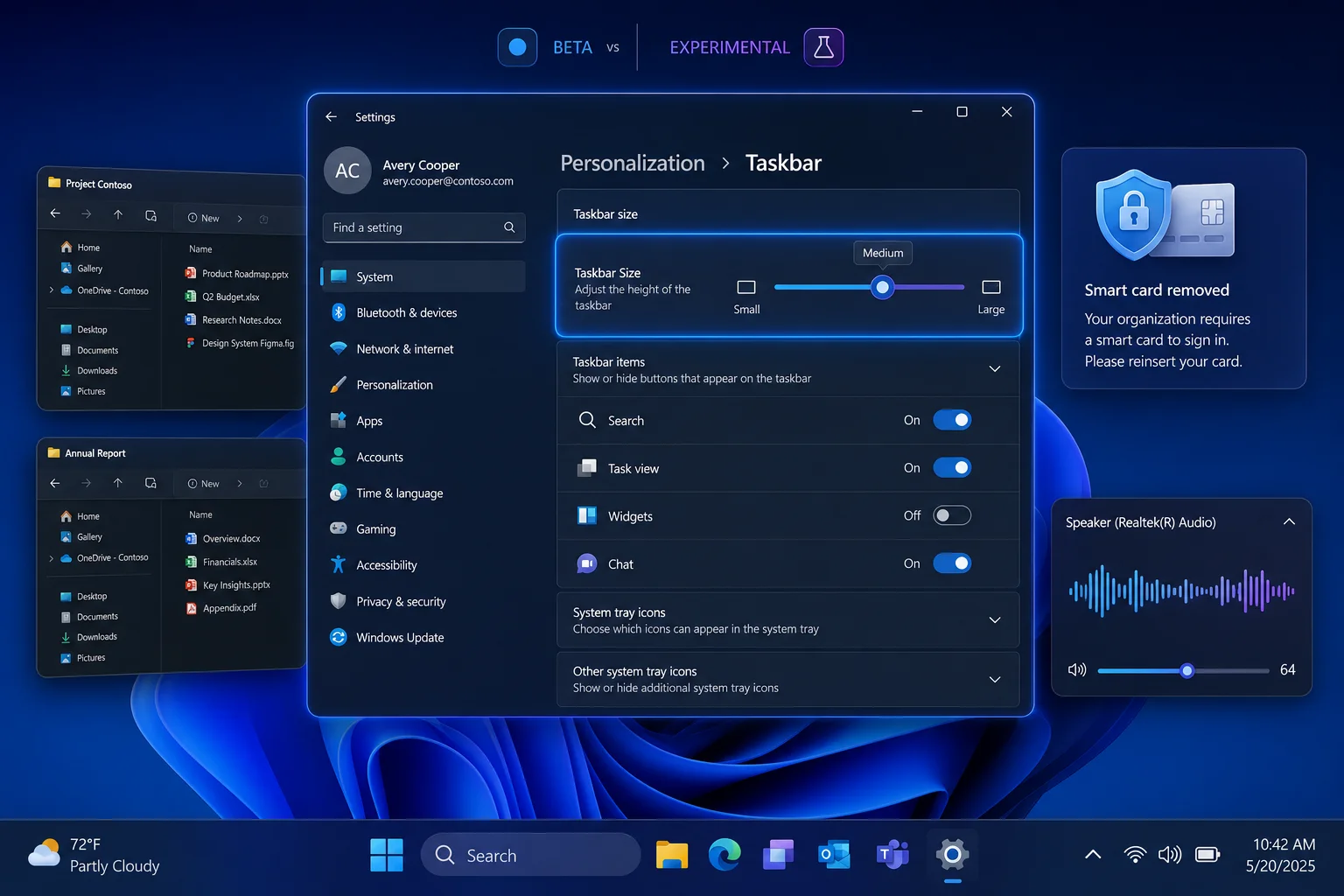
The most noticeable change appears in Windows 11 Experimental Build 26300.8758, which is based on version 26H2. Microsoft has added a dedicated Taskbar Size setting in the Settings app, allowing you to make the taskbar larger or smaller without relying on unofficial tools or registry changes.
The new option is a small but useful improvement for people who want more screen space or prefer larger icons for easier visibility. Microsoft has also improved the animation when switching between taskbar sizes, making the change feel more polished.
However, the feature is rolling out gradually through Microsoft’s Controlled Feature Rollout system. That means some Windows Insiders may not see the setting immediately, even after installing the latest build.
Windows 11 Finally Makes Taskbar Size Easier to Change
Taskbar customisation has been a frequent request since Windows 11 first launched. While the operating system has received several layout and usability improvements over time, changing taskbar size has remained more limited than it was in older Windows releases.
The new setting gives people a more direct way to adjust the interface without downloading third party utilities.
| New feature or fix | What it changes |
|---|---|
| Taskbar Size setting | Lets you resize the Windows 11 taskbar in Settings |
| Taskbar animations | Makes size changes appear smoother |
| File Explorer details layout | Improves access to file properties |
| Cloud file thumbnails | Reduces missing or broken preview images |
| OneDrive shortcut fix | Resolves an issue in elevated File Explorer |
| Recycle Bin dialog fix | Shows the correct file name during permanent deletion |
File Explorer Receives Useful Quality of Life Fixes
The Experimental build also includes several File Explorer changes. Microsoft has reorganised the Details layout so file properties are easier to find, which should make it faster to check information such as file size, type, location, and dates.
Cloud stored files should also display more reliably. The update addresses an issue that could cause missing or broken thumbnail previews for files saved through cloud services.
Microsoft has fixed another problem affecting OneDrive shortcuts when File Explorer is opened with administrator permissions. A separate issue that displayed an internal Recycle Bin file name instead of the real file name during permanent deletion has also been addressed.
These are not major visual changes, but they should make everyday Windows use less frustrating.
Beta Build Focuses More on Reliability and Enterprise Security
Windows 11 Beta Build 26220.8754, based on version 25H2, focuses more on stability and business features. Microsoft has improved how the system tray loads during startup and made further adjustments to system sounds in dark mode.
The update also adds a new option for organisations using Azure Virtual Desktop or Windows 365. Administrators can configure sessions to disconnect automatically when a redirected smart card is removed from a device.
This provides an additional security layer for workplaces that rely on smart cards for sign in and identity verification.
These Features May Still Change Before Public Release
As with all Windows Insider updates, the new features are still being tested and may change before reaching stable Windows 11 builds. Microsoft can also delay, alter, or remove them based on Insider feedback.
Still, the latest releases show Microsoft continuing to focus on practical improvements rather than major redesigns. The new taskbar size controls are likely to receive the most attention, while File Explorer fixes and enterprise security changes should make Windows 11 more reliable for both home and business PCs.



Discussion (0)
Be the first to comment.