




An eMMC solid state drive is a compact type of flash storage built directly into a device’s motherboard. It’s technically solid-state, like an SSD, but it’s slower and non-upgradeable. You’ll often find eMMC storage in budget laptops, Chromebooks, and tablets where cost and battery life matter more than performance.
1) Understanding eMMC storage
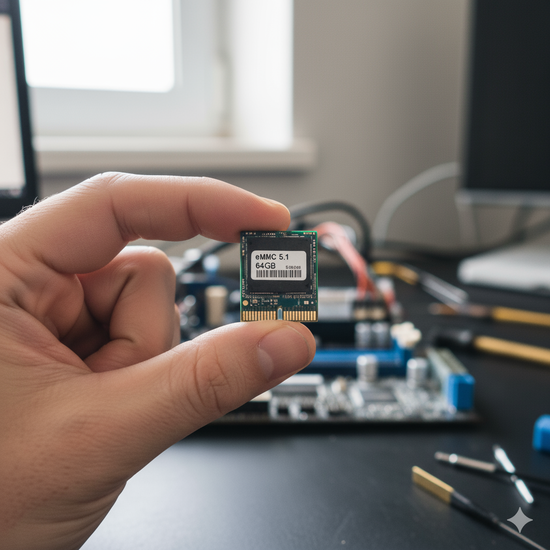
What does eMMC stand for?
eMMC stands for Embedded MultiMediaCard. It combines flash memory and a controller chip into one tiny unit that’s permanently soldered to your motherboard. Unlike a removable SSD, eMMC acts as onboard storage, making it compact but difficult to replace.
How eMMC works
eMMC storage uses NAND flash cells to read and write data. It communicates directly with your CPU using a simpler interface, which keeps costs low but limits transfer speed. That’s why booting Windows or launching apps on an eMMC laptop often feels slower than on a standard SSD.
Typical eMMC capacities and speeds
Most eMMC drives come in 32 GB, 64 GB, or 128 GB versions. The latest eMMC 5.1 standard can reach up to around 400 MB/s, which is far below the 500–550 MB/s typical for SATA SSDs and much lower than NVMe drives that exceed 3,000 MB/s.
2) eMMC vs. SSD: Key differences
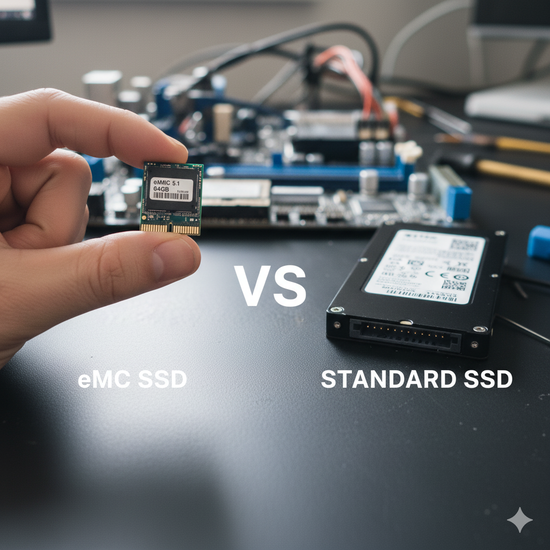
Design and replaceability
eMMC chips are permanently attached to the motherboard, so they can’t be replaced or upgraded. SSDs, on the other hand, use removable SATA or M.2 connectors, allowing you to swap or expand your drive easily.
Speed and performance
In daily use, eMMC systems boot more slowly and open apps more gradually. Transferring large files can take several times longer compared to SSDs. If you often multitask or work with large documents, an SSD will make your computer feel much faster and more responsive.
Lifespan and reliability
Because eMMC controllers are simpler, they handle fewer write cycles before wearing out. SSDs use better error correction and wear-leveling, giving them a longer lifespan under heavy workloads.
3) Where eMMC is commonly used
Budget Windows laptops and Chromebooks
Manufacturers use eMMC to lower prices and reduce power draw. It works fine for light browsing and document editing, but it limits multitasking and Windows updates once storage fills up.
Tablets, IoT, and embedded devices
Outside of laptops, eMMC is popular in tablets, smart displays, and embedded systems. Its compact size and low power use make it ideal for small electronics that don’t require massive storage speeds.
4) How to check if your PC uses eMMC or SSD
Press Windows + X and select System. Next, expand Storage → Disks and look for Media Type or check the model name - if it includes MMC, your drive is eMMC.
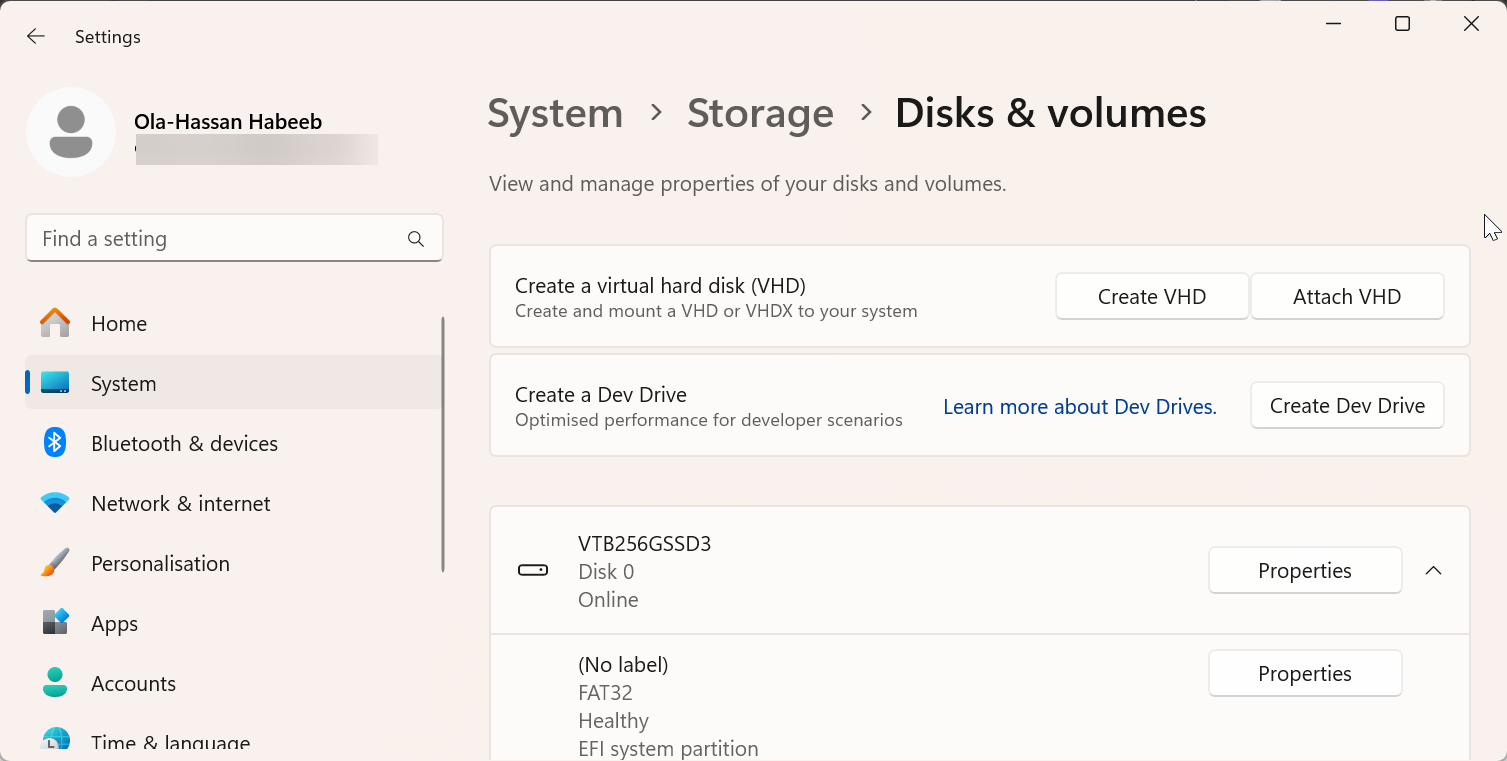
You can also open Disk Management and check your drive details there. SSDs are usually labeled as Solid State Drive, while eMMC drives list their embedded controller model.
5) Should you upgrade from eMMC to SSD?
When an upgrade is possible
Most eMMC storage is soldered, meaning it can’t be removed. However, some 2-in-1 laptops and mini PCs include both eMMC and an empty SATA or M.2 slot. If that’s your case, adding an SSD is the best way to extend your system’s life and speed.
Real performance gains
Switching from eMMC to an SSD can cut boot times from over a minute to under 20 seconds. Windows updates install faster, apps launch instantly, and overall system responsiveness improves dramatically.
6) Pros and Cons of eMMC Storage
| Pros | Cons |
|---|---|
| Low cost for manufacturers | Slower data transfer speeds |
| Compact and energy-efficient | Non-replaceable once soldered |
| Reliable for light workloads | Limited capacity and shorter lifespan |
7) The future of eMMC
eMMC is gradually disappearing from mainstream laptops as UFS and NVMe SSDs take over. These newer standards deliver far better speed and endurance, making them ideal for Windows 11 and modern productivity tasks. eMMC remains relevant only in small tablets, IoT gadgets, and older Chromebooks.
FAQs
Is eMMC a type of SSD? Yes, eMMC is technically a form of solid-state storage because it uses flash memory. However, it lacks the advanced controller and replaceable design of true SSDs.
Can I replace an eMMC with an SSD? Only if your device has a free SATA or M.2 slot. Many budget laptops with eMMC storage don’t, so always confirm before purchasing an upgrade.
Is eMMC good for Windows 11? It works for simple tasks like browsing or editing documents, but larger updates and multitasking can quickly slow things down. An SSD is a better long-term choice for Windows users.
Summary
- eMMC is solid-state storage but permanently soldered and slower than SSDs.
- SSDs offer faster performance, better durability, and easy upgrades.
- If your device supports it, upgrading to an SSD can dramatically improve Windows performance.
Conclusion
eMMC storage offers an affordable, compact option for basic devices like budget laptops, tablets, and embedded systems. While it’s sufficient for light tasks such as web browsing and document editing, it falls short when it comes to speed, multitasking, and longevity compared to SSDs.
If you’re using a device with eMMC and find it limiting, upgrading to an SSD - where possible - can significantly enhance your experience, providing faster load times and greater reliability.
Discussion (0)
Be the first to comment.