



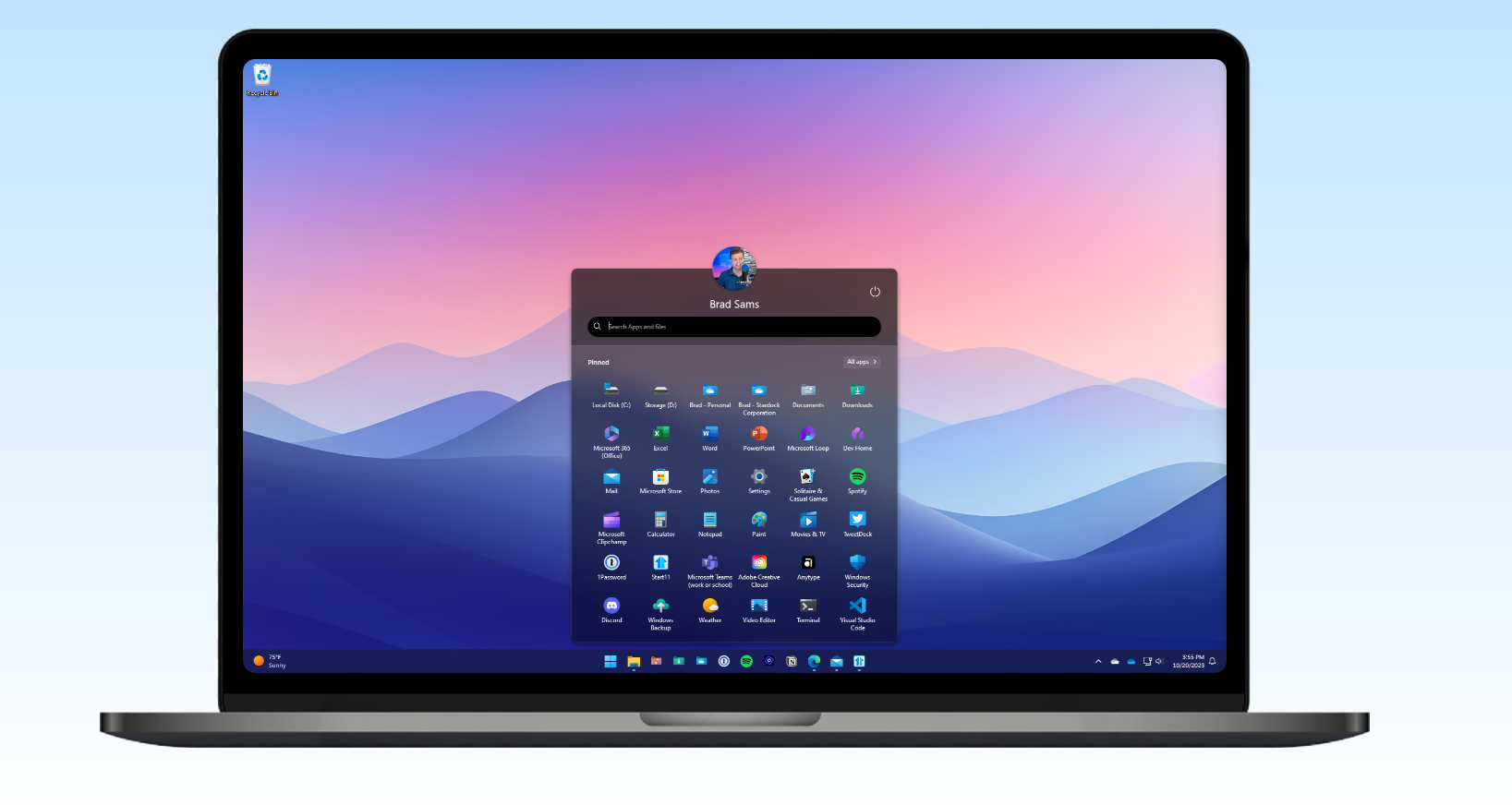
The Windows 11 Start menu is clean, but it’s also restrictive. Microsoft simplified it, but in the process removed a lot of flexibility that power users relied on.
That’s why tools like Start11 exist. They don’t just tweak the Start menu. They fundamentally change how it behaves.
With recent updates adding full support for Snapdragon-based PCs, Start11 is no longer limited to traditional hardware. That makes it more relevant than it was even a year ago.
What Start11 Actually Fixes
The default Windows 11 Start menu is built around simplicity. You get pinned apps, a recommendation section, and limited layout control.
For many users, that’s enough. But if you want structure, organization, or efficiency, it quickly feels constrained.
Start11 addresses that directly.
It allows you to:
- Restore a Windows 10-style Start menu
- Remove or reduce the “Recommended” section
- Customize layout, spacing, and grouping
- Control how apps are displayed and accessed
This isn’t surface-level customization. It changes how quickly and comfortably you can navigate your system.
Why the Default Start Menu Feels Limiting
The issue isn’t that the Windows 11 Start menu is bad. It’s that it’s rigid.
You can’t:
- Fully control layout density
- Organize apps the way you want
- Remove certain elements completely without workarounds
Microsoft prioritized consistency over flexibility. That works for new users, but it frustrates anyone used to customizing their workspace.
Start11 exists because of that gap.
Snapdragon Support: Why It Actually Matters
The addition of Snapdragon (ARM) support might sound like a technical update, but it’s more important than that.
Windows is gradually shifting toward ARM-based devices, especially for:
- Better battery life
- Always-on connectivity
- Lightweight, portable systems
The problem is that many system-level tools don’t work properly on ARM.
By supporting Snapdragon PCs, Start11 ensures it remains usable on newer hardware, not just legacy x86 systems.
That’s a long-term advantage, not just a compatibility update.
Real-World Usage: Does It Improve Daily Use?
This depends on how you use your PC.
If you rely heavily on the Start menu to:
- Launch apps quickly
- Navigate large app lists
- Organize workflows
Then Start11 makes a noticeable difference.
It reduces friction. You spend less time searching and more time doing.
If you barely use the Start menu and rely on search or desktop shortcuts, the impact will be smaller.
The Trade-Off: Control Comes With Complexity
Start11 adds flexibility, but it also adds another layer to your system.
That means:
- You’re running additional software in the background
- You may need to adjust settings to get your ideal layout
- Occasional updates may be needed after major Windows changes
It’s not complicated, but it’s not as simple as using the default setup.
For most users who install it, that trade-off is worth it.
Is It Better Than Native Windows?
In terms of flexibility, yes.
In terms of simplicity, no.
The default Start menu is consistent and maintenance-free. Start11 gives you control, but you’re responsible for how it’s configured.
It’s a classic trade-off between customization and convenience.
Limitations You Should Know
Start11 is not free. It’s a paid tool, which may not appeal to casual users.
Also, because it modifies core UI behavior, there’s always a small risk of compatibility issues after major Windows updates.
These issues are usually resolved quickly, but they’re part of using customization tools.
The Bigger Picture
Tools like Start11 highlight a broader pattern.
Windows is becoming more standardized, while users still want personalization.
Microsoft is unlikely to bring back deep customization in the default Start menu. That space is increasingly being filled by third-party tools.
Start11 is one of the more polished examples of that.
Final Thoughts
Start11 doesn’t try to reinvent Windows. It restores control where Windows 11 feels restrictive.
The addition of Snapdragon support makes it more future-proof, especially as ARM devices become more common.
If you’re comfortable with the default Start menu, you don’t need it.
But if you’ve been frustrated with how limited it feels, this is one of the most practical and well-executed solutions available.
FAQs
What does Start11 do?
It customizes and replaces the Windows 11 Start menu with more flexible layouts.
Does it work on ARM/Snapdragon PCs?
Yes, recent updates added full support.
Is Start11 worth it?
Yes, if you want more control over the Start menu. Otherwise, the default is sufficient.
Will it slow down my PC?
No noticeable impact for most systems.
Is it safe to use?
Yes, it’s widely used, but like any system-level tool, it depends on regular updates for compatibility.

Discussion (0)
Be the first to comment.