




If you’re curious about switch homebrew, this guide explains everything safely and clearly. At the time of writing, homebrew refers to running unofficial apps or software on the Nintendo Switch using custom firmware (CFW). With it, users can access emulators, utilities, fan-made games, and performance tools that Nintendo doesn’t officially support.
However, homebrew isn’t for everyone. Missteps can void your warranty or brick your console. This beginner-friendly article walks you through what switch homebrew is, how it works, what’s legal, and how to stay safe while exploring it.
What Is Switch Homebrew?
Switch homebrew is unofficial software developed by hobbyists that runs on Nintendo’s closed system. It’s similar to jailbreaking an iPhone, giving users access to features and applications not available through official channels. Common tools include emulators, backup managers, and modding utilities.
At the center of most homebrew setups is custom firmware (CFW), such as Atmosphere, which allows your console to launch the Homebrew Launcher. From there, you can load applications directly from your microSD card and use them offline.
Is Switch Homebrew Legal?
The short answer is yes. Homebrew on Switch can be legal if you’re using it for your own software or personal development. It becomes illegal if you use it to bypass copyright protection, download paid games, or access Nintendo’s online services in unauthorized ways. Always follow regional laws and Nintendo’s terms of service.
Many players also ask, “Is it illegal to mod a Nintendo Switch?” Modding is not criminal in most countries but can result in bans from Nintendo’s online network and loss of warranty. Use homebrew only on an offline console if you’re experimenting.
How Does Switch Homebrew Work?
Every Switch can enter a diagnostic mode called RCM (Recovery Mode). Through this mode, users inject a payload, small pieces of software that load custom code. This process is known as payload injection and is usually done with a USB cable, a dongle, or a modchip.
After injecting the payload, the Switch boots into custom firmware like Atmosphere. Once running, it grants temporary access to the Homebrew Launcher, where you can open apps, tools, and emulators directly from your microSD card.
Unlike permanent console hacks, modern switch homebrew setups are often non-persistent. You must re-inject the payload each time the console fully powers off. This reduces risk and helps prevent bricking.
Preparing for Switch Homebrew
Before anything else, confirm whether your console is compatible. Many users start by searching is my Switch patched. Some hardware versions are protected against exploits, while others can safely use RCM and payload injection methods. Never force a hardware mod if your unit is patched.
You’ll also need a reliable microSD card, USB-C cable, and tools like Hekate or TegraRCMGUI for payload management. Always back up your console’s NAND before modifying any files.
Installing Switch Homebrew
Many newcomers wonder how to install switch homebrew. The general steps are simple, but precision matters:
- Turn off your Switch and enter RCM mode by holding the Power and Volume Up buttons while grounding Pin 10 on the right Joy-Con rail.
- Connect your console to a PC or dongle and inject the payload (e.g., Hekate or Atmosphere).
- Once the console boots, select “Launch Custom Firmware.”
- From the main menu, open the Homebrew Launcher.
- Install or launch homebrew apps directly from your SD card.
Be cautious; some guides include outdated files. Always download directly from official developer sources such as NH Switch Guide or Atmosphere’s GitHub page.
Best Switch Homebrew Apps
The community regularly updates open-source tools and switch homebrew apps. Popular examples include:
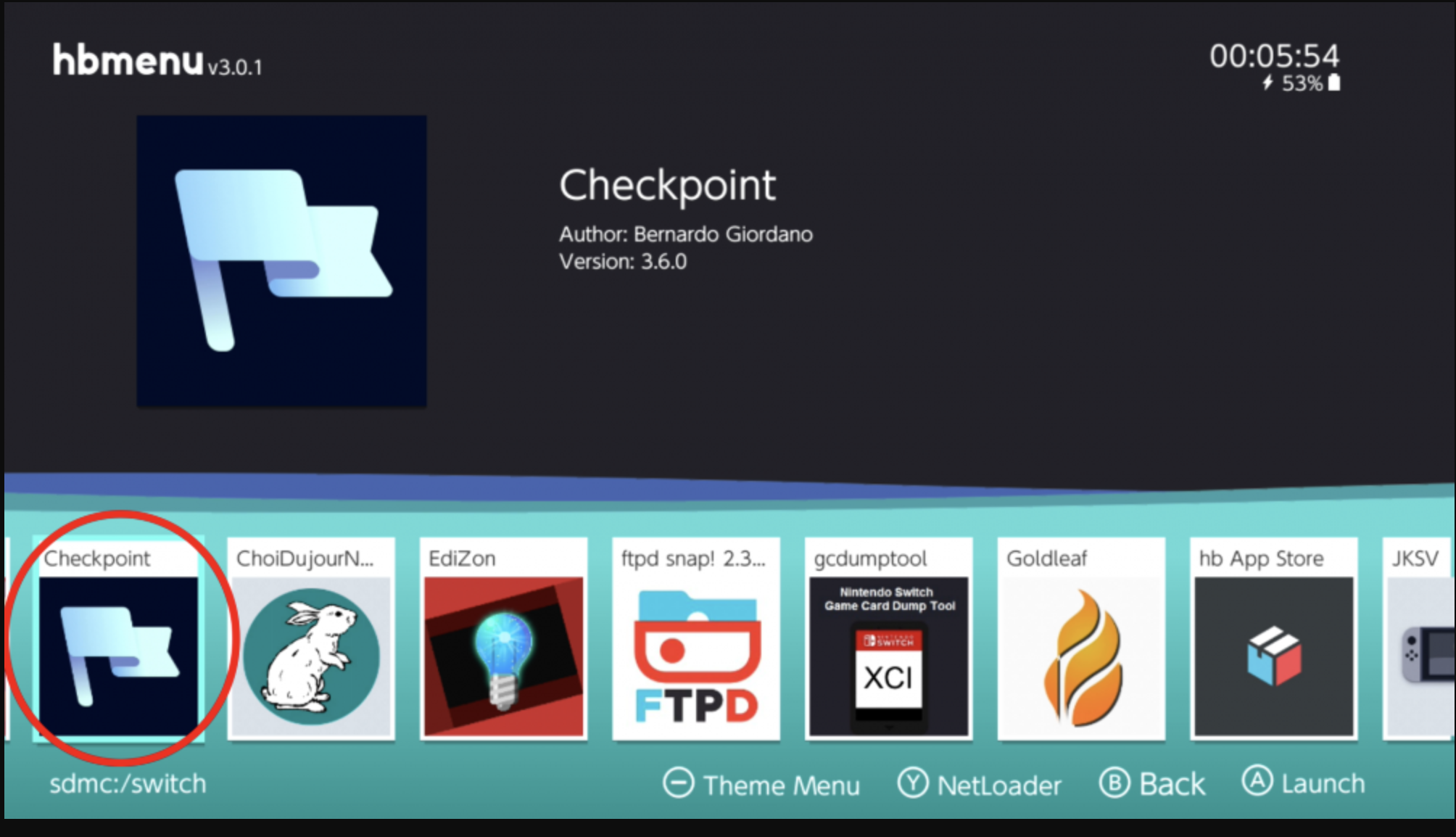
- Checkpoint – Backup and restore save files easily.
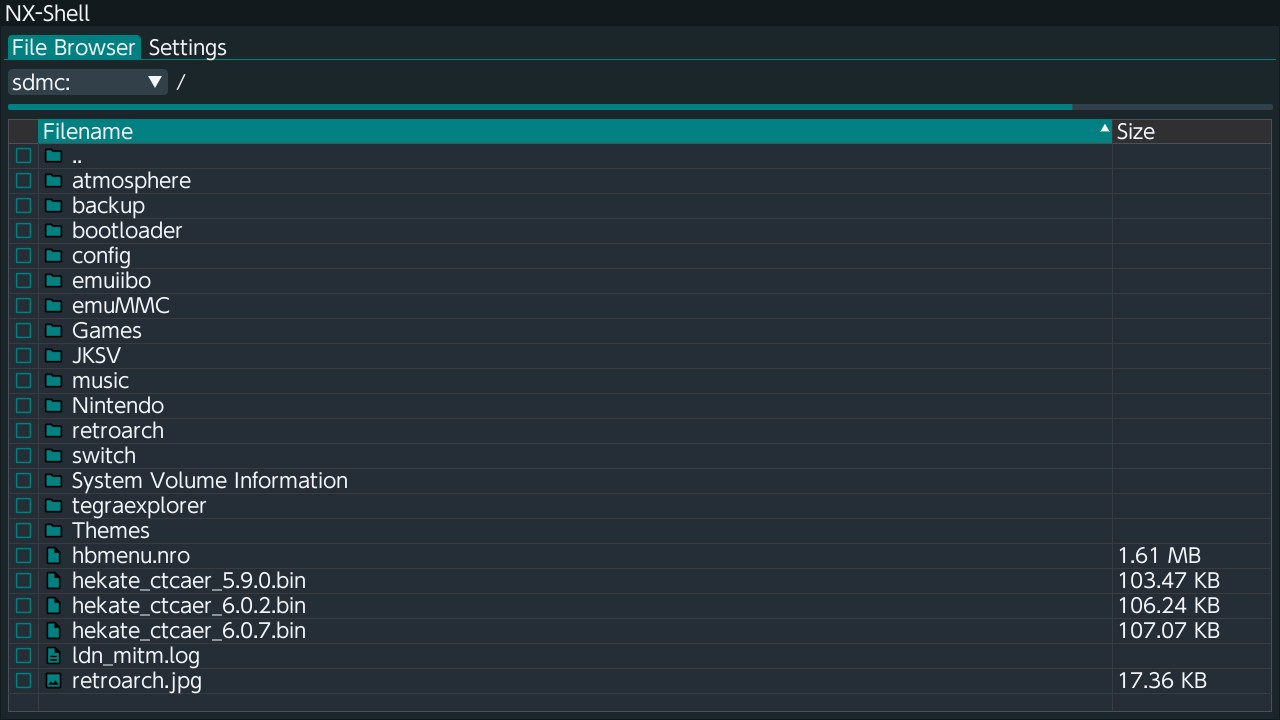
- NX-Shell – A file manager for browsing SD contents.
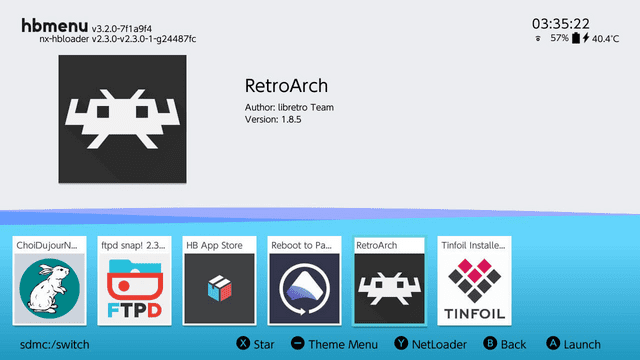
- RetroArch – Multi-system emulator for classic games.
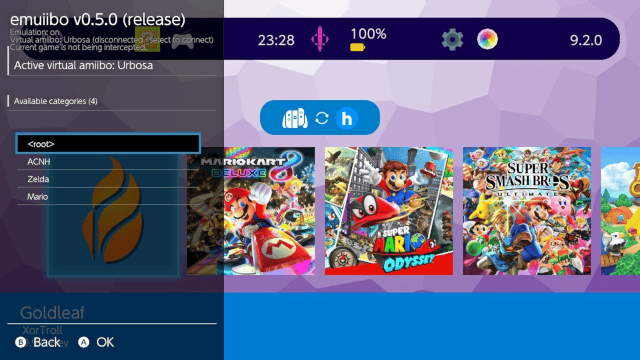
- Emuiibo – Simulate Amiibo data without real figures.
- FTPD Pro – Transfer files wirelessly to your Switch.
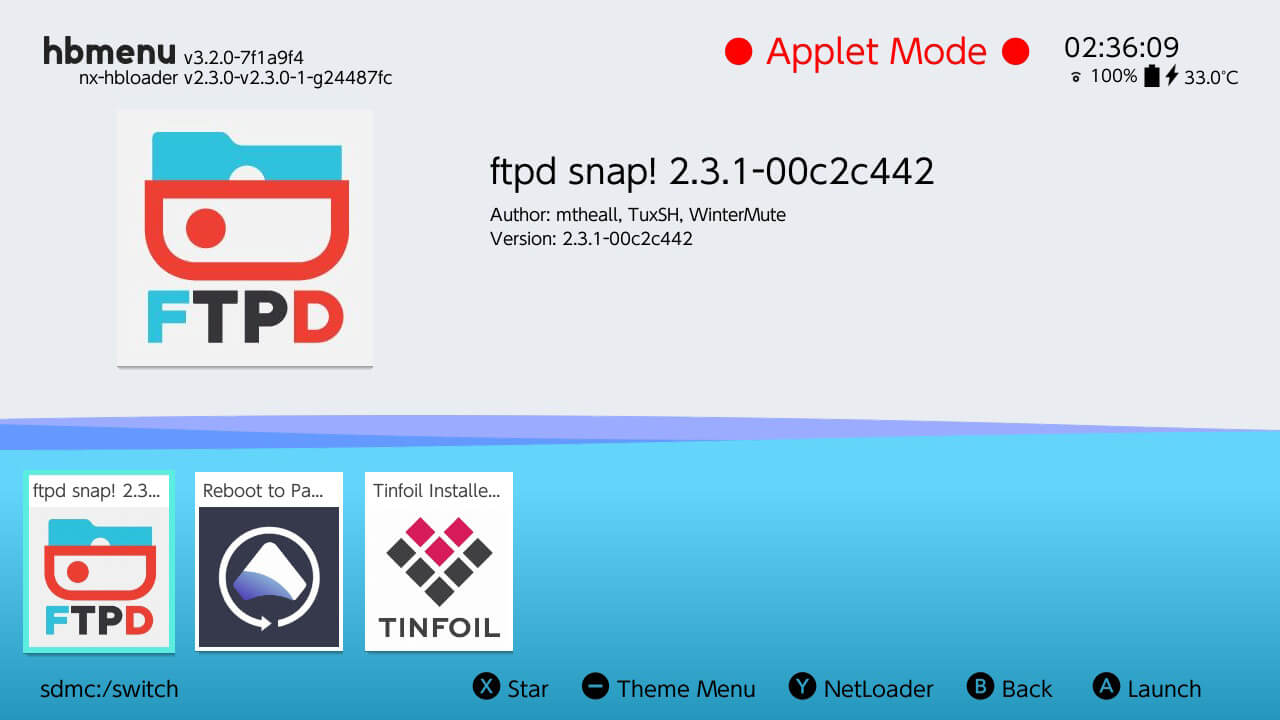
Never download pre-installed games or copyrighted ROMs. Stick to tools and open-source software available through legitimate switch homebrew repositories.
Updating Custom Firmware Safely
One of the biggest beginner mistakes is updating without checking compatibility. Before applying an update, back up your boot files and verify that Atmosphere and Hekate support your firmware version. Search switch homebrew update to find the latest stable releases.
Never update system firmware through Nintendo’s official servers while running custom firmware. Use offline tools instead and read community-tested instructions first.
Risks and How to Avoid Them
Improper configuration can brick your console or result in online bans. Always double-check files, follow reputable guides, and avoid using your modded console for eShop or online multiplayer. Keep backups, and never use paid “one-click mod” tools promising instant setup.
If something goes wrong, restore your NAND backup through Hekate. This can often revert a failed switch homebrew setup to factory state.
Tips for Beginners
Start slow. Test each change before adding new files. Label backups clearly. Join safe communities such as r/NxSwitchModding for updated tools and troubleshooting advice. Avoid third-party “homebrew stores” offering bundled or pirated content.
Summary
- Switch homebrew lets you run unofficial apps and utilities through custom firmware like Atmosphere.
- It’s legal for personal projects, but piracy and online use risk bans.
- RCM and payload injection enable CFW boot on supported consoles.
- Use trusted sources for homebrew apps and updates.
- Always back up your system before making changes.
Conclusion
Exploring switch homebrew opens new possibilities for customization, game preservation, and learning how consoles work. Proceed carefully, read each step twice, and respect legal boundaries. With patience and backups, you can safely experiment with your Nintendo Switch and discover what’s possible beyond the stock experience.

Discussion (0)
Be the first to comment.