



Avira is a German IT security company that is well known for its free antivirus software. It is so popular that, back in 2012, they had over 100 million customers and were ranked to be the sixth largest antivirus vendor in the world. That was quite an achievement, and the company kept on maintaining its popularity in the following years. Nowadays, they are not only offering a free antivirus, but also a free security suite that promises to include all the tools you need to protect your Windows computer efficiently. It is called Avira Free Security Suite, and we have reviewed it thoroughly for a couple of days. To see whether it is a good product, read this review:
What is Avira Free Security Suite good at?
Avira Free Security Suite is good security software for users who:
- Want good anti-malware protection
- Desire a free security suite but do not have the budget for commercial products
- Want a free VPN tool, and are willing to make do with limited traffic
Pros and cons
Here are the most important positives about Avira Free Security Suite:
- The antivirus engine is powerful and efficient, and can block malware easily
- The Browser Safety extension for Chrome and Firefox works well and can secure your web browsing experience
- The Phantom VPN tool helps secure your network connections, for free, without asking you to register an account, as long as you are OK with a monthly 500MB traffic limit, or 1GB if you do register an account with Avira
- This product is free of charge
There are also many negatives to consider:
- There are some advertisements displayed on your desktop when you use Avira
- Most of the additional tools that are bundled are not functional and are there only to convince you to buy the Pro version
- Safe Shopping is a marketing tool that has nothing to do with your security. It can also represent a privacy issue for users
- You are protected from dangerous websites only if you use Chrome or Firefox
- Avira Free Security Suite does not have a firewall module, so you have to be OK with using Windows Firewall
- The user interface does not look great, and it is poorly organized
- The antivirus engine is slow at scanning your computer for viruses
Verdict
Avira Free Security Suite is an unbalanced security product. It does offer a good antivirus engine that is capable of protecting you against all kinds of malware threats, but that is the only significant positive about this security suite. There are many negatives, like the poorly organized user interface, the fact that it includes tools that do not work and try to convince you to buy the Pro version, or Safe Shopping which is there only to monetize your online shopping. If you want a free antivirus product from Avira, we recommend using Avira Free Antivirus, and not Avira Free Security Suite. It is a more straightforward choice, with less bloatware included.
The download and installation experience
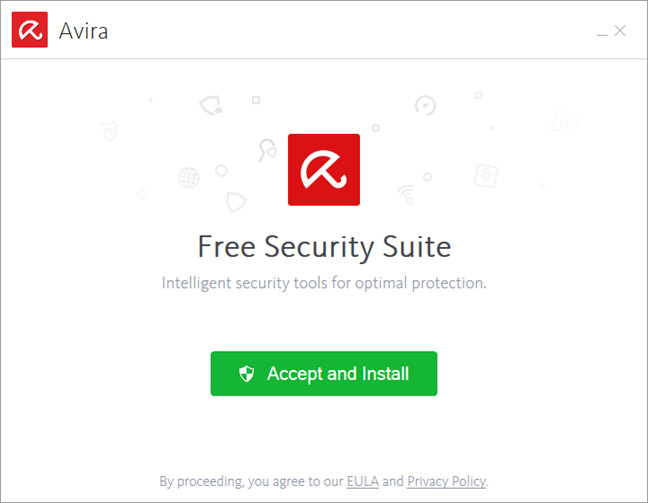
To use Avira Free Security Suite on your computer, you must first download it. What you get is a small 5.12 MB executable file called avira_en_fass0_[some_random_characters]_ws.exe which you must run to download and install all the security modules. One positive we noticed about Avira Free Security Suite is that it does not ask you for any personal information. The installation process is simple and easy to go through: accept the license terms and wait for the wizard to download and install everything. In total, the security suite needs to download 364.5MB of data from the internet, which is a fairly big download, especially if you are using a metered connection.
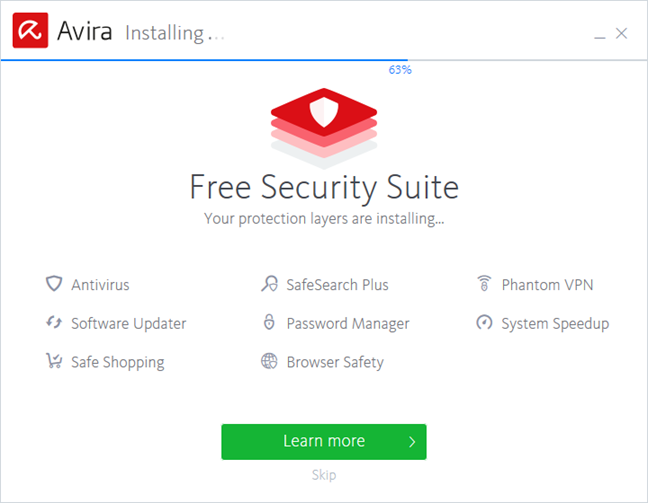
During the installation, you can see what protection modules and additional tools you are getting, and you can also click on "Learn more" to see some details about the main features.
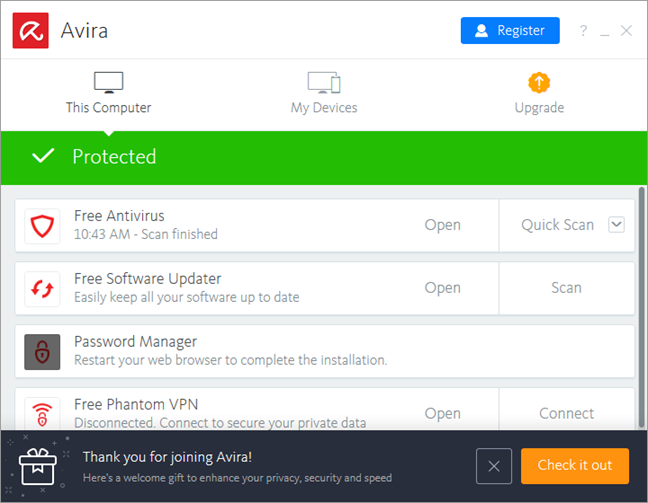
When the installation is done, Avira Free Security Suite loads its user interface, which looks simple at first.
There is no need to reboot your computer, as Avira's antivirus starts protecting you immediately after you finish installing it. Also, the security suite already uses the latest virus definitions available, so you get the best protection available at the moment.
Downloading and installing Avira Free Security Suite is easy and straightforward. All it takes is a few clicks, and the security suite is installed on your Windows computer. We also like the fact that Avira does not force you to provide any personal information to install their product.
Integration with Windows, web browsers and universal Windows platform apps
Avira Free Security Suite disables Windows Defender during its installation. It is a good thing because having two antivirus applications running simultaneously can lead to unexpected conflicts and performance issues. However, we did not see the Windows Firewall is disabled by Avira and, at first, we were wary of this. Multiple firewall solutions running at the same time can also be risky for your computer. When we looked closer, we found that Avira Free Security Suite does not include a proprietary firewall and, instead, relies on the Windows Firewall.
Then we checked whether Avira Free Security Suite is well integrated with Windows 10 regarding networking features. As this security product relies on Windows Firewall, it is self-evident that it works great with Windows 10: we could create and join Homegroups, we could access network shares and stream media files over the network, and we had no problems in downloading, installing or using universal Windows apps. Another direct consequence of Avira Free Security Suite using the Windows Firewall is the fact that you are always going to have the appropriate firewall settings applied for both Public and Private networks.
We also checked how Avira Free Security Suite protects users while browsing websites. The bad news is that this security product does not protect you against online dangers. This security feature is available only in the Pro version of the suite, which costs money.
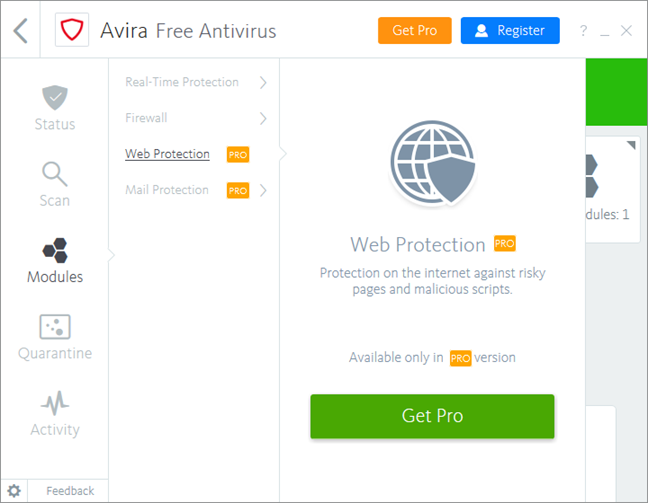
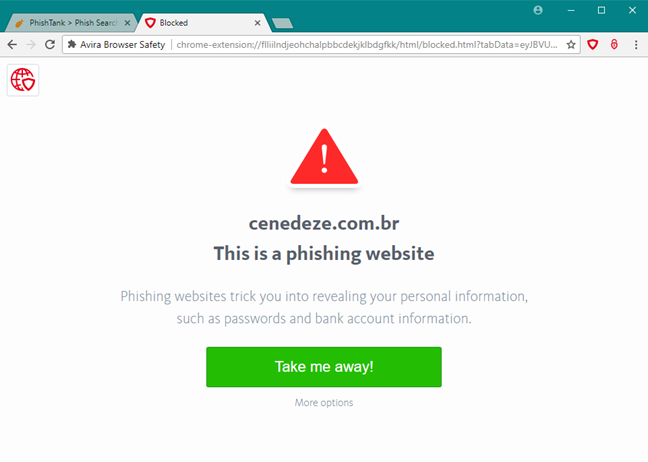
However, Avira Free Security Suite also offers a browser extension called Browser Safety, designed to protect you when surfing the web, but only if you use Google Chrome or Mozilla Firefox.
We also used Task Manager to monitor how much RAM is needed by Avira Free Security Suite to run its processes. The security suite uses about 147 MB of RAM, which is not a significant value for modern computers. Then, we also checked how much it affects the boot time of our test computer. To do that, we used BootRacer, and we measured that Avira Free Security Suite added 2 seconds to our test system's boot. That is 9.87% more time added to the original boot time. To check whether the internet or local network speeds are affected by Avira Free Security Suite, we also ran a few tests with Speedtest.net and with LAN Speed Test. The transfer rates were the same before and after installing the security suite, which means that it has no adverse effect on internet or local network data transfers. It is an excellent result!
Avira Free Security Suite does not include a proprietary firewall module. Instead, it relies on the Windows Firewall. Because of that, it is well integrated with Windows 10 and universal Windows apps. The only minor negative is that this suite increases a bit the boot time of your computer.
Ease of use & configuration
Avira Free Security Suite is rather peculiar when it comes to its user interface. In fact, you could say that this product includes more than one user interface. You get a window called Avira, which acts as a central console for viewing and launching the tools available. This part of the user interface lets you know if you are well protected, it gives you a glimpse of the status of each protection module and it also allows you to start the tasks offered by each protection module: run an antivirus Quick Scan, Connect to a VPN server, or Optimize your PC. This central console uses bright and warm colors which look good. What we do not like about it is the fact that it is a window with a fixed size, and that its size is rather small, so you have to scroll through it to find all the tools.
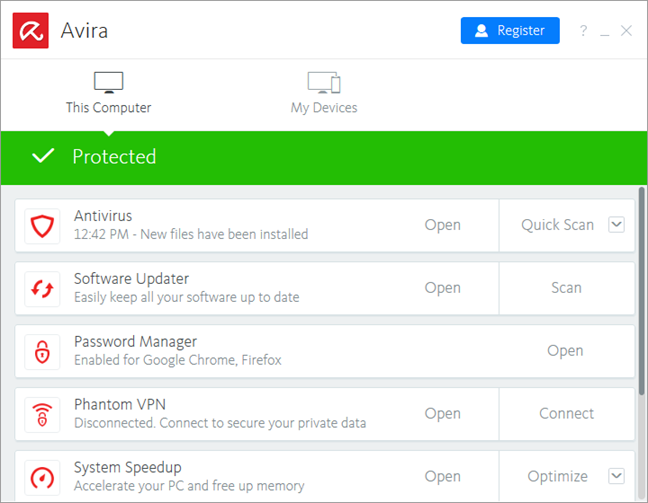
When you install Avira Free Security Suite, you get the following protection modules: Antivirus, Software Updater, Password Manager, Phantom VPN, System Speedup, Safe Shopping, and Browser Safety. The interesting thing is that the Antivirus module is not just about the antivirus engine, but also the tool that you need to launch if you want to access things like the firewall settings, the web protection (which is not available in the security suite but which turns on if you buy the Pro version), or the reports. Avira Free Security Suite is not organized intuitively, and it can be confusing.
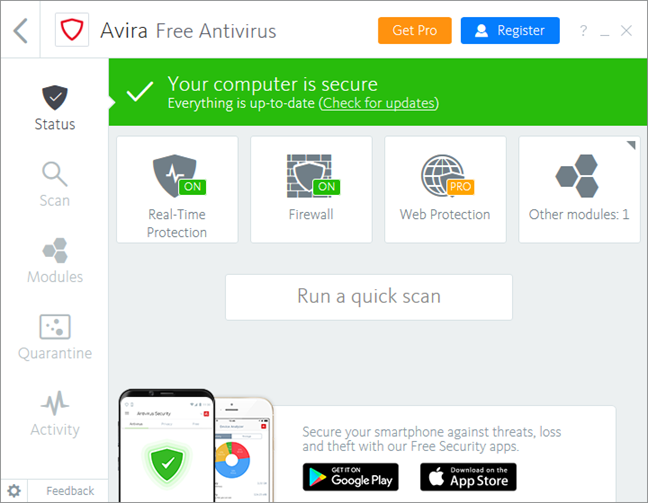
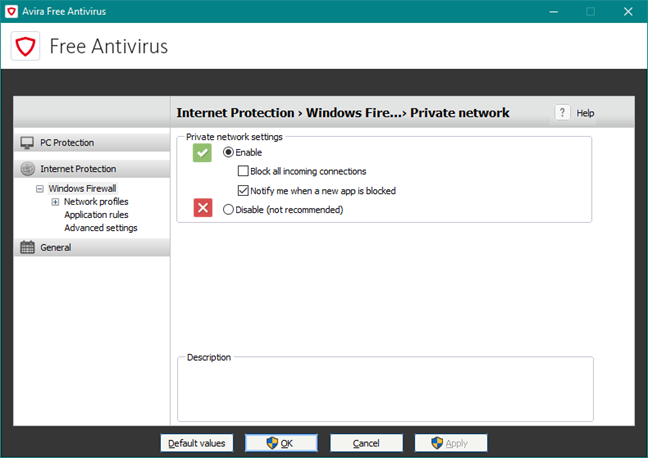
This settings window of the Avira Antivirus Free module does not follow the same design lines as the main user interface, and it even looks dated. As you can see in the screenshot below, Avira's antivirus settings window changes from bright colors to black and white and offers access to details, options, and settings. This time, the menus items are written in small fonts that are hard to read and are also hard to use on a touchscreen.
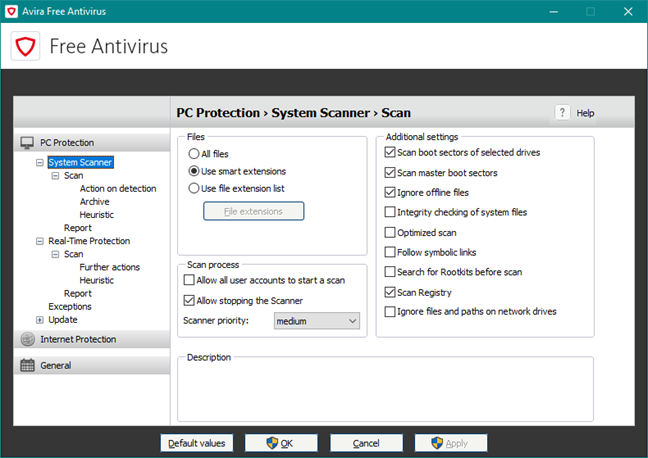
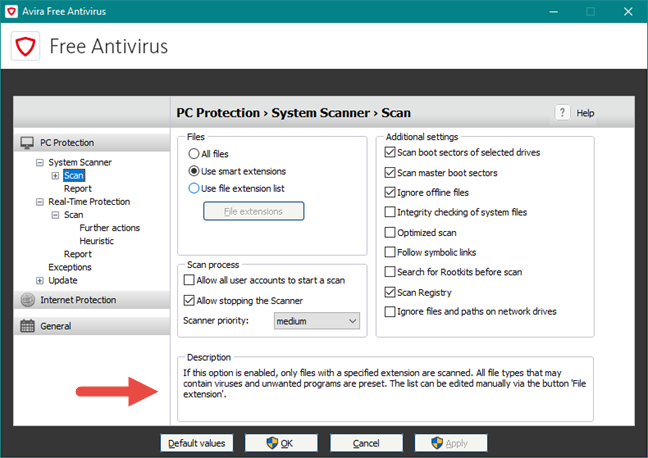
A positive aspect of Avira Free Security Suite is the fact that it is enough to hover the mouse cursor on most of the advanced settings to see brief information about what they do. This helps you understand what the settings do, without having to open the help and documentation files.
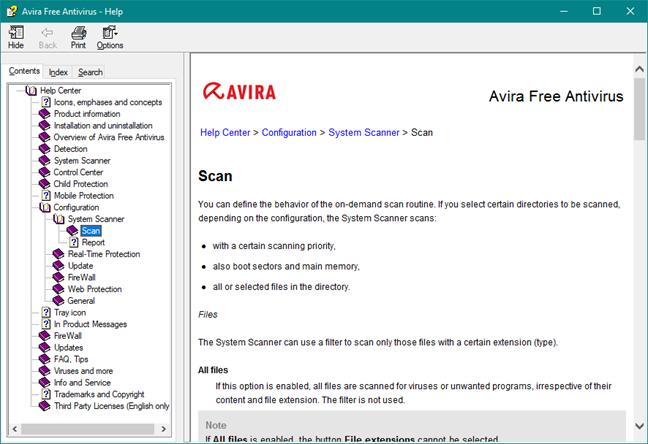
Talking about help and documentation, Avira includes offline Help files, which is great. You do not need internet access if you want to read Avira's documentation. Avira Free Security Suite also offers easy access to online documentation, frequently asked questions, and even video tutorials about how to improve your security. However, email and phone support are available only to paying customers, not to users of Avira Free Security Suite. This is the norm for free products.
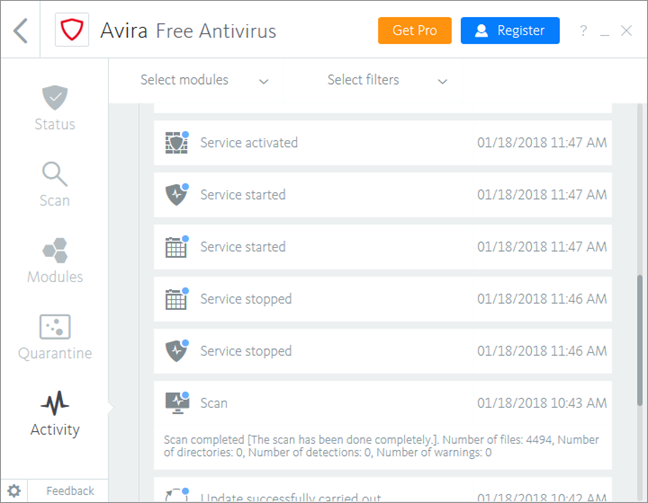
Regarding reports, Avira Free Security Suite offers a section called Activity where you can see some text logs, but no visual statistics whatsoever. The text logs are, unfortunately, just summaries of what happened on your computer, so if you want details, you are out of luck.
From a user interaction point of view, we must note that we saw alerts when malware was detected, but also other types of notifications, including advertisements.
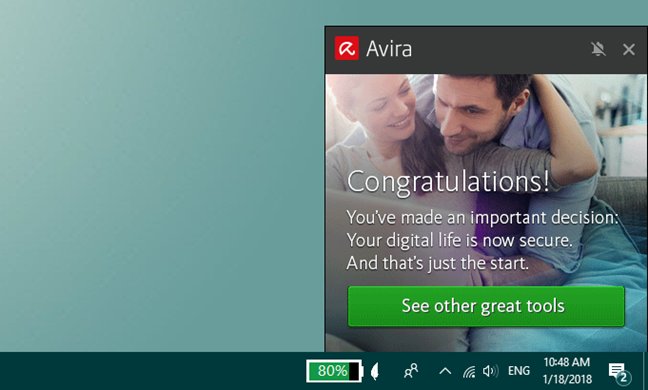
Avira Free Security Suite is not what you would call a user-friendly security product. Some of it looks good, but some parts seem like they came from the past. Unfortunately, Avira's user interface looks like a bunch of different things thrown in together, without coherence and fluency.
Firewall
As mentioned earlier in this review, Avira Free Security Suite has no proprietary firewall module but instead relies on the Windows Firewall. A positive consequence of that is that every networking feature in Windows 10 works as it should, without any manual intervention from the user. It also means that the firewall adjusts its protection settings according to the network profile you set in Windows: Public or Private. Avira Free Security Suite lets you control the Windows Firewall settings directly from its interface, but as far as we can tell, does not add anything else on top of it. Also, even if you choose to buy the commercial versions of this product, you still do not get any proprietary firewall. If you want, you can read a bit more on this subject, here: Why do the products not include Avira FireWall anymore?.
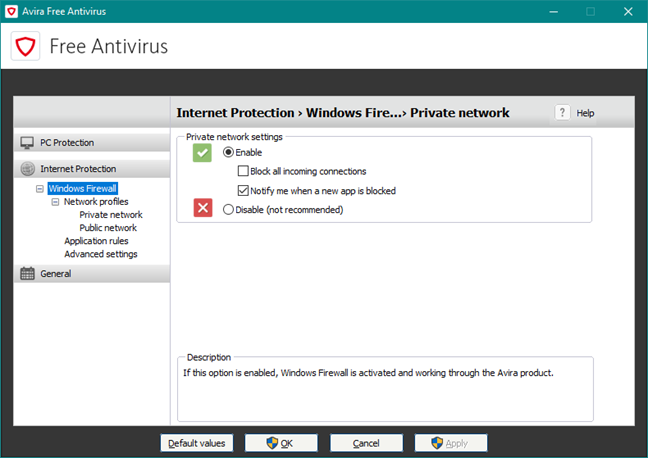
The good news is that Windows Firewall is a reasonably good firewall. We used two well-known network vulnerability scanners to see how well you are protected against network attacks, both when using a Public and a Private network profile.
When we used a Public network profile, neither Nmap nor Nessus managed to find any open ports and the only information they could disclose was the MAC address of our test computer, which is not an important detail regarding security.
When we switched to using a Private network profile for our test computer, Nmap identified eight open ports, while Nessus found seven open ports and one vulnerability to "man-in-the-middle" attacks. Both these scanners found the MAC address of our test computer and Nessus also managed to identify the operating system we used. This is an average result.
When we review a security suite, we always appreciate more those security vendors that offer proprietary firewalls which are better than the Windows Firewall. But, Avira uses Windows Firewall, which can provide reasonably good protection, but not the best on the market.
Antivirus and antispyware
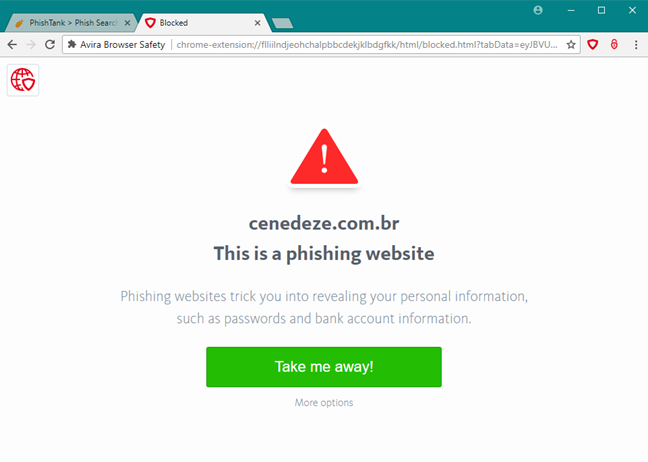
The first thing we checked regarding malware protection was to see how good Avira Free Security Suite is at protecting you against online threats. Avira's free security suite does not scan the web traffic that goes on your computer. The product itself can do that, but the feature is disabled in the free version. What Avira Free Security Suite does offer for free though, is a web browser extension called Browser Safety designed for the same purpose. It works only in Google Chrome and in Mozilla Firefox. We used these two browsers and tried to load several malicious websites. We did not manage to load any of them. Good job Avira!
Then, we checked how Avira deals with infected malware files stored on removable drives. We placed a bunch of viruses on a USB memory stick and then plugged it into our test computer. Unfortunately, Avira Free Security Suite did not automatically scan the memory stick, nor did it ask us if we wanted to scan it. It only reacted when we opened the folder that contained the infected files. Then, it identified a few of the viruses and moved them into the quarantine.
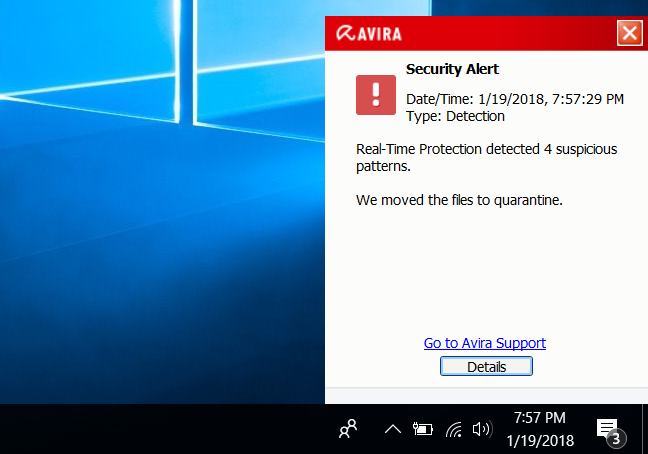
The bad news is that Avira did not detect all the malware files that we had on the drive. Only after we did a manual scan, did it manage to identify and remove all the viruses.
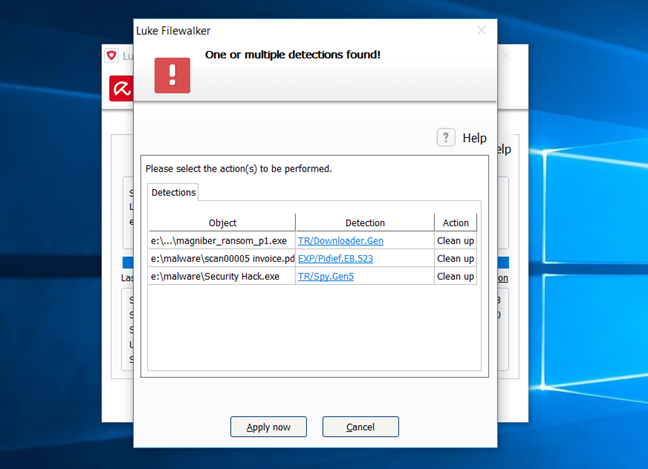
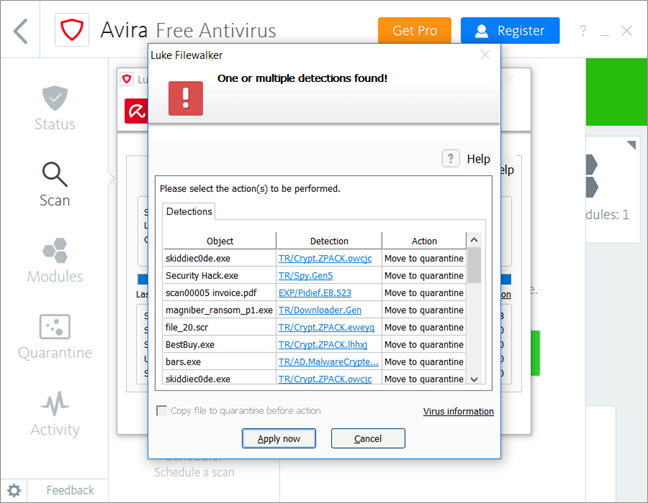
Next, we took our test computer and installed a clean version of Windows 10, we patched it with all the available system updates, and then we installed a whole series of viruses on it. We asked Avira Free Security Suite to install itself and clean our computer. We were pleased to see that the suite had no problems installing and starting its protection services. We were also happy to see that it was able to detect and to remove all the malware on the system.
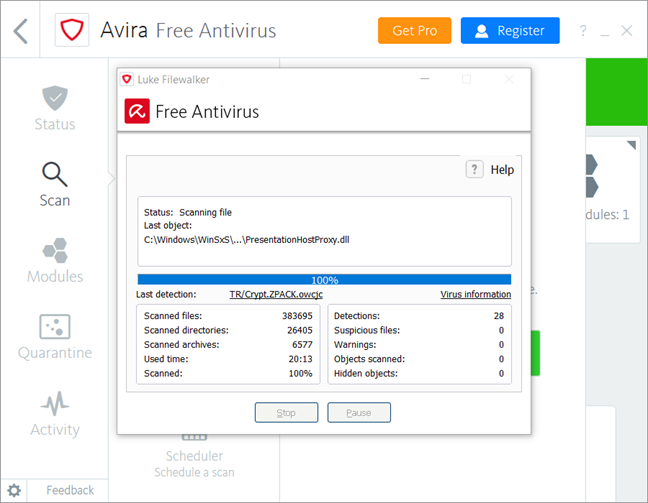
For our last test, we performed a full system scan, to learn how fast Avira is at scanning your computer. The average time it needed to scan our 126GB Windows 10 partition with 35GB of files on it was about 20 minutes. That is slow!
To complete the evaluation, we looked at what independent IT security organizations had to say about the antivirus protection offered by Avira:
- AV-TEST awarded Avira Antivirus Pro with their top score of 6 points out of 6 for protection and usability, and with 5.5 points for performance.
- AV-Comparatives awarded Avira with their top Advanced+ badge in the Real World Detection Test and Performance Test, and with an Advanced badge in the Malware Protection Test.
- Virus Bulletin did not test Avira's products in the last year.
What we hold against Avira is the fact that it does not protect you when you browse the internet, unless you use Chrome or Firefox and install their Browser Safety extension. If you are using Edge or Opera, you are left unprotected against dangerous websites. We also do not appreciate the fact that it does not automatically scan removable drives, nor does it ask the user for permission to do that. And we could not find any setting that changes this behavior. However, Avira Free Security Suite offers a good antivirus engine that does an excellent job of protecting your computer against viruses, although its antivirus engine is slow at scanning your PC.
Extra features
Avira Free Security Suite includes many additional features, but most of them do not provide added value to their users:
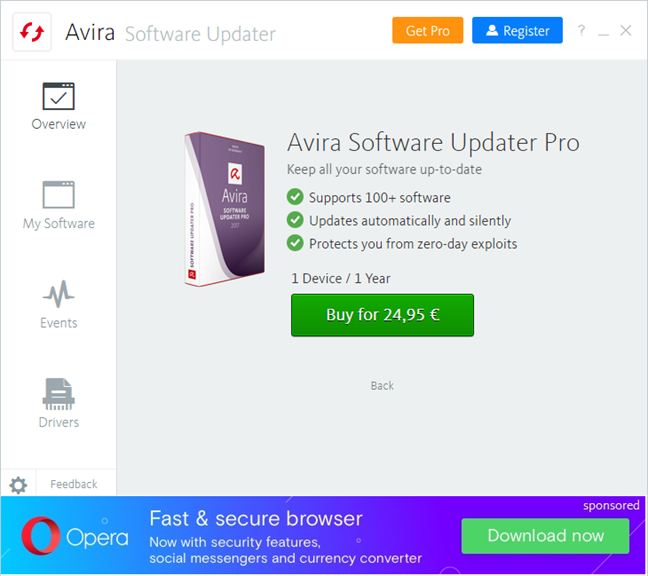
- Software Updater - a tool that is supposed to search for and automatically update outdated software that is installed on your computer. However, it does not work, unless you pay for an additional subscription just for this tool, which is about 25 Euro at the moment.
- Password Manager - a wallet tool that can securely save your passwords, with extensions available for Chrome and Firefox, as well as for Android and iOS. It can be useful to people who do not already use a password manager.
- Phantom VPN - a VPN service that offers 500MB of monthly internet traffic, for free without registration, 1GB of traffic if you choose to register an account with Avira, and unlimited traffic if you are willing to pay about 8 euros a month or 60 euros per year. It is a high price, in our opinion. The decrease in speed that we measured was significant, of about 90 percent on both download and upload speeds, when we used the nearest server available. Unfortunately, that is a big slow down and, although it is acceptable if you do not pay for it, it is not justified if you pay the price for the Pro version.
- Browser Safety - is a web browser extension that is designed to protect you against online threats, if you use Google Chrome or Mozilla Firefox. You should use this extension, as it is the only thing that protects you from malicious websites.
- System Speedup - is a software that acts as a portal for a whole range of other extra tools. It includes Device Optimization, Boot Optimizer, and System Tools. We will not go into details about all these tools because most of them are copies of Windows built-in tools, and are only there for publicity, as they do not work unless you decide to buy the Pro version.
- Safe Shopping - this tool promises to offer you better deals for the products you are searching to buy online. This feature has nothing to do with your security, and it is there only for monetizing users. We do not like it and, unfortunately, you cannot stop it from working. If you are using Safe Shopping to search for a product on the internet, the security suite does that by using Avira's own SafeSearch Plus - a search service provided by Avira together with Ask.com or Yahoo.com. We were curious to see what happens when you use Avira SafeSearch Plus, so we did a bit of research to see what Avira says about these partnerships, in the company's Privacy Policy. It is written that "The search functions Avira provides (for example, https://safesearch.avira.com/ or https://avira.search.ask.com/ or search.avira.net), are provided by either APN, LLC ("Ask.com") or Yahoo!, Inc. ("Yahoo"). If you start a search query via the search functions, both Ask.Com and Yahoo record certain information and display the search results. To do so, both companies determine your IP address, the source of your search, your browser and platform type and your language settings. Both companies also forward this information to third-party content providers and sponsored links."
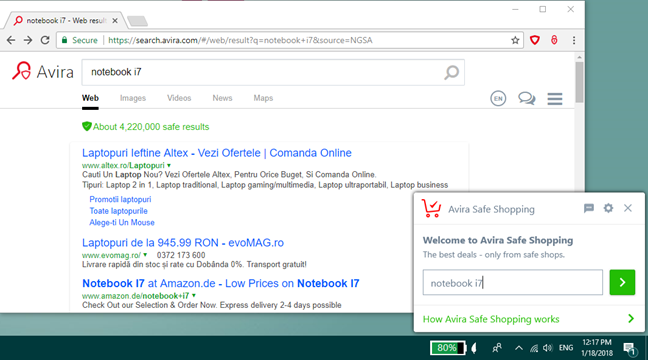
Avira Free Security Suite includes many extra features, but only Phantom VPN and Password Manager add value for users. The many other tools are just copies of tools offered by Windows, with a high price tag stamped on them.
Default settings you might want to adjust
If you use Avira Free Security Suite, we have a few recommendations for you regarding the default settings you should consider improving:
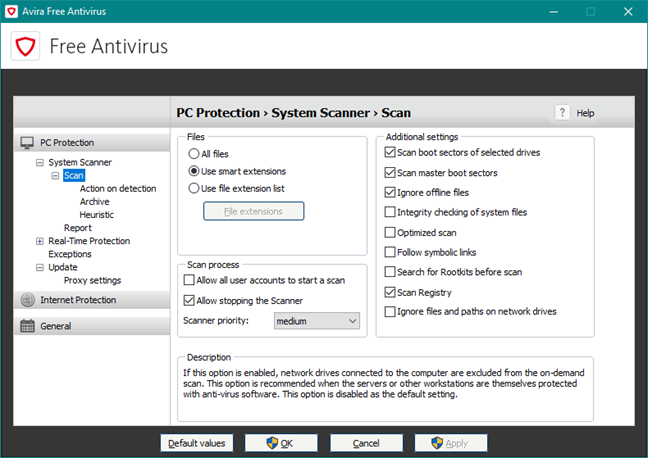
- Enable the following antivirus scanning options: "All files" (instead of "Use smart extensions"), "Integrity checking of system files" and "Follow symbolic links." These settings are disabled by default and turning them on can increase the antimalware protection you get. You can find all these settings in "Antivirus -> Settings -> PC Protection -> System Scanner -> Scan".
- Avira Free Security Suite has a predefined scheduled scan that runs each week. However, this is only a "Quick system scan" that does not go in-depth. To achieve better protection, we recommend that you create another, full system scan that you schedule to run every two weeks. You can do that from the Scheduler section of the Avira Free Antivirus.
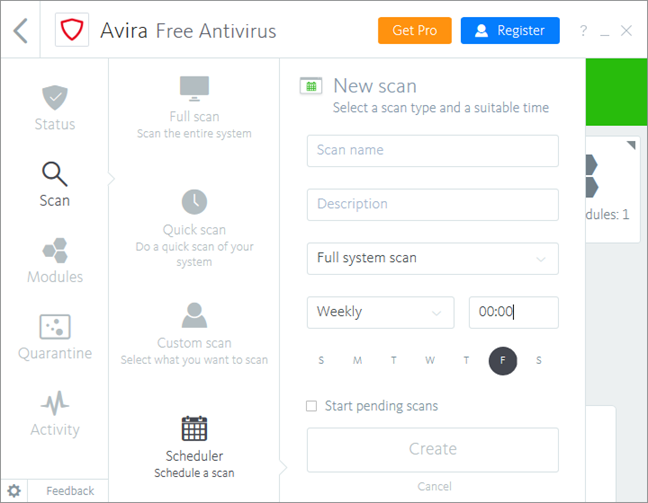
Avira Free Security Suite is well configured, but there are a few adjustments you can make to get even better protection from it.
What is your opinion about Avira Free Security Suite?
To be honest, we do not like Avira Free Security Suite, and we believe that you would do better if you installed Avira's Free Antivirus. This "security suite" feels like a bloated product that gives very little in addition to what the primary antivirus offers. It is more of a publicity stunt to get people to buy the Pro version. Before closing this review, let us know if you agree with us. Also, if you used this product, you should share your experience in a comment. It will help other readers.
Discussion (2)
it was useless on all counts, took almost 2 hours to uninstall( each feature had to be removed individually as well as each uninstall a new window would open asking me to rate and comment. and the final uninstall?
they offered “something better”….ythe exact suite i just went through sheer hell to remove. when i declined the “generous offer”, they then offered to give me one month free of the avira prime! no thanks
Thanks for sharing your experience with us and other readers.