




Saving an Instagram Live video depends on one key factor: whether you hosted the Live or just watched it. Timing matters just as much, because many options disappear after the broadcast ends or the replay expires on Instagram.
This guide shows the exact ways to save your own Live or download someone else’s Live later, without guesswork.
Save your own Instagram Live video (creator methods)
Save immediately after ending a Live
When you end a Live broadcast, Instagram shows a Download video option right away. Tap it to store the full video directly on your phone.
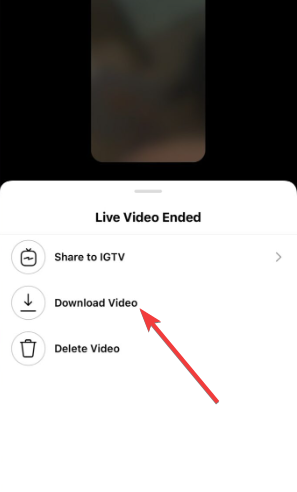
This method keeps the original quality and avoids compression issues. Use it every time if you plan to reuse the Live.
Save Live video to Instagram archive
Instagram can also store your Live in your account archive. Open your profile, tap the menu, then go to Archive and find the Live video.
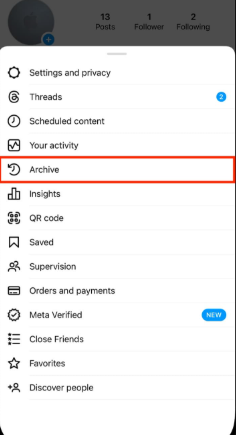
Archived Lives stay private and let you review or repurpose content later. They do not automatically download to your device.
Save Instagram Live to camera roll on iPhone and Android
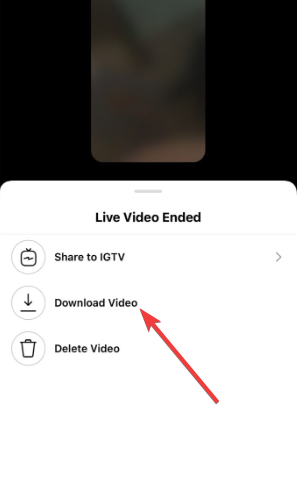
Select the Archive video and click the Download video option below. Instagram saves the Live to Photos after you confirm the prompt on iPhone. On Android, it saves the file to internal storage, usually under the Movies or Instagram folder.
Download someone else’s Instagram Live video (viewer methods)
Download a Live replay before it expires
If the creator shares the Live as a replay, you can access it for a limited time, usually up to 24 hours. During this window, third-party download tools can capture the video.
Act fast. Once the replay disappears, download options shrink dramatically.
Download Instagram Live using third-party tools
Web-based downloaders work by fetching the replay video URL. They usually require the Live to remain public and active.
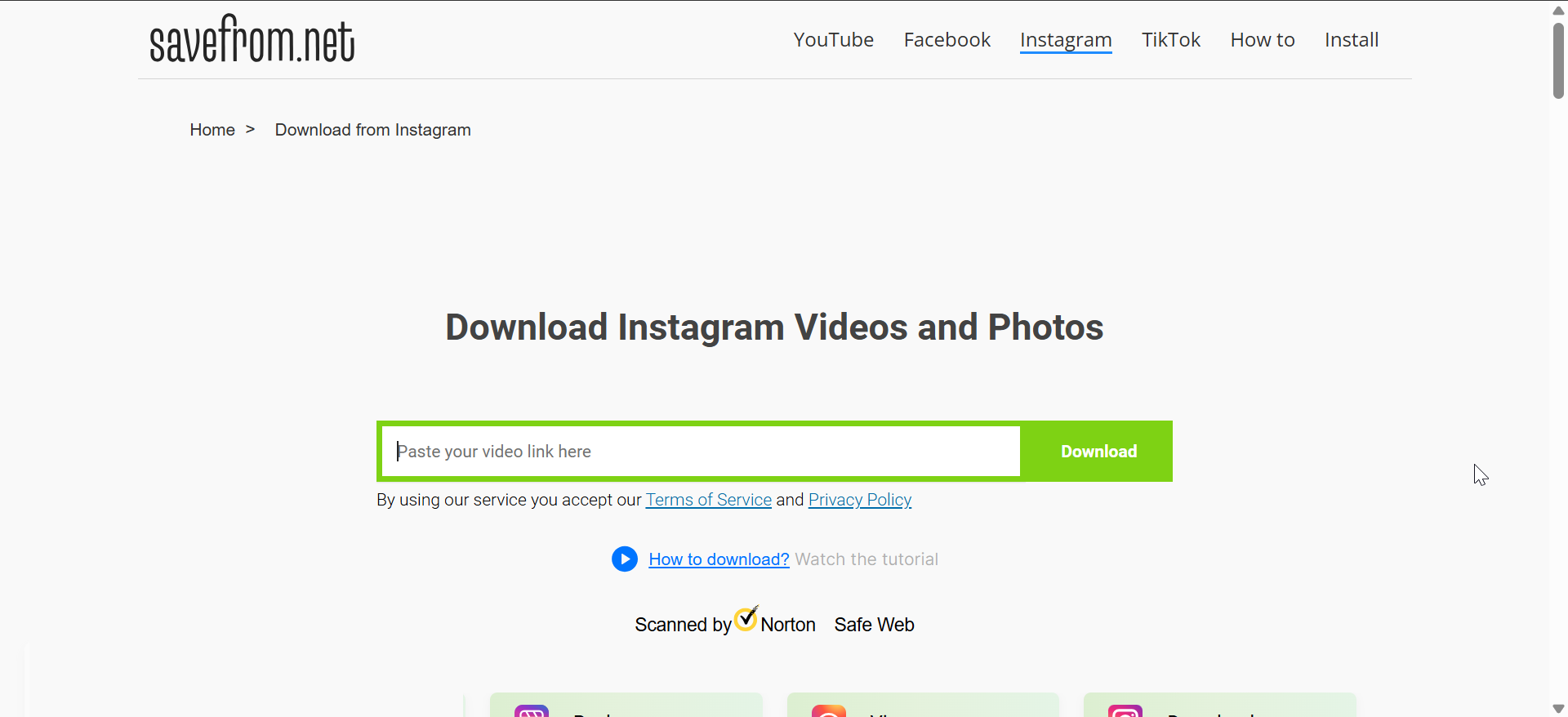
Expect quality limits and occasional failures. Avoid tools that request account logins.
Screen recording an Instagram Live
Screen recording works when downloads fail or tools stop working. Start recording before playback and let the video finish.
This method reduces video quality and may desync audio. Use it only as a backup.
What happens after 24 hours
Can you download an expired Instagram Live?
Once a Live replay expires, Instagram removes public access to it. Viewers lose the ability to download or replay the video.
No legitimate tool can recover an expired Live unless the creator saved it.
Exceptions: Archive access and reposted Lives
If the creator archived the Live or reposted clips to Stories or feed posts, those versions remain accessible. You can save or download only what stays visible.
Full-length recovery does not exist for expired Lives.
iPhone vs Android vs desktop differences
Saving Instagram Live on iPhone
iOS shows a clear save prompt after ending the Live. Screen recording integrates smoothly with system audio.
Check microphone permissions to avoid silent recordings.
Saving Instagram Live on Android
Android saves files to device storage without previewing them. File paths vary by manufacturer.
Always confirm the video exists before closing Instagram.
Downloading Instagram Live on desktop
Desktop browsers handle long videos more reliably. Download tools often perform better on stable wired connections.
Use private browsing to limit tracking.
Quality, privacy, and legal considerations
Video quality and resolution limits
Native saves preserve the best quality. Downloads and recordings reduce resolution due to compression or capture limits.
Choose the method based on your reuse plans.
Privacy and consent rules
Saving your own content poses no issue. Downloading someone else’s Live requires respect for privacy and local laws.
Always get permission before reposting or redistributing.
Common problems and fixes
- “Save video” option missing after Live ends: Instagram hides the option if the app crashes or the Live ends abruptly. Update the app and avoid force-closing it.
- Download fails or produces a blank video: This usually happens when the replay expires mid-download. Refresh the page and retry immediately. You can also switch tools or browsers if errors persist.
Summary
- Save your own Instagram Live immediately after ending it for best quality.
- Download Live replays only while they remain available.
- Use third-party tools carefully and avoid login requests.
- Expect limited options once the 24-hour window closes.
Saving an Instagram Live works best when you act fast and use Instagram’s built-in tools. Creators should always save immediately, while viewers need to catch replays before they expire. Once the time window closes, no reliable method can recover the full video, so planning ahead makes all the difference.


Discussion (0)
Be the first to comment.