




QNAP’s TS-464 is a 4-bay Network-Attached Storage (NAS) solution built for people who want more than just basic file storage. It’s compact, well-equipped, and aimed at home users and small businesses that want their own private cloud, a multimedia hub, or even a lightweight server. With a quad-core Intel processor, multi-gigabit networking, support for up to 72 TB of storage, and QNAP’s flexible QTS operating system, this little box can do a lot. I’ve spent some time with it, testing how it handles backups, streaming, and everyday tasks, and here’s what I found:

 The packaging is simple yet somehow attractive
Inside, the NAS is well protected in foam, and all the essentials are neatly packed. Besides the unit itself, you get the external power adapter and cord, a Cat5e cable, screws for 2.5-inch drives, and a quick start guide.
The packaging is simple yet somehow attractive
Inside, the NAS is well protected in foam, and all the essentials are neatly packed. Besides the unit itself, you get the external power adapter and cord, a Cat5e cable, screws for 2.5-inch drives, and a quick start guide.
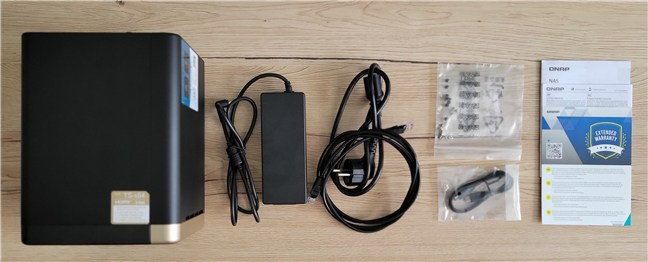
 The package includes the NAS and the essentials, but no drives
Everything you need is included in the NAS’s box. QNAP keeps the focus on practicality rather than presentation, and that’s fine for a device like this.
The package includes the NAS and the essentials, but no drives
Everything you need is included in the NAS’s box. QNAP keeps the focus on practicality rather than presentation, and that’s fine for a device like this.

 The NAS is matte but its front is glossy
Behind that cover, the trays accept both 3.5-inch and 2.5-inch drives, and they’re hot-swappable. With four 18 TB drives installed, you can officially reach 72 TB of storage, which is plenty for most home or small office setups. Supported RAID levels include JBOD, RAID 0, 1, 5, 6, and 10.
The NAS is matte but its front is glossy
Behind that cover, the trays accept both 3.5-inch and 2.5-inch drives, and they’re hot-swappable. With four 18 TB drives installed, you can officially reach 72 TB of storage, which is plenty for most home or small office setups. Supported RAID levels include JBOD, RAID 0, 1, 5, 6, and 10.
 Underneath the cover, you access the drive bays
Inside, the TS-464 is powered by an Intel Celeron N5095 quad-core CPU (burst up to 2.9 GHz) with Intel UHD Graphics. It ships with 8 GB of DDR4 memory (1×8 GB) in the retail model, and you can upgrade to 16 GB (2 × 8 GB) across its two SODIMM slots. There are also two M.2 PCIe 3.0 slots for SSD caching or extra storage, and a PCI Express Gen3 x2 slot for adding a 5GbE/10GbE card expansion.
Underneath the cover, you access the drive bays
Inside, the TS-464 is powered by an Intel Celeron N5095 quad-core CPU (burst up to 2.9 GHz) with Intel UHD Graphics. It ships with 8 GB of DDR4 memory (1×8 GB) in the retail model, and you can upgrade to 16 GB (2 × 8 GB) across its two SODIMM slots. There are also two M.2 PCIe 3.0 slots for SSD caching or extra storage, and a PCI Express Gen3 x2 slot for adding a 5GbE/10GbE card expansion.
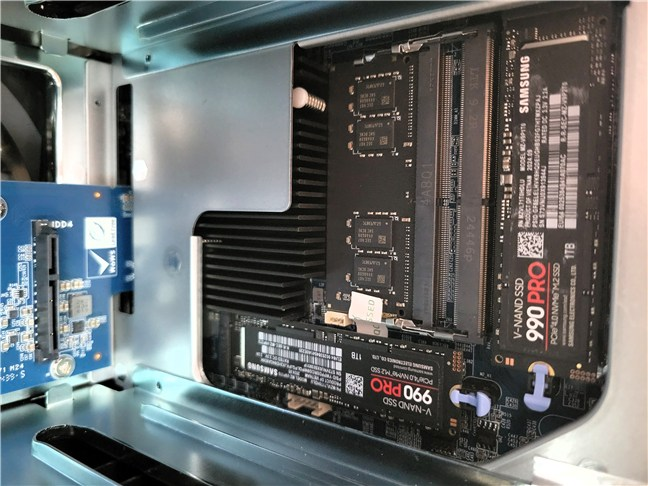 The NAS supports two M.2 SSDs
On the back, cooling is handled by a 120 mm fan, which keeps noise low while directing enough air to cool the drives and components. Power comes from an external 90 W adapter, and consumption is reasonable: around 40.5 W under load and about 21.6 W in standby.
The NAS supports two M.2 SSDs
On the back, cooling is handled by a 120 mm fan, which keeps noise low while directing enough air to cool the drives and components. Power comes from an external 90 W adapter, and consumption is reasonable: around 40.5 W under load and about 21.6 W in standby.
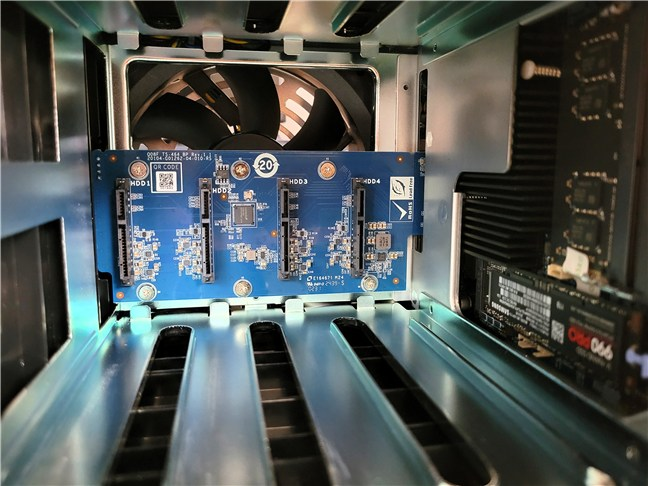 Airflow is provided by a large fan at the back
Connectivity is excellent: you get two 2.5GbE LAN ports that can be aggregated for up to 5 Gbps throughput, two USB 2.0 ports, two USB 3.2 Gen 2 (10 Gbps) ports, a front USB copy button, and a single HDMI 2.1 output that supports the 4K resolution at 60 Hz.
Airflow is provided by a large fan at the back
Connectivity is excellent: you get two 2.5GbE LAN ports that can be aggregated for up to 5 Gbps throughput, two USB 2.0 ports, two USB 3.2 Gen 2 (10 Gbps) ports, a front USB copy button, and a single HDMI 2.1 output that supports the 4K resolution at 60 Hz.
 Connectivity is excellent on all fronts
The QNAP TS-464 is a small but powerful NAS that looks good, runs quietly, and has room to expand. With fast connections and plenty of storage options, it seems like a good choice for home or small office use. If you want to read its complete specifications, you can find them on this page: TS-464.
Connectivity is excellent on all fronts
The QNAP TS-464 is a small but powerful NAS that looks good, runs quietly, and has room to expand. With fast connections and plenty of storage options, it seems like a good choice for home or small office use. If you want to read its complete specifications, you can find them on this page: TS-464.
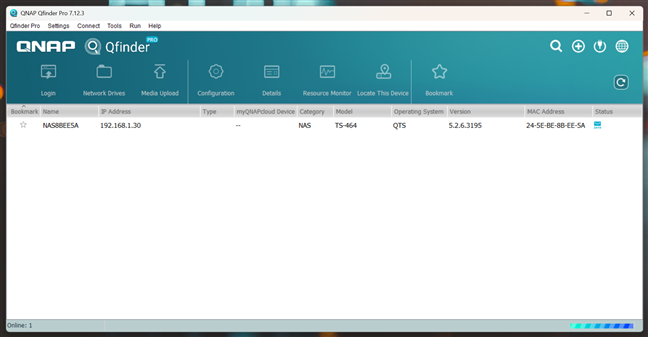
 Access the NAS with Qfinder
Setup only takes a few minutes: you choose a device name, create your admin account, and install the latest version of QTS. The web interface looks like a desktop, with icons for apps and easy access to system settings. It may feel busy at first, but it’s very powerful once you get used to it.
Access the NAS with Qfinder
Setup only takes a few minutes: you choose a device name, create your admin account, and install the latest version of QTS. The web interface looks like a desktop, with icons for apps and easy access to system settings. It may feel busy at first, but it’s very powerful once you get used to it.
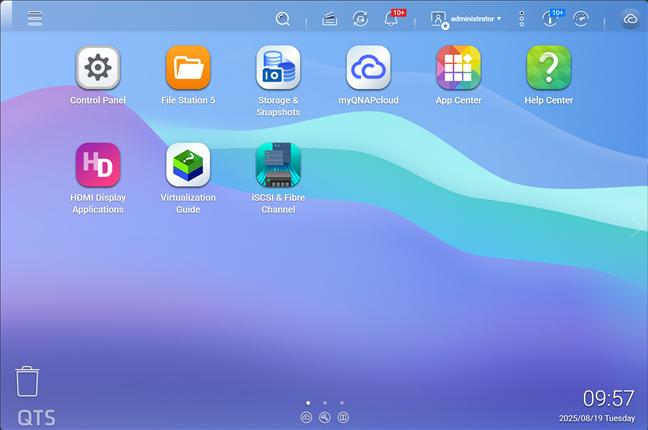
 QTS looks great and is filled with features
QTS comes with everything you need for storage, including snapshots for extra protection, and you can add more through the AppCenter. There’s File Station for managing files, Hybrid Backup Sync for cloud and device backups, and apps for photos, music, and videos.
For advanced users, there’s Container Station for Docker, Virtualization Station for VMs, and even Plex for your local media streaming.
QTS looks great and is filled with features
QTS comes with everything you need for storage, including snapshots for extra protection, and you can add more through the AppCenter. There’s File Station for managing files, Hybrid Backup Sync for cloud and device backups, and apps for photos, music, and videos.
For advanced users, there’s Container Station for Docker, Virtualization Station for VMs, and even Plex for your local media streaming.
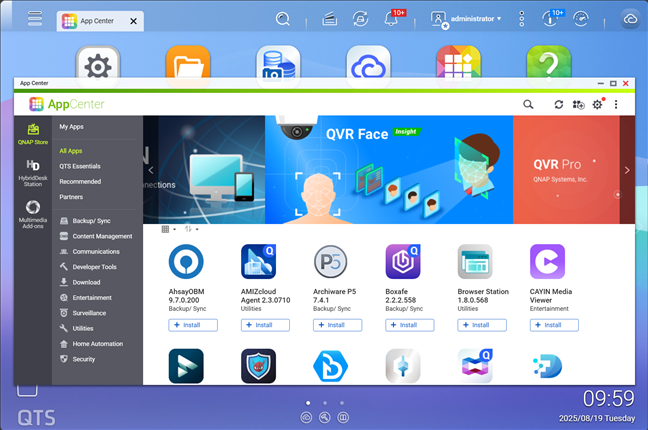 Check the AppCenter for all sorts of applications
Surveillance is also a subject that’s covered well. With the apps available for it, you can use the TS-464 to monitor your home or office with multiple cameras.
Check the AppCenter for all sorts of applications
Surveillance is also a subject that’s covered well. With the apps available for it, you can use the TS-464 to monitor your home or office with multiple cameras.
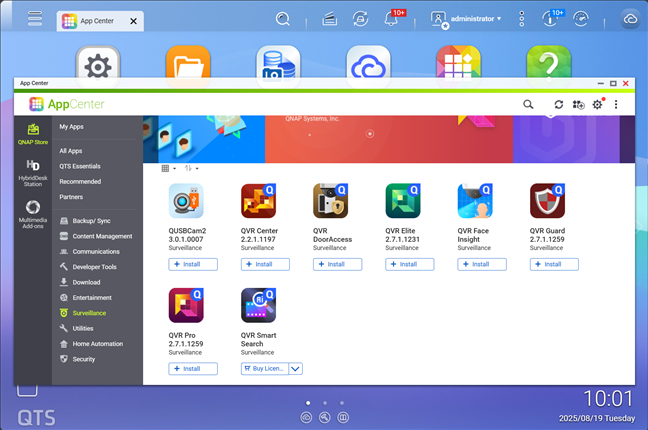 The NAS can be a great asset for surveillance too
As far as I can tell, everyday use is smooth. On a standard Gigabit connection, I averaged around 110 MB/s, which maxes out the link I have available in my local network. With 2.5GbE, transfer speeds should jump over 250 MB/s, which will make a huge difference for large backups and media transfers.
The NAS can be a great asset for surveillance too
As far as I can tell, everyday use is smooth. On a standard Gigabit connection, I averaged around 110 MB/s, which maxes out the link I have available in my local network. With 2.5GbE, transfer speeds should jump over 250 MB/s, which will make a huge difference for large backups and media transfers.
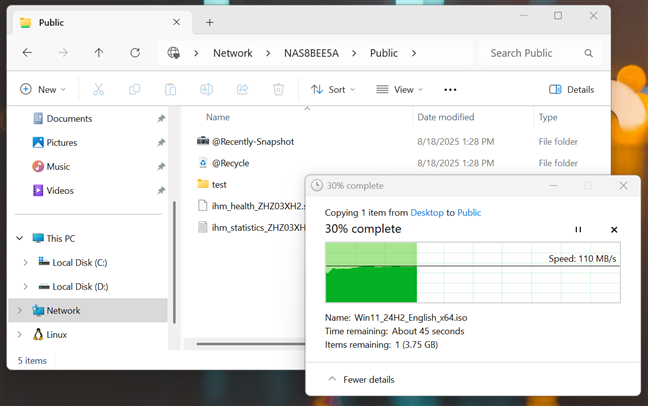
 The maximum speed I got when transferring data to and from the NAS
The one-touch copy button also came in handy. All you have to do is plug in a USB drive, press the button, and the contents are copied straight to the NAS.
The maximum speed I got when transferring data to and from the NAS
The one-touch copy button also came in handy. All you have to do is plug in a USB drive, press the button, and the contents are copied straight to the NAS.
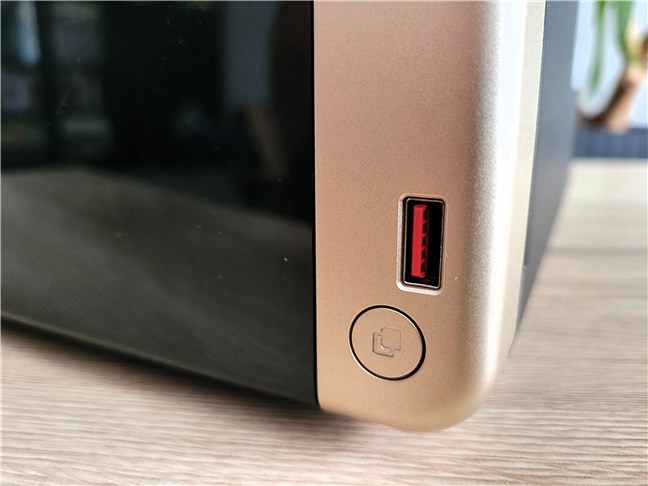 The one-touch copy button is quite handy
QNAP also includes useful security tools like Malware Remover, Security Checkup, and QuFirewall. The company had some security issues in the past, but constant updates and apps like these show they’re taking your data safety seriously.
The one-touch copy button is quite handy
QNAP also includes useful security tools like Malware Remover, Security Checkup, and QuFirewall. The company had some security issues in the past, but constant updates and apps like these show they’re taking your data safety seriously.
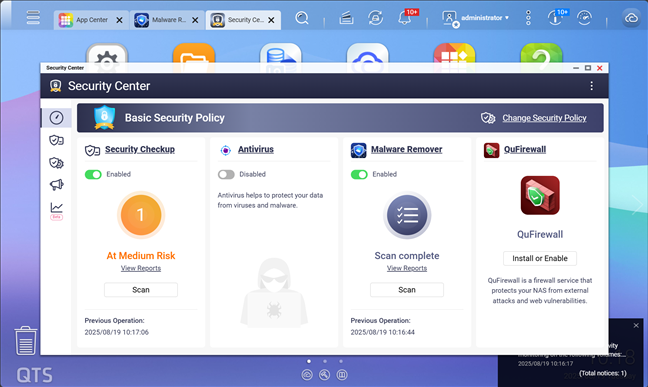
 QNAP takes security seriously too
In everyday scenarios, like running backups or accessing files from it, the NAS never struggled. It has more than enough horsepower for the tasks most people will throw at it, and the option to upgrade RAM or add a 10GbE card means it won’t become outdated anytime soon.
QNAP takes security seriously too
In everyday scenarios, like running backups or accessing files from it, the NAS never struggled. It has more than enough horsepower for the tasks most people will throw at it, and the option to upgrade RAM or add a 10GbE card means it won’t become outdated anytime soon.
QNAP TS-464: Who is it good for?
This NAS is a great choice if you’re:- A home user or someone working in a small office that needs easy file backup and sharing
- A creator who wants fast speeds and lots of space for projects
- A movie or music fan who wants a 4K media server with Plex and HDMI for TV playback
Pros and cons
Here’s what I like most about the QNAP TS-464:- Capable Intel quad-core processor with upgradeable RAM
- Two 2.5GbE ports for faster network transfers
- Room to expand with dual NVMe slots and a PCIe slot
- Plenty of ports, including HDMI and a front USB copy button
- The QTS operating system has apps for almost anything, from media streaming to virtualization
- No SD card slot, which photographers might miss
- To get the most out of those 2.5GbE ports, you’ll also need compatible networking gear
Verdict
The QNAP TS-464 is one of those NAS devices that feels more like a small server than a storage box. It’s quiet, efficient, and full of features that go way beyond simple file storage. Whether you want a Plex server, private cloud, backup hub, or even to run virtual machines, it’s got the horsepower to handle it. Yes, it takes a little time to explore everything its operating system can do, but once you get familiar with it, this NAS will most probably impress you. If you want a future-proof NAS that gives you more options than most, the QNAP TS-464 is an excellent pick.Unboxing the QNAP TS-464
The TS-464 comes in a plain cardboard box, with a sticker showing off its key specs. There’s nothing fancy about the packaging, but it doesn’t look bad either.Hardware specifications and design
This is a 4-bay NAS in a compact tower chassis, measuring 165 x 170 x 226.5 mm (6.5 x 6.69 x 8.92 inches) in height by width by depth and weighing about 4.98 lbs (2.26 kg) without drives. The matte-black case looks clean and professional, with a removable glossy front cover that hides the four drive bays. LEDs on the side show the system status, LAN activity, and drive usage.Setting up and using the QNAP TS-464
Like most QNAP devices, the TS-464 is sold diskless, so you’ll need to add your own drives. Installing them is easy, especially for 3.5-inch drives, which snap right in without screws. Once powered on and connected to your router, the NAS is detected automatically by QNAP’s Qfinder tool, and you can access it via a web browser.

Discussion (0)
Be the first to comment.