




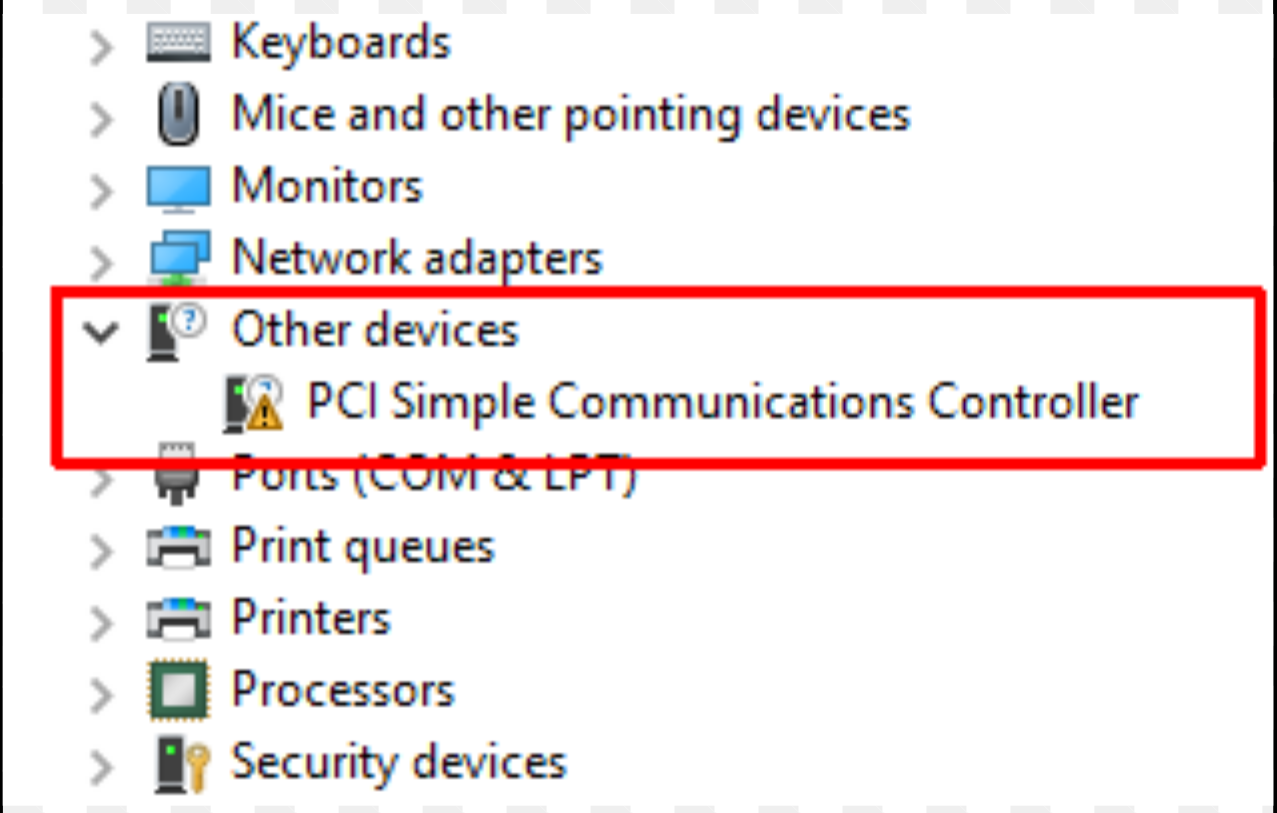
If you see PCI Simple Communications Controller driver missing in Device Manager, it means Windows cannot find the correct driver for a specific hardware component on your computer. This device is usually related to chipset communication features such as Intel Management Engine or system communication interfaces.
When the driver is missing, Device Manager may show a warning icon next to the device. Installing the correct driver typically resolves the issue. This guide explains what the PCI Simple Communications Controller driver is and how to fix the problem.
What Is PCI Simple Communications Controller?
The PCI Simple Communications Controller is a device listed in Windows Device Manager when the system lacks the correct driver for certain motherboard communication components.
It is commonly associated with:
- Intel Management Engine Interface (MEI)
- Chipset communication controllers
- System monitoring and management functions
Without the correct driver, Windows cannot fully communicate with the hardware.
Why the PCI Simple Communications Controller Driver Is Missing
Several reasons can cause the driver to appear missing.
Common causes include:
- Fresh Windows installation
- Missing chipset drivers
- Outdated motherboard drivers
- Incomplete system updates
The device appears with a warning icon in Device Manager until the correct driver is installed.
Check the Device in Device Manager
You can confirm the issue through Device Manager.
Steps:
- Right-click the Start button.
- Select Device Manager.
- Expand Other devices.
If the driver is missing, you will see PCI Simple Communications Controller with a yellow warning icon.
Install the Chipset Driver
The most common fix is installing the chipset drivers from the motherboard manufacturer.
Steps:
- Identify your motherboard model or computer manufacturer.
- Visit the manufacturer’s support website.
- Download the chipset driver package.
- Install the drivers and restart the computer.
This usually installs the required communication controller drivers.
Install Intel Management Engine Interface Driver
In many cases, the missing driver is the Intel Management Engine Interface (MEI) driver.
Steps:
- Go to the Intel driver download page or your PC manufacturer’s website.
- Download the Intel Management Engine Interface driver.
- Run the installer.
- Restart the system.
After installation, the warning icon should disappear.
Update Drivers Through Device Manager
You can also try updating the driver automatically.
Steps:
- Open Device Manager.
- Right-click PCI Simple Communications Controller.
- Click Update driver.
- Choose Search automatically for drivers.
Windows will attempt to locate the correct driver.
Use Windows Update
Sometimes Windows Update includes required chipset drivers.
Steps:
- Open Settings.
- Go to Windows Update.
- Click Check for updates.
Install any available driver updates.
Final Thoughts
The PCI Simple Communications Controller driver usually appears when Windows cannot find the correct chipset or management interface driver. Installing chipset drivers or the Intel Management Engine Interface driver typically resolves the issue.
Once the correct driver is installed, the warning icon in Device Manager should disappear and the system will function normally.
FAQs
What is PCI Simple Communications Controller?
It is a device that appears when the system is missing a chipset or management interface driver.
How do I fix the PCI Simple Communications Controller driver error?
Install the chipset drivers or Intel Management Engine Interface driver from the manufacturer’s website.
Is this driver important?
Yes. It helps the operating system communicate with motherboard management features.
Why does it appear after reinstalling Windows?
A fresh Windows installation may not include all motherboard-specific drivers.



Discussion (0)
Be the first to comment.