



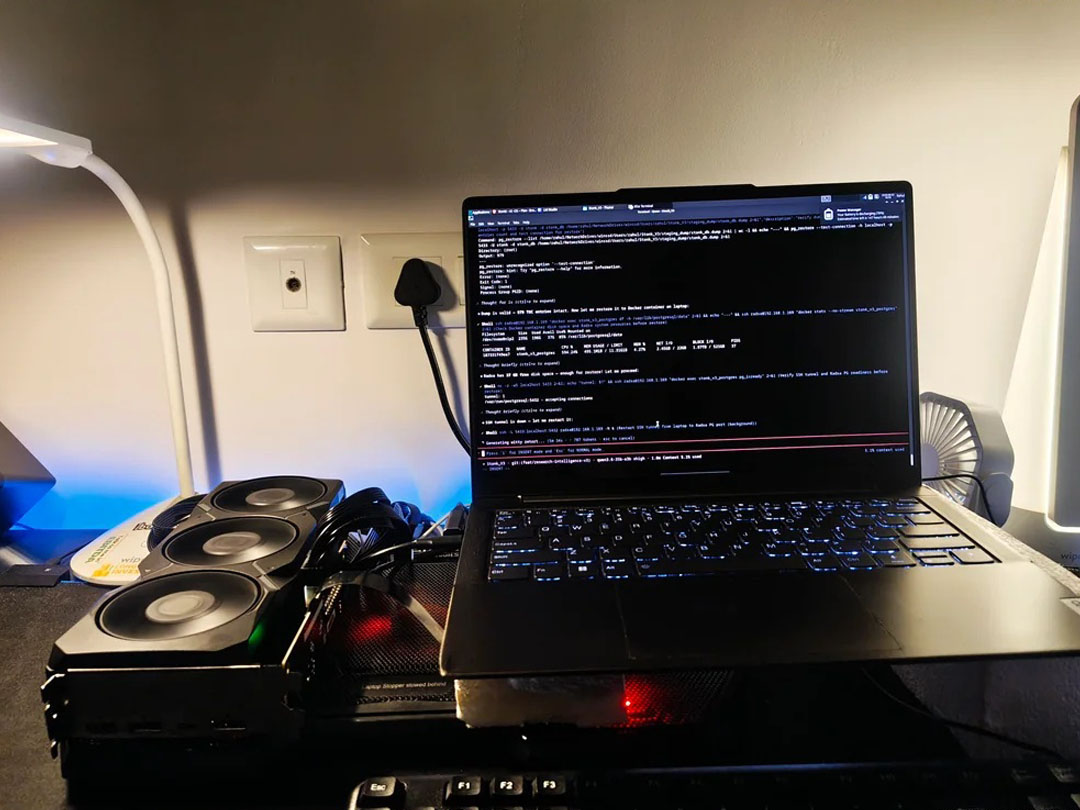
An older Lenovo laptop owner has shown that a desktop GPU can still turn aging hardware into a capable local AI machine, even without Thunderbolt or a built in discrete GPU.
The setup uses the laptop’s only M.2 slot to connect an AMD Radeon RX 7900 XT through an ADT Link PCIe riser. Because that same M.2 slot would normally be used for internal storage, the owner moved Windows to an external drive connected over USB.
The result is an unconventional but functional system that reportedly runs Qwen3.6 27B at around 55 to 60 tokens per second through llama.cpp.
RX 7900 XT provides the heavy lifting
| Component or setting | Detail |
|---|---|
| Laptop | Older Lenovo model |
| External GPU | Radeon RX 7900 XT |
| GPU memory | 20GB GDDR6 |
| Connection | M.2 slot through ADT Link PCIe riser |
| GPU power | Separate 750W power supply |
| Operating system | Booted from external drive |
| AI software | llama.cpp |
| Model | Qwen3.6 27B |
| Reported speed | 55 to 60 tokens per second |
| Context length | 100K tokens |
| System RAM | 16GB |
The RX 7900 XT handles the model weights and KV cache in its 20GB of VRAM, allowing the laptop itself to avoid most of the demanding AI workload.
An external monitor is connected directly to the desktop GPU, while the laptop continues using its integrated graphics for its own display tasks. That setup helps avoid unnecessary VRAM use on the RX 7900 XT.
The M.2 slot replaces a traditional eGPU connection
Many external GPU setups rely on Thunderbolt or USB4, but this laptop does not have either.
Instead, the owner connected the graphics card through the internal M.2 slot, effectively exposing a PCIe connection to the desktop GPU.
The tradeoff is that the laptop loses its internal storage slot.
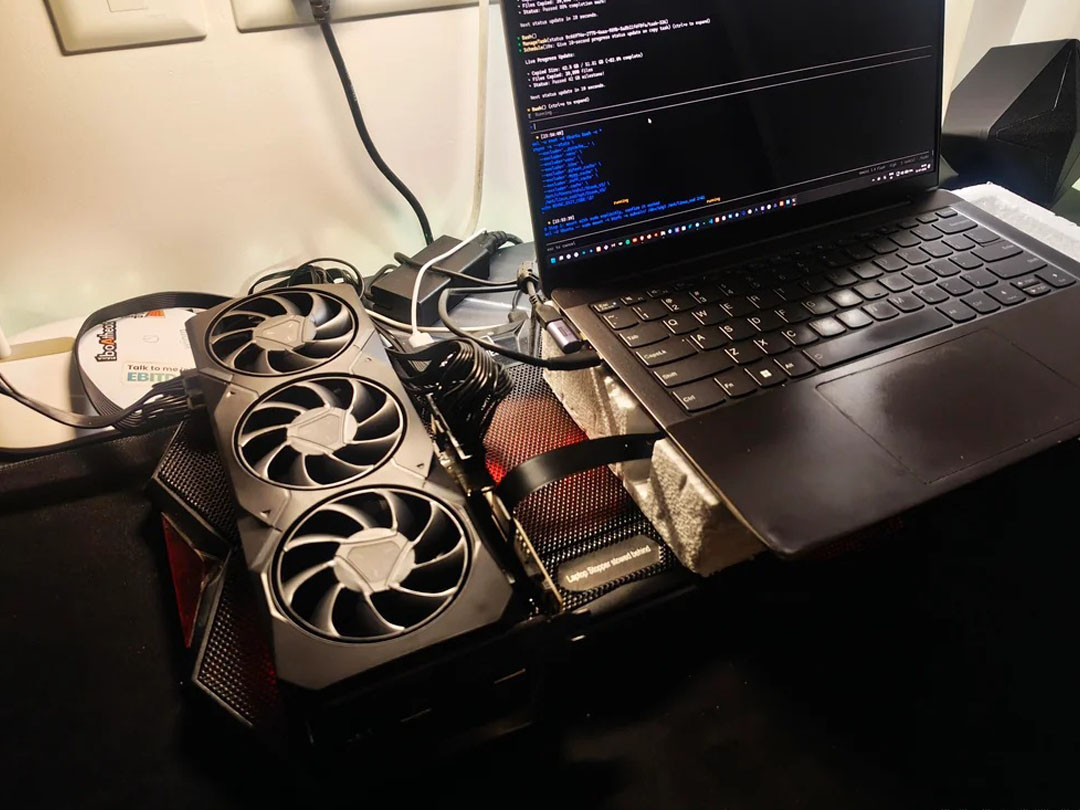
To work around that, Windows is booted from an external USB drive. It is not the cleanest arrangement, but it allows the system to use the M.2 connection entirely for the RX 7900 XT.
The GPU also requires its own desktop class power supply because the laptop cannot provide enough power for a card of this size.
100K context uses all 16GB of system memory
The reported performance is impressive for an old laptop, but system memory becomes the main limitation.
Running Qwen3.6 27B with a 100K context reportedly consumes the laptop’s full 16GB of RAM.
That means the GPU is not the only factor that matters in this setup. Large context windows can place substantial pressure on system memory even when most model data is stored in VRAM.
With more RAM, the owner could potentially gain additional headroom for longer or more complex workloads.
Local AI can extend the life of older PCs
The experiment shows how desktop GPUs can be paired with older systems when conventional eGPU ports are unavailable.
An M.2 connection is less convenient than a dedicated external graphics interface, but it can still provide enough PCIe bandwidth for workloads such as local AI inference.
The RX 7900 XT is particularly useful here because its 20GB framebuffer gives it enough capacity to handle larger models than many consumer GPUs with 8GB or 12GB of VRAM.
The reported 55 to 60 tokens per second in Qwen3.6 27B demonstrates that the setup is more than a novelty.
The main compromises are physical complexity, the need for an external PSU, external storage for the operating system and the laptop’s limited 16GB of RAM.
Even so, the experiment shows that an old laptop can remain surprisingly capable when paired with the right desktop GPU and a creative use of its available PCIe connection.


Discussion (0)
Be the first to comment.