



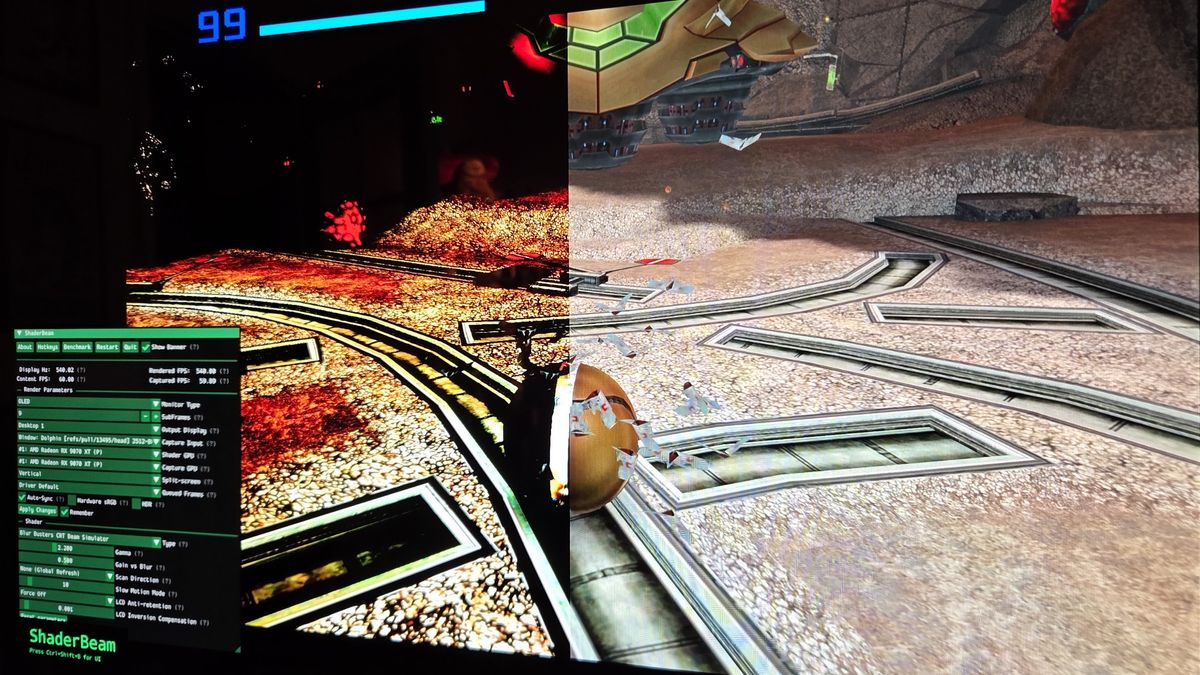
Modern OLED gaming monitors are finally getting close to reproducing one of the biggest strengths of old CRT displays: exceptionally clear motion.
The latest experiments combine very high refresh rate OLED panels with software that simulates the way a CRT's electron beam scanned across the screen. When everything works correctly, a 60 FPS game can appear dramatically clearer in motion than it normally would on a modern flat panel.
The problem is that making this work reliably still requires extensive setup, very fast hardware and operating system behavior that was never designed for this type of display processing.
CRTs Still Have an Advantage in Motion Clarity
Older CRT displays did not suffer from motion blur in the same way as traditional LCD monitors.
Modern LCDs display each frame continuously until the next one arrives. CRTs instead produced brief flashes of light as an electron beam scanned across phosphors on the screen.
That short illumination period helped keep moving objects sharply defined.
Blur Busters founder Mark Rejhon has been working on reproducing this behavior using modern high refresh rate displays. His CRT simulation technique, developed with former Nvidia engineer Timothy Lottes, is designed around displays running at 240 Hz or faster.
The technique attempts to recreate CRT phosphor fade rather than relying on conventional black frame insertion.
Black frame insertion reduces motion blur by alternating visible frames with black ones, but at 60 Hz it can produce noticeable flicker. CRT style rolling scans distribute light differently across the screen, potentially producing smoother results.
| Technology | Approach | Main limitation |
|---|---|---|
| CRT | Brief phosphor illumination with scanning beam | Large, heavy hardware |
| Black frame insertion | Inserts black frames between visible frames | Flicker can be noticeable |
| High refresh OLED | Uses very fast panel updates | Still depends on source frame rate |
| ShaderBeam | Simulates CRT beam behavior in software | Difficult timing and setup |
| Nvidia G Sync Pulsar | Hardware strobing with rolling refresh | Nvidia GPU requirement, no OLED support yet |
540 Hz OLED Shows What Is Possible
One test used an Asus ROG PG27AQWP W OLED monitor running at 540 Hz.
The display can even reach 720 Hz when resolution is reduced to 720p. Higher refresh rates give CRT simulation more opportunities to control how each source frame is displayed.
OLED is particularly well suited to this because individual pixels can turn completely black and transition quickly, while also offering strong contrast.
In ideal conditions, the effect can make a game locked to 60 FPS appear much clearer in motion than it normally would. The comparison is not about increasing the actual game frame rate. Instead, it changes how those existing frames are presented to your eyes.
Fast camera movement in games such as Metroid Prime 2 and Quake demonstrated the difference. Details that would normally blur together while moving could remain individually visible with the effect active.
ShaderBeam Makes the Effect Possible but Complicated
The current software implementation is called ShaderBeam.
It grew out of earlier experimental work in RetroArch and ShaderGlass, but CRT beam simulation proved complex enough to require a separate application.
ShaderBeam applies the effect over a game window, but timing is critical.
The software needs to remain synchronized with both the source content and the display. Dropped frames or inconsistent timing can cause visible flashing and other artifacts.
Windows makes that difficult because ShaderBeam relies on technologies such as screen capture and transparent windows rather than having direct access to the entire rendering pipeline.
The operating system and graphics driver decide when different workloads receive GPU time, making consistent scheduling difficult.
Getting the best results can currently involve disabling variable refresh rate, changing graphics driver settings, disconnecting secondary monitors, changing process priorities and even editing the Windows registry.
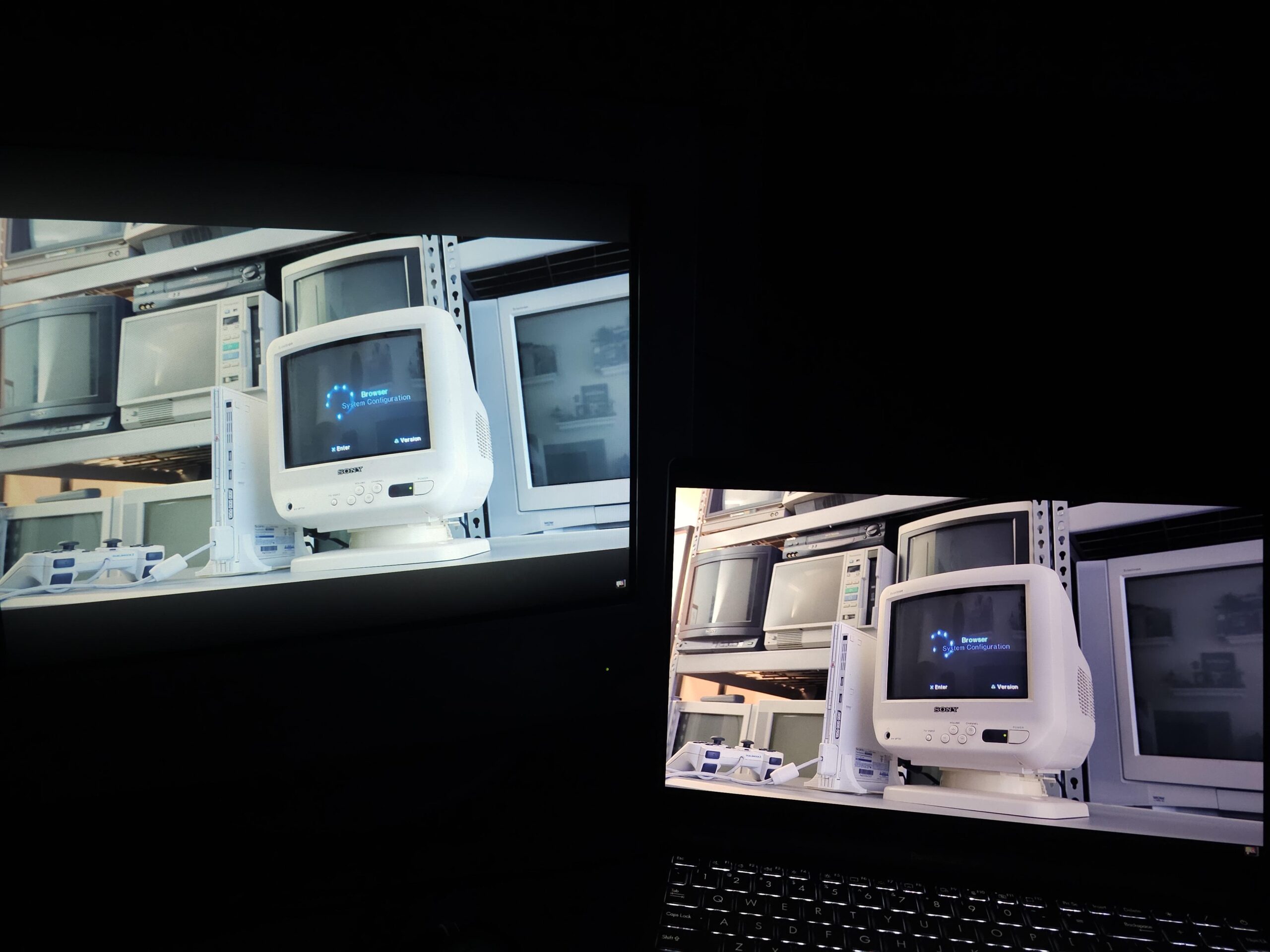
Using a second GPU can also improve consistency by letting one GPU render the game while another handles CRT simulation.
That level of setup makes the technology unsuitable for most players today.
Nvidia Is Pursuing a Hardware Alternative
Nvidia is approaching the same problem from another direction with G Sync Pulsar.
The technology combines variable refresh rate support with backlight strobing and a top to bottom rolling refresh designed to resemble CRT scanning.
Nvidia claims the technique can produce perceived motion clarity equivalent to around 1,000 Hz. Current implementations do not use OLED panels and require Nvidia graphics hardware.
This hardware based approach could ultimately prove easier to use than software overlays if similar technologies become standard features of monitors and graphics platforms.
Windows May Need Native Support for CRT Simulation
ShaderBeam already demonstrates that modern displays are technically capable of producing much better motion clarity, but the software currently has to work around Windows rather than with it.
Developers involved in the project believe wider adoption will require direct support from operating systems, GPU drivers and display manufacturers.
Future operating systems could expose proper shader hooks that allow display processing software to access the rendering pipeline with precise timing.
Display hardware could also eventually include dedicated processors for these effects.
For now, CRT simulation remains experimental and demanding. A 240 Hz or faster monitor is effectively required to appreciate the effect properly, while the best results benefit from even faster OLED panels.
The technology nevertheless shows how far modern monitors have progressed. OLED panels with refresh rates above 500 Hz can now reproduce some of the motion characteristics that CRT displays handled naturally decades ago. The remaining challenge is making that capability reliable enough that you do not need specialized software, multiple GPUs and hours of configuration to use it.
Discussion (0)
Be the first to comment.