



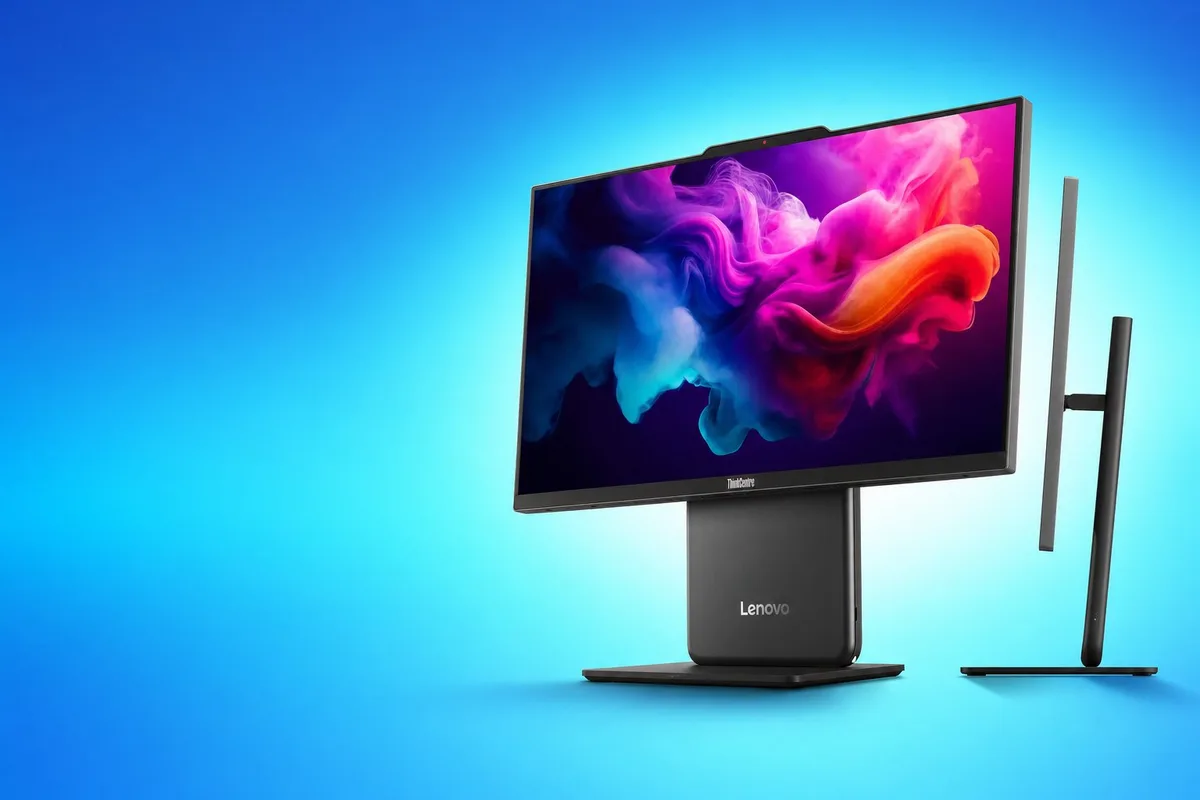
Lenovo has introduced the ThinkCentre Neo 50a 24 Gen 7, a new all in one desktop aimed at offices, schools, and home workspaces that want a compact system with a faster display and Intel’s latest low power processors.
The new model arrives shortly after the ThinkCentre Neo 50a Gen 6 and moves to Intel Core Series 3 chips from the Wildcat Lake family. Buyers will be able to choose between the Core 5 320 and Core 7 350, both using a six core design.
The most notable upgrade is the 23.8 inch IPS display, which now supports a 120Hz refresh rate. This should make scrolling, window movement, and general desktop use look smoother than on standard 60Hz office monitors.
Lenovo has not announced pricing or regional availability.
Wildcat Lake Processors Target Efficient Desktop Workloads
The ThinkCentre Neo 50a Gen 7 will use either the Intel Core 5 320 or Core 7 350.
Both processors have six cores arranged in a 2 plus 4 configuration. The design combines two performance cores with four low power efficiency cores.
These chips belong to Intel’s Wildcat Lake family and use the same Cougar Cove performance cores and Darkmont low power cores associated with Panther Lake hardware. Wildcat Lake is positioned for more affordable and energy efficient systems rather than high performance gaming or workstation PCs.
| Feature | ThinkCentre Neo 50a 24 Gen 7 |
|---|---|
| Processor options | Intel Core 5 320 or Core 7 350 |
| CPU family | Intel Wildcat Lake |
| Core layout | 2 performance cores and 4 low power cores |
| Total cores | 6 |
| Memory | 16GB or 32GB LPDDR5X |
| Memory speed | 7,467MT/s |
| Storage | Two M.2 SSD slots |
| Maximum listed storage | Up to 2TB total |
| Display | 23.8 inch IPS |
| Resolution | 1920 × 1080 |
| Refresh rate | 120Hz |
| Colour coverage | 99% sRGB |
The processors should be suitable for web browsing, office applications, video calls, light content creation, and multitasking. The available information does not suggest that the system is intended for demanding gaming or heavy professional rendering.
The 120Hz Screen Is the Main Upgrade
Lenovo is using a 23.8 inch IPS panel with a Full HD resolution of 1920 × 1080.
The screen has an anti glare coating and covers 99 percent of the sRGB colour range. That should make it suitable for productivity, media viewing, and basic creative work where reasonably accurate colour is useful.
The 120Hz refresh rate is unusual for a business focused all in one desktop. Most office systems still use 60Hz displays.
A higher refresh rate does not increase application performance, but it makes motion appear smoother. Cursor movement, scrolling, animations, and window transitions should feel more responsive.
The benefit will be most noticeable during everyday use rather than in gaming, since the integrated graphics and processor class are not designed for demanding modern titles.
| Display feature | Practical benefit |
|---|---|
| 120Hz refresh rate | Smoother scrolling and interface movement |
| IPS panel | Better viewing angles |
| Anti glare coating | Reduces reflections |
| 99% sRGB | Suitable for general colour work |
| Full HD resolution | Adequate clarity at 23.8 inches |
The Gen 7 range appears to be limited to this single screen size, unlike broader all in one families that may offer several panel options.
Memory Is Fast but Cannot Be Upgraded
The system will be available with either 16GB or 32GB of LPDDR5X memory running at 7,467MT/s.
The memory is soldered to the motherboard, which means it cannot be replaced or expanded after purchase.
This makes the initial configuration important. The 16GB version should be enough for general office work and normal multitasking, while the 32GB model will provide more flexibility for larger spreadsheets, development tools, creative applications, and heavier browser use.
| Memory option | Best suited for |
|---|---|
| 16GB | General office work, study, browsing, video calls |
| 32GB | Heavy multitasking, creative work, longer useful life |
Soldered memory can help reduce internal space and power consumption, but it limits repairability and future upgrades.
Buyers planning to keep the computer for several years may prefer the 32GB configuration if the price difference is reasonable.
Dual M.2 Slots Allow Storage Expansion
Storage is more flexible than memory.
The ThinkCentre Neo 50a Gen 7 includes two M.2 slots, with support for SSDs up to 1TB each. That gives the system a maximum listed capacity of 2TB when both slots are populated.
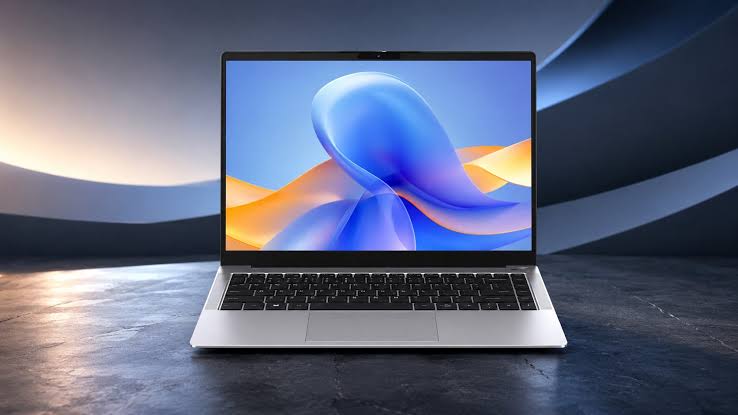
A second slot allows owners to expand storage without replacing the original drive. It can also be used to separate the operating system from project files or local backups.
Lenovo has not confirmed whether both slots will be accessible without extensive disassembly. All in one PCs can be more difficult to open than standard desktops, so upgrade procedures may require service documentation.
Connectivity Includes WiFi 6 and 20Gbps USB C
Wireless connectivity includes WiFi 6 and Bluetooth 5.4.
A 1Gb Ethernet port is available for wired networking, which may provide a more stable connection in offices or classrooms.
The rear input and output area includes several USB Type A ports and one USB Type C port with bandwidth up to 20Gbps.
The left side adds another USB C port, one USB A port, and a 3.5mm audio connection for easier access.
| Connection | Availability |
|---|---|
| WiFi | WiFi 6 |
| Bluetooth | 5.4 |
| Wired networking | 1Gb Ethernet |
| Rear USB C | One port at up to 20Gbps |
| Side USB C | One |
| Side USB A | One |
| Audio | 3.5mm jack |
| Additional USB A | Multiple rear ports |
The information does not confirm whether either USB C port supports display output or charging external devices at higher power levels.
The Gen 7 Focuses on Compact Office Use
The ThinkCentre Neo 50a 24 Gen 7 combines the computer and monitor in one chassis, reducing the number of cables and the amount of desk space required.
This form factor can work well in reception areas, classrooms, shared offices, and home workspaces where a full tower is unnecessary.
Its strongest features are the smooth 120Hz display, efficient Wildcat Lake processors, fast LPDDR5X memory, and dual SSD support.
The main limitation is the soldered RAM. Buyers cannot start with 16GB and upgrade later, so the selected memory capacity will remain fixed for the life of the machine.
Lenovo still needs to confirm pricing, launch regions, included accessories, webcam specifications, speaker details, and the full port layout. Those details will determine how well the system competes with other business all in one PCs.
For now, the ThinkCentre Neo 50a Gen 7 appears to be a practical productivity desktop with a display upgrade that should make everyday Windows use feel noticeably smoother.



Discussion (0)
Be the first to comment.