




At the time of writing, Raycon earbuds are a popular choice for music lovers, known for their premium audio quality and stylish design. One of the standout features of these earbuds is their noise-cancelling capability, which helps block out external sounds, allowing you to enjoy a focused and immersive listening experience. If you’re wondering how to turn on Raycon Earbuds, this guide will walk you through the steps to activate this feature easily.
Step 1: Ensure Your Raycon Earbuds Are Fully Charged
Before turning on this feature, make sure your Raycon Earbuds are fully charged. A fully charged battery ensures optimal performance of both the noise-cancelling technology and the audio quality. Here’s how to check:
- Place the earbuds in the charging case and ensure they are securely docked.
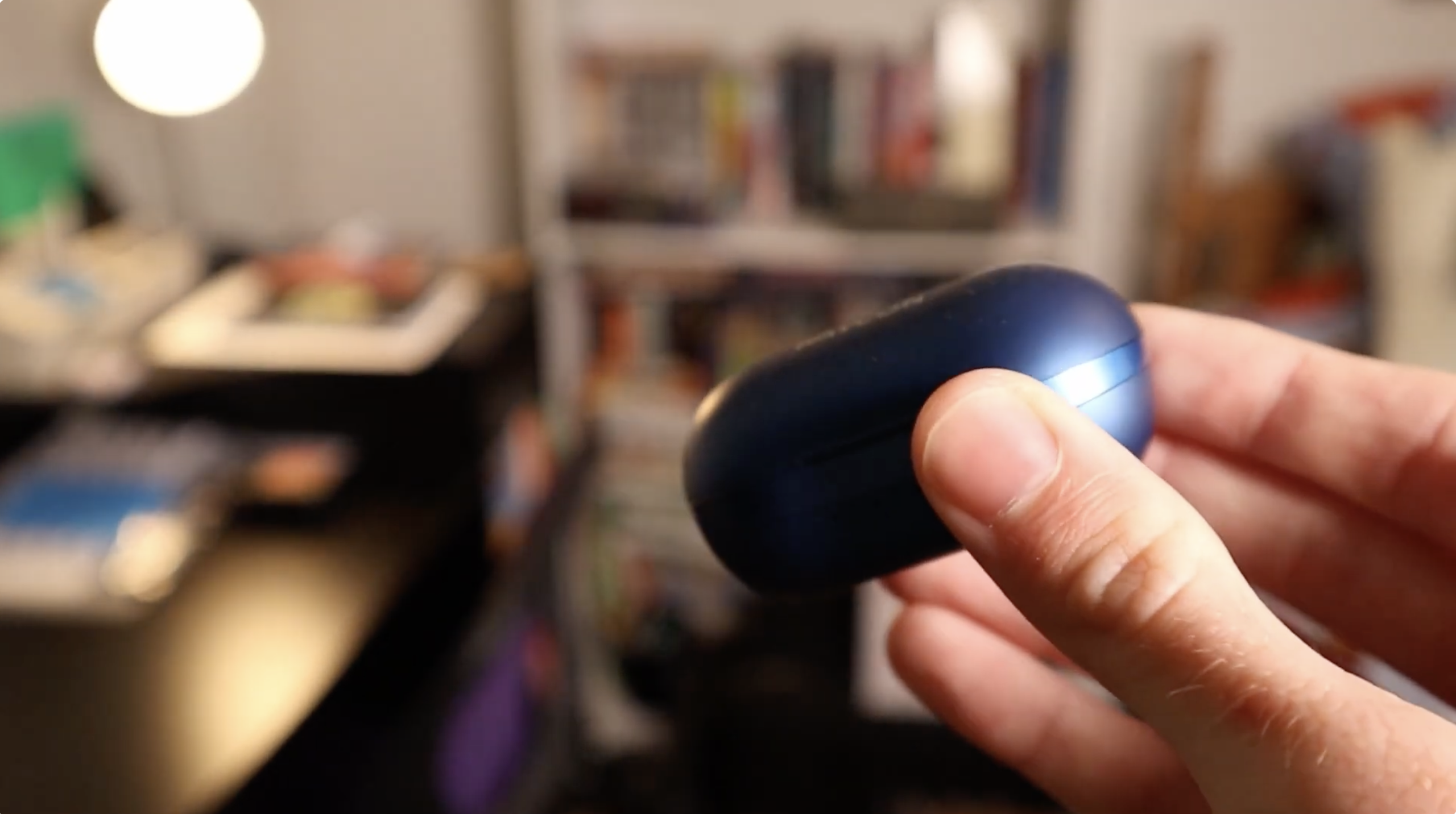
- Check the LED indicator on the charging case to confirm that the earbuds are charging.
Once your earbuds are fully charged, you’re ready to proceed with activating noise cancellation.
Step 2: Insert the Earbuds and Find a Comfortable Fit
For the noise-cancelling technology to work effectively, the earbuds need to fit snugly in your ears. A proper fit creates a better seal, which helps block out external noise. Follow these steps:
- Insert the Raycon Earbuds into your ears and adjust them for a secure, comfortable fit.

- Ensure that the ear tips are correctly positioned for maximum noise isolation.
With a comfortable and secure fit, you’re ready to activate the noise-cancelling feature.
Step 3: Power On Your Raycon Earbuds
Now that your Raycon Earbuds are in place, it’s time to power them on. Here’s how:
- Press and hold the multifunction button on either earbud until the LED indicator lights up.
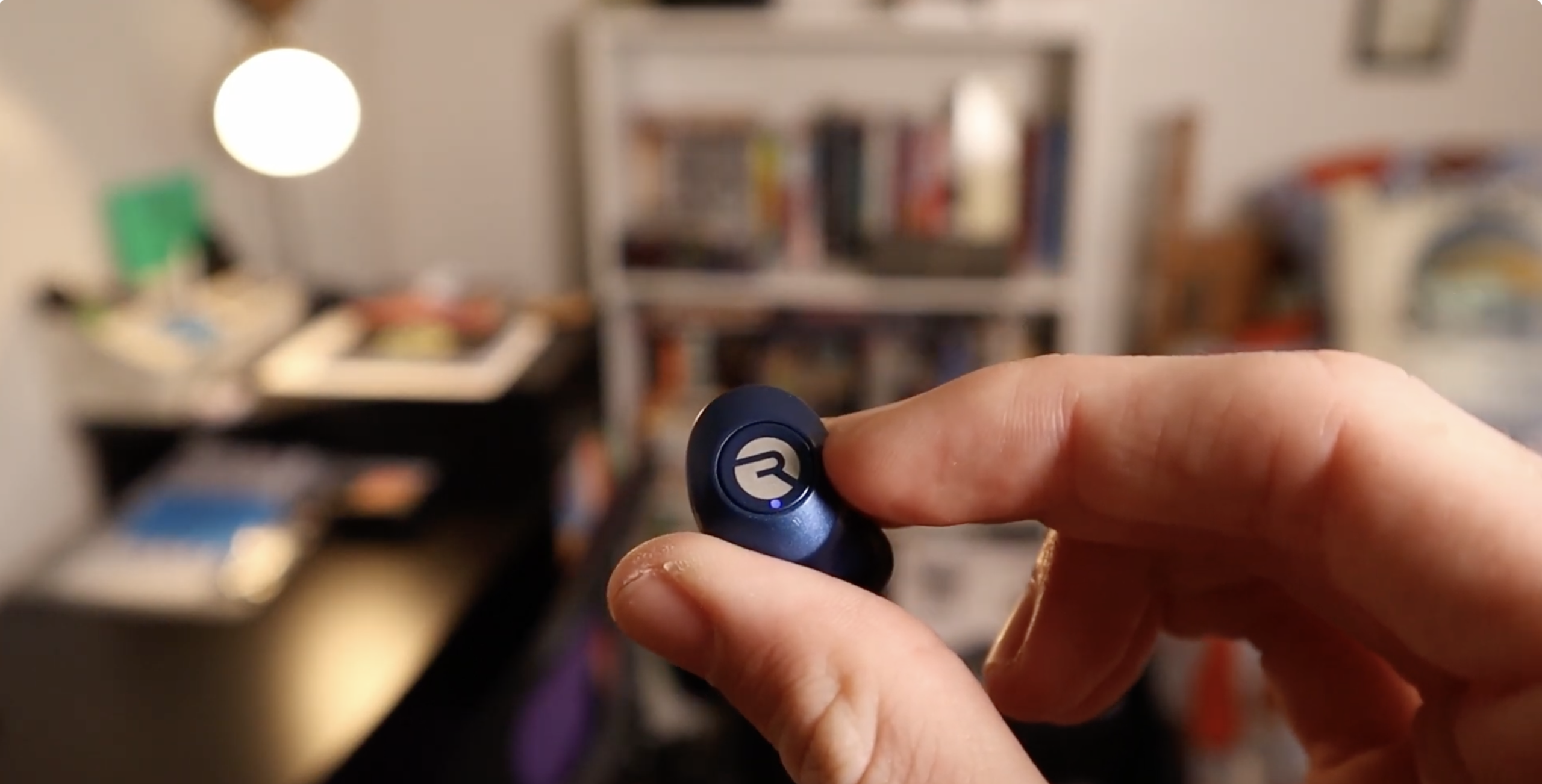
- The earbuds should power on, and you’ll hear a tone confirming the activation.
Step 4: Locate the Noise Cancelling Button
Raycon Earbuds come with an easy-to-use control system that lets you activate or deactivate the noise feature. Depending on the model, it may be activated via a physical button or touch-sensitive control. Here’s how to find it:
- Look for the cancelling button on the earbud or the touch-sensitive area.
- If using the touch controls, lightly tap the area designated for noise-cancelling control.
Step 5: Activate the Noise Cancelling Feature
Once you’ve located the control, it’s time to turn on the noise feature:
- Press or touch the noise-cancelling button. You may hear a subtle tone or a voice prompt confirming the feature's activation.
- After activation, the external noise around you will begin to diminish, creating a more immersive listening experience.
If you want to turn off this feature, simply press or touch the button again. A confirmation tone or voice prompt will indicate that it’s deactivated.
Step 6: Enjoy Your Immersive Audio Experience
With noise cancelling now active, sit back, relax, and enjoy a world of uninterrupted audio. Whether you’re listening to music, podcasts, or audiobooks, Raycon Earbuds will block out external disturbances, allowing you to focus on the content you love. This feature enhances your listening experience, providing crystal-clear sound without distractions.
Troubleshooting Common Problems
- Noise-cancelling not working: Ensure the feature is activated correctly by following the steps above. Also, check the earbuds' fit, as a loose fit can affect noise isolation.
- Poor audio quality: If the audio quality is distorted or low, ensure your earbuds are fully charged. Also, clean the speaker grilles to remove any dirt or debris.
- Connectivity issues: Ensure Bluetooth is enabled on your device and that it is within range. Try restarting both your earbuds and the connected device to restore the connection.
Tips
- For better noise cancellation, experiment with different ear tip sizes to find the most comfortable and secure fit.
- Regularly update your Raycon Earbuds to the latest firmware to optimize performance and access new features.
- Turn off noise cancelling when not needed to preserve battery life.
FAQ
How do I reset my Raycon Earbuds?
To reset your Raycon Earbuds, press and hold the multifunction button on both earbuds for 10 seconds. This will reset the earbuds to their factory settings.
Why isn’t the noise-cancelling feature working?
If noise cancelling isn’t working, ensure your earbuds are securely fitted and that you’ve properly activated the feature. Check the battery level as well.
Can I use the noise-cancelling feature with other devices?
Yes, the feature works across various Bluetooth-connected devices, including smartphones, tablets, and computers.
Summary
- Make sure your Raycon Earbuds are fully charged and securely fitted in your ears.
- Press or touch the noise-cancelling button to activate the feature and enjoy a distraction-free listening experience.
- If you encounter any issues, refer to the troubleshooting section for solutions.
Conclusion
By following this guide, you now know how to turn on noise-cancelling on Raycon Earbuds and enhance your listening experience. Whether you’re tuning out the hustle and bustle of the world around you or simply enjoying your favorite content, this feature provides an immersive environment for uninterrupted sound. With Raycon Earbuds, you can truly enjoy your music, podcasts, and more in peace and tranquility. Happy listening!

Discussion (0)
Be the first to comment.