




If you use both PayPal and Venmo, it is normal to ask how to link them so you can move money between them easily. Both services belong to the same company and work well together, but there is no single button that connects your PayPal balance directly to your Venmo balance at the time of writing.
Instead, you link PayPal and Venmo by using a shared bank account or a PayPal debit card as a bridge. This guide explains how the connection really works, how to transfer money from PayPal to Venmo safely, and what limitations you should know before you rely on this setup.
Do PayPal And Venmo Link Directly
The first thing to understand is that Venmo currently does not let you add a PayPal balance as a funding source in the Venmo app. When people search for how to link PayPal to Venmo, most end up using one of two workarounds instead of a native integration.
- Use the same bank account in both PayPal and Venmo, then move money between them through that bank.
- Use a PayPal debit card, if you have one, as a card funding source inside Venmo.
Both options are legitimate and supported at the time of writing, as long as your bank and card meet the normal eligibility rules for each platform.
What You Need Before You Start
Before you try to connect PayPal and Venmo, make sure you have the basics ready so you do not run into verification errors or transfer delays.
- An active PayPal account with your name and contact details verified.
- An active Venmo account on a compatible mobile device.
- A personal bank account in your name that both services support, if you plan to use the shared bank method.
- Optional access to a PayPal debit card if you prefer to link PayPal to Venmo through a card.
- Up to date phone numbers and email addresses on both accounts for security checks and alerts.
Once those pieces are in place, you can use one or both of the methods below to practically link PayPal and Venmo.
Method 1: Link PayPal And Venmo With A Shared Bank Account
This is the most common method people use to connect PayPal and Venmo and move money between them. You add the same bank account to both apps and use it as a hub for transfers.
Add Your Bank Account To PayPal
- Open PayPal in your browser or app and sign in to your account.
- Go to your Wallet or Banks and Cards section.
- Select the option to link a bank.
- Choose your bank from the list or enter the routing and account numbers manually.
- Follow any micro-deposit or instant-verification steps PayPal offers until the bank shows as confirmed.
After confirmation, PayPal can use that bank account to send or receive funds when you transfer funds.
Add The Same Bank Account To Venmo
- Open the Venmo app and sign in.
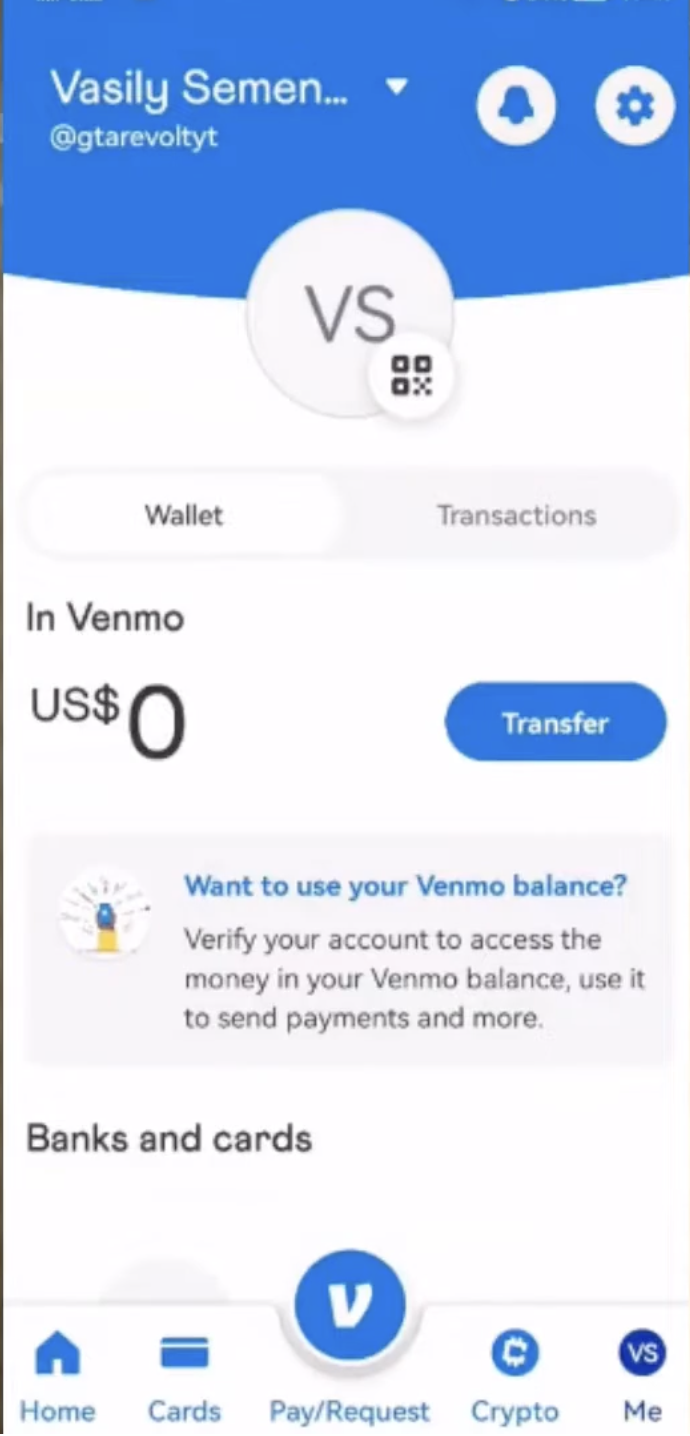
- Tap the menu icon and go to Settings.

- Select Payment Methods.
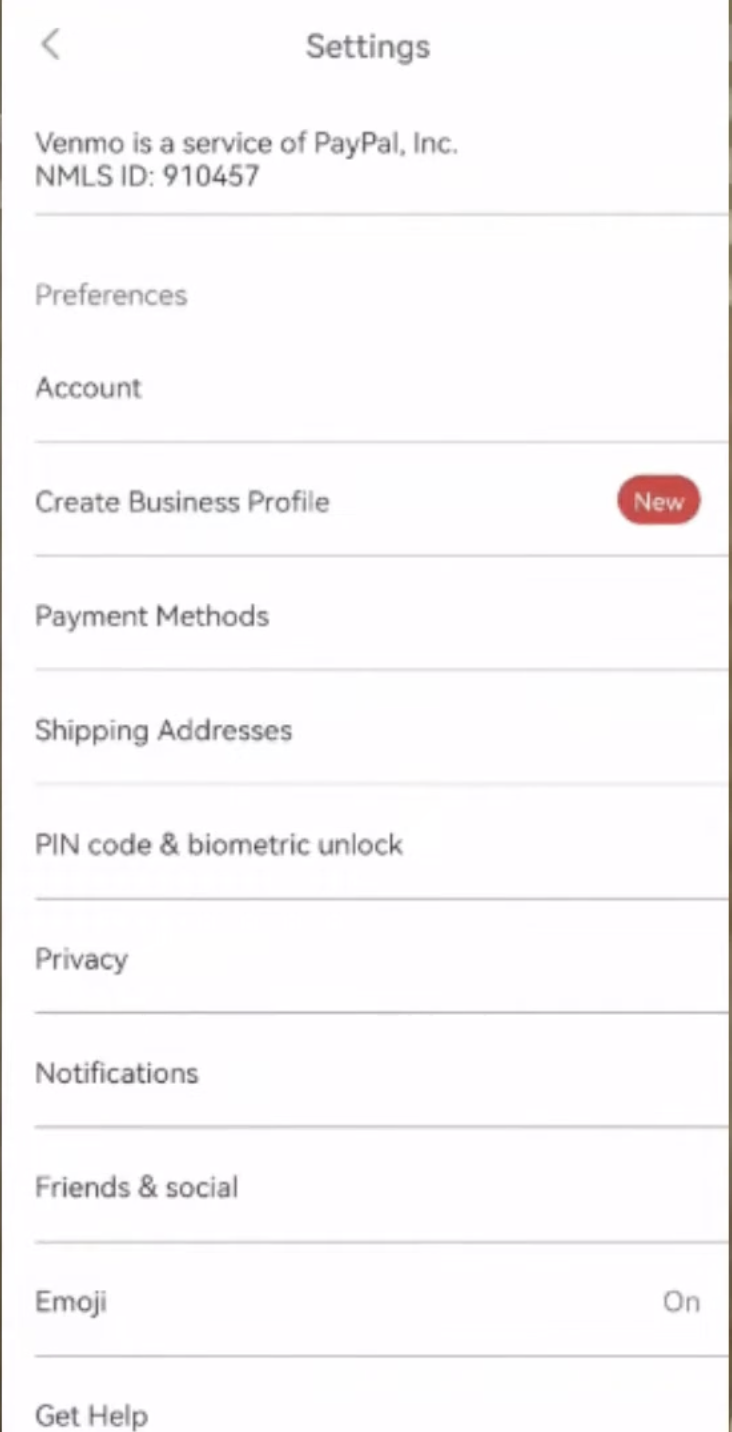
- Choose to add a bank.

- Select the same bank you added to PayPal, then sign in or enter routing and account details as requested.
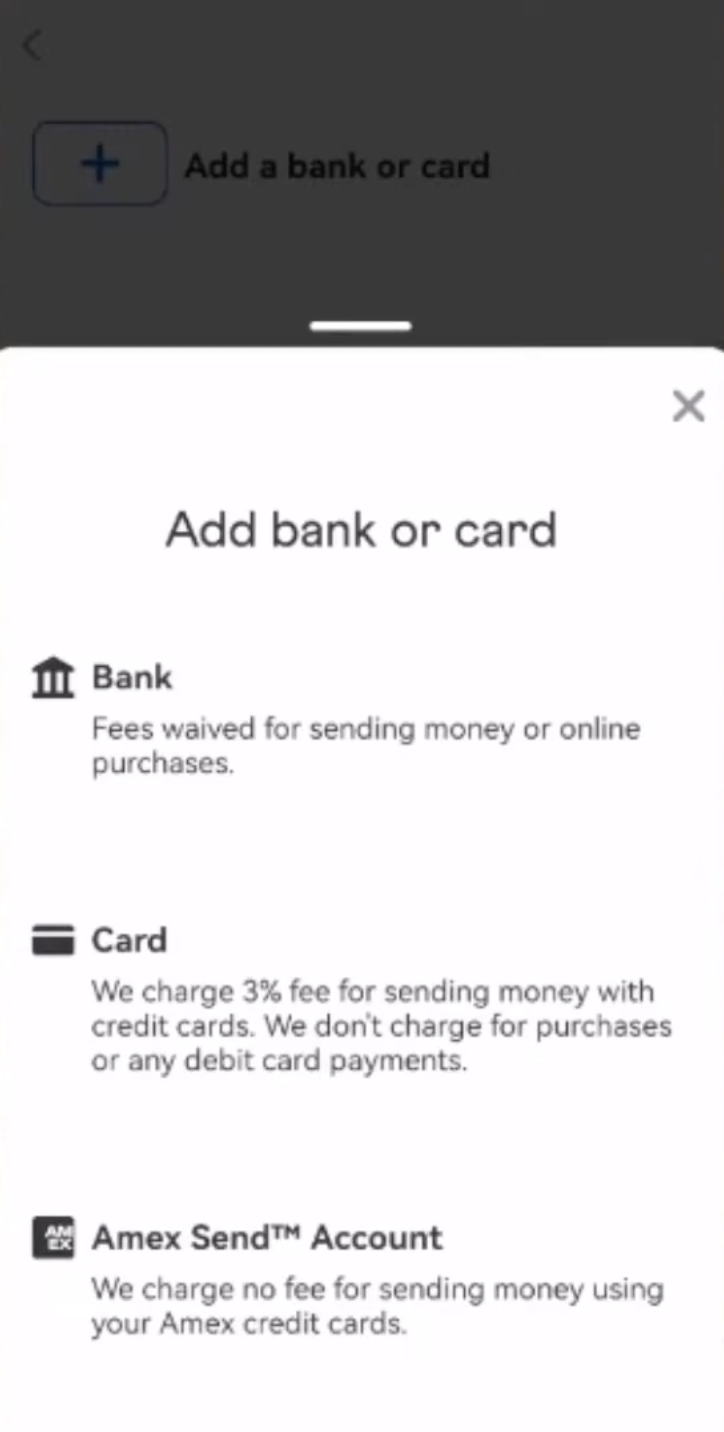
- Complete Venmo verification, which may include small deposits or instant verification.
Once the same bank appears in both PayPal and Venmo, you have effectively linked the two services through that shared account.
Move Money From PayPal To Venmo Through The Bank
With both apps linked to the same bank account, you can now transfer money between PayPal and Venmo even though they do not connect directly.
- In PayPal, move money from your PayPal balance to your linked bank account using a standard or instant transfer.
- Wait for the transfer to complete and confirm the funds appear in your bank account if it is a standard transfer.
- Open Venmo and choose to add money from your linked bank to your Venmo balance.
- Confirm the amount and complete the transfer inside Venmo.
This process is not as fast as a direct PayPal to Venmo link, but it is the official way to move money from PayPal to Venmo and back using normal banking rails.
Method 2: Use A PayPal Debit Card Inside Venmo
If you have a PayPal debit card and it is active on your account, you can add it to Venmo like any other debit card. This method lets you use PayPal funds more directly for Venmo payments, although the experience can still vary by bank and card.
Add Your PayPal Debit Card To Venmo
- Open the Venmo app and sign in.
- Go to Settings, then Payment Methods.
- Select the option to add a card.
- Enter your PayPal debit card number, expiration date, and security code.
- Confirm your billing address matches the address on file with PayPal.
- Save the card and wait for Venmo to verify it.
After the card is active, Venmo can charge it when you send money or pay merchants, subject to your PayPal and card settings.
Use PayPal Funds For Venmo Payments
- Select the PayPal debit card as your funding method for Venmo payments when prompted.
- Send or pay as you normally would inside the Venmo app.
- Watch your PayPal activity to see card charges and make sure you have enough balance or backup funding there.
This does not move your Venmo balance into PayPal, but it is a practical way to use PayPal-linked money when paying through Venmo if your account and card are eligible.
Can You Add PayPal Itself As A Payment Method In Venmo
Right now, Venmo does not offer a direct option to add a PayPal balance or PayPal account as a payment method the way you add a bank or card. When people say they link PayPal to Venmo, they are almost always referring to the shared bank workflow or the PayPal debit card method.
- You cannot select PayPal balance as a funding source in Venmo.
- You can use a bank that sits behind both services to move money back and forth.
- You can sometimes use a PayPal debit card like other debit cards if Venmo accepts it.
This is important to keep in mind so you do not waste time hunting for a missing PayPal toggle inside the Venmo app.
Troubleshooting PayPal To Venmo Linking Problems
Even if you follow every step correctly, you may hit common issues while linking PayPal to Venmo through a bank or card. These checks help you narrow down the cause quickly.
- If Venmo rejects your bank, confirm that the bank is not already attached to another locked or restricted Venmo account.
- If PayPal cannot verify the bank, check that the routing and account numbers are correct and that the account is still open.
- If your PayPal debit card fails in Venmo, make sure the card is active and not blocked on the PayPal side.
- If transfers are slow, remember that standard bank transfers can take a few business days, depending on the bank and direction.
- If either app flags unusual activity, complete any requested security checks and respond to alerts promptly.
Most problems come from bank verification, card eligibility, or security checks rather than from the link between PayPal and Venmo itself.
Is It Safe To Link PayPal And Venmo This Way
Using a shared bank account or a PayPal debit card to connect PayPal and Venmo relies on existing, supported features that both services offer. As long as you keep good security habits, this is a reasonable way to move money between the two platforms.
- Turn on two-factor authentication on both PayPal and Venmo.
- Use strong, unique passwords and a password manager if possible.
- Monitor your email and phone for login alerts and payment notifications.
- Review your bank and card statements regularly for any unexpected charges.
These steps matter more than the specific method you use to link PayPal to Venmo and can help protect you across all your financial apps.
Conclusion
There is no single direct button that links your PayPal balance to your Venmo balance, but you can still connect the two services in a practical way. By learning how to link PayPal to Venmo with a shared bank account or a PayPal debit card, you create a bridge that lets you move money between platforms when you need to.
If you want simple transfers and do not mind using your bank as a middle step, the shared bank method is usually the most reliable approach. If you have an eligible PayPal debit card and want to spend PayPal funds through Venmo, adding that card as a payment method can also work well. Choose the method that matches your account setup and risk comfort, and you will have a smoother experience managing money across both PayPal and Venmo at the time of writing.


Discussion (1)
As of 2026, this is now incorrect. Venmo blocks this option because PayPal owns both. Venmo will think the PayPal debit card is a Venmo debit card, so it blocks this from happening.