




Linking a Visa gift card to PayPal lets you use the remaining balance for online payments without exposing your bank account or debit card. Most Visa gift cards work like prepaid debit cards, but you still need to complete a few checks before PayPal accepts them. This guide walks you through each method and all common issues you may run into.
Table of contents
Understand when Visa gift cards work with PayPal
PayPal accepts most gift cards with the Visa logo, but the card must be activated, use a valid billing ZIP code, and have enough balance for temporary verification holds. These steps help you avoid “card declined” messages during setup.
Link the Visa gift card to PayPal on the website
Using PayPal.com lets you enter card details through a full interface. This method gives you the clearest view of any verification prompts.
Below are the steps to follow:
- Go to PayPal and sign in.
- Open the Wallet page.
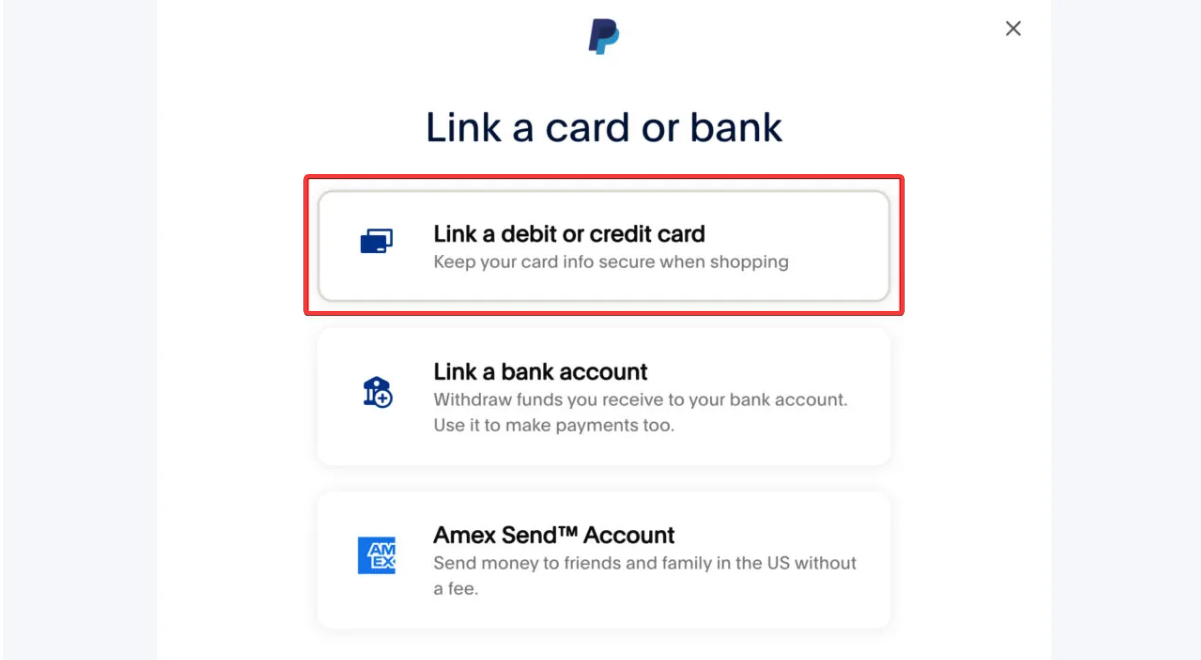
- Select Link a card or bank.


- Next, choose Link a debit or credit card.

- Now, choose the Debit or credit card option under Link a card manually.
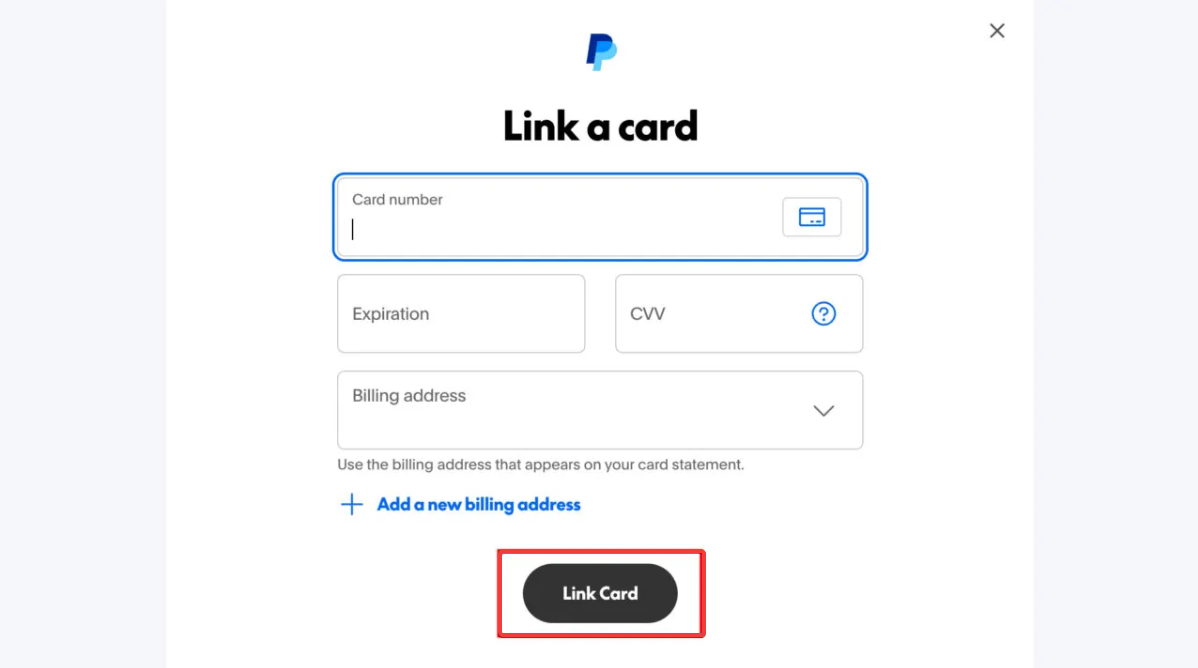
- Finally, enter the Visa gift card number, expiration date, CVV, and billing address, and select Link Card.

Link the Visa gift card in the PayPal mobile app
Many users prefer managing payments directly on their phones. You can do this by following the steps below:
- Open the PayPal app.
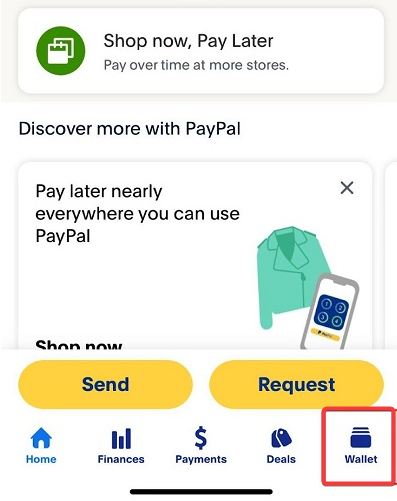
- Tap Wallet.

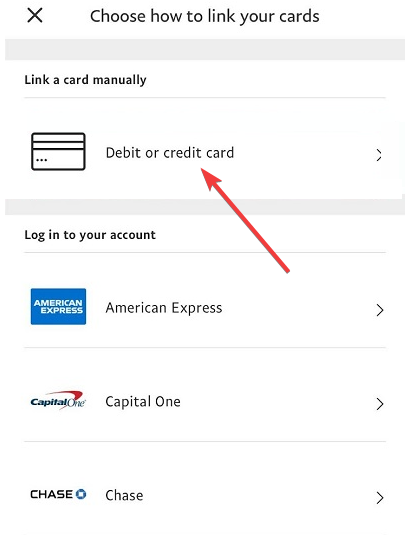
- Choose Debit or credit card.

- Enter the card details exactly as they appear on the card.
- Tap Add card to finish the process.
Verify the card if PayPal requests it
Some cards require verification before they can be used. PayPal handles this automatically with a small authorization.
Understanding small authorization charges
PayPal may place a temporary hold of about one dollar. This verifies the card is valid and releases the amount shortly after. A low balance prevents the authorization from completing.
Use the Visa gift card after linking
Once the card is linked, PayPal treats it like a debit card. You choose it during checkout for supported purchases.
Paying with the linked gift card
Select the Visa gift card as your funding source when checking out. PayPal uses the gift card balance until it runs out.
Removing or updating the card
Open Wallet to remove the card or update its billing ZIP code if you change it with the issuer.
Fix common card declined errors
Most declines happen because of mismatched information or insufficient funds. These short checks help you resolve the issue quickly.
Address mismatch
If you see an address mismatch error, update the ZIP code with the card issuer. After that, retry linking the card in PayPal.
Insufficient balance for verification
A very low balance can cause instant declines. Add funds if possible or reduce prior charges so the temporary authorization succeeds.
International or region-restricted cards
Many Visa gift cards sold in the United States only work with US-based PayPal accounts. If your PayPal region does not match the card issuer’s region, PayPal will decline the card.
Card not accepted for transfers
Even if PayPal accepts the card, you may not be able to move the balance into your PayPal balance. PayPal usually treats the card as a direct payment method during checkout.
Troubleshoot linking issues step by step
- Try removing old unused cards: PayPal sometimes enforces card limits. Removing older cards may allow the new Visa gift card to link successfully.
- Use a browser instead of the app: Switching from the app to the PayPal website can bypass validation errors caused by cached app data.
- Contact the card issuer: If the card still cannot be added, the issuer might have blocked online transactions or flagged the card. Confirm the card is approved for online use.
FAQs
Can you move the Visa gift card balance into PayPal balance? Most Visa gift cards cannot transfer their balance into PayPal balance. PayPal typically uses them only for direct purchases.
Why does PayPal say my card is not supported? PayPal may decline cards tied to unsupported regions or cards without a registered ZIP code.
Does linking require personal information? You may need to enter a ZIP code or address to match what the issuer has on file.
Can you link multiple Visa gift cards? You can link more than one, but PayPal limits the total number of cards you can store in your Wallet.
Summary
- Make sure the Visa gift card is activated and has a registered ZIP code.
- Check the balance to ensure it can cover temporary authorization holds.
- Link the card through PayPal.com or the PayPal mobile app.
- Resolve declines by fixing address mismatches, balance issues, or region limits.
- Use the card for direct purchases after linking.
After completing these checks, your Visa gift card should work reliably within PayPal for supported purchases.


Discussion (0)
Be the first to comment.