




Kahoot is a popular quiz platform used in schools and offices, but it’s also a great place to test your trivia skills in random public games. Joining random Kahoot sessions lets you play quizzes created by people around the world - no classroom or meeting invite required. Here’s how to find, join, and enjoy them safely.
1) Get ready to join a game
Install the Kahoot app from the Microsoft Store, Google Play, or App Store. The app makes it easier to join Kahoot games by entering game PINs, responding quickly, and seeing live leaderboards.

Next is to sign in to your account or create a new account. You can play as a guest, but logging in unlocks custom nicknames, avatar badges, and saved quiz history. It also helps you track your progress across different devices.
2) Find random public Kahoot games
Random Kahoots are public games shared by teachers, streamers, or quiz fans. You can find them across different platforms or by exploring the Discover section. The following are some of the ways to find random Kahoot games to join:
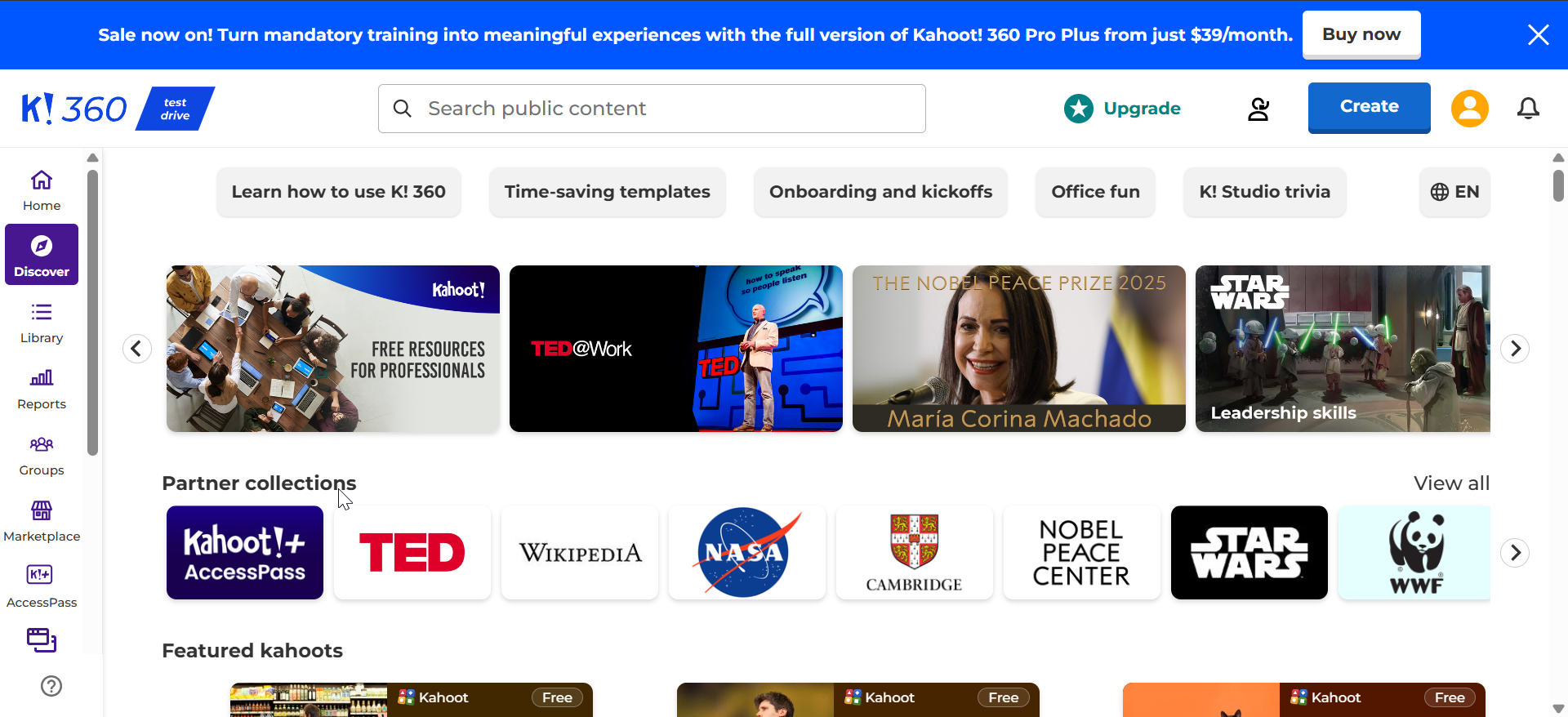
Browse the Discover tab: Go to Kahoot.com or open the app and tap Discover. Search for trending quizzes or topics and select games marked as Public. Choose one to play instantly or copy its game code.
Join live streams: Creators often host open Kahoot sessions on YouTube or Twitch. Watch the stream, note the PIN displayed on the screen, and enter it on your device to join their live quiz.
Use trusted PIN lists: Some educational communities and Discord servers post verified, currently active PINs. Always make sure the host labels the game as public to avoid entering private or restricted sessions.
3) Join a random Kahoot game step-by-step
Open kahoot.it in a browser or launch the app. Tap Enter PIN or Join and type the six- to ten-digit code shown by the host and click Enter. Next, choose your nickname and tap Start.

Finally, wait for the host to begin the quiz and enjoy the game.
4) Troubleshooting Kahoot joining issues
- Invalid or expired PIN: If you get an error, the host likely ended or restarted the quiz. Refresh the live stream or source to get the new PIN.
- Game full or closed: Kahoot games can only hold a certain number of players. If you see game full, wait for the next round or try a different host.
- Network or location block: Switch from mobile data to Wi-Fi if connection errors appear. Some hosts also restrict participants by region; using a reliable VPN can help bypass these blocks.
Tips to get the best out of random Kahoots
- Search for trending categories like General Knowledge, Pop Culture, or Sports Trivia.
- Look for public quizzes hosted during school hours or on weekends when more users are active.
- Follow Kahoot creators or teachers who frequently share live game PINs.
- Report suspicious games
- Use appropriate nicknames
- Avoid fake PIN sites
FAQs about random Kahoot games
Can I join a game without a PIN? No. Every Kahoot session requires a unique PIN generated by the host. Without it, you can’t access the quiz.
Do PIN generators work? No. Tools that claim to generate random Kahoot codes are unreliable and may violate Kahoot’s terms of service.
Can I play alone? Yes. You can open any public quiz and choose Practice mode to play solo without joining a live game.
Is it legal to join random games? Yes, as long as the game is public and the host has shared the PIN intentionally. Avoid sessions not meant for the public.
Quick recap
- Install or open Kahoot on your device.
- Search for public or live games through Discover or live streams.
- Copy the PIN and enter it in the Join field.
- Pick a nickname and wait for the quiz to start.
- Play responsibly and enjoy the challenge.
Conclusion
Joining random Kahoot games is an easy way to have fun, learn new facts, and connect with other players. Just make sure the games are public, avoid suspicious PIN lists, and play with respect. With a little caution, you can enjoy endless trivia sessions anytime.


Discussion (0)
Be the first to comment.