




If you need a clear path on how to install Logitech G Hub, this guide shows the exact steps for Windows 11 and macOS, plus fast fixes for logitech g hub not opening and logitech g hub not installing. Keep your Logitech mouse, keyboard, headset, or webcam in one place with lighting, DPI, and macros that travel with your games.
Before You Start
- Windows 10/11 or macOS 12+ with admin rights.
- Stable internet for the latest logitech g hub download.
- Close legacy Logitech Gaming Software if installed.
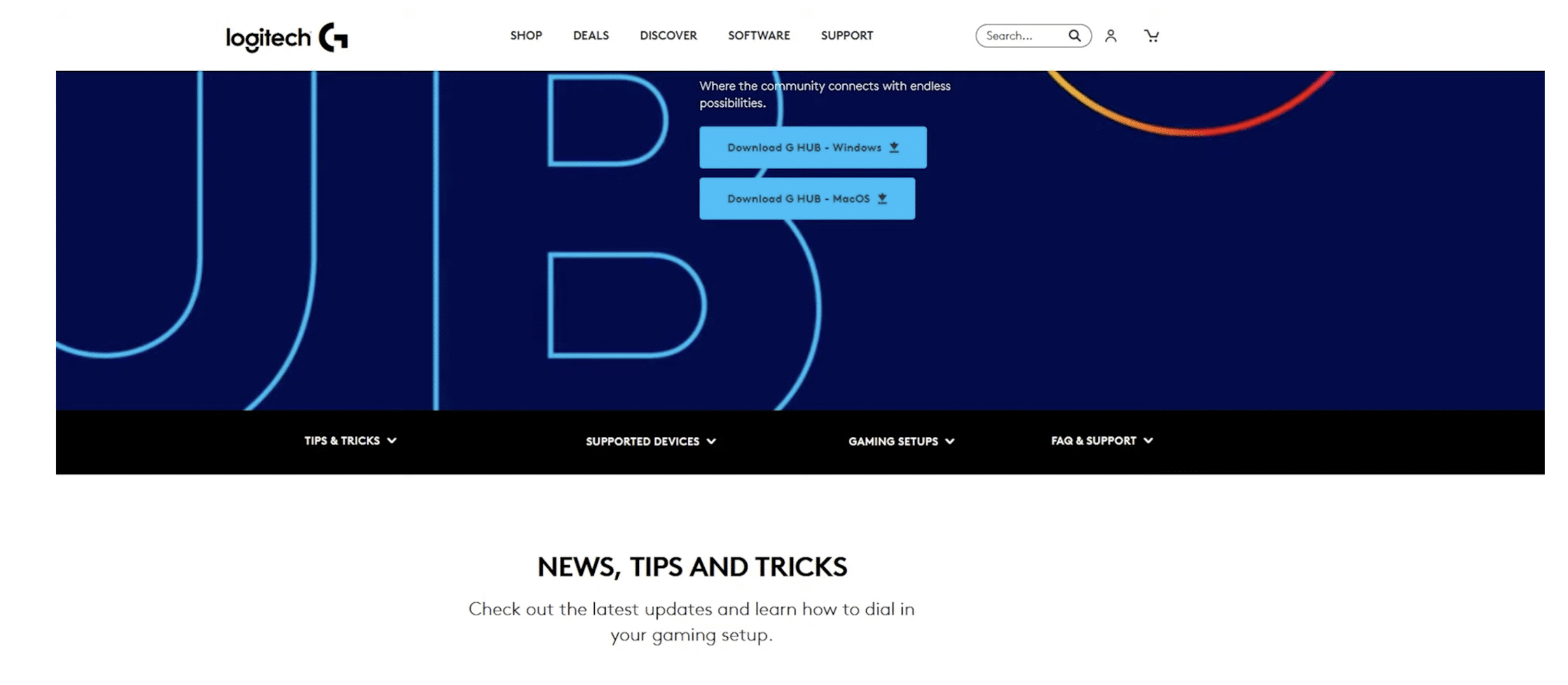
Download G Hub
Get the official installer from Logitech’s site. Avoid mirrors and third-party hosts.
- Open your browser and search for logitech g hub download.
- Choose Windows or Mac and save the installer to your Downloads folder
Install Logitech G Hub on Windows 11
- Right-click the installer and select Run as administrator.
- Accept the license and choose an install location.
- Click Install. When finished, select Launch.
- Connect your Logitech device by USB or the Lightspeed receiver.
This section targets the query install logitech g hub on windows 11 and ensures your first run completes without permission prompts.

Install Logitech G Hub on macOS
- Double-click the .dmg, then drag G Hub to Applications.
- Open it from Launchpad. Approve the security prompts.
- Go to System Settings > Privacy & Security and allow Input Monitoring and Accessibility for G Hub.
- Reconnect your Logitech device.
This satisfies searches for how to install logitech g hub on mac with the required permissions steps.
First-Run Setup
- Sign in or continue without an account.
- Pick your device, then set DPI, polling rate, and lighting.
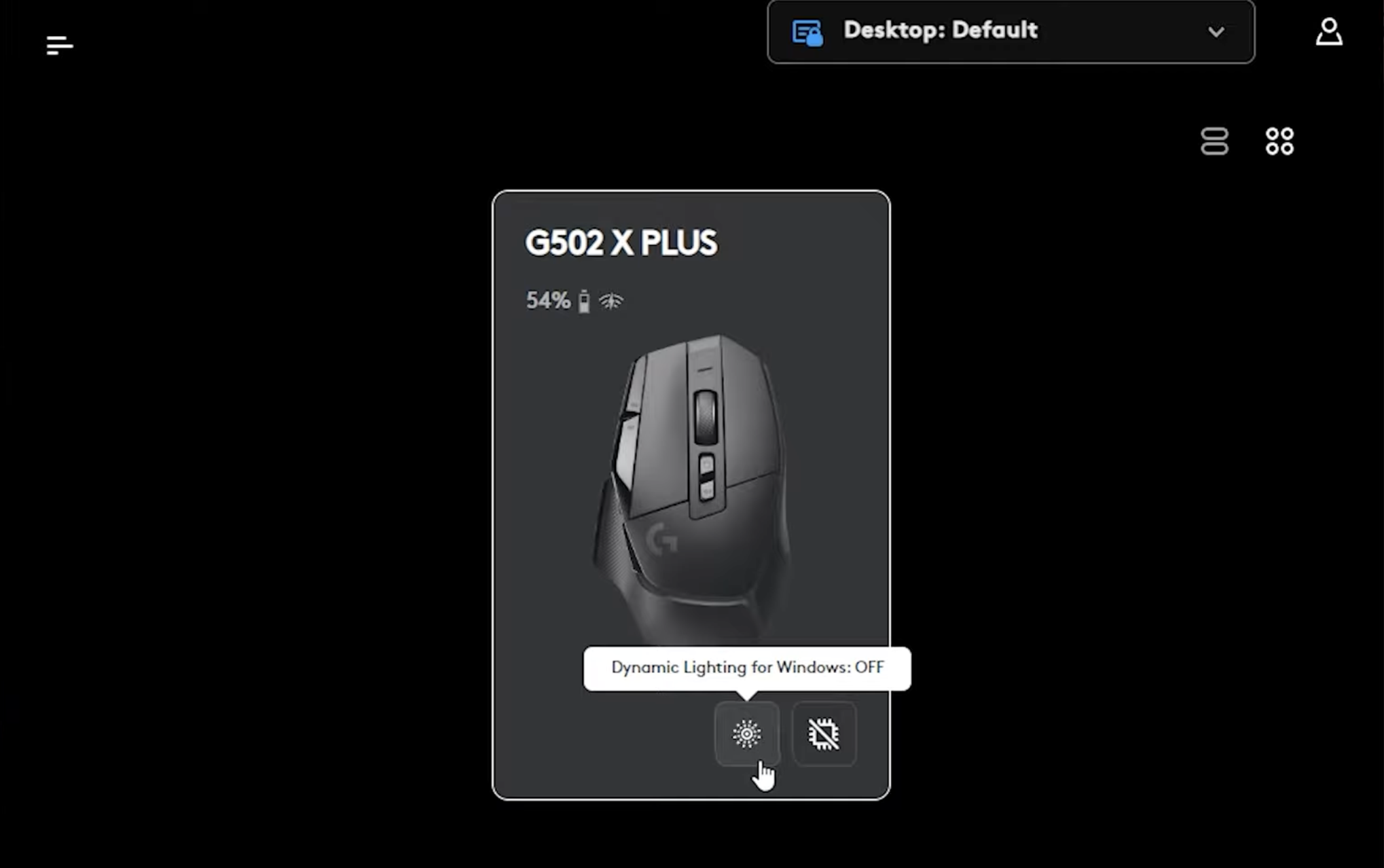
- Create a desktop and an in-game profile, then map buttons and macros.
Update Firmware and Import Profiles
- Open G Hub and select your device tile.
- Click Settings > Update Firmware when prompted.
- Use Assignments and Effects to import or share profiles.
Troubleshooting: Common Errors
logitech g hub not opening
- Exit G Hub from the system tray and end all lghub* processes in Task Manager.
- Delete the cache folders in
%AppData%\LGHUBand%LocalAppData%\LGHUB, then relaunch. - Disable third-party overlays and run as administrator.
logitech g hub not installing
- Temporarily pause antivirus and Windows Controlled Folder Access.
- Ensure the Windows Installer service is running. Reboot and retry.
- Download a fresh copy of the installer for a clean attempt.
Devices Not Recognized
- Move the Lightspeed receiver to a front USB-A port or a short extension.
- Remove old USB hubs and uninstall legacy Logitech Gaming Software.
- Update device firmware from inside G Hub.
Clean Uninstall and Reinstall
- Uninstall G Hub from Apps & Features (Windows) or drag it to Trash (Mac).
- Delete remaining folders:
%ProgramData%\LGHUB,%AppData%\LGHUB, and%LocalAppData%\LGHUBon Windows;~/Library/Application Support/lghubon Mac. - Reboot, then repeat the steps for how to install logitech g hub.
FAQs
What is the logitech g hub app?
It’s Logitech’s device manager for game profiles, DPI, macros, lighting, microphone filters, and webcam settings.
Can I keep Logitech Gaming Software installed?
Avoid running both. Uninstall the legacy app to prevent driver conflicts and recognition issues.
Does G Hub work without internet?
Yes after installation, but cloud downloads, updates, and community profiles need connectivity.
Summary
- Download the official installer.
- Install on Windows or Mac with admin permissions.
- Launch, connect devices, and finish first-run setup.
- Update firmware and import or create profiles.
- Use the fixes above if logitech g hub not opening or logitech g hub not installing.
Discussion (0)
Be the first to comment.