



Genshin Impact runs perfectly on Windows 10, but installing it can confuse new players. This guide explains every safe way to download and set it up, avoid slow downloads, and fix launcher errors before you start exploring Teyvat.
Step 1: Check if your PC meets the requirements
Before installing Genshin Impact, make sure your computer can handle it. Below are the requirements your PC must meet to download and use the app:
- OS: Windows 7 SP1 64-bit, Windows 8.1 64-bit, or Windows 10 64-bit
- CPU: Intel Core i5 or AMD Ryzen 5 (recommended)
- RAM: 8 GB minimum, 16 GB recommended
- GPU: NVIDIA GeForce GTX 1060 / AMD Radeon RX 580 or better
- Storage: At least 30 GB free space on SSD for faster load times
- DirectX: Version 11 or higher
Step 2: Download Genshin Impact
Download from the official website
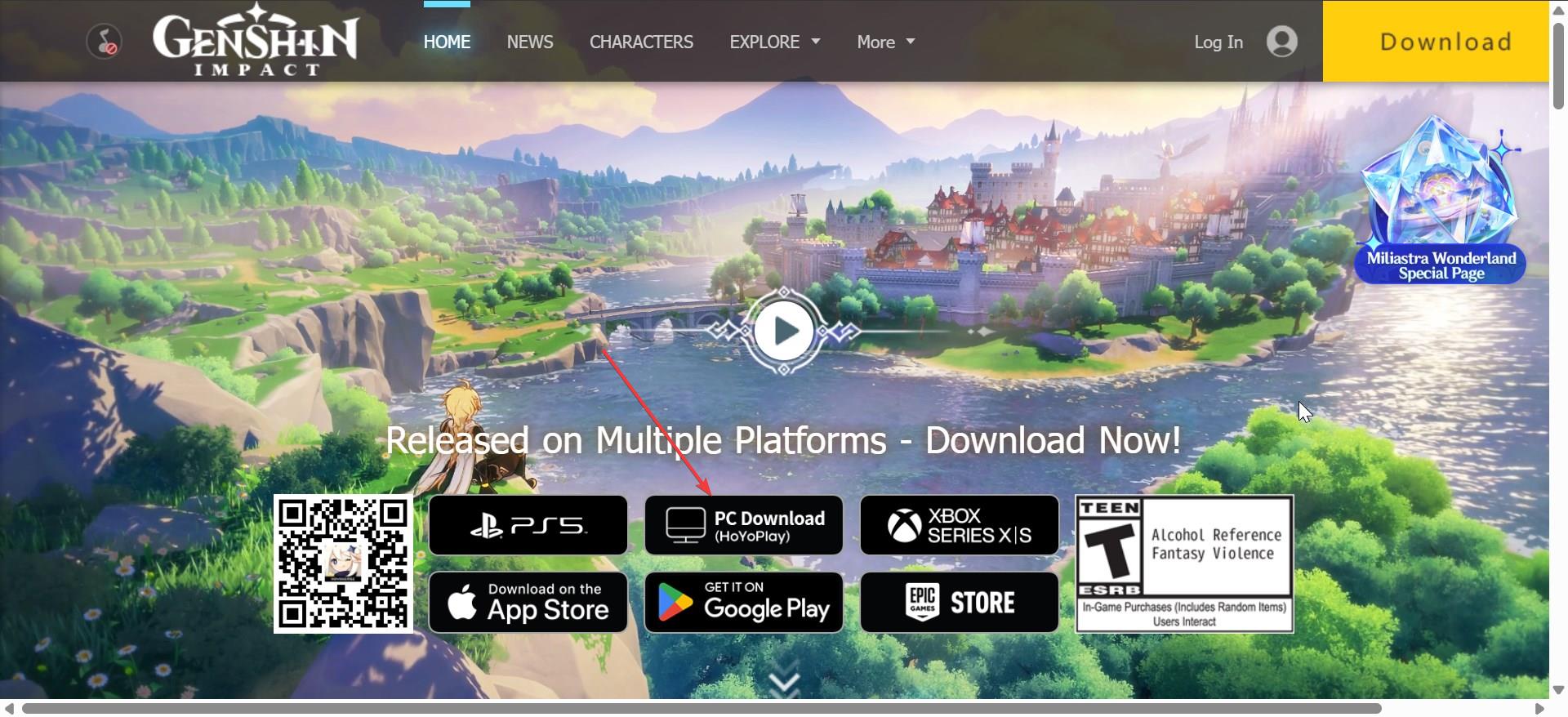
Go to the official Genshin Impact website and select PC Download. Next, run the downloaded installer and allow it to make system changes if prompted. Select your install folder and click Install Now to start setup.
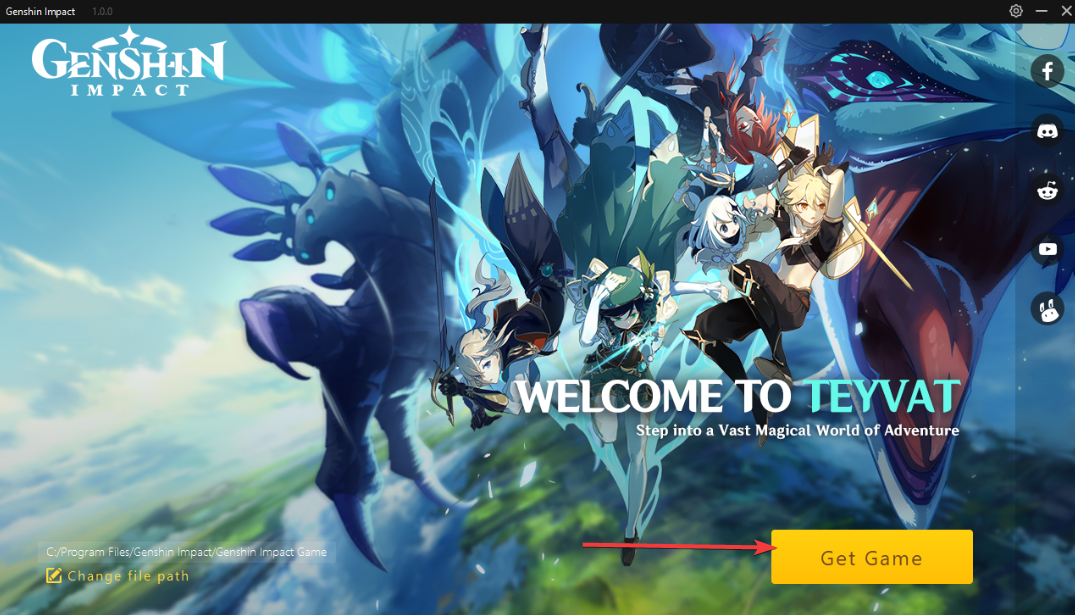
After installation, open the HoYoPlay Launcher, sign in with your HoYoverse account, and click Get Game to start downloading. The launcher will automatically download the latest updates and prepare your game for launch.
Install Genshin Impact via Epic Games Store
If you already use the Epic Games Launcher, you can add Genshin Impact to your library. This method offers automatic updates and integrates easily with your Epic account.
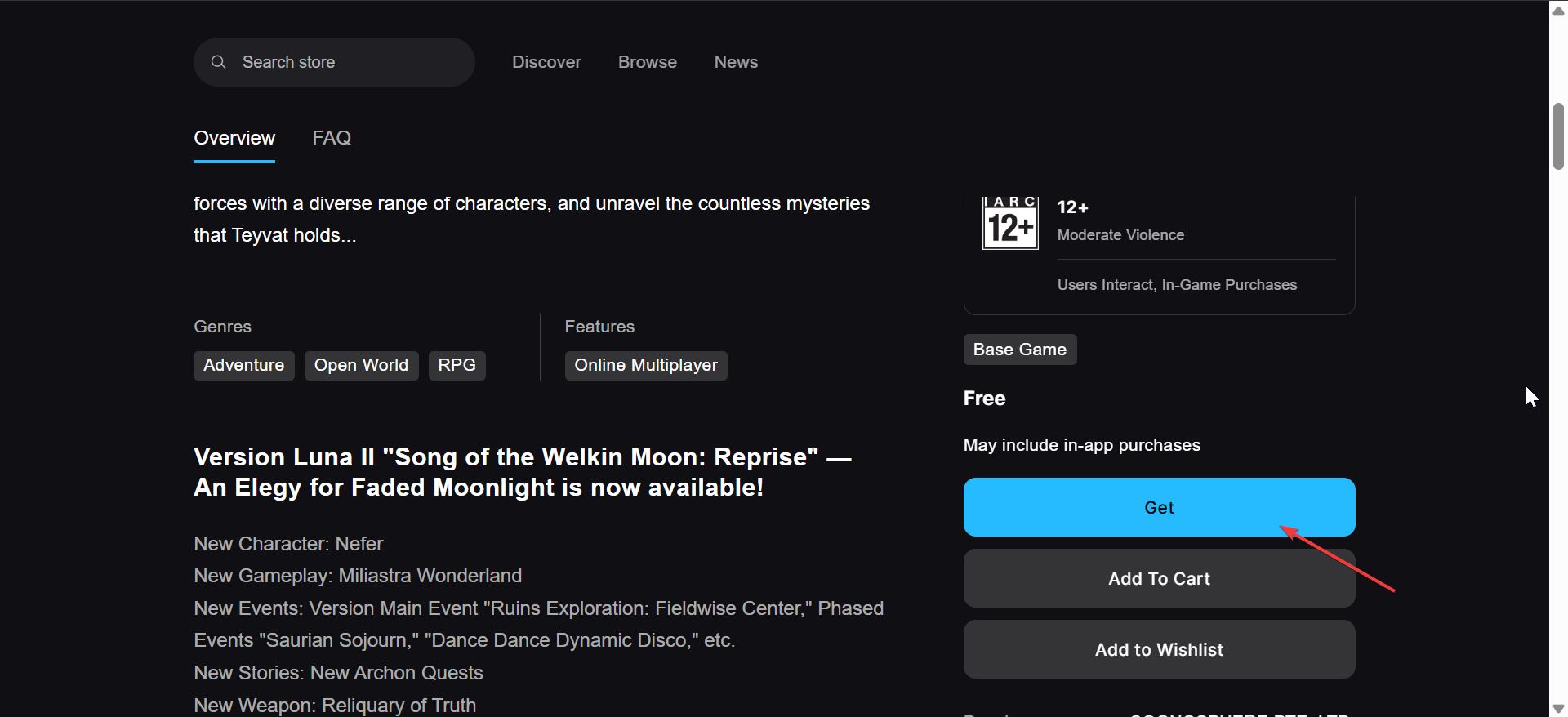
To use this option, open or install the Epic Games Launcher. Search for Genshin Impact and select it from the results. Now, click Get, then choose your install location. Finally, wait for the game to download and launch it when complete.
Step 3: Manually move or restore an existing game folder
If you’ve already downloaded Genshin Impact on another PC, you can copy the game folder to save time and bandwidth. This also works when reinstalling or changing drives.
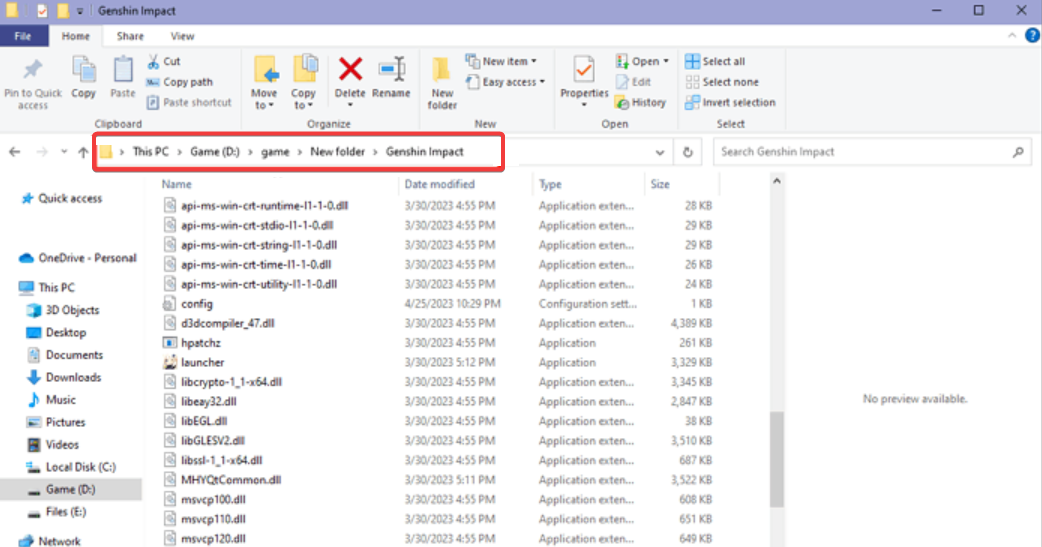
To do this, copy the Genshin Impact Game folder from the source PC. Next, paste it into your new PC’s HoYoPlay installation path. Lastly, launch HoYoPlay and click Repair Game Files so it detects and verifies existing data.
Step 4: Update or verify Genshin Impact files
Open the HoYoPlay launcher and click the settings icon in the top-right corner. Then, select Repair Game Files and wait for the verification process to complete.
Tip: Verifying your game files helps if you encounter launch errors or corrupted files and you don't want to reinstall the entire game.
Troubleshooting Genshin Impact downloads on Windows 10
- Download failed or launcher not opening: Run the launcher as administrator, ensure firewall exceptions are added, and reinstall the launcher if needed.
- Game folder is missing: Open the launcher settings and manually browse to the correct folder where the game is stored.
- Insufficient disk space: Free up disk space or change the installation path under launcher settings to another drive.
- Game is stuck or corrupted: A clean reinstall can help. Open Control Panel > Programs and Features, select Genshin Impact, and choose Uninstall. Then, reinstall using one of the methods above.
- Frozen download: Disable Windows 10 S-Mode if enabled, as it blocks unsigned apps, switch your DNS to
8.8.8.8(Google DNS) for faster download servers, and clear the launcher cache located inC:\Users\[Name]\AppData\Local\HoYoPlay.
Tips to optimize download and installation speed
- Install on an SSD instead of HDD for faster load times.
- Use a wired Ethernet connection for faster stability.
- Ensure at least 100 GB of free space remains on your drive.
- Close background apps before launching the installer.
- Keep graphics drivers up to date using this driver update guide.
FAQs
Can I play Genshin Impact on Windows 10 S-Mode? No. You must disable S-Mode to install HoYoPlay or Epic Games Launcher.
How large is Genshin Impact on PC? The full installation can exceed 100 GB after updates. Always reserve additional space for future patches.
Is Genshin Impact available on Steam? No, the game is only available through HoYoPlay and the Epic Games Store.
Can I move Genshin Impact to another drive? Yes. Copy the Genshin Impact Game folder to your preferred drive and repair game files to re-link it.
Summary
- Check that your PC meets Genshin Impact’s system requirements.
- Download via HoYoPlay or Epic Games Launcher.
- Fix any stuck downloads by clearing cache or disabling firewalls.
- Repair or verify files if the game fails to launch.
- Install on SSD and update drivers for best performance.
Conclusion
Installing Genshin Impact on Windows 10 is straightforward once you pick the right method and prepare your PC. Whether you use the official launcher or Epic Games, these steps ensure a smooth setup and fewer errors. After installation, log in, claim your first rewards, and start your adventure across Teyvat.


Discussion (0)
Be the first to comment.