




The GPD Win 3 offers a compact Windows handheld built for gaming and light productivity. It targets users who want real PC performance in a device that fits in a jacket pocket. This review looks at performance, thermals, battery life, usability, and how it compares to modern handheld PCs.
Table of contents
- Overview of the GPD Win 3
- Design and build quality
- Hardware specifications and configurations
- Windows gaming performance
- Battery life and charging
- Productivity and everyday use
- Software experience and optimization
- Long-term reliability and user experience
- How it compares to other handheld PCs
- Who should buy the GPD Win 3?
- Pros and cons summary
- Final verdict
Overview of the GPD Win 3
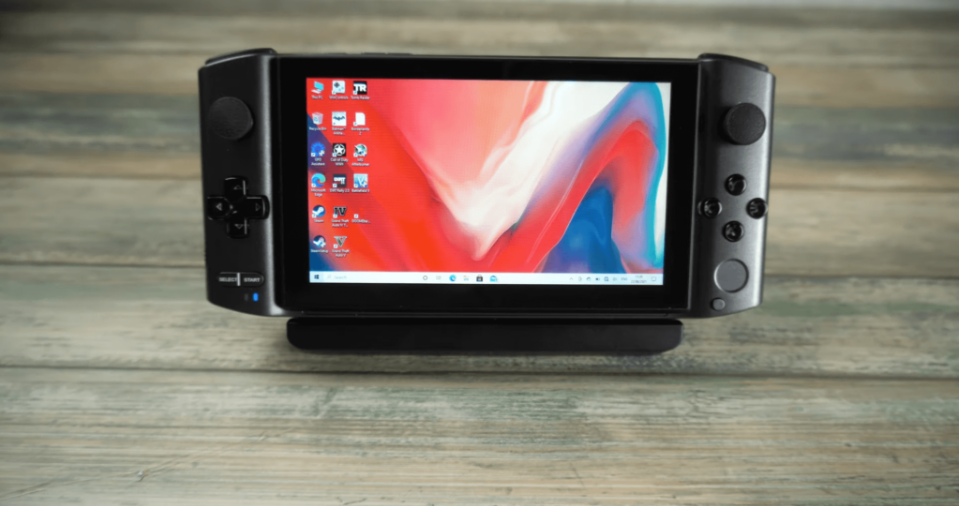
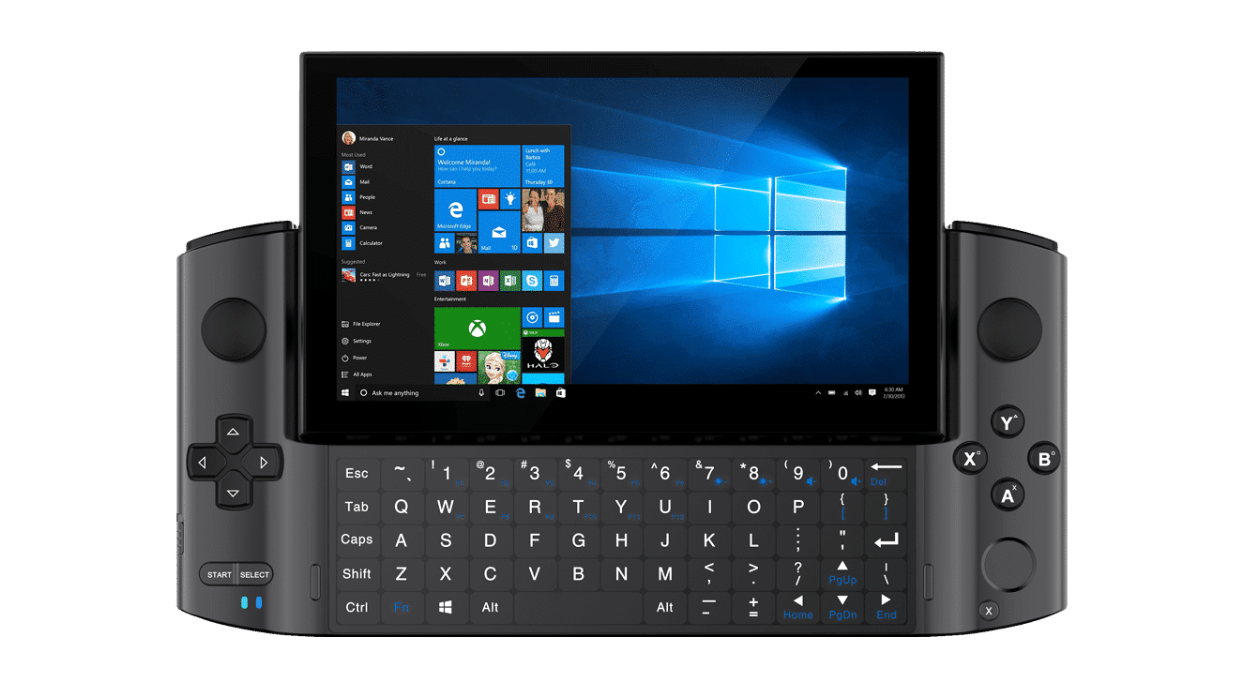
The Win 3 works like a full Windows 10 or Windows 11 PC packaged into a handheld form. It stands out thanks to its vertical display, slide-up keyboard, and Thunderbolt 4 port. These features give it flexibility that typical gaming handhelds do not offer.
Design and build quality
The sliding touchscreen makes the Win 3 unique and easy to navigate in Windows. The plastic and metal frame feels sturdy for daily use and travel. Its compact shape fits small hands, but it can feel dense during long sessions.
Keyboard and touch controls
The slide-up keyboard helps with quick searches and login screens, but it is not ideal for heavy typing. The touchscreen responds well in apps and menus, which helps compensate for the tiny keyboard. Touch control also improves usability in non-game tasks like browsing and media playback.
Port layout and connectivity options
Thunderbolt 4 expands the Win 3 into a desktop-style rig with external GPUs or docks. USB-C, USB-A, Wi-Fi 6, and Bluetooth enable easy pairing with controllers, drives, and headsets. The layout stays accessible even in handheld mode.
Hardware specifications and configurations
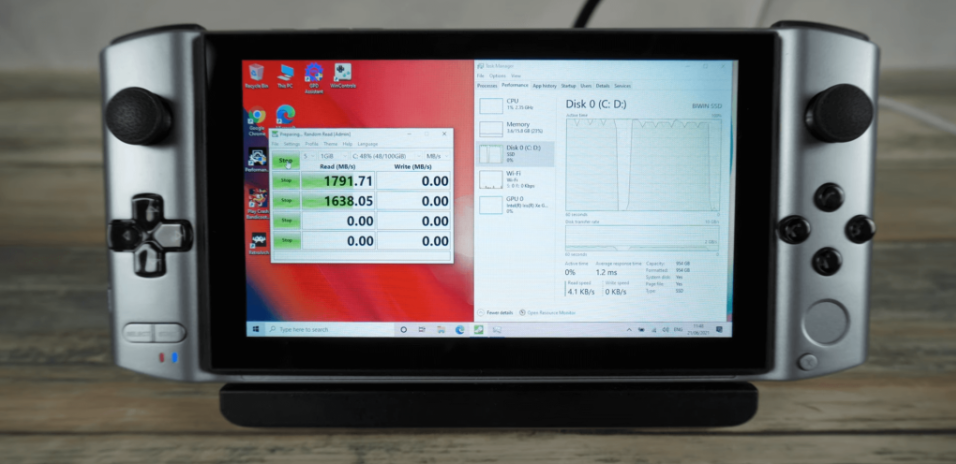
The Win 3 typically ships with an Intel Tiger Lake i5 or i7 CPU, integrated Iris Xe graphics, 16 GB of RAM, and fast NVMe storage. These specs enable modern gaming at reduced settings and smooth everyday computing. Storage upgrades also help users who keep large game libraries.
Windows gaming performance
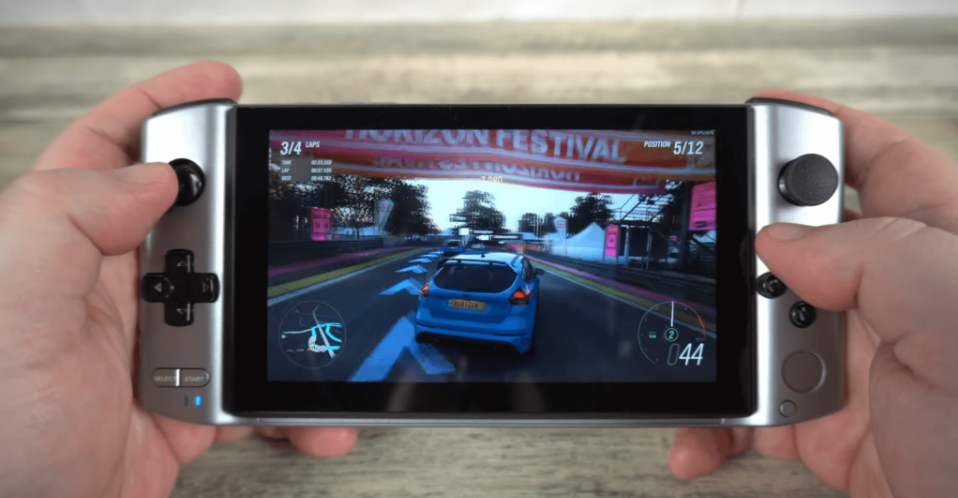
The Win 3 runs Windows games natively without compatibility layers. Most modern titles work with modest settings tweaks. The small screen helps mask lower resolutions, which improves apparent smoothness.
Benchmark results and real-world gameplay
Many AAA games run between 25 and 40 FPS at 720p with reduced settings. Indie and older titles often hit higher frame rates and feel smooth. Lower TDP profiles extend battery life, while higher modes improve performance for demanding titles.
Thermal behavior and fan noise
The cooling system keeps the system usable, but temperatures rise quickly during intense gaming. You can expect brief throttling during heavy loads. Fan noise becomes noticeable but stays manageable for handheld use.
Battery life and charging
Battery life ranges from 1.5 to 3 hours during gaming, depending on TDP and brightness. Light tasks such as browsing or streaming push it closer to 6 hours. The device charges quickly through USB-C, which helps offset the short runtime.
Productivity and everyday use
The Win 3 handles browsing, office apps, and light photo work without issues. Coding and development tools work, but the screen size limits comfort for long sessions. The touchscreen improves navigation when the keyboard feels too small.
Software experience and optimization
Windows runs well, but the small interface requires scaling adjustments for comfort. Launchers such as Steam and Epic Games work normally with the built-in controller. Tools like controller-mapping utilities improve compatibility in games without native gamepad support.
Long-term reliability and user experience
Users report stable performance after extended use, though battery wear becomes noticeable within a year. Fan behavior improves with firmware updates, but heat remains a consistent challenge. The community provides fixes for driver quirks and recommended tuning profiles.
How it compares to other handheld PCs
The Win 3 competes with newer devices like the Steam Deck, ROG Ally, and Legion Go. These alternatives deliver stronger performance and more efficient cooling. The Win 3 still stands out with its Thunderbolt 4 port and ultra-compact size.
Value vs performance in 2025
Modern handhelds offer better value for most gamers. The Win 3 remains viable for users who want docking flexibility or a smaller footprint. Discounts and used models also make it attractive for budget tinkerers.
Who should buy the GPD Win 3?
The Win 3 fits users who want a pocket-friendly Windows PC with real game support. It works for travelers, emulation fans, and users who like tweaking performance profiles. Buyers who want longer battery life or better thermals should consider newer hardware.
Pros and cons summary
The Win 3 offers portability, Thunderbolt support, and strong everyday performance. Its downsides include limited battery life, heat buildup, and a tiny keyboard. These trade-offs matter most for long gaming sessions.
Final verdict
The GPD Win 3 delivers a capable Windows handheld for gaming and productivity, even as newer models outperform it in raw power. It remains a unique device thanks to its size and desktop-class flexibility. For users who value portability and Windows compatibility, it still holds strong appeal.
Discussion (0)
Be the first to comment.