



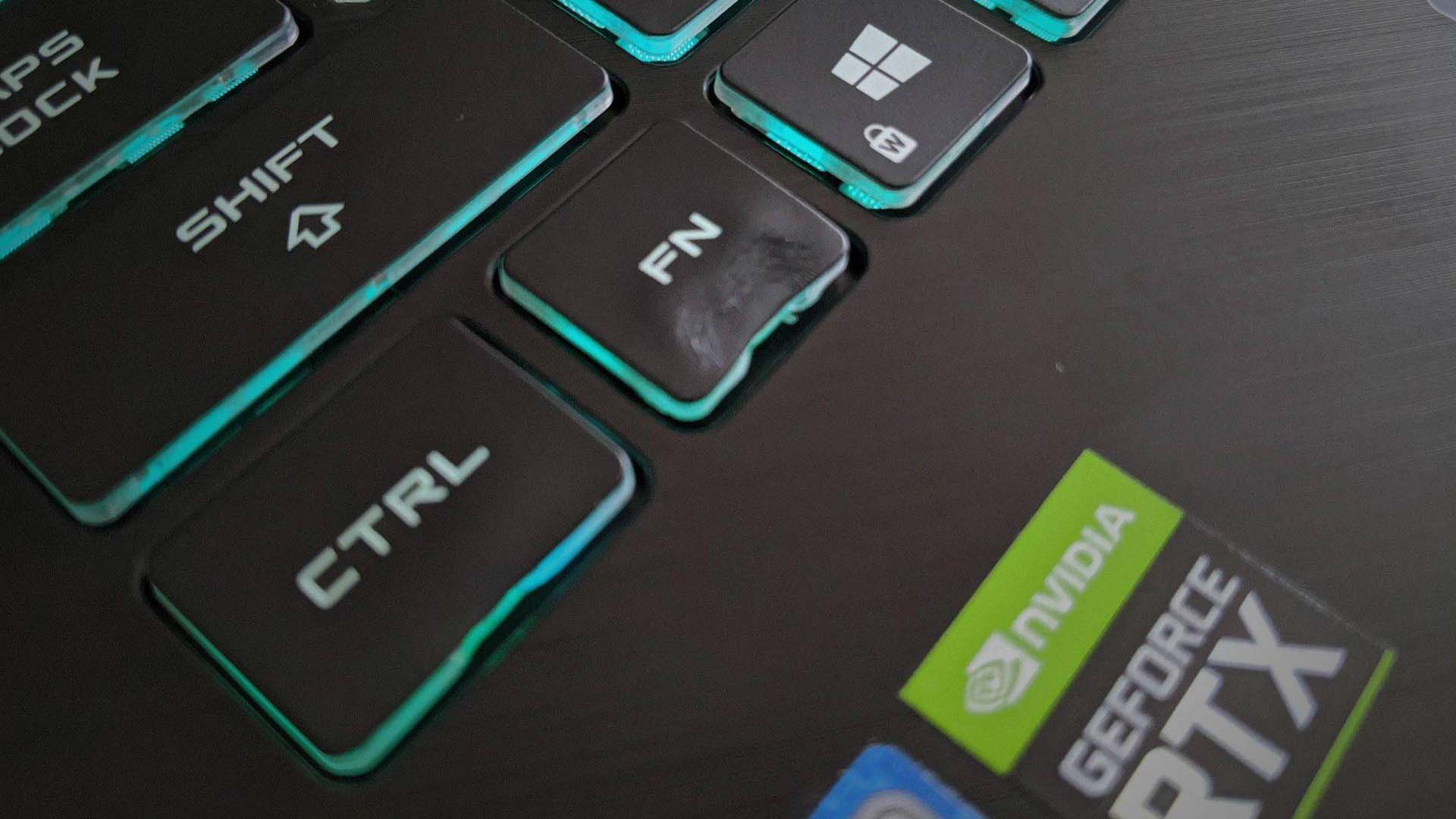
A gaming laptop owner damaged a one day old machine after using a 2,000W hair dryer to remove the familiar CPU and GPU stickers from the palm rest.
The heat successfully loosened the stickers, but it also reached the keyboard and permanently warped the Fn key.
The incident is a useful reminder that concentrated heat can damage laptop plastics quickly, especially when it is applied close to the surface.
Hair dryer heat can exceed what laptop plastics tolerate
A powerful 2,000W hair dryer can produce air temperatures in the range of roughly 60°C to more than 100°C, depending on its setting and distance from the target.
Laptop keycaps are commonly made from plastics such as ABS or thin PBT. These materials can begin to soften or deform when exposed to enough heat.
In this case, the hot air appears to have spread beyond the stickers and reached the Fn key.
The keycap warped before the owner realized what was happening.
| Item | Detail |
|---|---|
| Device | Nvidia RTX gaming laptop |
| Age of laptop | One day |
| Tool used | 2,000W hair dryer |
| Purpose | Remove CPU and GPU stickers |
| Damage | Warped Fn key |
| Chassis damage | None reported |
| Safer option | Isopropyl alcohol with microfiber cloth or cotton swab |
The rest of the laptop apparently escaped visible damage.
That was fortunate because some gaming laptops use polycarbonate or other plastic materials in their chassis, which can also deform under concentrated heat.
Sticker removal does not require extreme heat
Laptop CPU and GPU stickers can usually be removed with much less risk.
One common method is to peel the sticker carefully and then clean any remaining adhesive using isopropyl alcohol applied to a microfiber cloth or cotton swab.
The alcohol should be used sparingly rather than poured directly onto the laptop.
A high concentration, such as 90 percent or above, evaporates quickly and is commonly used when cleaning electronics, although care is still required around openings, displays and coated surfaces.
Another option is to remove the sticker slowly at room temperature and deal with the remaining adhesive separately.
If gentle warming is needed, using a very low heat level from a considerable distance is safer than directing a high powered hair dryer at one area.
Keycaps are more vulnerable than the metal around them
The incident also shows why using heat near a keyboard carries particular risk.
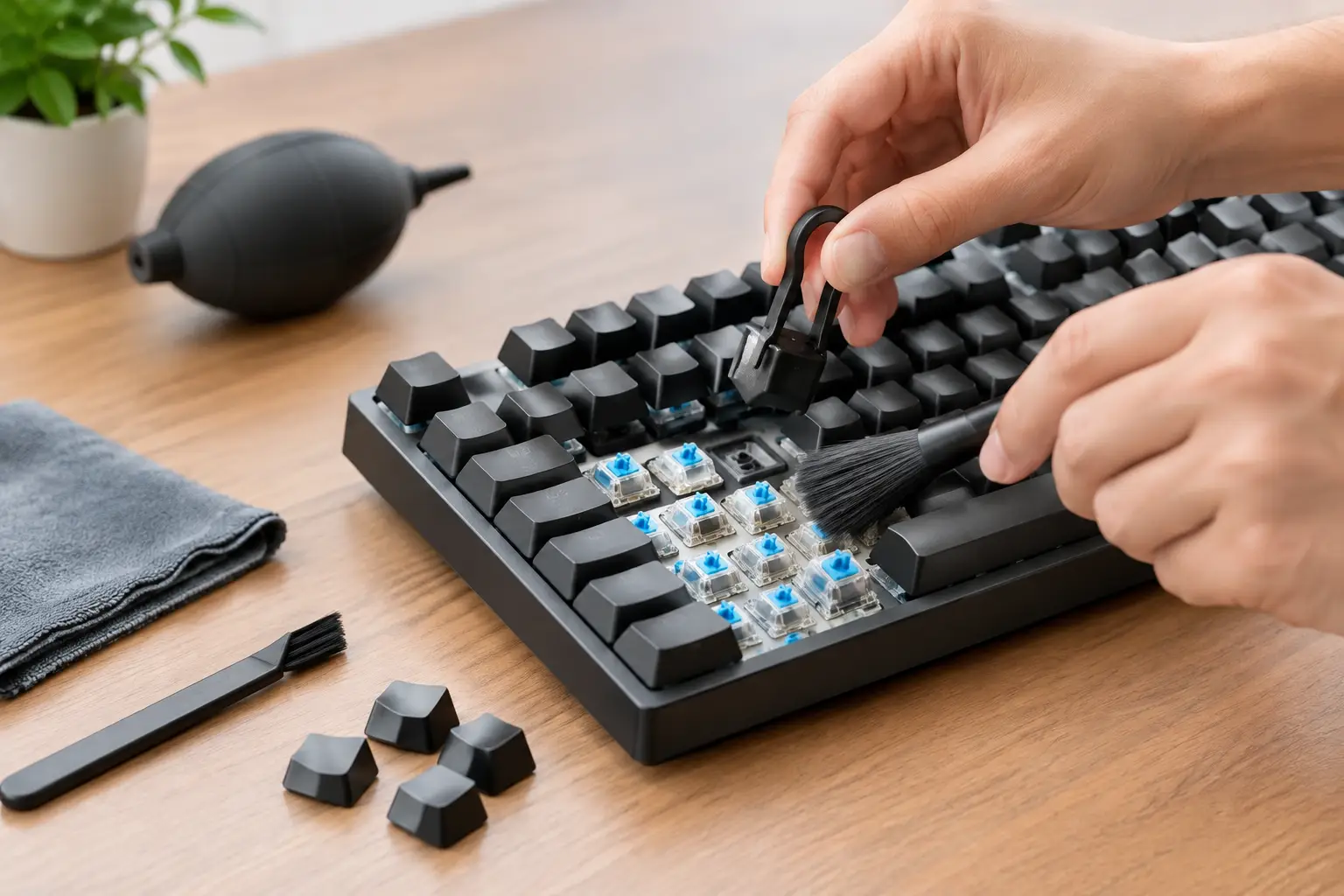
A laptop may have an aluminum palm rest or metal top cover, but the keyboard remains filled with smaller plastic parts.
Those components can reach damaging temperatures before the surrounding metal shows obvious signs of trouble.
The keycap itself is only one part of the mechanism.
Underneath it are clips, scissor switches, membranes and other components that could also be affected by excess heat.
A warped key may therefore be the most visible damage rather than the only possible problem.
Replacing one laptop key can still be inconvenient
The damaged Fn key may be replaceable without changing the entire keyboard.
Some laptop keycaps can be carefully removed and replaced individually, particularly when replacement parts are available for the exact model.
However, laptop keyboards vary significantly.
Removing a chiclet style key incorrectly can break the small plastic clips underneath, and some manufacturers do not sell individual keycaps directly.
In those cases, replacing one damaged key may become more complicated than expected.
Repair availability and cost depend heavily on the laptop model.
Heat can damage more than the keyboard
If the hair dryer had been kept in place longer, the consequences could have been more serious.
Excessive heat can deform plastic body panels, weaken adhesives and potentially affect nearby display or internal components.
Laptop batteries are another reason to avoid unnecessary heat exposure.
Although the battery in this case was not reported to be damaged, deliberately applying strong external heat to an electronic device is best avoided.
The owner stopped before the damage spread beyond the Fn key, leaving the laptop otherwise functional according to the account.
The episode shows that removing small cosmetic stickers from a laptop is not worth exposing the machine to extreme temperatures.
A slow peel and careful adhesive cleanup require more patience, but they carry far less risk than pointing a powerful household hair dryer at a new gaming laptop.

Discussion (0)
Be the first to comment.