



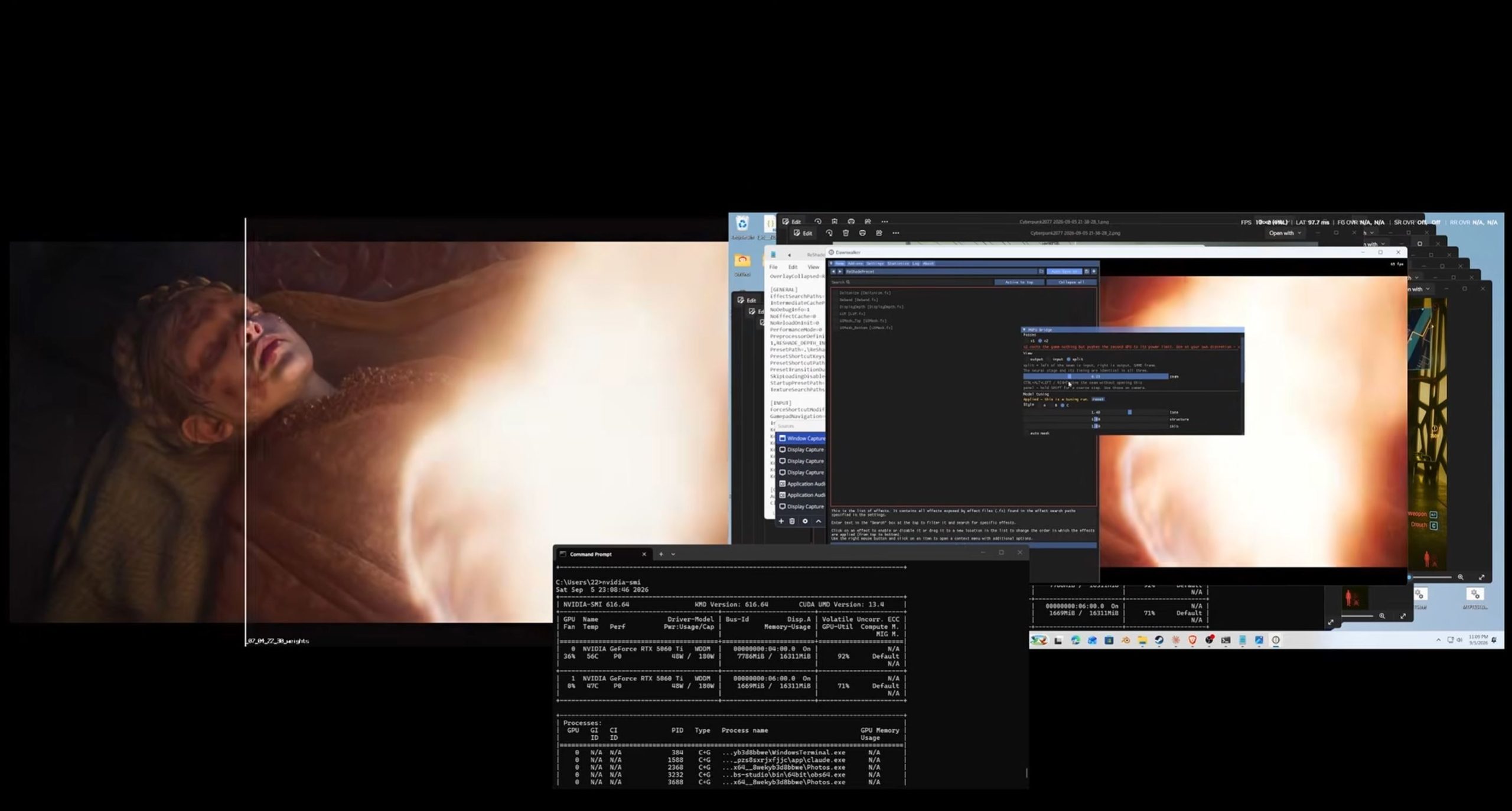
A new experimental ReShade add on called MGPU Bridge can move NVIDIA DLSS 5 Neural Rendering from the primary graphics card to a second GPU, helping recover much of the performance normally lost when Neural Rendering runs on the same card as the game.
The setup was demonstrated with two GeForce RTX 5060 Ti 16GB graphics cards. The primary GPU handled normal game rendering, while the second card processed the DLSS 5 Neural Rendering stage before sending the completed frame to the display.
The approach is still highly experimental and currently comes with major hardware and software limitations.
| Detail | MGPU Bridge test setup |
|---|---|
| Primary GPU | GeForce RTX 5060 Ti 16GB |
| Secondary GPU | GeForce RTX 5060 Ti 16GB |
| Main purpose | Offload DLSS 5 Neural Rendering |
| Software | ReShade with MGPU Bridge |
| Supported API | DirectX 12 |
| Required GPUs | Two RTX 50 series cards |
| Display requirement | Two monitors, one connected to each GPU |
| RTX 40 and older support | Not supported in current implementation |
Second GPU Handles the Neural Rendering Stage
DLSS 5 Neural Rendering can impose a substantial performance cost when it runs on the same GPU that is already rendering the game.
MGPU Bridge separates those workloads.
The primary graphics card renders the game as usual. Once the frame is finished, the add on sends it to the second GPU.
That second card runs the DLSS 5 Neural Rendering workload and then outputs the completed frame to the monitor.
Because Neural Rendering happens near the end of the frame pipeline, the developer was able to move that stage to another graphics card instead of sharing resources with the primary renderer.
Performance Improved Sharply in The Blood of Dawnwalker
The setup was tested at 1080p in The Blood of Dawnwalker.
With DLSS 5 disabled and DLAA active, the system delivered around 67 to 70 FPS.
Running Neural Rendering on the primary card reduced performance to 44 FPS.
Moving the same workload to the second RTX 5060 Ti brought performance back to roughly 67 to 70 FPS.
The gains were also significant in other DLSS modes.
| DLSS mode | DLSS 5 off | Neural Rendering on primary GPU | Neural Rendering on second GPU |
|---|---|---|---|
| DLAA | 67 to 70 FPS | 44 FPS | 67 to 70 FPS |
| Quality | 98 to 99 FPS | 54 to 55 FPS | 91 FPS |
| Performance | 127 to 131 FPS | 59 FPS | 106 to 107 FPS |
| Ultra Performance | 172 FPS | 69 to 71 FPS | 157 FPS |
In Performance mode, for example, moving Neural Rendering to the second card increased the result from 59 FPS to around 106 to 107 FPS.
The setup was also demonstrated in Cyberpunk 2077.
Temperatures Also Dropped
The experiment reportedly reduced GPU temperatures as well.
The developer measured a temperature drop of around 21°C in the tested configuration.
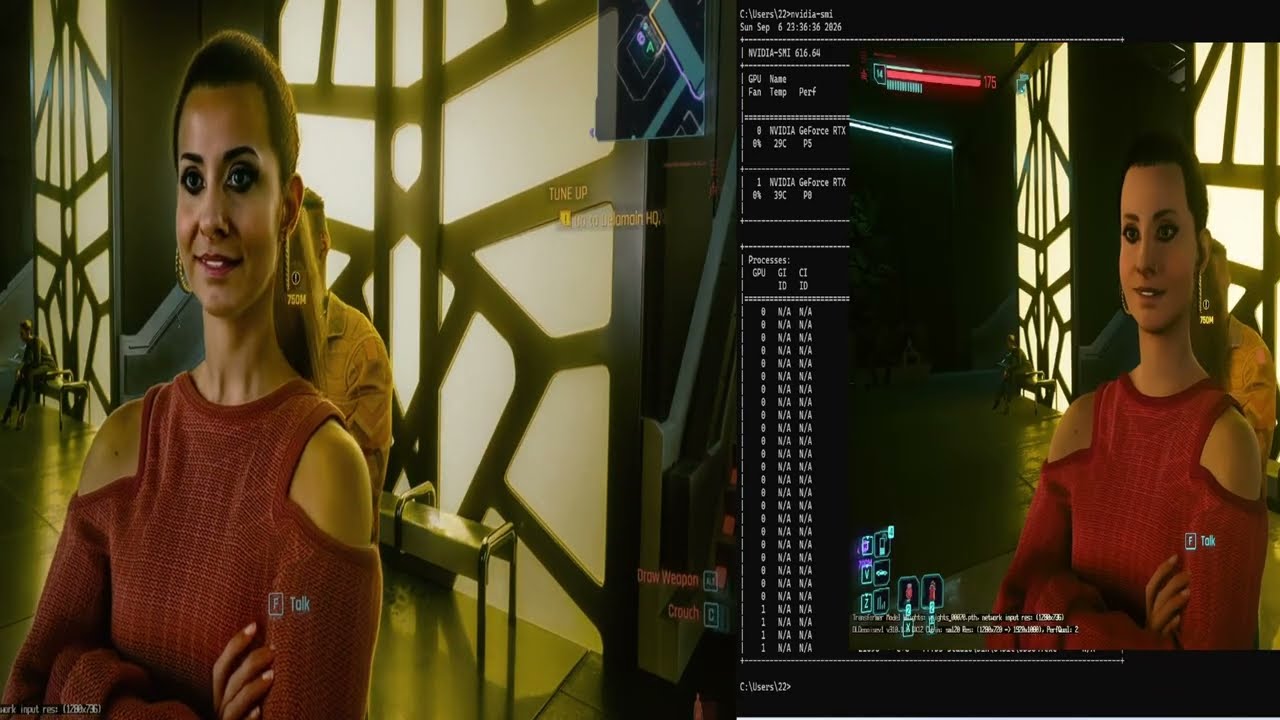
That result is consistent with the basic idea behind the setup, since the rendering workload and Neural Rendering workload are no longer concentrated on one GPU.
However, the exact temperature benefit will depend on the graphics cards, case airflow, power limits, workload, and cooling design.
The Current Requirements Are Restrictive
MGPU Bridge is not yet a practical solution for most players.
The current version only works with DirectX 12 games.
It also requires two RTX 50 series GPUs.
RTX 40 series and older cards are not supported by the present implementation.
The developer tested the system with two identical RTX 5060 Ti cards and did not confirm whether mixing different RTX 50 models will work reliably.
Two monitors are also required, with each display connected to a different GPU.
These requirements make the experiment more useful as a technical demonstration than as a mainstream gaming setup.
Multi GPU Gaming Takes a Different Form
Traditional multi GPU gaming technologies such as SLI focused on splitting the rendering workload itself between several graphics cards.
This experiment takes a different approach.
One GPU continues to render the game, while the second acts more like a dedicated Neural Rendering processor.
That avoids some of the synchronization and scaling problems associated with older multi GPU rendering methods, although it introduces its own latency, compatibility, and hardware requirements.
The project remains unofficial and experimental, so the results should not be treated as a supported NVIDIA feature.
Still, the test shows that DLSS 5 Neural Rendering does not necessarily have to compete with game rendering for resources on the same graphics card.
If tools such as MGPU Bridge mature, secondary GPUs could eventually find a new role in PCs by handling selected AI and post processing workloads rather than rendering complete game frames.
Discussion (0)
Be the first to comment.