



Smart thermostats are now standard in US homes because they cut energy waste, work with phones and voice assistants, and learn your schedule. Google’s Nest thermostat line is the one most people recognize, but identifying which Nest thermostat generation you actually have can be confusing if you bought a house with one already installed or you found a used unit online.
This guide shows you how to differentiate between 1st, 2nd and 3rd generation Nest Smart thermostats using the body design, the display, Wi-Fi support, wiring connectors, and the backplate hardware. It also explains which Nest thermostat generations are still supported, and which ones are at end of life.
Why You Need To Know Which Nest Thermostat Generation You Own
Before you buy, replace, or resell, you should identify the exact Nest thermostat generation for three reasons:
- Support and updates: Google has begun phasing out support for older Nest thermostat generations. Public discussion mentions that 1st gen and 2nd gen Nest Learning Thermostat models are approaching end of official support, with support reportedly ending October 25, 2025 for those early units. That affects security updates and app access.
- Compatibility: Not every Nest thermostat generation supports every HVAC system. Newer hardware, especially the later Nest Learning Thermostat, handles more multi-stage and heat pump setups.
- Resale value: The 3rd generation Nest thermostat generally sells for more because of its sharper display, dual-band Wi-Fi support, and wider compatibility. Buyers will ask if it’s 3rd gen or older.
If you are comparing Nest thermostat generations in a real home, you do not need to guess. You can identify them in less than a minute by looking at four physical details.
Fast ID: How To Tell 1st vs 2nd vs 3rd Generation Nest Thermostats At a Glance
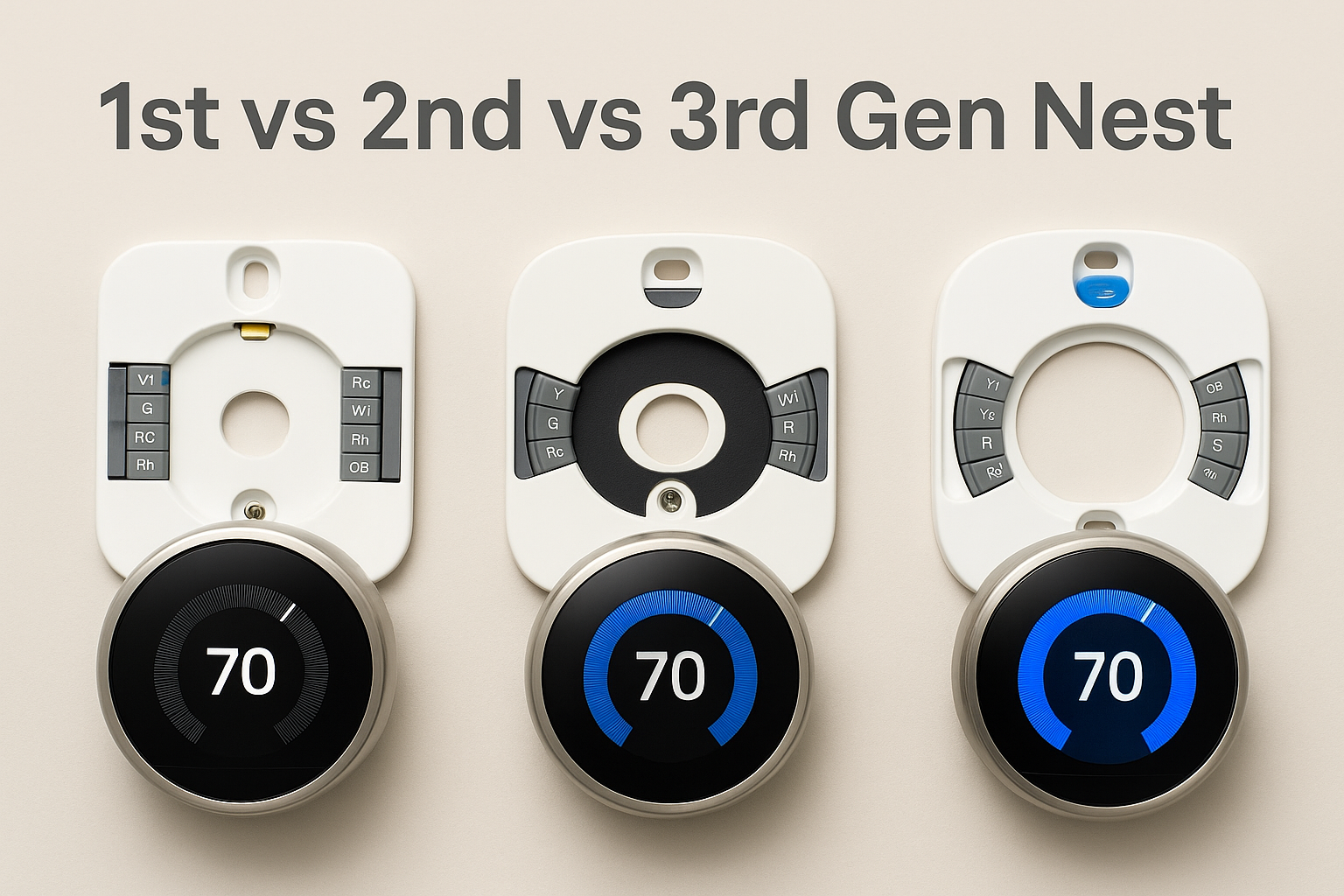
Use this visual checklist when you pull the thermostat off the wall or look at a used unit:
- Display size and sharpness: The 3rd generation Nest thermostat has the largest, sharpest screen. It’s about 2.08 inches across with a 480x480 resolution. The 1st generation and 2nd generation Nest thermostat models use a smaller 320x320 style display, which looks less dense up close.
- Wi-Fi bands: The 3rd gen Nest thermostat supports both 2.4 GHz and 5 GHz Wi-Fi, which makes it more reliable in crowded homes. The Nest 1st generation and Nest 2nd generation run only on 2.4 GHz Wi-Fi.
- Wiring connectors on the backplate: When you detach the Nest thermostat from its wall base, you’ll see the wire terminals. The Nest 1st generation typically has 8 wire connectors in a rectangular layout. The Nest 2nd generation increases compatibility and changes the connector style. The Nest 3rd generation base usually shows 10 wire connectors and a cleaner oval/curved layout, which reflects its broader HVAC support.
- Level bubble placement: When the thermostat is off the wall, you’ll see a tiny bubble level on the base that helps you mount it straight. On many reported units, the 3rd gen base shows a blue level indicator near the top. The Nest 2nd generation commonly has a yellow level indicator near the bottom. The Nest 1st generation also uses a yellow level, but the layout of the wiring block and the smaller display help you tell it apart from 2nd gen.
- Bezel and border thickness: The Nest 2nd generation thermostat has a noticeable thick black border around the display (roughly 1 inch reported). The Nest 3rd generation trims that border down to a thinner ring (about 1 cm), so the screen looks bigger and more “edge to edge.”
If you only remember one shortcut for how to differentiate between 1st, 2nd and 3rd generation Nest Smart thermostats: the Nest 3rd generation thermostat has the biggest, sharpest display, supports 5 GHz Wi-Fi, and has the most wiring terminals on the backplate.
1st Generation Nest Thermostat: What It Looks Like and What It Can Do
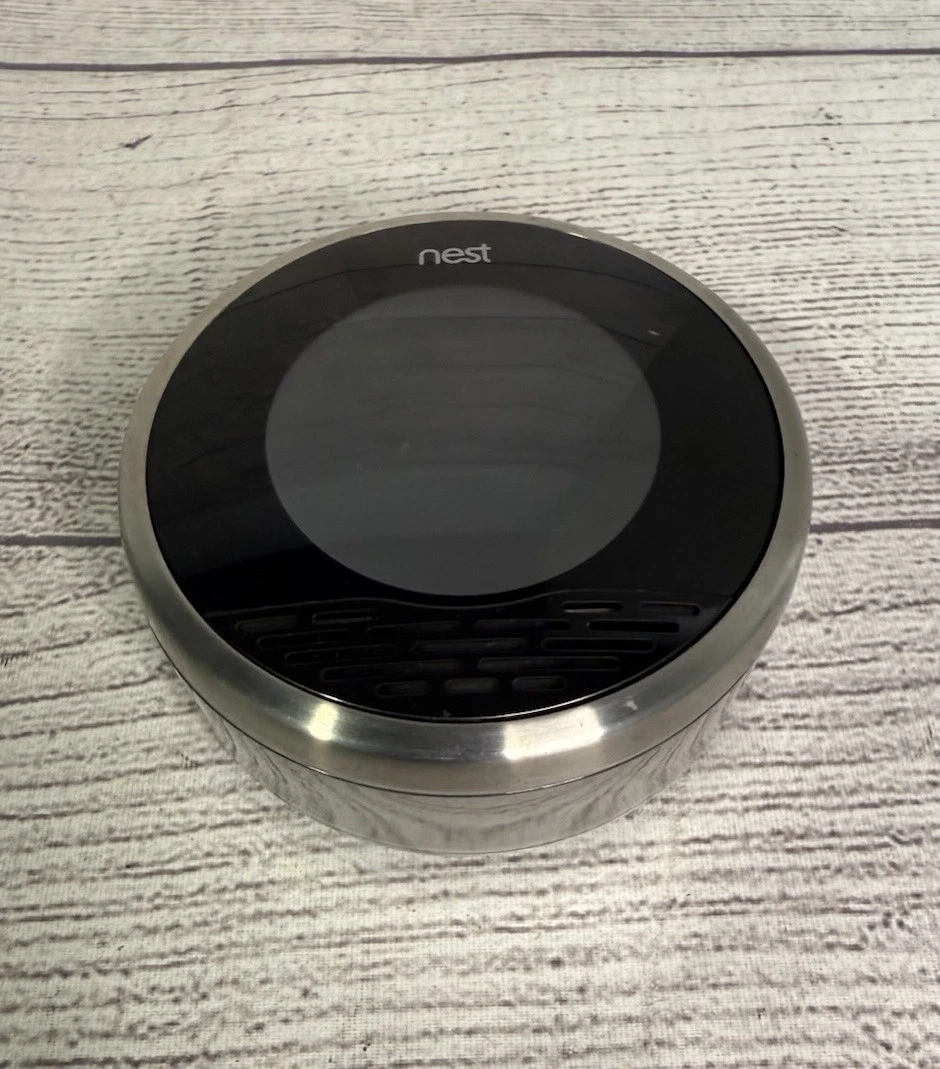
The Nest 1st generation thermostat is the original learning thermostat that made Nest famous. You’ll usually notice a more basic look: a metal ring around a smaller circular screen, plus a simple black-and-white style interface compared to later Nest thermostat generations.
- Screen and bezel: Smaller 320x320-style display with a thicker look and more visible frame.
- Ring design: Brushed metal ring you twist to change temperature. This rotating control ring interaction is still how Nest works today.
- Wi-Fi support: 2.4 GHz only.
- Backplate and wiring: Usually 8 connectors, rectangular layout. The level bubble often sits near the top.
- Smart features: The Nest 1st generation thermostat learns your schedule over time and can automatically go into “Auto-Away,” which lowers heating or cooling when it thinks nobody’s home. That early scheduling intelligence is why the Nest Learning Thermostat brand became the default reference for smart climate control.
In daily use, the Nest 1st generation thermostat still supports basic remote control through the Nest app (if still linked to an active Google/Nest account), voice assistant integration in many cases, and energy reports. But owners are now watching support timelines. Google’s public timelines and community discussions state that the earliest Nest thermostat generations, including the original Nest 1st generation and early Nest 2nd generation, are losing official support. After that, you may not receive updates or full app functionality.
2nd Generation Nest Thermostat: How It Improved Over 1st Gen
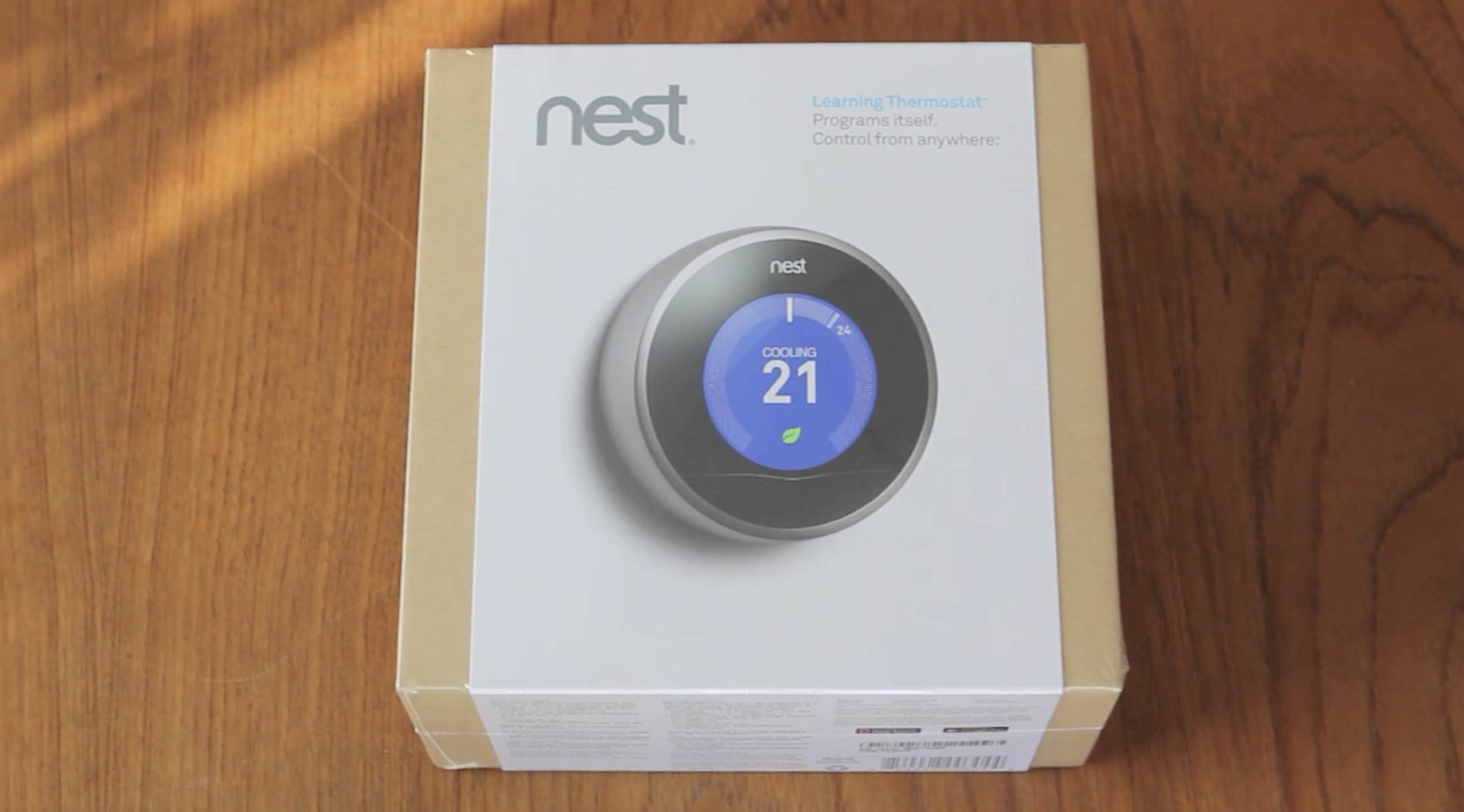
The Nest 2nd generation thermostat refined the look and added compatibility. If you’re trying to identify Nest thermostat generations and you see something sleeker than 1st gen but not as large-screen as 3rd gen, you’re probably holding a 2nd gen.
- Display and border: The Nest 2nd generation thermostat uses a larger color screen than the 1st gen and moves to a higher resolution. It still doesn’t fill the entire ring, and it keeps a thick black border that’s famously “wide,” about 1 inch around the display. That border is one of the easiest tells versus the Nest 3rd generation.
- Wi-Fi: The Nest 2nd generation thermostat connects on 2.4 GHz Wi-Fi. No 5 GHz.
- Backplate: The connector block changes compared to 1st gen and supports more HVAC wiring types, including more heat pump scenarios. Many 2nd gen bases show a yellow bubble level, often positioned toward the bottom.
- Extra sensors: The Nest 2nd generation adds humidity sensing, which helps keep the air more comfortable without overcooling. That’s important in mixed climates because humidity control can make 74°F feel like 72°F without blasting AC.
- Learning and Auto-Away: Like the Nest 1st generation, the Nest 2nd generation thermostat is still marketed as a learning thermostat. It keeps building schedules from your patterns and can lower energy spend when you’re gone.
In short: The Nest 2nd generation thermostat is a bridge model. It looks more premium than the Nest 1st generation, it supports more systems, and it adds comfort features, but it does not have the large, near edge-to-edge screen you see on the Nest 3rd generation.
3rd Generation Nest Thermostat: The One Most People Want
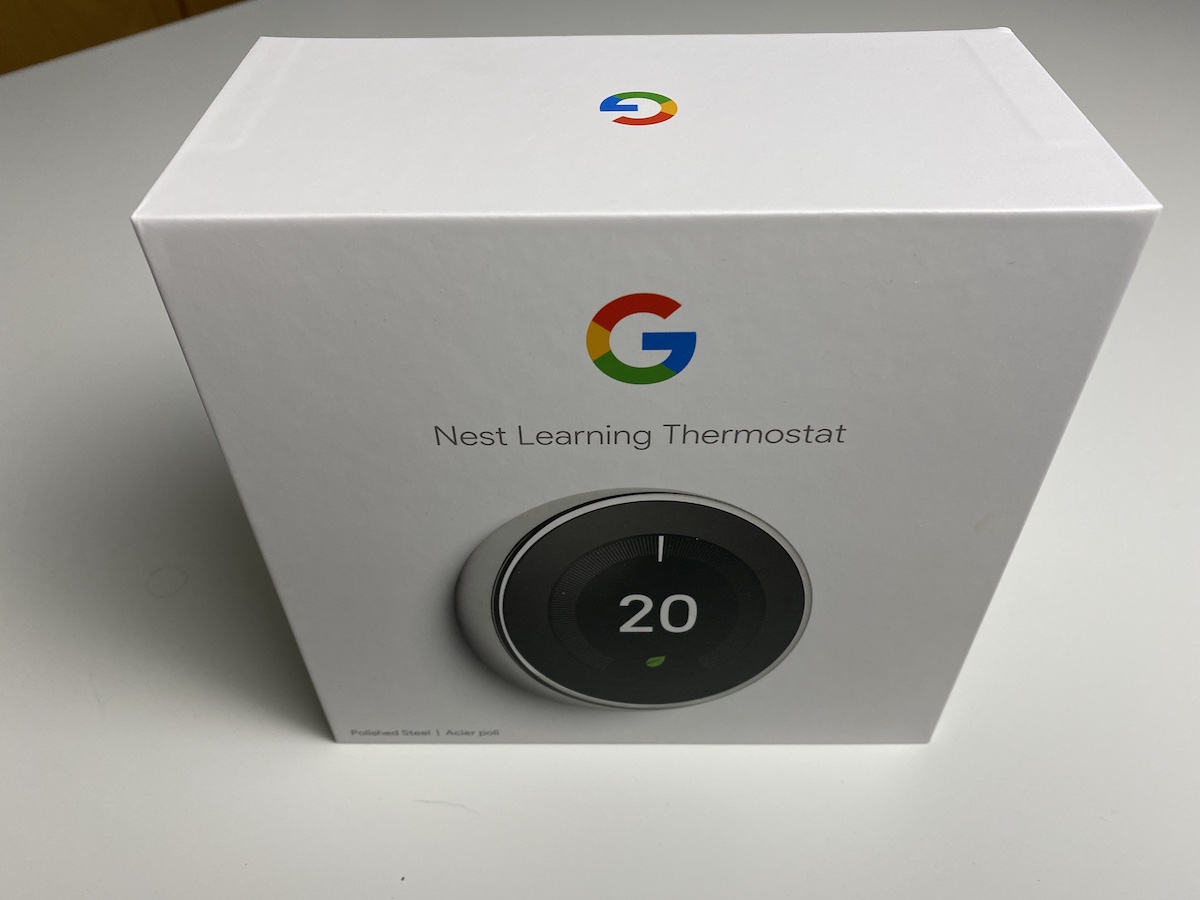
The Nest 3rd generation thermostat is the version most homeowners recognize today. If you search for Nest thermostat generations in stores or listings, most sellers are showing the Nest 3rd generation because it’s the most popular balance of design, compatibility, and features before Google’s newer branding changes.
- Display: Bigger, brighter, sharper. The Nest 3rd generation thermostat has a 480x480 display around 2.08 inches across. It’s easier to read from across the room, and it supports Farsight. Farsight lights up the display automatically when it senses you nearby and can show temperature or even weather from a distance.
- Thin black border: The bezel looks tighter, and the black ring around the screen is much thinner than on the Nest 2nd generation. It feels more “edge to edge.”
- Dual-band Wi-Fi: The Nest 3rd generation thermostat supports both 2.4 GHz and 5 GHz Wi-Fi. That helps avoid interference in homes packed with smart plugs, cameras, and streaming devices.
- Backplate and wiring: The Nest 3rd generation thermostat base usually includes 10 wire connectors with a cleaner curved layout. This matters if you have multi-stage heating, heat pumps, radiant systems, or dual fuel setups. The increased connector count is part of why HVAC installers recommend the Nest 3rd generation for more complex systems.
- Geofencing and multi-zone: The Nest 3rd generation thermostat supports location-based temp control (geofencing). When you get close to home, it can pre-warm or pre-cool automatically. It also works better in multi-zone setups, especially when paired with remote temperature sensors, so upstairs and downstairs don’t fight each other.
From a buyer’s point of view, this is usually the best value if you want a Nest Learning Thermostat that still looks premium on the wall. The Nest 3rd generation thermostat also tends to hold resale value because it is easier to integrate into Google Home, works with more HVAC systems, and still receives active updates.
Support Status and Future-Proofing
If you’re worried about long-term support, this section matters as much as display size. Community and forum discussions point out that Google is ending official support for the earliest Nest thermostat generations (1st gen and some early 2nd gen units) by October 25, 2025. After support ends, those devices may stop getting security updates and may lose some app features or remote access.
The Nest 3rd generation thermostat is still considered actively supported, still receives software improvements, and is still widely compatible with the Google Home ecosystem and voice assistants.
That is another reason homeowners ask how to differentiate between 1st, 2nd and 3rd generation Nest Smart thermostats: it directly affects lifespan. If you inherit an older Nest 1st generation thermostat or Nest 2nd generation thermostat in a house you just bought, you might plan for an upgrade so you keep app control and security updates going forward.
Which Nest Thermostat Generation Should You Buy Right Now?
Here’s how to think about Nest thermostat generations if you are shopping or replacing a dead unit:
- Buy a Nest 3rd generation thermostat if: You want the sharp Farsight display, you want 5 GHz Wi-Fi, and you care about future support. This is also the safer pick for heat pumps, multi-stage HVAC, or multi-zone heating/cooling.
- Keep a Nest 2nd generation thermostat if: It already works, you’re fine with 2.4 GHz Wi-Fi, and you don’t mind the thicker black border. It’s still a learning thermostat with humidity sensing. Just understand support and app access may sunset sooner than with 3rd gen.
- Replace a Nest 1st generation thermostat if: You just moved into an older home and found one on the wall. It was groundbreaking in its time, but it’s reaching end of support. Upgrading protects you on security, remote access, and modern Wi-Fi reliability.
Summary: The Key Differences Between Nest Thermostat Generations
- Display: 1st gen and 2nd gen use smaller 320x320-style screens. 3rd gen jumps to a brighter 480x480 display with Farsight and a thinner border.
- Wi-Fi: 1st gen and 2nd gen are 2.4 GHz only. 3rd gen supports 2.4 GHz and 5 GHz for better stability.
- Backplate and wiring: 1st gen typically has 8 connectors. 2nd gen rearranges and expands support. 3rd gen commonly has 10 connectors in a cleaner curved layout, which helps in advanced HVAC setups.
- Comfort features: 2nd gen adds humidity sensing. 3rd gen adds Farsight, geofencing, better multi-zone behavior, and improved remote sensor support.
- Support lifespan: 1st gen and early 2nd gen are nearing end of support in 2025. 3rd gen is still fully supported and integrates cleanly with Google Home and voice control.
If you only need one rule for how to differentiate between 1st, 2nd and 3rd generation Nest Smart thermostats: check the screen size and clarity, check if it can join 5 GHz Wi-Fi, and check the wiring block on the back. That combination will tell you exactly which Nest thermostat generation you’re looking at and how long it’s likely to stay supported.

Discussion (0)
Be the first to comment.