



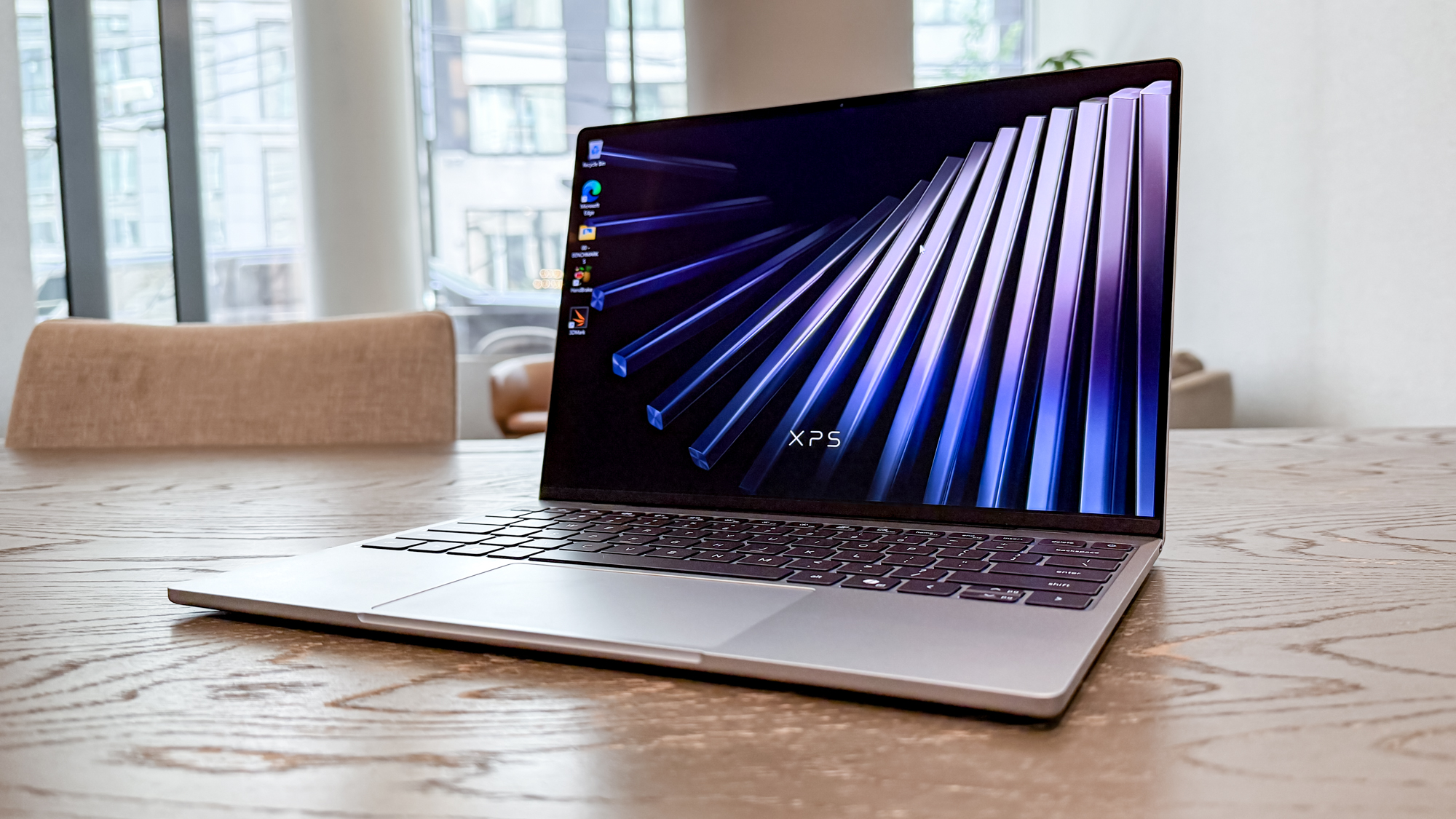
Dell is positioning its latest XPS 13 as a compact student laptop built around portability, battery efficiency, a high resolution touchscreen, and modern wireless features.
The redesigned model weighs 2.2 pounds, or about 1kg, and measures 0.5 inches thick. Its compact footprint should make it easier to carry between lectures, libraries, laboratories, and study spaces without adding much weight to a backpack.
Dell also claims up to 17 hours of video streaming battery life. Real world endurance will depend on brightness, applications, wireless activity, and performance settings, but the figure suggests that the laptop is designed to cover a full day away from a charger.
The XPS 13 combines those mobility features with Intel Core Series 3 processors, up to 16GB of memory, PCIe 4.0 storage, WiFi 7, a backlit keyboard, and support for multiple external displays.
XPS 13 Key Specifications
| Feature | Dell XPS 13 |
|---|---|
| Weight | 2.2 pounds, or about 1kg |
| Thickness | 0.5 inches |
| Footprint | 11.7 × 7.9 inches |
| Display resolution | 2.5K |
| Maximum brightness | 500 nits |
| Refresh rate | Up to 120Hz variable |
| Colour coverage | 100% DCI P3 |
| HDR support | HDR 400 |
| Memory | 8GB or 16GB |
| Memory speed | 7,467MT/s |
| Storage | M.2 PCIe 4.0 NVMe SSD |
| Wireless | WiFi 7 |
| Security | Infrared webcam |
| Audio | Four speakers |
| Battery claim | Up to 17 hours of video streaming |
The laptop uses a machined aluminium chassis, which should provide more rigidity than a plastic body while preserving the thin design.
Its overall dimensions are closer to some 11 inch laptops despite using a 13 inch class display. This may appeal to students who need a full Windows computer but do not want to carry a larger 14 inch or 15 inch machine throughout the day.
The Touchscreen Is Designed for Study and Creative Work
The XPS 13 includes a 2.5K touchscreen with a 120Hz variable refresh rate.
Touch support provides another way to scroll through documents, navigate presentations, review notes, and use applications when a mouse is unavailable. It may also be helpful in crowded lecture halls where there is limited desk space.
The display reaches a claimed 500 nits of brightness and covers 100 percent of the DCI P3 colour range. Those specifications should make it suitable for photo editing, video work, presentation design, and other assignments where colour accuracy matters.
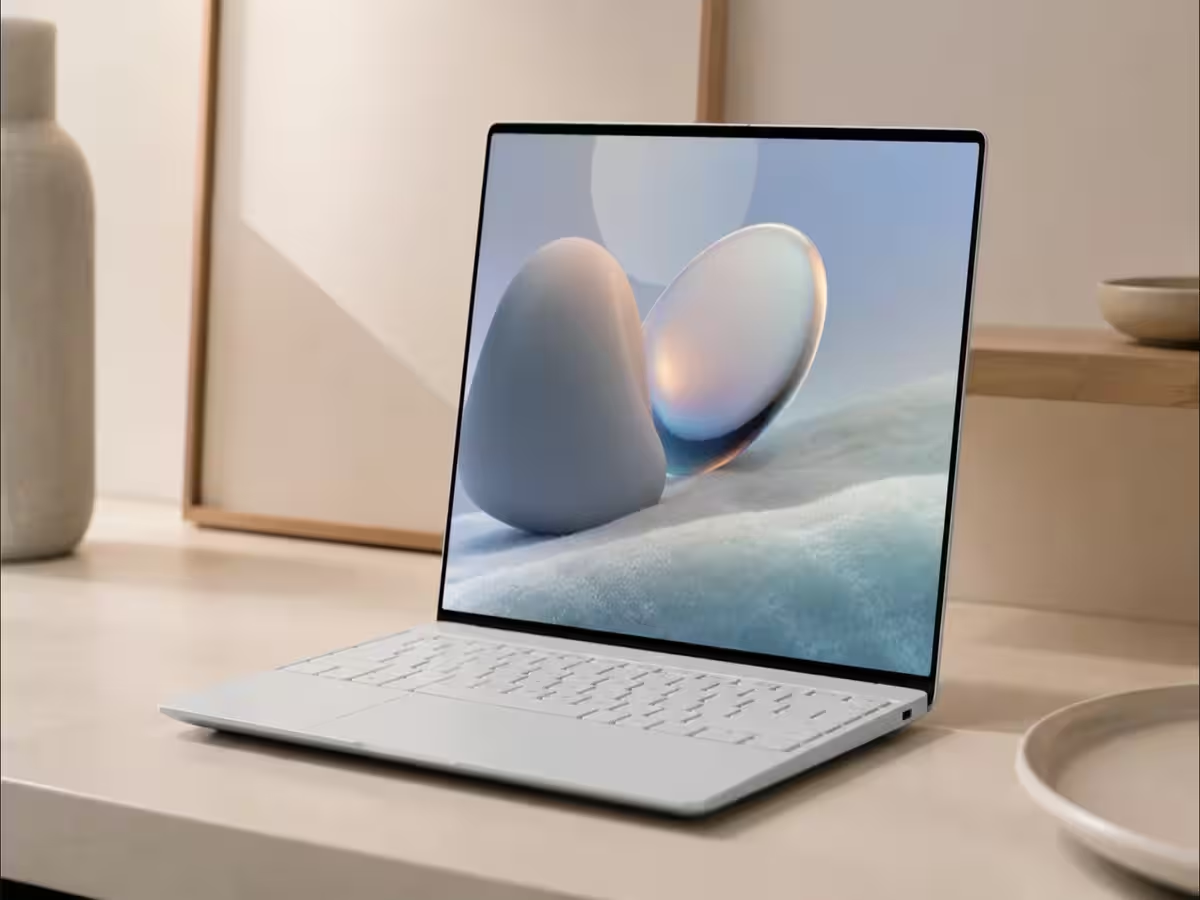
HDR 400 certification is included, although this level of HDR support is more limited than what you would find on a premium OLED or Mini LED panel.
The screen also carries Eyesafe certification, which means it is designed to reduce some blue light exposure without heavily changing colour accuracy.
A variable refresh rate can lower power use by reducing the screen’s refresh rate when high speed motion is unnecessary. It can then increase to 120Hz for smoother scrolling and animation.
Portability Is One of Its Main Advantages
The XPS 13’s low weight is likely to be one of its strongest features for students.
A 1kg laptop is easier to carry alongside books, chargers, notebooks, and other equipment than a typical gaming or workstation notebook. The slim chassis should also fit into smaller bags.
Its dimensions are:
| Measurement | Size |
|---|---|
| Width | 11.7 inches, or 297mm |
| Depth | 7.9 inches, or 201mm |
| Thickness | 0.5 inches |
| Weight | 2.2 pounds, or about 1kg |
The compact build will be useful for travel, but it may come with compromises in port selection and upgrade access. The provided information does not confirm the number or type of physical ports, so students who regularly use USB A accessories, HDMI displays, or memory cards may need to check the final configuration carefully.
Intel Core Series 3 Handles Everyday Multitasking
Dell is using Intel Core Series 3 processors in the new XPS 13.
The chips are intended to balance general performance, artificial intelligence workloads, and battery efficiency. That should make the laptop suitable for research, word processing, browser tabs, online classes, presentations, coding, and common productivity applications.
The exact processor models and performance levels are not specified, so buyers should compare configurations before ordering.
A student working mainly with documents, video calls, and web applications may not need the fastest processor option. More demanding courses involving software development, data analysis, engineering tools, or media creation may benefit from a higher specification.
Dell says performance remains responsive when the system is running on battery power. That matters because some laptops reduce speed significantly when unplugged to extend battery life.
Memory Options Reach 16GB
The XPS 13 is available with either 8GB or 16GB of RAM.
The memory operates at a claimed 7,467MT/s, which should help with general responsiveness and integrated graphics performance.
For basic work, 8GB may be sufficient, but 16GB is the safer option for longer term use. Modern browsers, collaboration tools, Windows services, and creative applications can consume substantial memory when several are open at once.
| Memory option | Best suited for |
|---|---|
| 8GB | Documents, web browsing, video calls, light coursework |
| 16GB | Heavy multitasking, coding, creative work, longer useful lifespan |
The source does not state whether the RAM can be upgraded after purchase. Thin laptops commonly use soldered memory, so students should choose the required capacity at the time of purchase unless Dell confirms otherwise.
Storage is provided by an M.2 PCIe 4.0 NVMe SSD. This should support quick startup, fast application loading, and responsive file transfers.
The actual storage capacities were not listed, so buyers should check whether the available options are suitable for their courses. Media projects, virtual machines, and large software packages can consume storage quickly.
Backlit Keyboard Supports Late Study Sessions
A backlit keyboard is included, which can make the laptop easier to use in dim lecture halls, libraries, bedrooms, or shared accommodation.
This is a small feature, but it becomes useful when working at night or in rooms where bright lighting would disturb other people.
The source does not provide details about key travel, layout, function keys, or the size of the touchpad. Those factors may matter for students who type long essays or write code for several hours at a time.
Cooling Uses a Dual Fan Design
Dell has equipped the XPS 13 with two cooling fans.
The company says the system is intended to remain cool while keeping noise low. Quiet operation is particularly important in libraries, classrooms, and online meetings.
The actual fan noise and temperatures are not provided, so the claim cannot be independently assessed from the supplied information.
The compact chassis may limit sustained performance compared with a thicker laptop, especially during long rendering, compilation, or data processing workloads. For typical student tasks, however, the design should provide enough cooling if Dell has balanced the processor settings correctly.
WiFi 7 and Webcam Features Support Online Learning
The XPS 13 includes WiFi 7, an infrared webcam, and four speakers.
WiFi 7 can provide faster speeds and lower latency when connected to compatible routers. Most students will still use WiFi 5 or WiFi 6 networks in many locations, but the newer standard may help keep the laptop relevant for several years.
The infrared camera supports secure facial recognition through Windows Hello. This allows you to sign in without entering a password each time.
Four speakers should provide clearer sound than a basic two speaker system, although headphones will remain preferable in shared study areas.
The webcam is described as clear, but no resolution or frame rate is provided. Students who rely heavily on online classes should check those details before purchasing.
Support for Multiple Displays Expands Its Use at Home
The XPS 13 supports multiple external displays.
That allows the laptop to act as the centre of a larger workstation in a dormitory or home office. A second screen can be useful for keeping reference material open while writing, coding, analysing data, or attending an online lecture.
The exact number of supported displays and maximum resolutions are not listed, so the final capability may depend on the processor and available ports.
Students may also need a USB C hub or docking station if they plan to connect monitors, storage, Ethernet, and other accessories at the same time.
Battery Life Will Depend on Configuration
Dell claims up to 17 hours of video streaming, but this should not be treated as a guarantee for every workload.
Battery endurance can vary based on the processor, display brightness, refresh rate, WiFi activity, background applications, and whether the touchscreen is being used heavily.
| Activity | Expected effect on battery |
|---|---|
| Video streaming | Closest to Dell’s stated test |
| Word processing | Often relatively efficient |
| Web browsing | Varies with tabs and website activity |
| Video calls | Higher power use from camera and wireless |
| Coding | Depends on project size and compilation |
| Photo or video editing | Significantly higher power demand |
| External display use | May reduce portable battery life |
Students who need the longest endurance should lower brightness, use an automatic refresh rate, close unnecessary applications, and select a balanced power mode.
The XPS 13 Is Best Suited to Mobile Coursework
The new XPS 13 appears best suited to students who value low weight, long battery life, a high quality display, and a compact design.
Its 2.2 pound body should be easy to carry, while the aluminium chassis provides a more premium and durable feel. The 2.5K touchscreen, 120Hz refresh rate, WiFi 7, and infrared webcam add useful modern features.
The 16GB memory option is likely the better long term choice, especially for students who keep many applications open or use demanding course software.
The laptop may be less suitable for gaming, advanced 3D work, or sustained professional rendering because the supplied information does not mention dedicated graphics. Port selection, upgrade options, storage capacity, and final pricing also need to be checked before purchase.
For general academic work, online collaboration, research, presentations, and daily travel, the XPS 13 offers a practical combination of portability and performance.



Discussion (0)
Be the first to comment.