




If you need help with your Fitbit device, contacting Fitbit support by phone gives you direct access to trained representatives who can troubleshoot issues, handle warranty claims, and answer product questions. This updated guide covers the official Fitbit customer service number, alternative contact methods such as web chat, and preparation steps to help you get a faster resolution.
Fitbit customer support phone number and hours
The main Fitbit customer service number for the U.S. and Canada is 1-877-623-4997. This remains the most reliable way to reach Fitbit support directly by phone.
While past reports listed hours such as 4 a.m. to 8 p.m. PT (Mon–Fri) and 6 a.m. to 5 p.m. PT (Sat–Sun), these may vary by region, time zone, or current call volume. Always check the official Fitbit Help Center for the latest contact hours before calling.
If the phone queue is long, try the Fitbit customer service chat available through the Help Center. It often connects more quickly during peak support hours and is recommended for quick troubleshooting or setup guidance.
Before you call Fitbit support
Preparing the right details before connecting with Fitbit support by phone will help the representative resolve your issue faster.
- Have your Fitbit device and charger nearby.
- Know your Fitbit model and, if available, its serial number.
- Write down your Fitbit account email and any recent case or ticket numbers.
- Note any error messages or symptoms (e.g., syncing issues, charging failures, app errors).
- Keep proof of purchase handy if you plan to discuss warranty claims or replacements.
- Call from a quiet location and enable speaker mode so you can perform steps while talking.
How to contact Fitbit customer service by phone
Follow these steps to reach a Fitbit agent quickly and efficiently. Menu options (IVR prompts) may change over time, so listen closely during the call.
- Dial 1-877-623-4997 and select the prompt that matches your issue—device setup, account, or warranty.
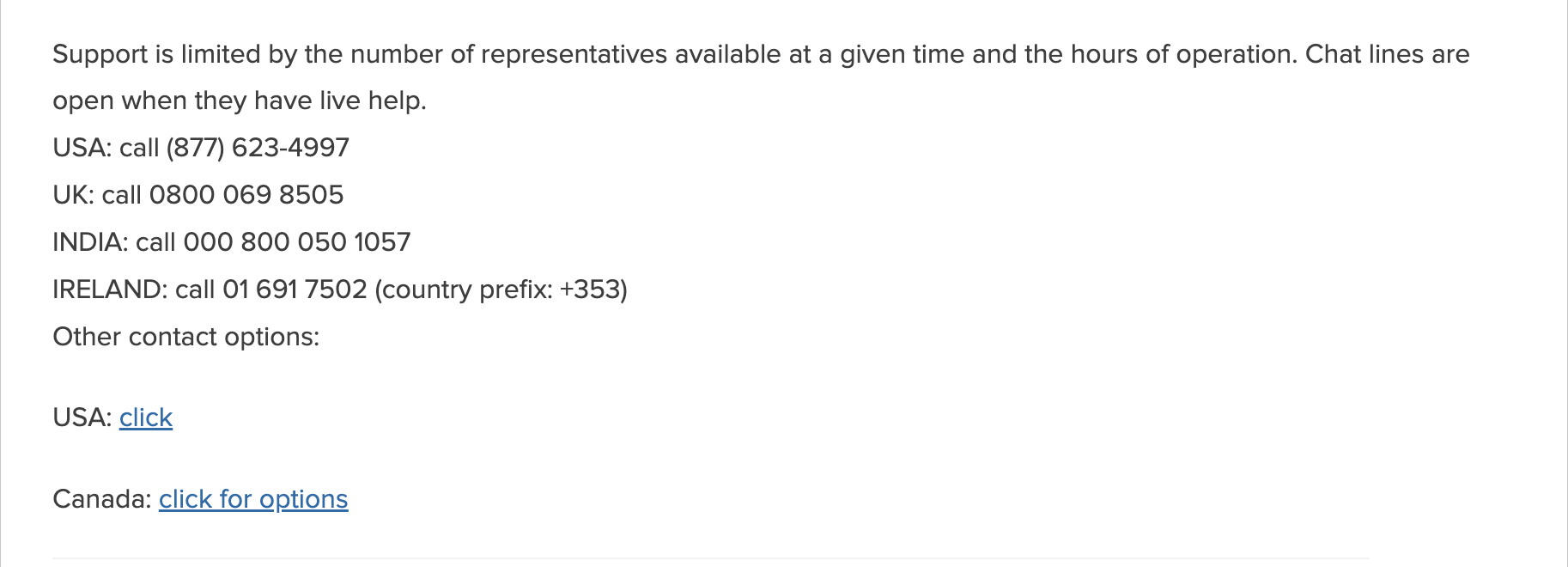
- If offered, request a callback to save time instead of waiting on hold.
- Briefly explain your issue: “My Fitbit Charge 6 won’t sync with my Android phone. I’ve tried reinstalling the app.”
- Ask for a case number to track your request.
- Request a follow-up email that summarizes the steps or provides shipping details if a replacement is issued.
Fitbit warranty and replacement process
Fitbit’s warranty typically covers hardware defects for 1 year from the purchase date. You can start a warranty claim by phone, chat, or through the Help Center.
- Confirm warranty eligibility by region and product age.
- Be ready to share the purchase date and proof of purchase.
- Explain the issue and any troubleshooting steps you’ve already tried.
- Ask for the RMA number, shipping label, and estimated replacement timeline.
- Verify what accessories (bands or chargers) should be returned with the device.
Common troubleshooting steps Fitbit support may suggest
Before or during your Fitbit customer support call, try these quick fixes. These are official first-level steps recommended by Fitbit to rule out simple issues.
- Toggle Bluetooth off and back on, then reattempt syncing.
- Forget your Fitbit device in your phone’s Bluetooth settings and re-pair it via the Fitbit app.
- Restart or reboot your tracker or smartwatch using the model-specific button sequence.
- Charge the device to at least 20% before firmware updates.
- Update both the Fitbit app and your phone’s operating system.
Other ways to contact Fitbit support
- Help Center: Visit support.google.com/fitbit/gethelp for official guides and troubleshooting steps.
- Chat Support via the Website: Accessible on the Help Center for real-time messaging assistance.
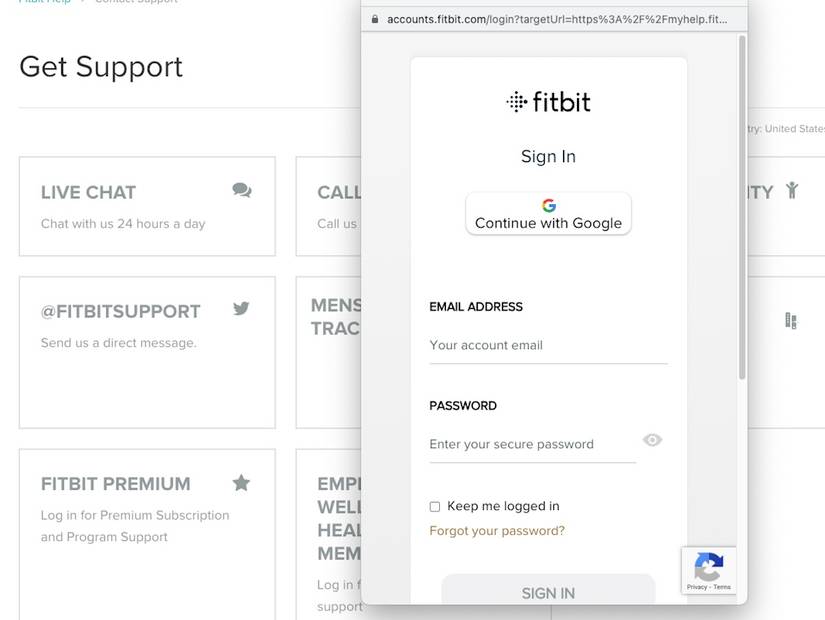
Go to this website and scroll down: https://myhelp.fitbit.com/
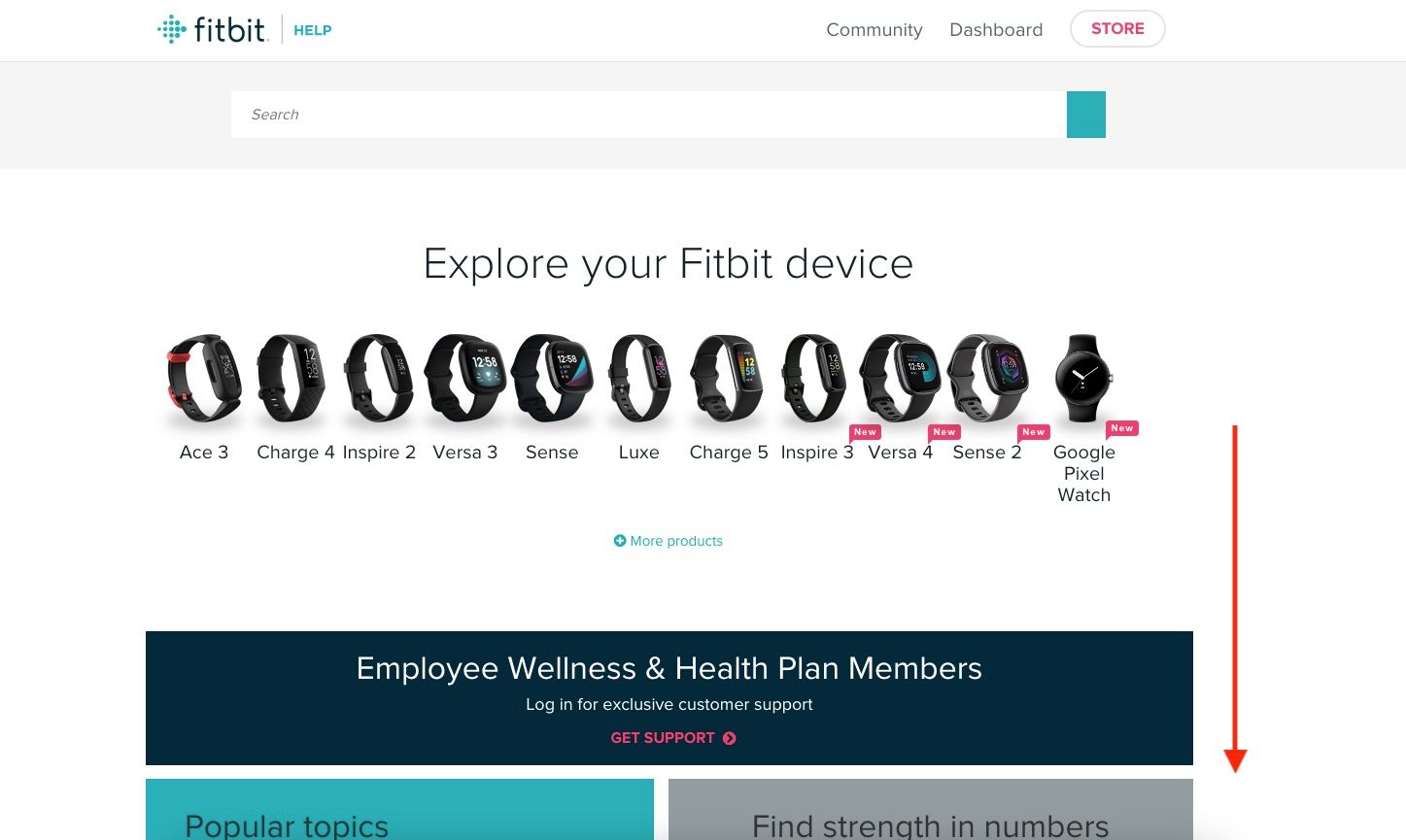
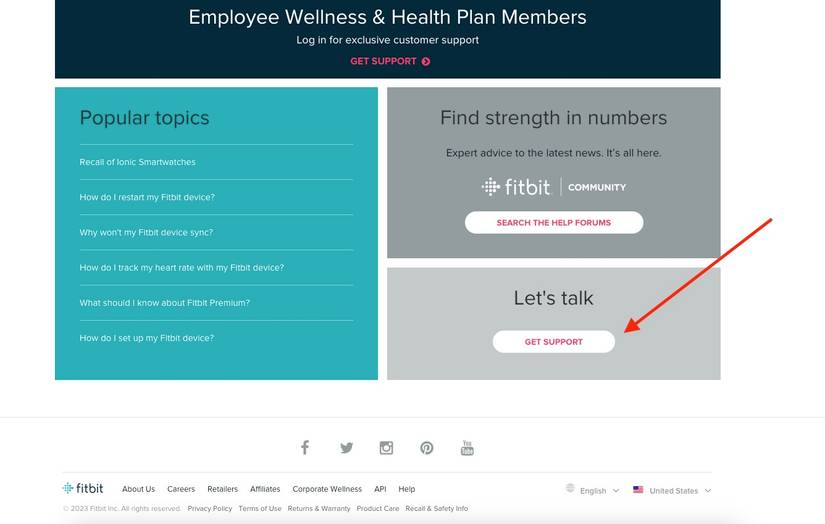
Click the Get Support button.
Click Live Chat in the upper left corner of the page
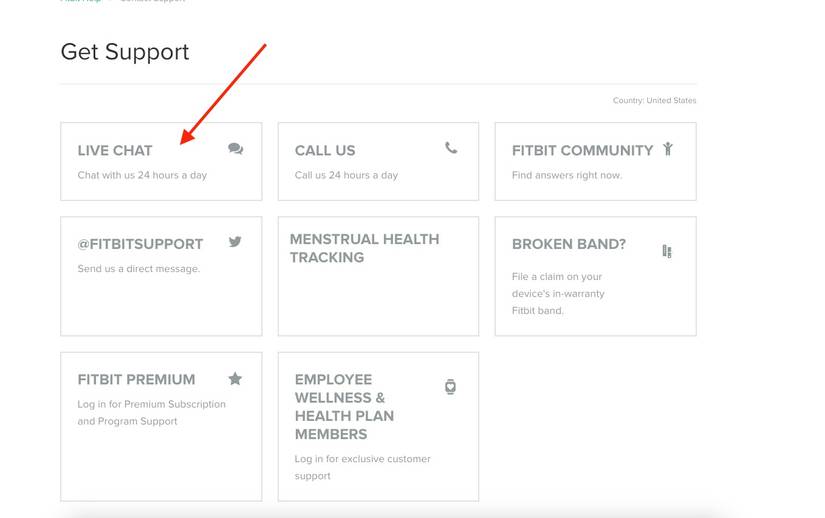
Sign in to your Google account and talk with an agent.
- Community Forum: Visit community.fitbit.com to share questions and find solutions from other users and moderators.
- Escalation: If your issue remains unresolved, you can reach out via Elliott.org Fitbit contacts for higher-level support or advocacy.
Current support expectations
At the time of writing, users report that Fitbit’s customer service response times vary depending on call volume. Phone queues can be long, and support agents may direct you to the online Help Center or community threads before initiating direct troubleshooting. Patience and detailed preparation help ensure faster results once connected.
FAQs
Is the Fitbit support number 1-877-623-4997 still active?
Yes. This number is accurate for U.S. and Canadian users. For international support, check your local region’s contact options through the Fitbit Help Center.
Does Fitbit offer 24/7 phone support?
Fitbit’s phone hours can vary by region and may change. While 24/7 support was previously reported, users should confirm current hours on the official contact page before calling.
How do I reach a human quickly?
Listen carefully to the menu prompts (IVR), as they change periodically. Choosing “technical support” or “device help” usually connects to a representative faster. If available, request a callback option.
Can I submit a warranty claim online?
Yes. You can file claims directly through Fitbit’s Help Center. Phone and chat agents can also initiate the claim and provide return instructions.
Summary
- Call 1-877-623-4997 for U.S./Canada Fitbit phone support.
- Check the official Help Center for updated hours of operation.
- Use Fitbit customer service chat for quicker responses during busy times.
- Prepare your device, account info, and proof of purchase before calling.
- Ask for a case number and RMA if you start a warranty claim.
- Expect longer hold times during high-traffic periods; online help is often the first level of support.
Conclusion
Contacting Fitbit by phone remains the best way to get real-time assistance for syncing issues, app problems, and warranty replacements. While hold times can vary, preparing your information and checking the official Help Center for current hours helps streamline the process. Whether you call, chat, or post in the community forum, Fitbit provides multiple ways to help you stay on track with your fitness goals.
Discussion (0)
Be the first to comment.