




Choosing a laptop for school depends heavily on what you actually need it to do. A lightweight notebook with long battery life may be enough for writing, browsing, video calls, and everyday coursework, while students working with AI, engineering software, creative tools, or demanding games may need much more powerful hardware.
This year's options cover a wide range of budgets, from compact systems under $700 to premium machines with flagship GPUs and large memory configurations. The strongest choices also vary by platform, with Windows laptops offering broad hardware flexibility and Apple systems focusing on efficiency, battery life, and integration with macOS.
The list below covers several useful categories, including affordable everyday laptops, upgrade friendly systems, high memory workstations, gaming models, and premium creator machines.
Affordable laptops for everyday school work
Students who mainly need a portable computer for documents, research, presentations, streaming, and online classes can find several capable options around the $700 mark.
| Laptop | Starting price | Key hardware | Best suited for |
|---|---|---|---|
| Apple MacBook Neo | $689 | 8GB unified memory, 512GB storage | General school work, portability, battery life |
| Dell XPS 13 | $699.99 | Core 5 320, 8GB RAM, 512GB SSD | Compact Windows use |
| ASUS Vivobook 14 | $669 | Core 5 120U, 16GB DDR5, 512GB SSD | Value focused multitasking |
| Framework Laptop 12 | $699 prebuilt | Core 3 304, modular design | Repairability and upgrades |
The MacBook Neo remains one of Apple's more accessible laptops. It combines solid build quality, a strong display, good performance, and long battery life. Its main limitation is 8GB of unified memory that cannot be upgraded later. It also lacks a backlit keyboard and offers fewer ports than some Windows rivals.
Dell's latest XPS 13 is one of the stronger Windows alternatives in this price range. It uses Intel's Core 5 320 processor and includes a 2560 x 1600 touch display with a 120Hz refresh rate, two USB C ports, Wi Fi 7, 8GB of RAM, and a 512GB SSD. A 16GB version is also available at a higher price.
The ASUS Vivobook 14 offers more memory for less money. Its Core 5 120U processor is paired with 16GB of DDR5 memory and a 512GB SSD. Some listings also bundle docking hardware, which could be useful if you plan to connect monitors and accessories at a desk.
Framework's Laptop 12 takes a different approach. It emphasizes repairability and modular expansion, with upgraded Thunderbolt 4 support and Intel Wildcat Lake processor options. Prebuilt systems start at $699, while the DIY model begins at $549 before memory, storage, and an operating system are added.
More powerful laptops for heavy multitasking and AI work
Students working with large projects, virtual machines, software development, 3D applications, local AI tools, or demanding creative workloads may benefit from significantly more memory and processor performance.
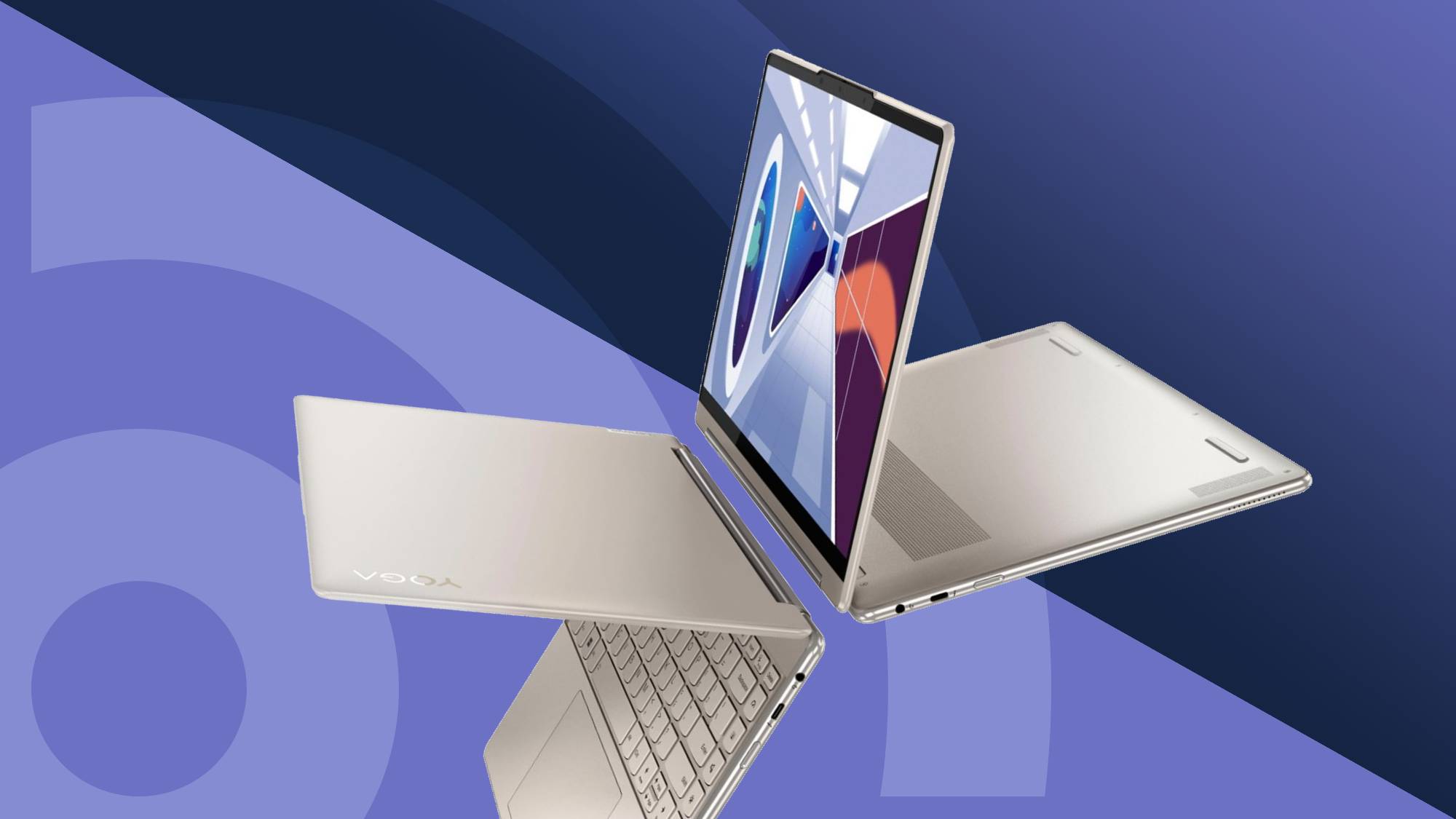
The Lenovo ThinkPad E16 Gen 2 stands out because of its 64GB of DDR5 memory and 1TB PCIe 4.0 SSD. It also includes an eight core Ryzen 7 7735HS processor. This makes it particularly suitable for workloads where memory capacity matters more than having a dedicated graphics card.
The Acer Predator Helios Neo 16S AI moves further into performance territory. It combines a Core Ultra 9 275HX processor, GeForce RTX 5070 Ti graphics, 32GB of DDR5 memory, a 1TB SSD, and a 2560 x 1600 OLED display running at 240Hz. Its hardware makes it suitable for gaming, GPU accelerated coursework, and heavier creator workloads.
An alternative version uses a Ryzen AI 9 365 processor, 32GB of RAM, 2TB of storage, and the same RTX 5070 Ti. That version drops to an IPS display but offers more storage and a much stronger NPU rated at 50 TOPS.
Gaming laptops offer much stronger GPU performance
The MSI Vector 16 HX AI is positioned as a strong balance between school work and high end gaming. It includes a GeForce RTX 5080, Intel Core Ultra 9 275HX, 16GB of DDR5 memory, a 1TB SSD, a 2560 x 1600 240Hz display, and Thunderbolt 5 connectivity.
Its memory can be expanded to 64GB, which gives it more long term flexibility for demanding workloads.
At the top end, the Gigabyte Aorus Master 16 includes a GeForce RTX 5090, Core Ultra 9 275HX, 32GB of DDR5 memory, a 2TB SSD, and a 240Hz 2560 x 1600 display. A 64GB version is also available for a relatively small increase in price compared with the base configuration.
For most students, this level of hardware will be excessive. It makes more sense for those who genuinely need maximum GPU performance for 3D rendering, machine learning, game development, or high end gaming alongside coursework.
MacBook Pro remains a strong premium option for creators
Students already invested in Apple's ecosystem may prefer the 16 inch MacBook Pro with M5 Pro.
One configuration includes an 18 core CPU, 20 core GPU, 48GB of unified memory, and a 1TB SSD. Its combination of performance and efficiency makes it suitable for development, content creation, and some local AI workloads without the power demands of a large gaming laptop.
A 64GB model is also available at a much higher price, while less expensive MacBook Pro configurations start lower if you do not need such a large memory pool.
For basic school work, models around $700 are likely to provide the best value. The ASUS Vivobook 14 offers particularly useful memory capacity for the price, while the Dell XPS 13 provides a more premium compact Windows experience. Framework is worth considering if repairability and future upgrades matter to you.
Students with heavier workloads should focus more closely on RAM, GPU capability, display quality, and storage rather than simply buying the most expensive system available. The right laptop is the one that matches your coursework and remains capable for several years without forcing you to pay for hardware you will rarely use.
Discussion (0)
Be the first to comment.