



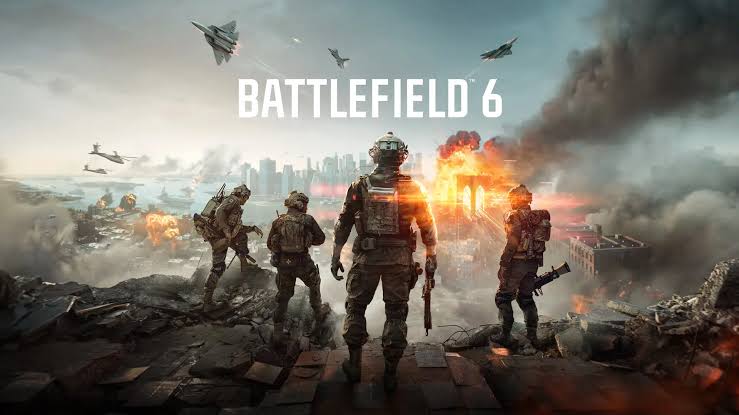
Battlefield Studios has released Game Update 1.4.1.5 for Battlefield 6, addressing a persistent PC crash affecting some NVIDIA graphics cards, particularly GeForce RTX 50 series models.
The issue could force the NVIDIA display driver to crash during specific gameplay conditions. Players reported problems on maps containing large bodies of water, including Tsuru Reef, while other triggers involved Custom Search and changing attachments on the SOR-300SC carbine.
Before the update arrived, affected players were advised to downgrade to NVIDIA driver version 596.49 as a temporary solution. The development team acknowledged the problem and spent nearly two weeks preparing a game-side fix.
The new patch suggests that the crashes were caused by several interactions inside Battlefield 6 rather than one general fault in NVIDIA’s driver.
Battlefield 6 Update 1.4.1.5 Addresses Several Crash Triggers
The patch notes identify three main situations that could cause driver crashes on certain NVIDIA GPUs.
| Crash trigger | Reported situation |
|---|---|
| SOR-300SC attachments | Changing the carbine’s attachments could crash the driver |
| Custom Search | Using the search feature could cause instability |
| Maps with large bodies of water | Certain environments could trigger crashes |
| Most affected hardware | Reports primarily involved RTX 50 series cards |
| Temporary workaround | Downgrade to NVIDIA driver 596.49 |
| Permanent fix | Install Battlefield 6 Update 1.4.1.5 |
The weapon attachment problem is the most unusual part of the report. Changing a gun configuration would not normally be expected to affect the graphics driver, but the action may have triggered a shader, asset, memory, or rendering problem within the game.
The patch notes do not explain the exact technical cause. They only confirm that changing attachments on the SOR-300SC was one of the conditions linked to crashes on NVIDIA hardware.
Water Heavy Maps Were Already a Known Problem
Maps containing large water areas had previously been associated with instability on RTX 50 systems.
Water rendering can involve reflections, transparency, lighting, simulation, and several shader effects. A fault in one of those systems could cause the game to send invalid instructions or place unusual pressure on the graphics pipeline.
Tsuru Reef was one of the maps mentioned frequently by affected players. Battlefield Studios initially recommended using an older NVIDIA driver while it investigated the problem.
The release of Update 1.4.1.5 should allow players to return to current drivers without losing stability, although results may differ between systems.
The Problem Appears to Have Been Inside the Game
Driver crashes do not always mean the graphics driver itself is responsible.
A game can trigger a driver reset by submitting invalid workloads, mishandling memory, loading corrupted assets, or using a rendering feature incorrectly. Windows may then report the failure as a driver crash because the display driver stopped responding.
The presence of several highly specific triggers supports the view that Battlefield 6 contained game-side bugs.
| Possible source | Why it may cause a driver crash |
|---|---|
| Broken shader | Sends invalid or unsupported graphics instructions |
| Memory handling issue | Causes excessive or incorrect VRAM use |
| Asset loading fault | Loads damaged or incompatible data |
| Attachment rendering bug | Triggers an incorrect weapon model or effect |
| Water rendering issue | Creates instability during complex scenes |
| Search interface error | Causes an unexpected game state |
The supplied information does not identify which of these possibilities was responsible.
RTX 50 Owners Should Update the Game First
Players experiencing crashes should install Game Update 1.4.1.5 before changing other system settings.
The patch is intended to work with NVIDIA driver version 610.74 and newer. Players should also confirm that Battlefield 6 has completed all shader compilation and file verification processes after the update.
A sensible troubleshooting order is:
| Step | Action |
|---|---|
| 1 | Install Battlefield 6 Update 1.4.1.5 |
| 2 | Update to NVIDIA driver 610.74 or newer |
| 3 | Restart the PC |
| 4 | Verify the game files |
| 5 | Test Tsuru Reef and the SOR-300SC attachment menu |
| 6 | Remove GPU overclocks if crashes continue |
| 7 | Roll back to driver 596.49 only if necessary |
Players should avoid immediately changing several settings at once because that makes it harder to identify whether the patch solved the issue.
Driver Rollback Remains a Backup Option
Battlefield Studios previously recommended NVIDIA driver 596.49 for affected RTX 50 owners.
That driver remains a possible fallback if crashes continue after installing the game update. However, using an older driver may remove fixes, performance improvements, or support added for other games.
A rollback should therefore be treated as a temporary measure rather than the preferred long-term solution.
Players who continue to experience problems should also disable overlays, remove unofficial modifications, and return the GPU to stock clock settings. Software such as monitoring tools, recording applications, and third-party injectors can sometimes contribute to instability.
The Fix Arrives After Nearly Two Weeks
The crash remained unresolved for close to two weeks after Battlefield Studios publicly acknowledged it.
That delay was likely caused by the need to reproduce several separate triggers across different RTX 50 configurations. Graphics crashes can be difficult to diagnose because the same failure may not occur on every processor, driver, motherboard, or game setting.
The latest update is important because it addresses the problem inside the game rather than requiring players to remain on an outdated driver.
Battlefield Studios has not stated that every NVIDIA crash is now resolved. The patch notes refer to certain GPUs and specific conditions, so unrelated stability problems may still remain.
For most affected RTX 50 owners, Game Update 1.4.1.5 should provide a cleaner solution than continuing to use driver 596.49. The patch fixes known crashes linked to the SOR-300SC attachment menu, Custom Search, and maps with large bodies of water, allowing players to test the game again with current NVIDIA drivers.



Discussion (0)
Be the first to comment.