



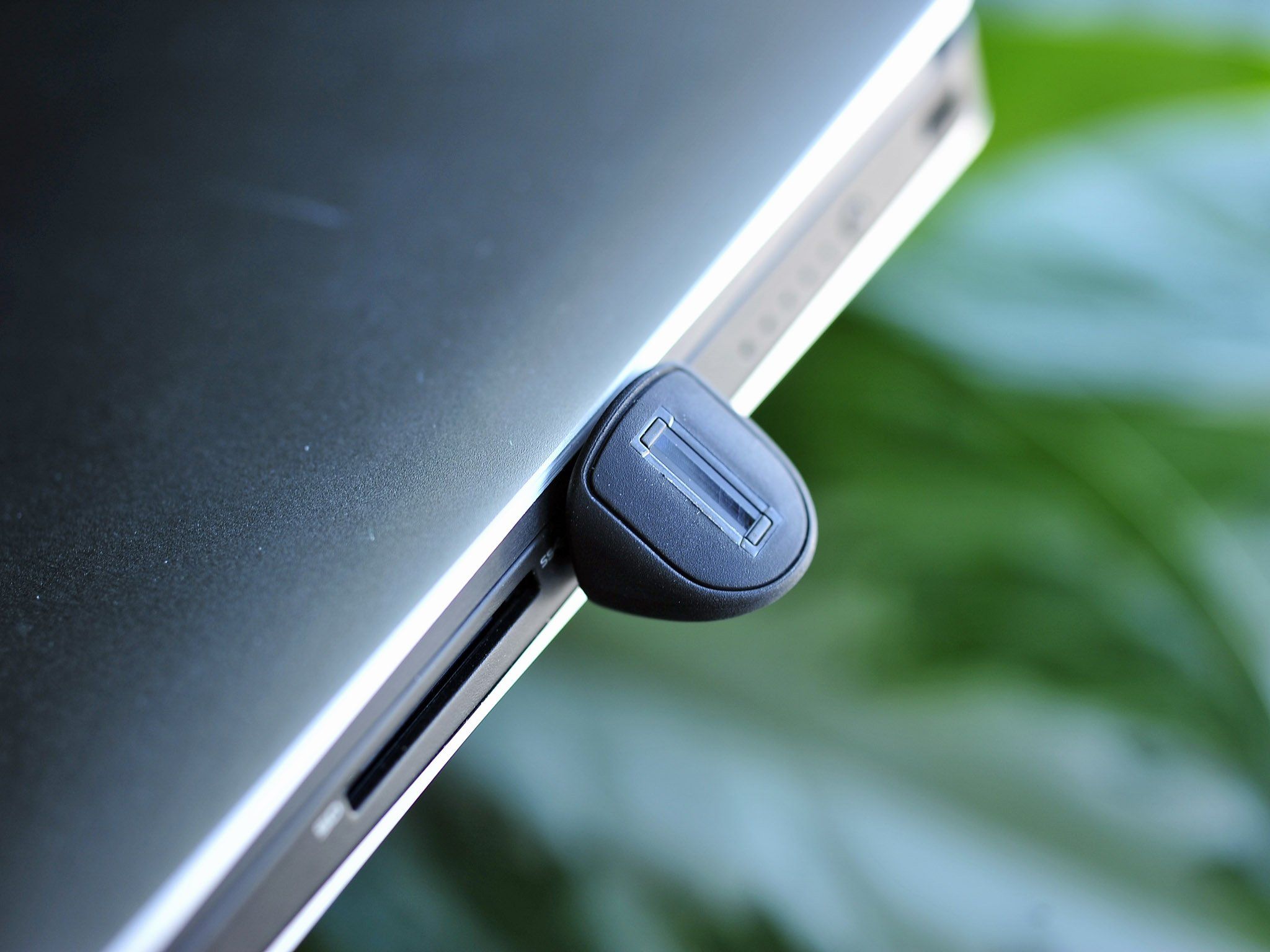
Microsoft is expanding Windows Hello fingerprint sign-in to desktop computers and other Windows 11 devices that do not include a built-in biometric sensor.
The feature is arriving through optional update KB5101684 for Windows 11 versions 24H2 and 25H2. It allows compatible external fingerprint readers to work with Windows Hello Enhanced Sign-in Security, giving desktop owners another way to unlock their computers without entering a password or PIN.
External fingerprint readers have worked with Windows in different forms before, but the new support extends Microsoft’s more secure ESS authentication system beyond laptops and other devices with integrated sensors.
The change also applies to Copilot+ PCs that lack built-in fingerprint hardware.
External Readers Must Support Enhanced Sign-in Security
Not every USB fingerprint reader will automatically support the new feature.
Microsoft says the sensor must be compatible with Windows Hello Enhanced Sign-in Security. ESS is designed to protect biometric data by using supported hardware and stronger isolation between the fingerprint sensor, Windows, and other software running on the PC.
| Requirement | Details |
|---|---|
| Operating system | Windows 11 24H2 or 25H2 |
| Required update | KB5101684 |
| Fingerprint hardware | External reader with ESS support |
| Compatible devices | Desktops, laptops and Copilot+ PCs |
| Setup location | Settings, Accounts, Sign-in options |
| Main purpose | Secure password-free Windows sign-in |
A standard fingerprint reader without ESS certification may continue to use older authentication methods or may not work with the expanded feature at all.
Before buying a reader, you should check that its product description specifically mentions support for Windows Hello Enhanced Sign-in Security. General Windows Hello compatibility may not confirm support for the newer security system.
Desktop PCs Gain a Laptop Style Sign-in Option
Fingerprint readers are common on business laptops, premium notebooks, and some keyboards. Traditional desktop PCs rarely include them because desktop motherboards and cases are not normally designed with biometric sensors.
The update makes fingerprint authentication easier to add through an external accessory.

Once configured, you can place a finger on the reader to unlock Windows, approve supported security prompts, or sign in to compatible applications and services.
This can be faster than typing a password every time the computer starts or wakes from sleep. It may also help people who use long and complex account passwords but want a simpler daily sign-in method.
Windows Hello does not send a stored image of your fingerprint to Microsoft. The system creates biometric data used to recognise the registered finger on that specific device.
How to Set Up Fingerprint Sign-in
After installing KB5101684, connect a supported ESS fingerprint reader to the computer.
Open the Settings application and go to Accounts, followed by Sign-in options. Windows should display a fingerprint recognition option when it detects compatible hardware.
Select the setup option and follow the instructions to scan your finger several times. Windows asks for different angles so the reader can recognise the fingerprint more reliably.
| Step | Action |
|---|---|
| 1 | Install Windows 11 update KB5101684 |
| 2 | Connect an ESS compatible fingerprint reader |
| 3 | Open Settings |
| 4 | Select Accounts |
| 5 | Open Sign-in options |
| 6 | Choose fingerprint recognition |
| 7 | Scan the same finger from several angles |
| 8 | Test the reader from the lock screen |
You will still need to create or retain a Windows Hello PIN. The PIN acts as a backup if the sensor cannot read your fingerprint or the external reader is disconnected.
Registering more than one finger can also help. For example, you could add one finger from each hand so the reader remains convenient regardless of where it is placed on the desk.
KB5101684 Is Still an Optional Update
The fingerprint feature is part of Microsoft’s July 2026 preview update rather than a mandatory security release.
KB5101684 is currently available for Windows 11 24H2 and 25H2 through Windows Update. It also includes Start menu and taskbar performance improvements, better Windows Search behaviour, clearer file size information in File Explorer, and updated Secure Boot certificates for more computers.
People who do not install the preview should receive the same changes through a later regular Windows update.
You can look for KB5101684 by opening Settings, selecting Windows Update, and checking the Optional updates section under Advanced options.
Because it is a preview release, people who prioritise maximum stability may prefer to wait for the broader rollout. The fingerprint support itself also depends on compatible hardware, so installing the update will not add biometric sign-in unless an approved external sensor is connected.
Fingerprint Sign-in Does Not Replace Every Security Method
Biometric authentication improves convenience, but it should remain part of a broader security setup.
A fingerprint cannot be changed as easily as a password if biometric data is compromised. Windows Hello reduces that risk by storing protected recognition data locally rather than treating the fingerprint as a conventional password.
The account should still use a strong Microsoft or local password, while the Windows Hello PIN should be difficult for another person to guess.
| Sign-in method | Main advantage | Limitation |
|---|---|---|
| Fingerprint | Fast and convenient | Requires compatible hardware |
| Windows Hello PIN | Stored for the specific device | Must be remembered |
| Password | Works across account services | Slower to enter regularly |
| Security key | Strong physical authentication | Requires carrying separate hardware |
| Face recognition | Hands-free sign-in | Needs compatible infrared camera |
External fingerprint support is particularly useful for desktop owners who want biometric security without replacing their keyboard, monitor, or entire computer.
The feature was first announced earlier in 2026 and is now beginning to reach Windows 11 24H2 and 25H2 systems. Its usefulness will depend on the availability and price of ESS compatible readers, but it gives desktop PC owners access to a sign-in option that was previously more common on laptops.



Discussion (0)
Be the first to comment.