




Windows XP marked one of the biggest transitions in Microsoft’s history. It replaced older consumer Windows versions with a more stable NT-based foundation and created a unified experience for home and business users. Many people still remember XP for its reliability, familiar interface, and long lifespan.
XP remains a part of tech culture even today. Some legacy systems still run it, and many users explore it through virtualization or retro setups. This guide explains what Windows XP is, why it mattered, and how it fits into the broader history of Windows.
Table of contents
Overview of Windows XP
Windows XP launched in 2001 as a major upgrade for everyday PC users. It offered faster performance, improved stability, and a cleaner user interface. Many users switched because XP solved problems that plagued earlier Windows versions.

Why Microsoft created Windows XP
Microsoft built XP to unify its product line. Consumer versions like Windows 98 and Me relied on outdated architecture, while business versions used the NT kernel. XP replaced both with a single NT-based OS that worked for homes and workplaces.
Key features at launch
XP introduced the Luna interface, faster startup times, simplified networking, and better hardware support. These improvements made the OS feel modern and efficient compared to what came before.
Windows XP editions
Windows XP shipped in multiple editions so users could match the OS with their needs. These editions covered home users, businesses, and specialty devices.
Home edition
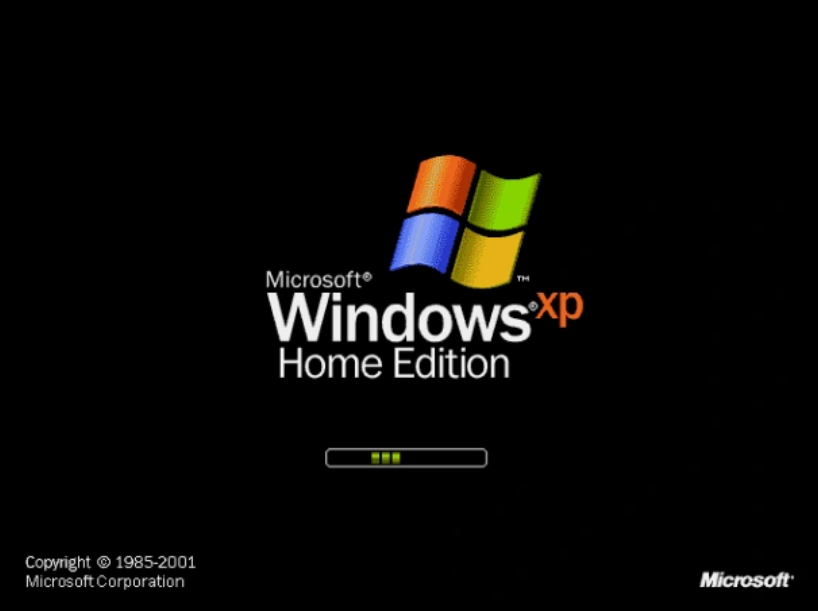
Home edition targeted personal and family computers. It included multimedia features, simple networking tools, and the Luna interface. Most home PCs in the early 2000s ran this edition.
Professional edition
XP Professional supported domains, Remote Desktop, and advanced security controls. Offices and IT departments used it because it handled business environments more effectively.

Media center, tablet pc, and 64-bit editions
Media Center edition focused on entertainment features and TV recording. Tablet PC edition supported digital pen input. The 64-bit versions offered better performance on compatible hardware, but adoption remained limited.
System requirements and hardware support
Windows XP required minimal hardware by today’s standards. It ran on processors starting at 233 MHz with 64 MB of RAM, although more memory improved performance. This flexibility helped XP run on millions of systems.
Key hardware features
XP added support for USB 2.0, early Wi-Fi standards, and DirectX-based graphics acceleration. These improvements enabled faster peripherals, wireless networking, and richer applications.
Why Windows XP was so popular
XP gained popularity because it felt simple, stable, and familiar. It kept the traditional desktop layout while improving performance, which encouraged users to upgrade quickly.
User interface improvements
XP updated the Start menu, refined taskbar behavior, and added improved file management. The Luna theme introduced rounded edges and brighter color palettes that stood out at the time.
Performance and stability gains
Switching to the NT architecture reduced crashes and improved multitasking. XP handled multiple programs better and supported far more hardware configurations.
Security and updates
Microsoft supported XP for more than a decade. Its update history included several major service packs that addressed security gaps and expanded functionality.
Service packs and major milestones
Service Pack 1 added compatibility and reliability updates. Service Pack 2 significantly improved security with a firewall, safer browsing settings, and clearer warnings. Service Pack 3 delivered the final round of enhancements before the OS reached the end of life.
End of support in 2014
Microsoft ended mainstream and extended support in 2014. XP stopped receiving security updates, leaving remaining systems exposed to vulnerabilities. This shifted most users toward newer Windows versions.
Legacy and modern relevance
Although outdated, Windows XP still shows up in specialized environments. Its stability and predictable behavior keep it in use on certain machines.
Where XP still exists today
Some industrial systems, medical devices, and older point-of-sale terminals continue to run XP. These systems often use software that cannot easily migrate to newer platforms.
Risks of using XP in 2025
Running XP today brings major security risks because the OS no longer receives patches. Modern hardware and applications also rarely support it. Offline or isolated use reduces the risk but does not eliminate it.
How people run XP today
Most users turn to virtual machines by running Windows XP on VM Workstation or other tools.. Others build retro PCs for nostalgic gaming or software preservation. Virtualization provides a safer method because it keeps XP sandboxed from the host system.
How Windows XP compares to other Windows versions
Understanding XP’s place in the Windows family helps readers see why it remained relevant for so long.
Before XP: what it replaced

Windows 98 and Windows Me suffered from crashes and aging technology. Windows 2000 brought stability but targeted businesses. XP combined the strengths of both lines into one OS.
After XP: what replaced it

Windows Vista introduced new visuals and security models but had performance issues. Windows 7 refined Vista’s ideas and became the natural successor. Later versions continued to build on XP’s legacy of stability and usability.
FAQs
Is Windows XP still safe to use? XP is not safe for internet-connected systems. The lack of updates leaves it open to security threats.
Can you still install XP today? XP still installs on older hardware and in virtual machines. Most users choose virtualization because it works better with modern systems.
Why did XP last so long? XP remained popular due to its stability, familiarity, and broad software support. Many businesses kept it for years because upgrading required new hardware.
What programs still run on XP? Older applications and drivers built for early-2000s hardware still run on XP. New software rarely supports it.
Summary
- Windows XP launched in 2001 as a unified NT-based operating system.
- It introduced stability, better hardware support, and a user-friendly interface.
- Multiple editions targeted home, business, and specialty devices.
- Support ended in 2014, making XP unsafe for modern internet use.
- XP remains part of tech history and still appears in isolated legacy systems.
Windows XP stands as one of Microsoft’s most influential operating systems. It offered stability, strong hardware support, and a familiar interface that appealed to millions of users. While XP is no longer suitable for modern, connected use, it continues to play a small role in legacy environments and retro computing communities.

Discussion (0)
Be the first to comment.