



If you want a simple way to edit videos on Windows, you may want to understand what Microsoft Clipchamp is and its use cases. Microsoft Clipchamp is a video editing application designed to help users create and edit videos easily without needing advanced editing skills.
Clipchamp comes built into Windows 11 and can also be used through a web browser. It provides tools for trimming videos, adding effects, creating social media content, and producing professional-looking videos with minimal effort.
What Is Microsoft Clipchamp?
Microsoft Clipchamp is a video editing platform developed by Microsoft that allows users to create and edit videos using a simple drag-and-drop interface.
It includes a variety of editing tools and templates that make video creation accessible to beginners and content creators.
Clipchamp allows users to:
- Edit video clips
- Add transitions and effects
- Insert text and titles
- Include music and sound effects
- Export videos in different resolutions
Because it is designed to be easy to use, many people use it for quick video editing projects.
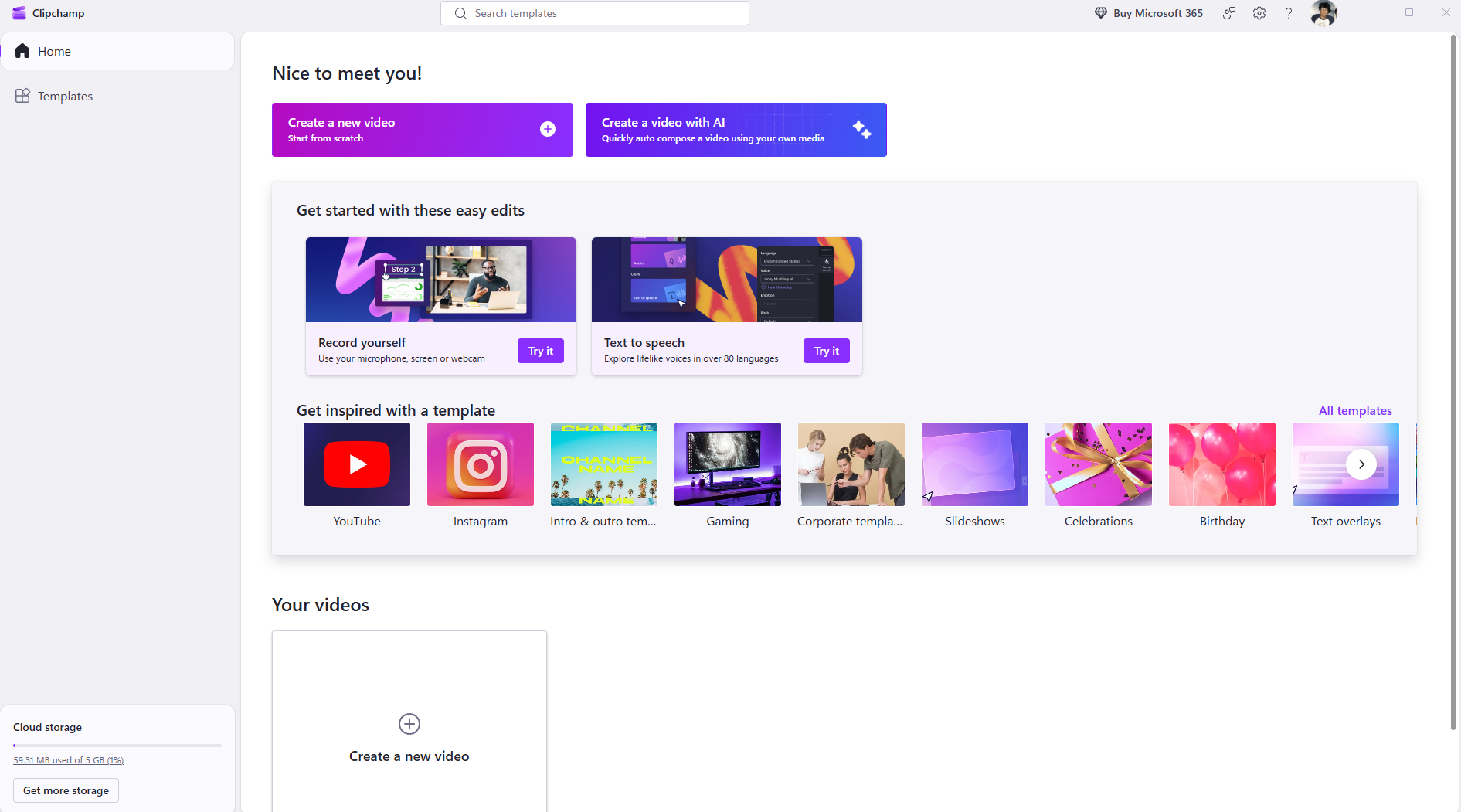
Key Features of Microsoft Clipchamp
Microsoft Clipchamp offers several useful features for video editing.
Important features include:
- Timeline-based video editing
- Built-in templates for quick projects
- Stock video, music, and sound effects library
- Screen recording tools
- Webcam recording support
- Text overlays and captions
These features allow users to create videos without complex editing software.
How Microsoft Clipchamp Works
Clipchamp uses a simple workflow that makes video editing straightforward.
The typical process includes:
- Import video clips or media files.
- Arrange them on the editing timeline.
- Add text, effects, or transitions.
- Preview the video.
- Export the finished video.
This streamlined process makes it suitable for beginners.
Common Use Cases of Microsoft Clipchamp
There are many practical Microsoft Clipchamp use cases across different fields.
Social Media Content Creation
Clipchamp is often used to create short videos for platforms such as YouTube, Instagram, or TikTok.
Creators can quickly edit clips, add captions, and export content in the correct format.
Educational Videos
Teachers and students can use Clipchamp to create presentations, tutorials, and instructional videos.
Screen recording tools make it easy to demonstrate software or lessons.
Business and Marketing Videos
Businesses can use Clipchamp to produce promotional videos, product demonstrations, or training materials.
Templates and stock media help create professional content quickly.
Personal Video Projects
Clipchamp is also useful for personal projects such as:
- Travel videos
- Family memories
- Event highlights
- Video messages
These projects can be edited without needing advanced video editing knowledge.
Advantages of Using Microsoft Clipchamp
Clipchamp offers several advantages compared to traditional video editing software.
Some benefits include:
- Beginner-friendly interface
- Built into Windows 11
- Quick video editing tools
- Templates for fast video creation
- Cloud-based features for easy access
These features make video editing accessible for everyday users.
Limitations of Microsoft Clipchamp
Although Clipchamp is useful, it may not replace professional editing software.
Possible limitations include:
- Fewer advanced editing features compared to professional tools
- Limited control over complex effects
- Some premium assets may require payment
Professional video editors may still prefer advanced editing programs.
How to Open Clipchamp in Windows 11
If you are using Windows 11, Clipchamp may already be installed.
Steps:
- Open the Start menu.
- Search for Clipchamp.
- Click the application to open it.
You can also access Clipchamp through the web if needed.
Final Thoughts
Understanding what Microsoft Clipchamp is and its use cases can help users create videos quickly without complicated editing software. With built-in templates, simple editing tools, and integration with Windows 11, Clipchamp is a convenient solution for beginners and casual video creators.
Whether you want to create social media content, educational videos, or personal projects, Clipchamp provides a simple way to produce polished videos.
FAQs
What is Microsoft Clipchamp used for?
Microsoft Clipchamp is used for editing and creating videos using a simple interface.
Is Clipchamp free on Windows 11?
Yes. Clipchamp includes a free version, although some premium assets may require payment.
Can beginners use Clipchamp?
Yes. Clipchamp is designed to be beginner-friendly.
Does Clipchamp support screen recording?
Yes. Clipchamp includes built-in screen recording tools.


Discussion (0)
Be the first to comment.