




Copilot Vision is a feature from Microsoft that allows AI to see and understand what’s on your screen in real time and help you interact with it.
Instead of just responding to typed prompts, Copilot Vision can analyze visual content such as apps, webpages, documents, or images and provide contextual assistance based on what you’re looking at.
It is essentially a shift from “ask AI questions” to “have AI understand your current task.”
What Copilot Vision Actually Does
At a practical level, Copilot Vision works like an intelligent layer on top of your screen.
It can:
- Read and interpret on-screen content
- Explain what you’re seeing
- Guide you through steps inside apps
- Answer questions based on visual context
For example, if you are looking at a settings page in Windows 11, you can ask Copilot what a specific option does, and it will respond based on that exact screen.
This removes the need to describe things manually.
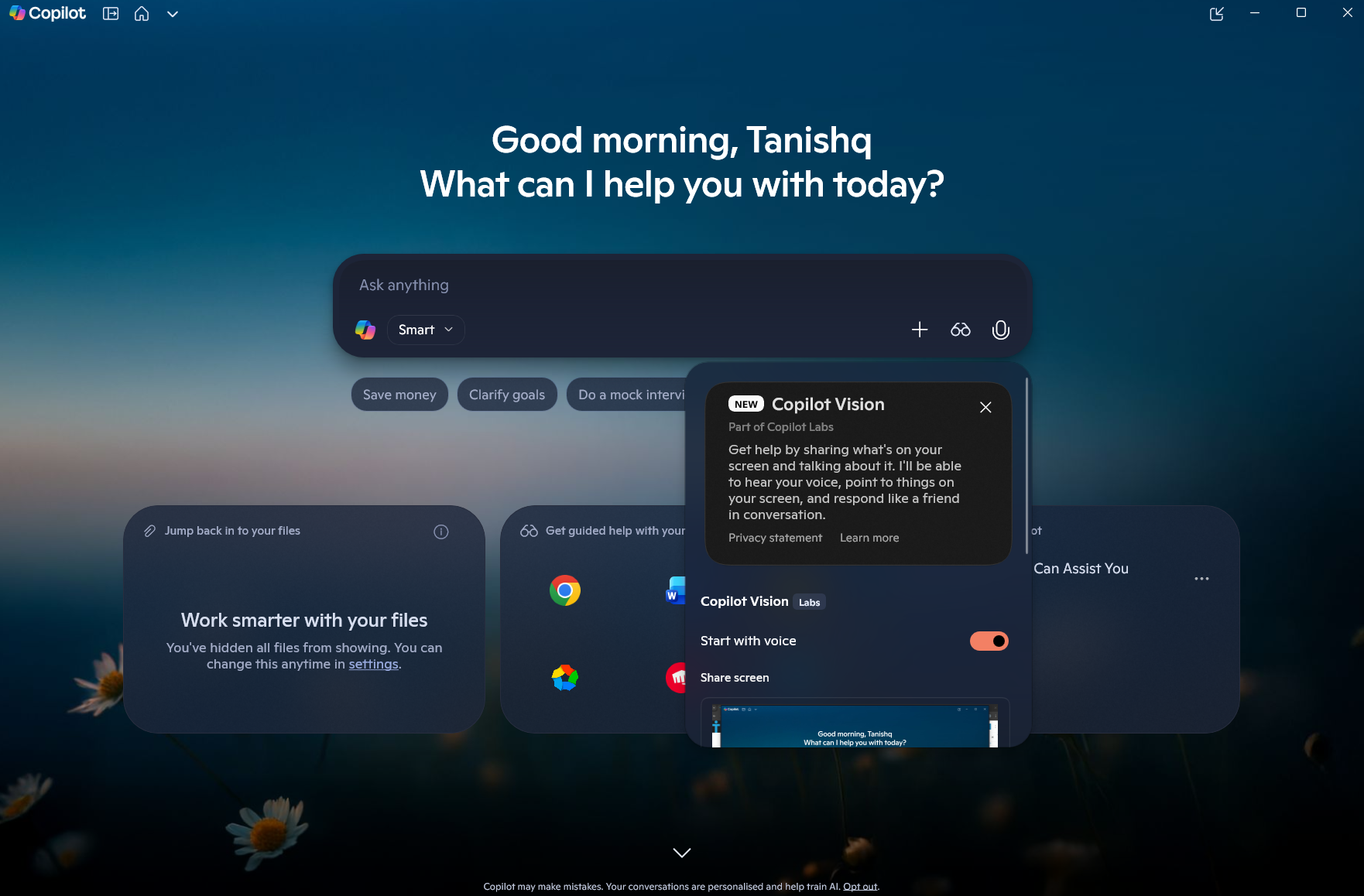
How It Works
Copilot Vision uses a combination of:
- Screen capture or shared view
- AI vision models (multimodal AI)
- Context-aware processing
When enabled, it can “see” the content of a selected window or screen area. It then interprets that visually and combines it with your prompt.
So instead of asking:
“Where is this setting in Windows?”
You can ask:
“What does this option do?” while pointing at it.
The difference is subtle but important.
Where You’ll See Copilot Vision
Copilot Vision is not a standalone app. It appears inside Microsoft’s broader AI ecosystem, including:
- Microsoft Copilot
- Edge browser integrations
- Windows-level AI features (rolling out gradually)
Availability depends on region, version, and Microsoft’s rollout strategy, so not everyone may have access yet.
Why It Matters
The biggest shift here is context awareness.
Traditional AI requires you to:
- Describe your problem
- Provide context manually
- Translate what you see into text
Copilot Vision removes that friction.
It is especially useful for:
- Troubleshooting settings
- Learning new software
- Understanding complex interfaces
- Getting step-by-step help without searching
It turns the AI into something closer to a real assistant rather than a search tool.
Real-World Usage
This is where Copilot Vision becomes genuinely useful.
Learning New Software
If you are using a complex app and do not understand a feature, Copilot can explain it directly from your screen.
Troubleshooting
Instead of searching for solutions, you can show the issue and ask for help immediately.
Productivity Workflows
Working on documents, spreadsheets, or presentations becomes easier when the AI can see and guide you in real time.
Accessibility
For users who struggle with navigating interfaces, this adds a layer of assistance that is more intuitive than traditional help systems.
Limitations You Should Know
Despite its potential, Copilot Vision is not perfect.
- It may misinterpret complex or cluttered screens
- It depends on permissions and privacy settings
- Performance can vary based on system and internet
- Availability is still limited and evolving
It is also not a replacement for full expertise. It helps, but it is not always precise.
Privacy Considerations
Since Copilot Vision can access what’s on your screen, privacy is a valid concern.
Microsoft emphasizes:
- User-controlled access
- Explicit permissions
- Limited data retention policies
Still, you should be cautious about using it with sensitive information.
Final Thoughts
Copilot Vision is one of the more meaningful steps toward making AI actually useful in everyday computing.
By allowing AI to see what you see, Microsoft is reducing the gap between user intent and assistance.
It is not revolutionary in isolation, but in practice, it makes interacting with AI more natural and less effort-driven.
As it matures and becomes more widely available, it has the potential to change how people learn, troubleshoot, and interact with software.
FAQs
What is Copilot Vision?
It is an AI feature that can analyze and understand what is on your screen.
Is Copilot Vision available to everyone?
Not yet. It is being rolled out gradually.
Does it record my screen?
It only accesses what you allow, but it does analyze visual content.
Can it help inside apps?
Yes, it can guide you based on what you are viewing.
Is it part of Windows 11?
It is being integrated into Microsoft’s ecosystem, including Windows and Copilot.



Discussion (0)
Be the first to comment.