



If you’ve used Claude recently, you may have noticed something different compared to typical AI chats. Instead of just getting text responses, sometimes you get a separate panel with structured content like code, documents, or UI previews.
These are called Claude Artifacts.
They are not just a visual change. They fundamentally change how you interact with AI-generated work.
What Are Claude Artifacts?
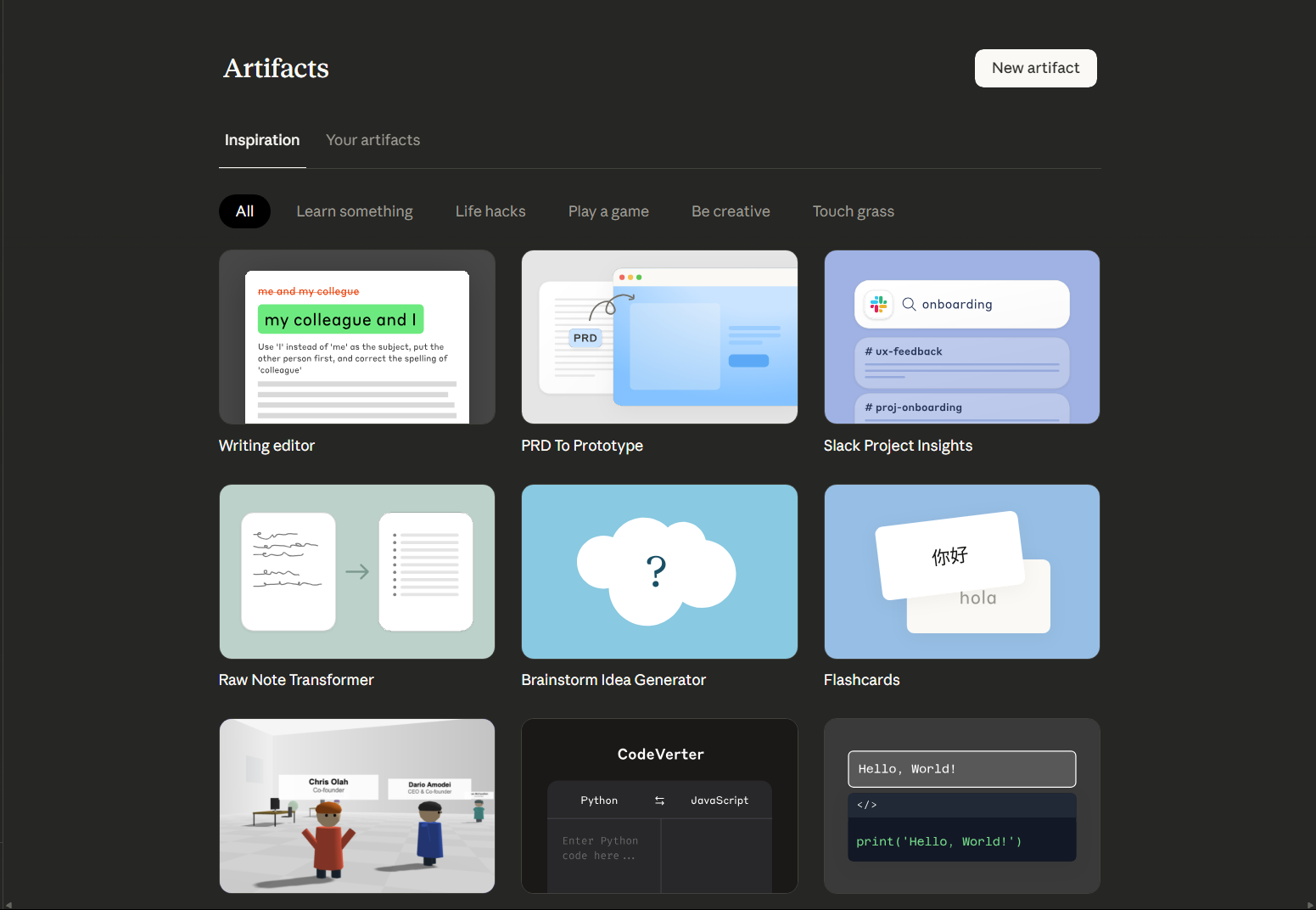
Claude Artifacts are dedicated, interactive outputs that appear alongside the chat when Claude generates something substantial.
Instead of dumping everything into the chat, Claude separates important outputs into their own space.
Artifacts are typically used for:
- Code files
- Documents and articles
- Structured data
- UI components or previews
Think of them as a workspace for outputs, not just a response.
How They Work
When you ask Claude to create something meaningful, like:
- A full article
- A React component
- A script or tool
Claude places the result in an artifact panel.
This allows you to:
- View the content cleanly
- Edit or iterate on it
- Copy or reuse it easily
- Interact with it (in some cases)
The chat remains for discussion, while the artifact becomes the working output.
Why Artifacts Matter
Most AI tools mix everything into a single chat stream. That works for short answers but becomes messy for real work.
Artifacts solve three key problems:
1. Separation of Thinking and Output
You can discuss ideas in chat while keeping the actual deliverable clean and separate.
2. Better Editing and Iteration
Instead of scrolling through chat history, you can directly refine the artifact.
This makes it feel closer to working in a document editor than a chatbot.
3. Real Usability
Artifacts are designed to be used, not just read.
For example:
- Code can be copied cleanly
- Documents are formatted properly
- UI elements can be previewed
This reduces friction significantly.
Real-World Usage
Artifacts become especially valuable when you are doing more than just asking questions.
Writing and Content Creation
You can generate full articles, edit them, and refine structure without cluttering the chat.
Coding
Instead of fragmented code snippets, you get complete files that are easier to understand and reuse.
Prototyping
Claude can generate simple UI layouts or structured outputs that feel closer to real tools.
Documentation
You can build structured docs and keep refining them in a clean workspace.
How It Feels Different from Normal Chat
The biggest difference is psychological.
With artifacts:
- Chat becomes discussion
- Artifacts become deliverables
Without artifacts:
- Everything is mixed together
- Iteration becomes messy
This small shift makes Claude feel less like a chatbot and more like a collaborative tool.
Limitations to Be Aware Of
Artifacts are useful, but they are not perfect.
- Not every response becomes an artifact
- Editing capabilities are still evolving
- Complex projects may still require external tools
- Formatting can occasionally need adjustments
It is a step forward, not a complete replacement for dedicated software.
How It Compares to Other AI Tools
Most AI tools focus on:
- Inline responses
- Autocomplete-style assistance
Claude’s artifact system is different because it focuses on output usability.
Compared to tools like GitHub Copilot:
- Copilot is better for inline coding
- Claude is better for structured output and reasoning
Compared to chat-based AI:
- Claude feels more organized for real work
Should You Use Artifacts?
If you:
- Write long-form content
- Work with code or structured data
- Iterate frequently
Then artifacts are genuinely useful.
If you only ask quick questions, you may not notice much difference.
Final Thoughts
Claude Artifacts are a subtle but important shift in how AI tools are designed.
Instead of treating output as just text in a conversation, Anthropic treats it as something you actively work on.
That makes Claude feel less like a chatbot and more like a workspace.
It is not revolutionary on its own, but once you get used to it, going back to plain chat responses feels limiting.
FAQs
What are Claude Artifacts?
They are structured outputs like code or documents shown in a separate workspace.
Are artifacts editable?
Yes, you can iterate and refine them within the interface.
Do all responses create artifacts?
No, only more substantial outputs are shown as artifacts.
Are artifacts useful for coding?
Yes, they provide cleaner and more complete code outputs.
Is this feature unique to Claude?
It is one of Claude’s distinguishing features compared to most AI chat tools.



Discussion (0)
Be the first to comment.