




Valve has expanded Steam’s gifting system so people can purchase games for someone else without first creating a Steam account.
The new guest checkout option applies to games across the Steam store. Previously, guest purchases were available for products such as digital gift cards and hardware, but the same process can now be used for full game purchases.
This change makes Steam gifting more accessible to parents, relatives, and friends who do not use the platform themselves. A buyer can select a game, complete the purchase as a guest, and have the gift sent to the recipient by email.
The person receiving the game will still need to sign in to an existing Steam account or create one before accepting it.
Email Gifts Must Be Accepted Within 30 Days
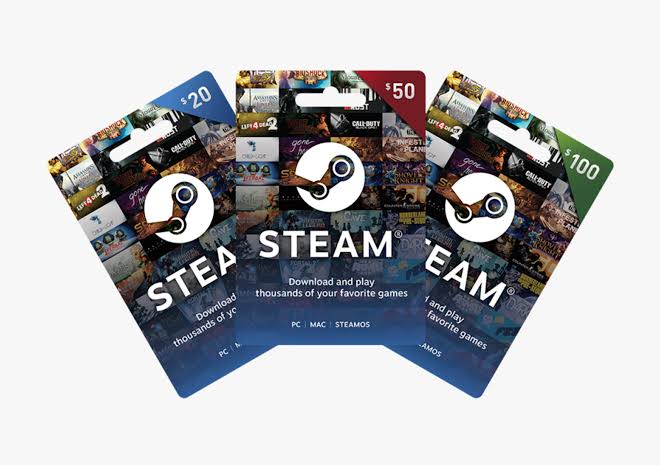
Games and digital gift cards can now be delivered directly to an email address. This allows a buyer to send a present without adding the recipient as a Steam friend.
An email gift remains available for 30 days. If the recipient does not claim it during that period, the purchase is automatically refunded to the buyer.
Steam does not currently allow email gifts to be scheduled for a later date. This means a birthday or holiday gift will be sent when the purchase is completed rather than on a chosen delivery day.
Email gifting also has a country restriction. The buyer and recipient must live in the same country. This rule prevents the feature from being used to avoid regional pricing or availability restrictions.
| Gifting option | Account required to buy | Main restriction |
|---|---|---|
| Guest checkout by email | No | Buyer and recipient must be in the same country |
| Steam friends gifting | Yes | Price is based on the recipient’s region |
| Digital gift card by email | No | Must be claimed within 30 days |
| Scheduled delivery | Not available | Gift is sent immediately |
Cross Region Gifts Use the Recipient’s Local Price
Steam has also changed how direct gifts work between people in different regions.
Cross region gifting is now supported when the recipient is already on the buyer’s Steam friends list. During checkout, Steam calculates the cost using the price assigned to the recipient’s country or region.
This system should reduce problems caused by large regional price differences. Instead of applying the buyer’s local price, Steam charges an amount based on where the gift will be redeemed.
The recipient based pricing system also helps Valve preserve regional pricing rules while still allowing friends in different countries to send games to each other.
Not every game may be available in every region. Local licensing rules, store restrictions, and publisher decisions can still prevent a particular title from being gifted or activated in some countries.
Wishlists Gain Custom Categories and Sharing Controls
The gifting update also includes new tools for Steam wishlists.
You can now organize games into custom categories rather than keeping every title in one long list. These categories can be used to separate upcoming releases, games for certain platforms, multiplayer titles, or products you are waiting to buy during a sale.
Individual categories and filtered wishlist views can be shared with other people. This makes it easier to show someone a smaller selection of games rather than sending your complete wishlist.
Steam has also added notification controls for each category. You can decide which groups should generate alerts, giving you more control over sale and availability notifications.
Another new alert can notify you when a demo becomes available for a game on your wishlist. This may help you try a title before deciding whether to buy it.
Shared wishlist pages can be opened by people who do not have Steam accounts. They can select a listed game and purchase it through the new guest checkout process.
The update removes several barriers from Steam gifting while keeping protections around regional pricing. Buying a game for someone is now possible without joining the platform, although the recipient will still need an account to add the title to their library.



Discussion (0)
Be the first to comment.