


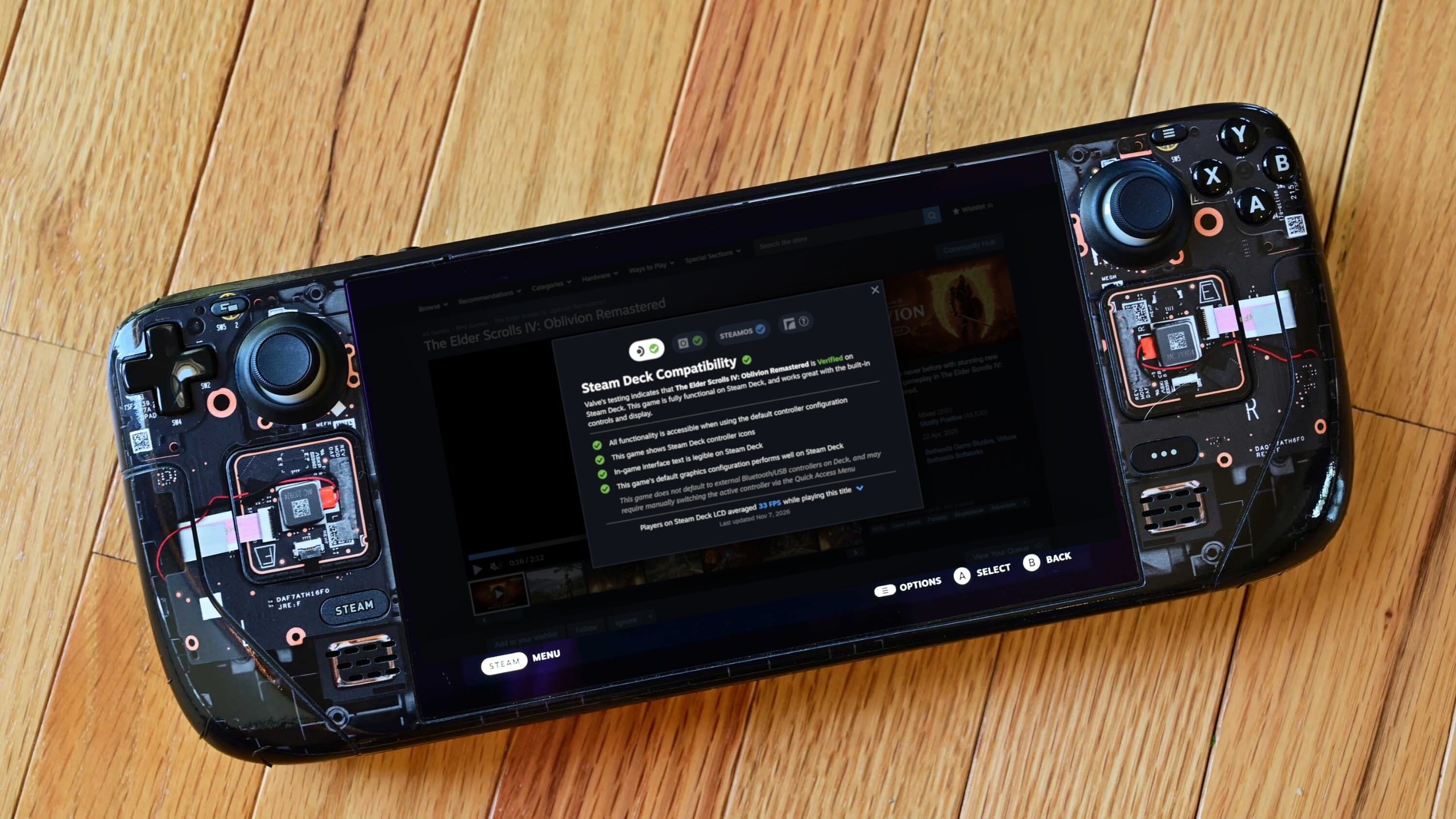
Valve has updated Steam to display average frame rate information for games tested through its Steam Deck compatibility program, giving players a better understanding of how titles actually perform on the handheld.
Previously, the Steam Deck Verified badge primarily indicated whether a game met Valve's compatibility requirements, including controller support, interface readability and general functionality.
However, a Verified rating did not necessarily mean that a game would deliver consistently smooth frame rates.
The new feature addresses that limitation by adding performance information directly to the game's compatibility panel on Steam.
Players can now examine average FPS figures and detailed frame rate distribution charts before deciding whether to purchase or install a game.
Steam Deck Performance Charts Show Actual Player Frame Rates
Valve is collecting performance information from Steam Deck owners who voluntarily agree to share their data.
The collected information is used to calculate average frame rates across supported games.
Players can also open a detailed chart showing how frequently a game runs at different frame rates.
For example, The Elder Scrolls IV: Oblivion Remastered reportedly averages approximately 33 FPS on the original Steam Deck LCD.
Its performance chart shows a concentration of results around 30 FPS, alongside a smaller group of higher frame rate readings.
This gives players a clearer idea of what to expect than a compatibility badge alone.
The feature covers games that have undergone Steam Deck compatibility testing, including those categorized as Verified, Playable or Unsupported.
However, the availability of actual performance figures depends on Valve having collected sufficient data for a particular title.
Valve Explains Why Some Games Show Unusual FPS Results
The performance charts may show frame rates concentrated around specific values rather than distributed evenly.
Valve explains that this can happen because of vertical synchronization, commonly called VSync.
For example, on a 90Hz display, a game that cannot consistently maintain 90 FPS may alternate between presenting frames at 90 FPS and 45 FPS.
This can produce an average between those values, even though the chart shows relatively few readings at the calculated average.
Valve also limits its calculations to Steam Deck devices operating with their standard frame rate limits.
| Steam Deck model | Standard frame rate limit |
|---|---|
| Steam Deck LCD | 60 FPS |
| Steam Deck OLED | 90 FPS |
The company does not separately categorize results based on individual graphics settings.
Instead, it combines performance data across different configurations, stating that results generally concentrate within relatively narrow ranges.
Consequently, the displayed figures should be treated as typical performance estimates rather than guaranteed results for every player.
Valve May Expand FPS Reporting Beyond Steam Deck
For now, the new performance reporting system focuses exclusively on Steam Deck hardware.
Valve says this approach makes data collection easier because Steam Deck devices within each model use consistent hardware configurations.
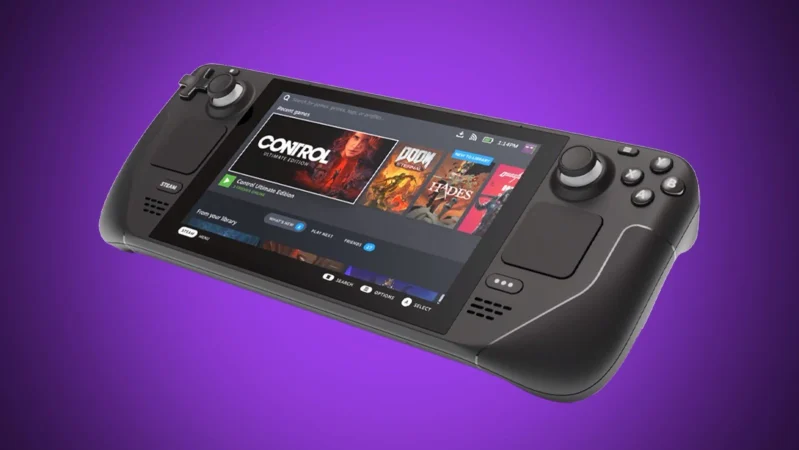
Other Windows and Linux gaming handhelds have different processors, graphics capabilities and performance settings, making direct comparisons more complicated.
However, Valve has indicated that Steam Deck is the starting point for the initiative, suggesting that broader hardware support could be considered in the future.
The change is particularly useful as newer handhelds continue offering higher graphics performance than Valve's existing hardware.
With actual frame rate information now appearing alongside compatibility ratings, players have another way to judge whether a game is suitable for their preferred performance expectations.
The update also makes Steam's compatibility information more useful by distinguishing whether a game functions correctly from how smoothly it runs.


Discussion (0)
Be the first to comment.