AVG is a world-renowned antivirus software company, based in the Czech Republic. They have been developing security software for more than a quarter-century, since 1991. The company became famous because of their free antivirus, which is also the reason why Avast, their former direct competitor on the computer security market, has acquired them. However, the AVG brand is still here, and the security products associated with it continue to be sold. One of the premium security products that are sold under the AVG brand is called AVG Internet Security and, because we were curious to see if it can protect you against cyber threats, we decided to test it for a while. Today, we are ready to share our findings with you, in this review:
What is AVG Internet Security good at?
AVG Internet Security is a security product that is good at:
Being friendly, good-looking and easy to use
Identifying and cleaning malware from your Windows computer
Offering good firewall protection against network attacks, when you are connected to public networks
AVG Internet Security vs. AVG Ultimate
AVG Internet Security is the lighter version of AVG Ultimate, and the difference between them is that the latter also includes AVG TuneUp. AVG says that their TuneUp tool "automatically speeds up your PC, cleans up junk data, gives you better battery life, keeps your essentials always up to date and fixes small issues before they become real problems." However, even if you buy AVG Ultimate you still do not get an important additional tool offered by AVG, which is their Secure VPN. If you believe that you need AVG TuneUp and a few dozens of dollars is not worth much to you, maybe the AVG Ultimate is a good buy. However, considering that most of the stuff you can do with AVG TuneUp you can also do directly with Windows 10, we believe that AVG Internet Security is the better deal.
Pros and cons
Among the good things we liked about AVG Internet Security, are the following:
The antivirus engine can identify and clean any malware found on your computer
The firewall module does a good job when you connect to public networks
The user interface looks good, and it is easy to navigate and use on any device, both with a mouse and a keyboard, as well as on a touchscreen
Unfortunately, there are also many negative aspects regarding AVG Internet Security:
The HTTP filter offered by AVG is not efficient, and half the time you are not protected when you visit dangerous phishing websites
It significantly increased the boot time of our test computer
The SafePrice web browser extension included has nothing in common with your security, and it is probably just a way for AVG to make money off its users
There are no user-accessible statistics and logs about what has happened on your computer
The antivirus module does not automatically scan, nor does it ask if you want to scan removable drives for viruses
Some of the additional apps advertised in the user interface cost additional money, including the VPN service
There are no parental controls included
Product rating3/5
Verdict
AVG Internet Security is a security solution full of contrasts. Even though it is capable of protecting you against malware, it does not do it as well as it could. The security suite fails to protect you while browsing the web, which is a big problem in the modern era of the internet, and the way it handles removable drives is anything but proactive. However, the firewall is good at protecting you while connected to public networks although rather weak when connected to private networks. The user interface looks and works great, but it does not offer reports or logs about what goes on your computer. To make things worse, some of the additional tools that are advertised in the user interface cost extra money, including the one that is truly useful: AVG Secure VPN. AVG Internet Security is a product with much potential, but its developers should invest more in improving its default behavior and proactiveness. For now, we recommend that you buy AVG Internet Security only if you understand all its weaknesses and you get a good deal for it.
The download and installation experience
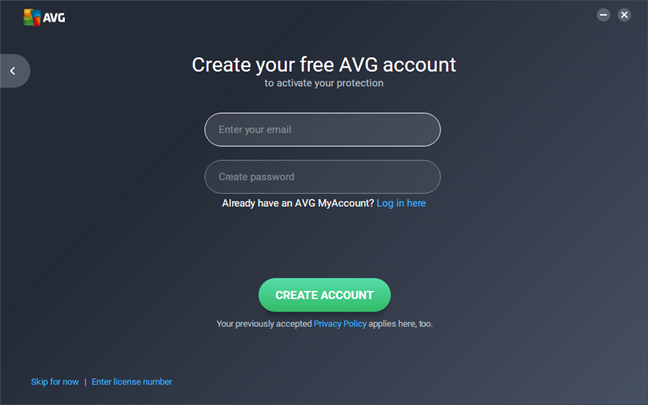
To get AVG Internet Security on your Windows computer, you must download it from its official web page, here. What you get is a small 3.47 MB executable file called AVG_Protection_755.exe. We were pleasantly surprised to see that AVG did not require any personal information from us to download the installer. When you run the executable, AVG asks you to enter a valid email address and a password that are to be used to create your AVG account, but you can skip this step too, which is excellent.
AVG Internet Security
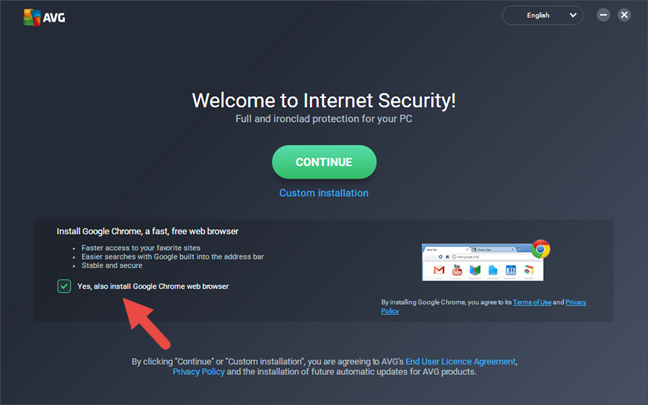
The installation wizard then asks if you also want to install Google Chrome on your computer. Chrome is the most popular web browser in the world, and it is safe software. However, that does not mean that you have to install and use it unless you want to. So, if you do not want Chrome and you are happy using your existing web browser, disable this option from the installation wizard.
AVG Internet Security
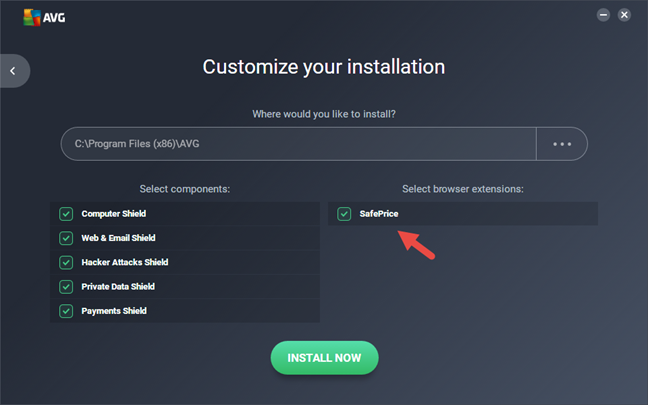
A good thing about AVG Internet Security is the fact that it allows you to do a custom installation. We recommend you do so and check only the modules that you want to install and use. For instance, you might not want to install the SafePrice browser extension, which does nothing for you regarding security. AVG's SafePrice browser extension only gives you alternatives to the products you search online, on shopping websites.
AVG Internet Security
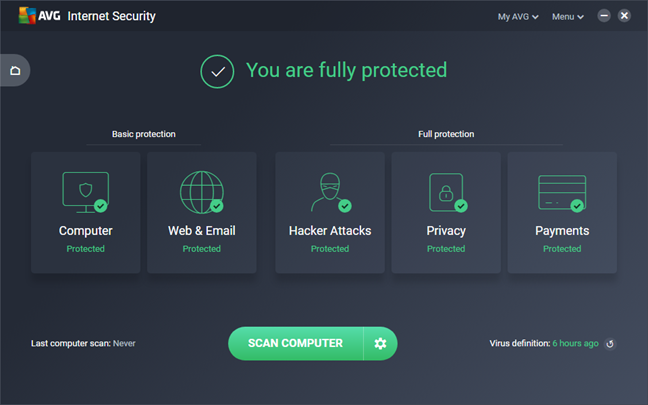
If you choose to install everything, the installation wizard downloads an additional 215 MB of data from AVG's servers. When the installation is done, AVG Internet Security loads its user interface, which looks clean and easy to use, just as it did in previous versions. There is no need to reboot the computer to be protected by the security suite because it loads its processes as soon as it is installed. Unfortunately, AVG Internet Security does not start an automatic update of its virus definitions. However, when we triggered a manual update, we found out that the suite already used the latest definitions available, which is excellent.
AVG Internet Security
Downloading and installing AVG Internet Security is easy and straightforward. Unlike other antivirus products, AVG lets you choose what security modules you install, and it does not force you to provide any personal information during the installation. However, it also tries to make you install Google Chrome and AVG SafePrice. Although Chrome is a safe and popular web browser, you might not want it on your computer. Even more so, you might want to avoid installing AVG SafePrice, which is nothing more than a browser extension for shopping online and has nothing to do with your safety.
Integration with Windows, web browsers, and universal Windows platform apps
During its installation, AVG Internet Security disables both Windows Defender and Windows Firewall. That is a good thing because it helps avoid any conflicts and performance issues that could appear from using multiple security products at the same time. AVG Internet Security is also well integrated with Windows' networking features. We were able to create and join a homegroup, share files and folders over the local network and work with universal Windows platform apps.
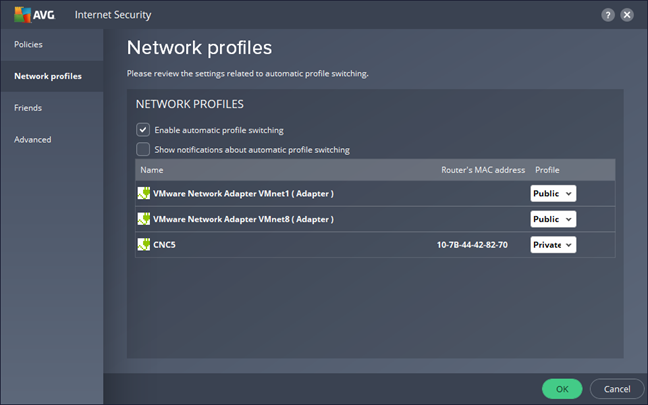
AVG Internet Security is capable of detecting the network profile set in Windows automatically and adjusts its firewall accordingly, which is excellent. It means that the user does not have to intervene to select the appropriate firewall mode for the networks to which he or she connects.
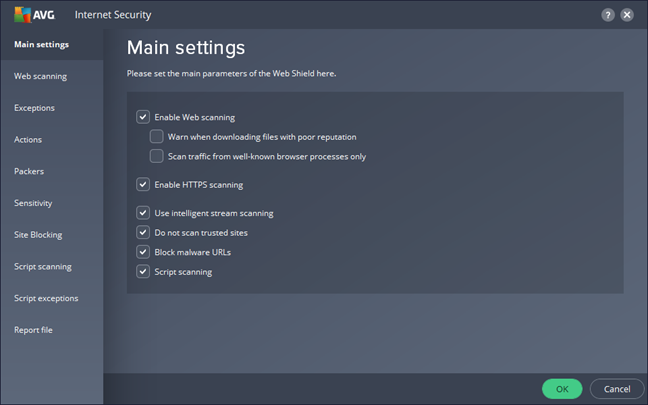
When it comes to your online security, AVG Internet Security protects you against dangerous websites by filtering the internet traffic on your computer. That is a good approach because it works with Google Chrome, Mozilla Firefox, Microsoft Edge, Opera, Internet Explorer and any other web browser you might prefer using.
AVG Internet Security
An important consideration regarding integration with Windows is the effect the security suite has on the performance of your computer. To find more about that, we did a couple of measurements. First, we checked to see if AVG Internet Security increased our computer's boot time after we installed it. We used an app called BootRacer to measure this, and the bad news is that AVG had a negative influence on the boot times. After we installed AVG Internet Security, our test computer started slower by 28 percent than before.
Then, we looked at how much RAM AVG Internet Security needs to run all its security processes. We found that it consumes somewhere around 76 MB of RAM when everything is OK, and there are no threats on your computer. This is a small number for any modern day computer.
To check whether the internet or local network speeds are affected by AVG Internet Security, we also ran a few tests with Speedtest.net and with LAN Speed Test. The tests that we ran with Speedtest.net showed that neither the download or the upload speed were affected by the security suite. However, the tests that we ran with LAN Speed Test showed that the download speed for copying a file through the local network was slower by 3 percent after installing AVG Internet Security. This means that the security suite has a small negative effect on network transfer speeds and no effect at all on internet data transfers.
AVG Internet Security is a security suite that is well integrated with Windows and its networking features. It is also a lightweight solution that does not slow your computer down when running and which does not hurt your internet speed. However, it slows the boot times by quite a lot, and it also has a small negative effect on the file transfer speeds in the local network.
Ease of use & configuration
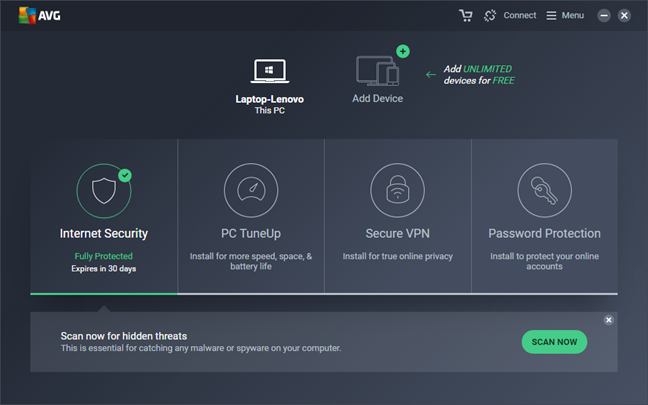
The user interface you get in AVG Internet Security looks good and lets you work with the AVG Internet Security suite that is installed on your computer, as well as install other tools from AVG or manage other AVG Internet Security installation from other computers you own and on which you have installed the security suite. To get access to these features and options, all you have to do is click or tap on the Home button, which looks like an actual house. Then, you can access:
PC TuneUp - a tool that helps get your computer into shape
Secure VPN - a VPN service that can protect you when you use unsecured internet connections
Password Protection - a tool that alerts you about security breaches on your accounts, scans for weak & duplicate passwords in Firefox and Chrome, and blocks any other app from accessing them.
If you have an AVG online account and you have installed AVG's security products on several devices, you can see and control all of them from this interface.
AVG Internet Security
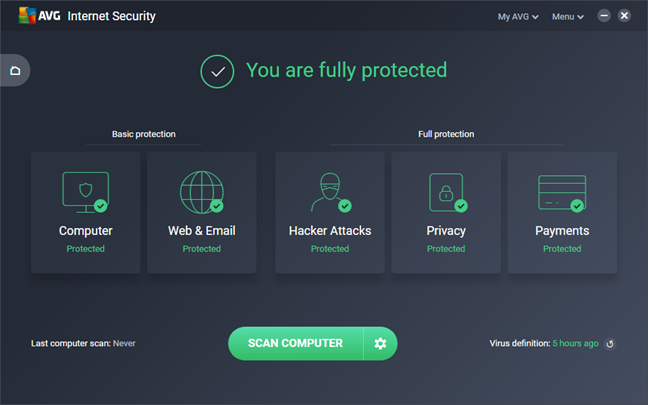
Our main point of interest is the Internet Security, which looks good and simple to use. As always, AVG knows what it has to do with user interface design. The background color is gray, the accent colors are either greens or reds (depending on the security state of your computer), and each bit of information you get is displayed using simple visual cues.
AVG Internet Security
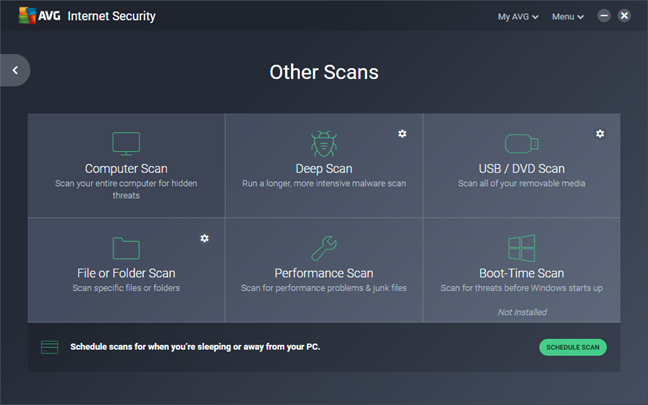
Options, actions, settings: they are all changed, started or controlled by large tiles, buttons or check marks, so the security suite is easy to use by anyone, on any computer or device, both with a mouse and a keyboard and with a touchscreen.
AVG Internet Security
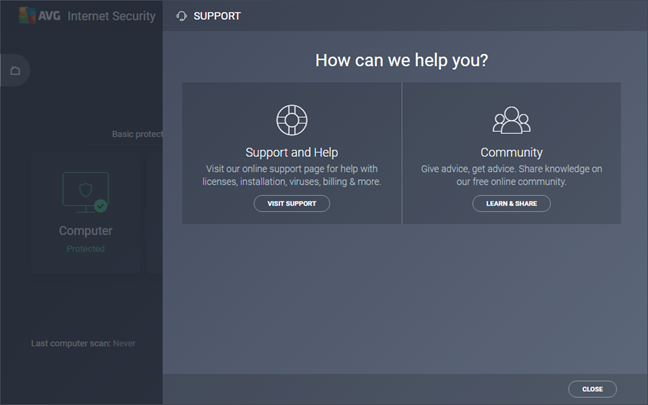
If you need help, it is good to know that AVG Internet Security includes both online help and online support options. AVG offers a "Frequently Asked Questions" section, access to their community forums and, last but not least, options to "Contact Support" directly, via live chat, or via phone.
AVG Internet Security
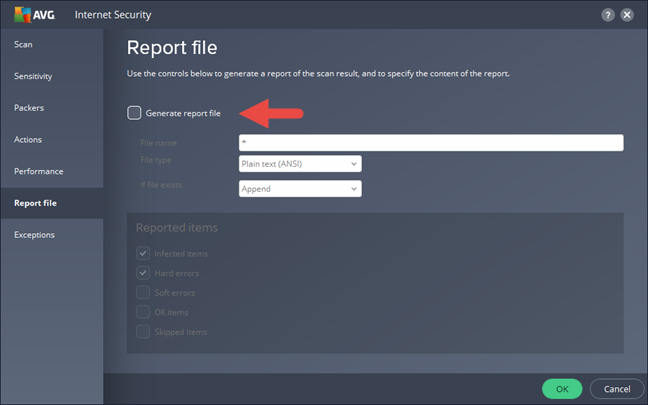
Unfortunately, we could not find any reports, logs or other kinds of statistics in AVG Internet Security. They are nowhere to be found, and that is not something we like. There is one setting that allows you to create some log files, but only in text form and only if you manually set it to be generated. Furthermore, these log files are not available for full computer scans or deep virus scans. They can be generated for device and file or folder scans though.
AVG Internet Security
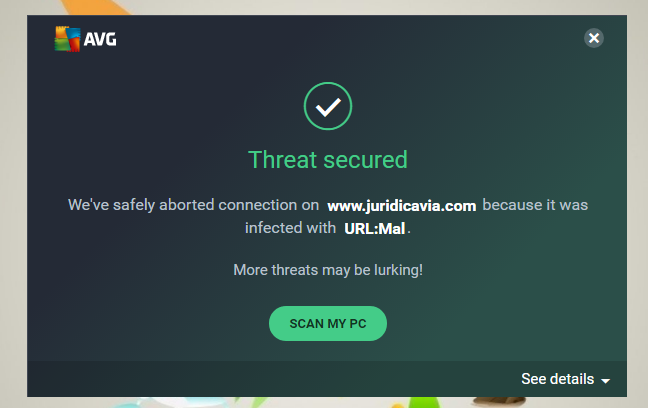
Regarding alerts and notifications, AVG Internet Security is not very talkative. The only popups we saw were related to malware being detected on our test computer.
AVG Internet Security offers a user interface that looks good and works well. It is fast, easy to navigate and easy to use on any device, with or without a touchscreen. On the negative side, it does not offer logs, reports or statistics of any kind, unless you manually configure it to generate text log files.
On the next page of this review, you can see how capable AVG Internet Security is at protecting your Windows computer from network attacks and malware. You can also see what additional features are included in this security suite, and check our recommendations for what settings you should adjust.
Firewall protection
AVG Internet Security has a firewall module that is well integrated with Windows and its networking features. It is worth appreciating the fact that the firewall module actively monitors the network profile that you set in Windows and adjusts its protection accordingly.
AVG Internet Security
To test how well the firewall module protects you against network attacks, we used two network vulnerability scanners: Nessus and Nmap. We ran the tests both on a Private network profile and on a Public network profile. When we used a Public network profile, neither Nmap nor Nessus managed to find any open ports.
Then, we set our test computer to use a Private network profile. This time, Nmap found 9 open ports and correctly identified the operating system running on our test laptop. Nessus found 5 open ports plus a vulnerability to man-in-the-middle attacks.
In both situations, both Nmap and Nessus could identify the MAC address of our computer, but that is not critical information as far as your security is concerned. This an average result when it comes to firewall protection.
The firewall module included in AVG Internet Security offers a good level of protection when you use public networks. However, when you are connected to private networks, the protection you receive is weak, and your computer is vulnerable to network attacks.
Antivirus and antispyware protection
The first thing we checked regarding antivirus protection was the quality of the web shield you get in AVG Internet Security. As we mentioned earlier in this review, the suite scans and filters all the internet traffic that goes on your computer, and that is great because it means you get protection regardless of the web browser or app you prefer using. Unfortunately, the web filtering engine does not always work well. We tested AVG's web shield in Microsoft Edge, Mozilla Firefox, Google Chrome, and Opera while trying to visit several dangerous websites. In many cases, AVG blocked our access, but in just as many it did nothing, and we got more protection from the browsers themselves. It looks like you have a 50-50 chance of being protected versus not getting any protection from AVG's web shield, and that is pretty bad.
AVG Internet Security
Next, we checked what AVG Internet Security does when it is put face to face with a removable drive containing malware. To do that, we copied a bunch of viruses on a USB memory stick, which we then plugged into our test computer. We were disappointed: AVG did not automatically start an antivirus scan of the memory stick, nor did it ask if we wanted to scan it. It did not even scan files on the memory stick when we opened its contents in File Explorer. The only time it scans files for malware is when you try to run the infected files. This approach is not proactive at all.
AVG Internet Security
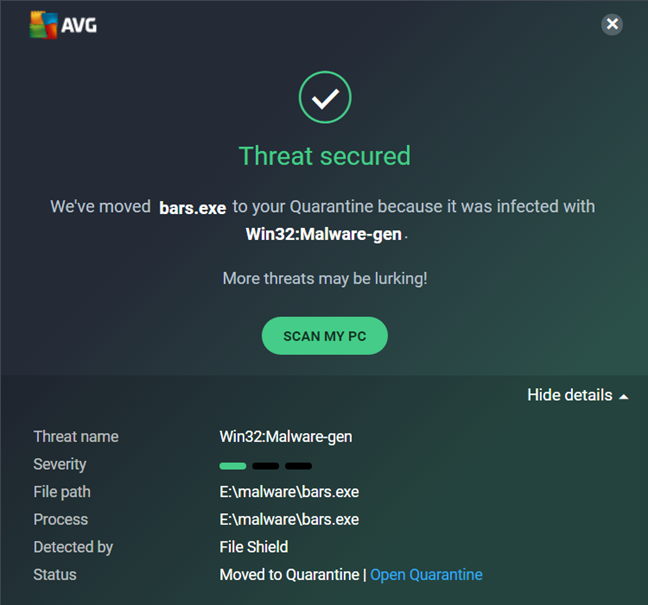
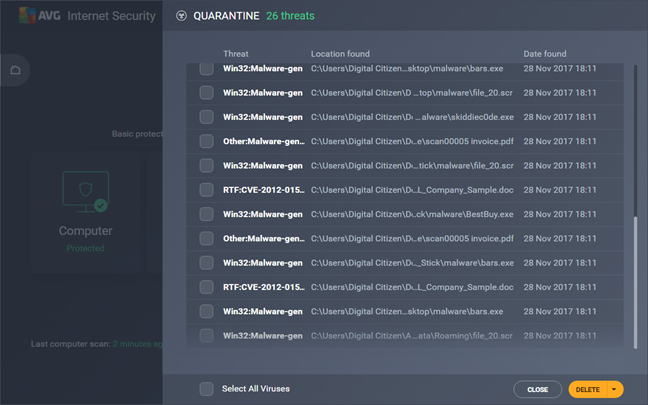
For our final antivirus test, we installed Windows 10 on our test computer, loaded it with a bunch of malware infected files and then we asked AVG Internet Security to install itself and clean our computer. The security suite had no issues in doing that, and after a few viruses were detected and removed by the real-time antivirus protection, we also ran a full system antivirus scan. AVG Internet Security removed every malware sample that remained on our test computer. In the end, we had a clean operating system that was usable again.
AVG Internet Security
While using AVG Internet Security, we also measured the time it needed to run scans on our 126 GB Windows system partition with 35GB of data on it. On average, it needed 6 minutes for that, which is a fast speed when compared to other antivirus products.
To get a second opinion, we also looked at what other independent security organizations had to say about AVG:
AV-Test awarded AVG Internet Security with a score of 6 points out of 6 for its Protection, 5 points for Performance and 5.5 out of 6 for Usability.
AV-Comparatives gave AVG their top Advanced+ mark in all their tests: "Real World - Protection Test," "Malware Protection Test," "Performance Test."
Virus Bulletin awarded AVG their VB100 badge and measured a Proactive detection rate of 67.90% and a Reactive detection rate of 94.10%.
The antivirus engine you get from AVG is very efficient at identifying and removing malware. However, it is not proactive behavior when removable drives are involved, and its web shield fails to stop you from visiting many malicious websites, especially phishing ones. With AVG, you get a capable antivirus engine but a rather poor implementation of it.
Extra features
AVG Internet Security includes some extra features that may or may not prove useful to its customers:
AVG Internet Security
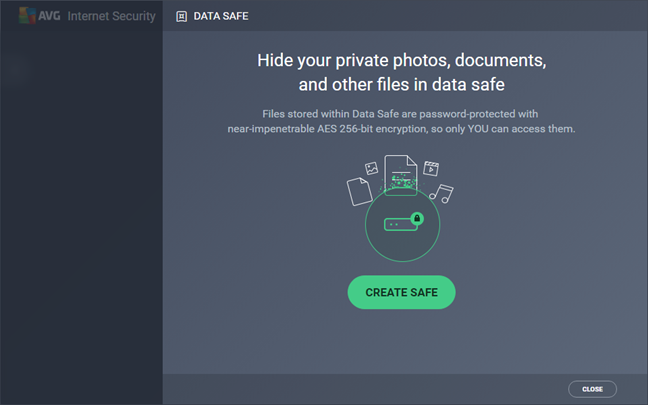
Data Safe - lets you create a secure, password-protected vault for your sensitive files. All the files you store inside the safe are encrypted and can be accessed only by the people who know your password.
File Shredder - lets you securely erase files and folders so that they cannot be restored later.
PC TuneUp - scans your device for registry errors, junk files, disk fragmentation and broken shortcuts. Unfortunately, this tool will cost you additional money if you want to use it. To be honest, we do not think that PC TuneUp is useful to AVG's users since most of its features are already offered by Windows.
AVG Password Protection - alerts you if your accounts are compromised, it blocks unwanted access to the passwords you use in your web browser and scans for weak and duplicate passwords. It works with Google Chrome and Mozilla Firefox, and it costs additional money, as you have to buy a separate monthly subscription for this service too.
AVG Secure VPN - a VPN service that can protect you by encrypting your network connections so that you can browse the internet securely and anonymously. Unfortunately, you do not get anything for free here either. If you want to use it, you have to pay a separate monthly bill. If you are willing to do so though, the benefits are obvious: you get much better protection when you connect to unsafe networks. We have tested AVG Secure VPN to connect to the optimal VPN server for our location, and the data transfer speeds decreased significantly (both download and upload speeds went down from an average of 80 Mbps to about 10 Mbps). However, that is a reasonable consequence of using any VPN. It always comes down to security over speed.
AVG Internet Security bundles a few additional tools and some of them could be useful to its customers. Unfortunately, some of them, including the most important one which is the AVG Secure VPN, do not come cheap and you have to pay extra for them.
Default settings you might want to adjust
If you decide to test or buy AVG Internet Security, there are a few settings you might want to look into:
If you are concerned with the quality of the security you get, you should set the Resident Shield to scan all files when opened, regardless of their extensions. You can find this setting in Menu -> Settings -> Components -> File Shield -> Scan when opening -> Scan all files.
AVG Internet Security comes with no predefined scheduled scans. You should set at least one and run it weekly or every two weeks, to enhance your security. You can find this option in Scan computer Settings -> Schedule scan.
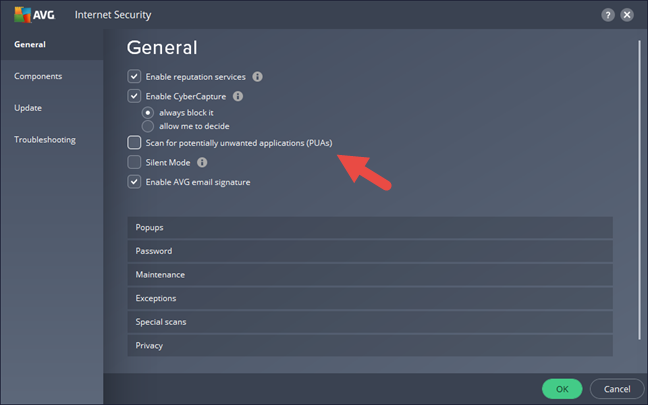
AVG Internet Security can also scan for PUAs (Potentially unwanted applications), but this option is not enabled by default. If you want to turn it on, you can do it in Menu -> Settings -> General.
AVG Internet Security
AVG Internet Security comes with lots of options, and advanced settings and most of them are configured well. To further increase your protection, you should adjust a few of them.
What is your opinion about AVG Internet Security?
Now that you know more about AVG Internet Security and what it has to offer, do you believe it is a good investment for your money? Is it a good security product in your opinion, or would you instead look elsewhere? Post any comments or questions you might have, in the section below.
I had to remove AVG from my W10 units due to failure to boot properly and leaving watchdog messages. Had to reboot in safe mode to get units to run. Using wireless keyboards and mouse on several units with the most server problem of booting. After removal of AVG everything worked properly and boot times were greatly reduced.
Maria ·
Pay attention! AVG take money from your automatically(without you use your own card) for renewing licenses up to two weeks before the expiry of the old ones. So if you do not care to remember when your license expires and you do not announce them more than two weeks before, AVG COMPANY take your money from your own account for a new license, even if the new price is higher than what you originally paid.
Larry ·
I recently had to remove AVG from 5 machines due to various problems with W10 starting, sharing of files on my local network between W10 units and overall failures of programs to function properly. After AVG was removed everything function as designed.
Tom ·
Thanks. very helpful review and I have taken your valuable advice.







Discussion (5)
I had to remove AVG from my W10 units due to failure to boot properly and leaving watchdog messages. Had to reboot in safe mode to get units to run. Using wireless keyboards and mouse on several units with the most server problem of booting. After removal of AVG everything worked properly and boot times were greatly reduced.
Pay attention! AVG take money from your automatically(without you use your own card) for renewing licenses up to two weeks before the expiry of the old ones. So if you do not care to remember when your license expires and you do not announce them more than two weeks before, AVG COMPANY take your money from your own account for a new license, even if the new price is higher than what you originally paid.
I recently had to remove AVG from 5 machines due to various problems with W10 starting, sharing of files on my local network between W10 units and overall failures of programs to function properly. After AVG was removed everything function as designed.
Thanks. very helpful review and I have taken your valuable advice.
Glad to hear that! 🙂