



Restricting someone on Facebook limits what they can see and how their interactions appear to you, without alerting them. Facebook designed this feature for situations where blocking or unfriending feels too aggressive.
This guide explains what restricting someone on Facebook does, the features it affects, and what to do if you want to take the restriction to another level.
Table of contents
- What restricting someone on Facebook actually does
- What the restricted person does and does not know
- How comments and likes work after restricting someone
- Messages, tags, and mentions after restriction
- Restrict vs unfriend vs block on Facebook
- When restricting someone is the best option
- How to restrict or unrestrict someone on Facebook
- Common misconceptions about Facebook restriction
- Summary
What restricting someone on Facebook actually does
Facebook Restrict quietly changes visibility rules between you and that person. It affects posts and comments, but it does not block contact.
What they can see on your profile
Restricted users only see posts set to Public or posts where you tag them. They no longer see Friends-only updates, stories, or timeline activity.
What you can see from them
Their posts and activity remain visible to you like before. Restrict does not hide their profile or updates from your feed.
What the restricted person does and does not know
Facebook does not signal restriction in any direct way. The feature works silently.
Notifications and alerts
Facebook sends no notification when you restrict someone. The person receives no warning or system message.
Profile and interaction clues
They may notice fewer posts from you over time. Facebook provides no clear indicator that restriction caused this change.
How comments and likes work after restricting someone
Comments behave differently than most users expect. This causes the most confusion.
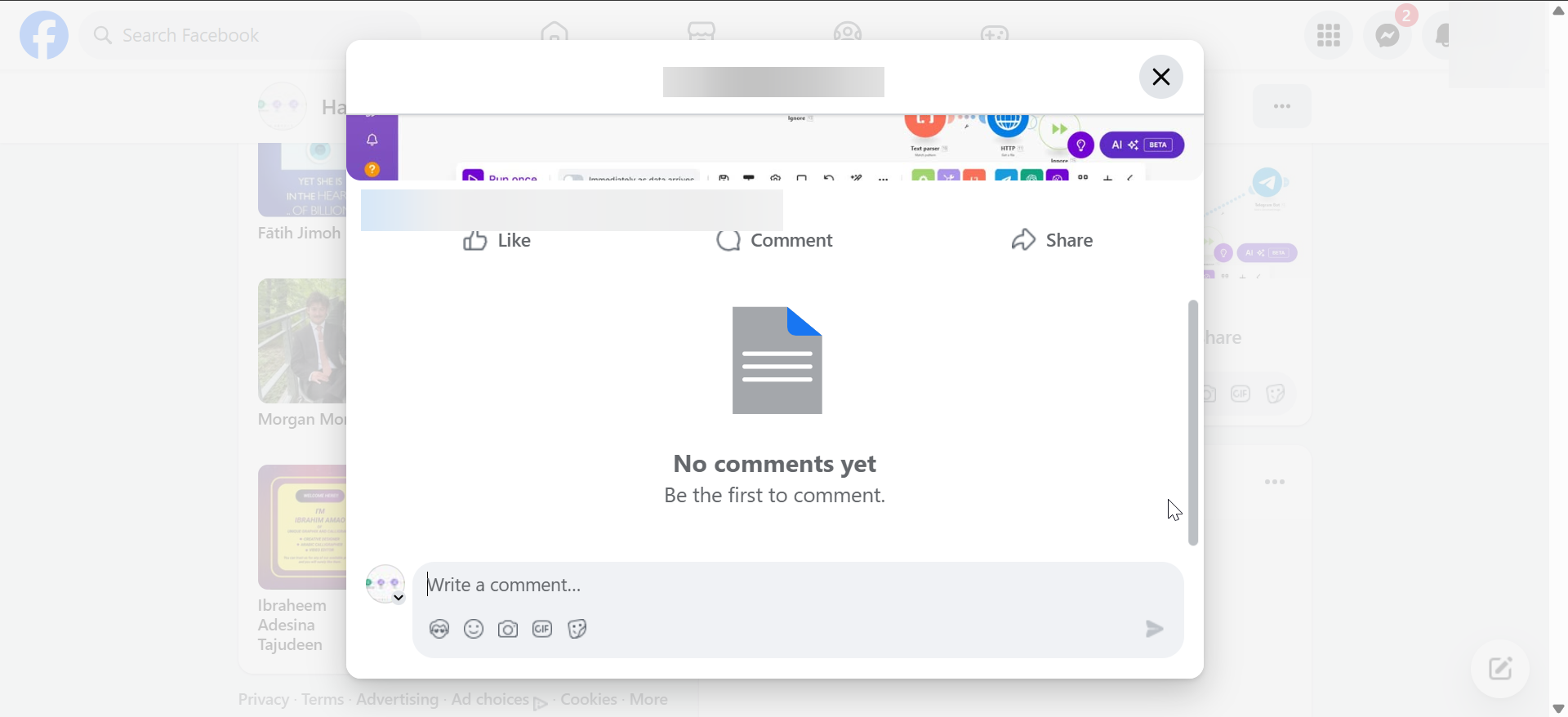
Comments on your posts
Their comments appear only to them and to you. You can approve the comment to make it visible to others.
Comments on mutual friends’ posts
Comments on shared posts appear normally. Restrict only affects content on your own timeline.
Messages, tags, and mentions after restriction
Restrict does not affect direct communication tools.
Facebook Messenger behavior
You can still message each other normally. Messenger works the same as before.
Tags and mentions
Restricted users can still tag and mention you. Facebook does not limit this action.
Restrict vs unfriend vs block on Facebook
Each option serves a different purpose. Choosing the right one avoids unnecessary conflict.
Restrict vs unfriend
Unfriending removes connection completely. Restrict keeps the friend connection but limits visibility.
Restrict vs block
Blocking removes all contact and profile access, and you stop getting Facebook notifications on your mobile and desktop from that person.. Restrict keeps interaction open while limiting exposure.
When restricting someone is the best option
Restrict works best in socially sensitive situations. It avoids confrontation while protecting privacy.
Coworkers, family, and acquaintances
Restrict helps when you want distance without social fallout. It suits professional and family relationships.
Situations where Restrict is not enough
Use blocking for harassment or abuse. Restrict does not stop messages or tagging.
How to restrict or unrestrict someone on Facebook
Facebook offers quick controls directly from profiles.
Restricting someone from their profile
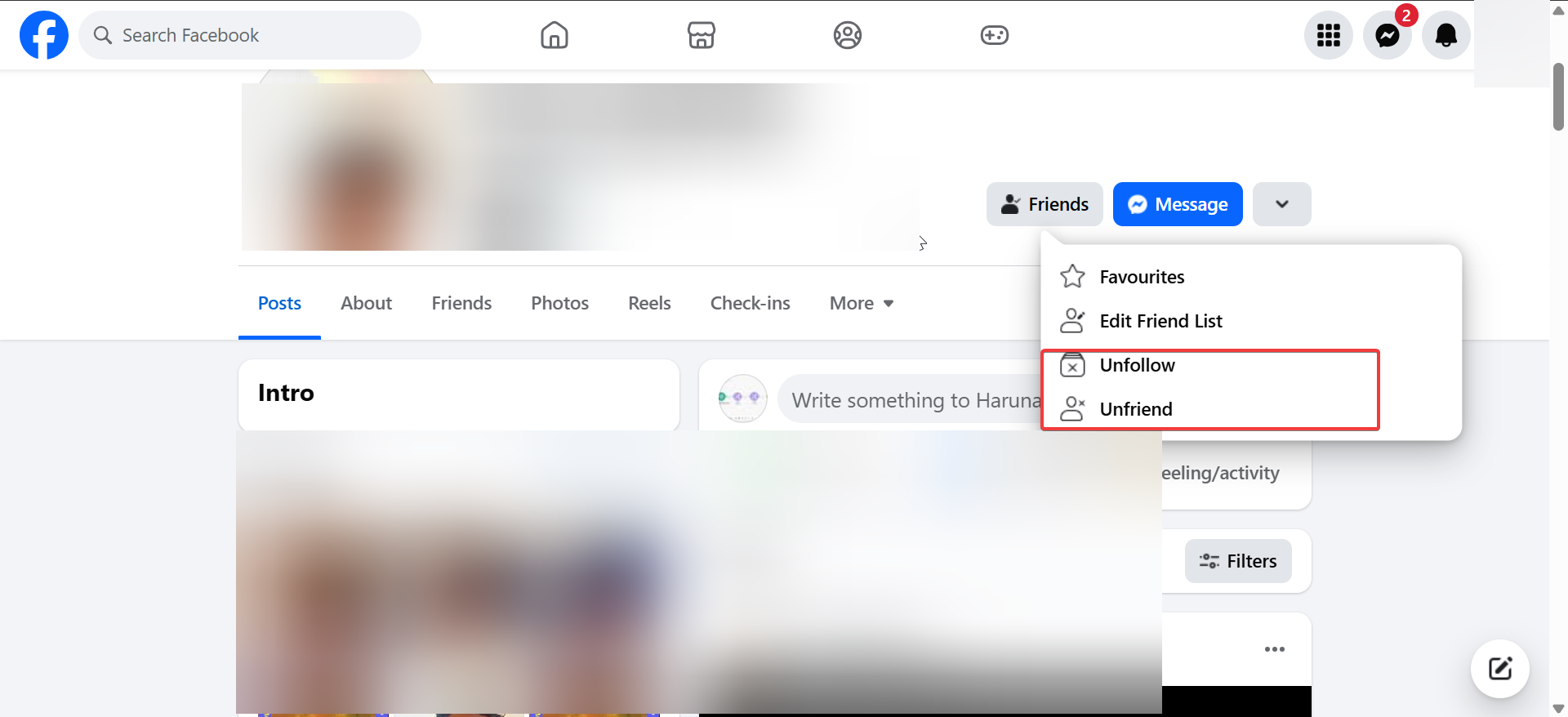
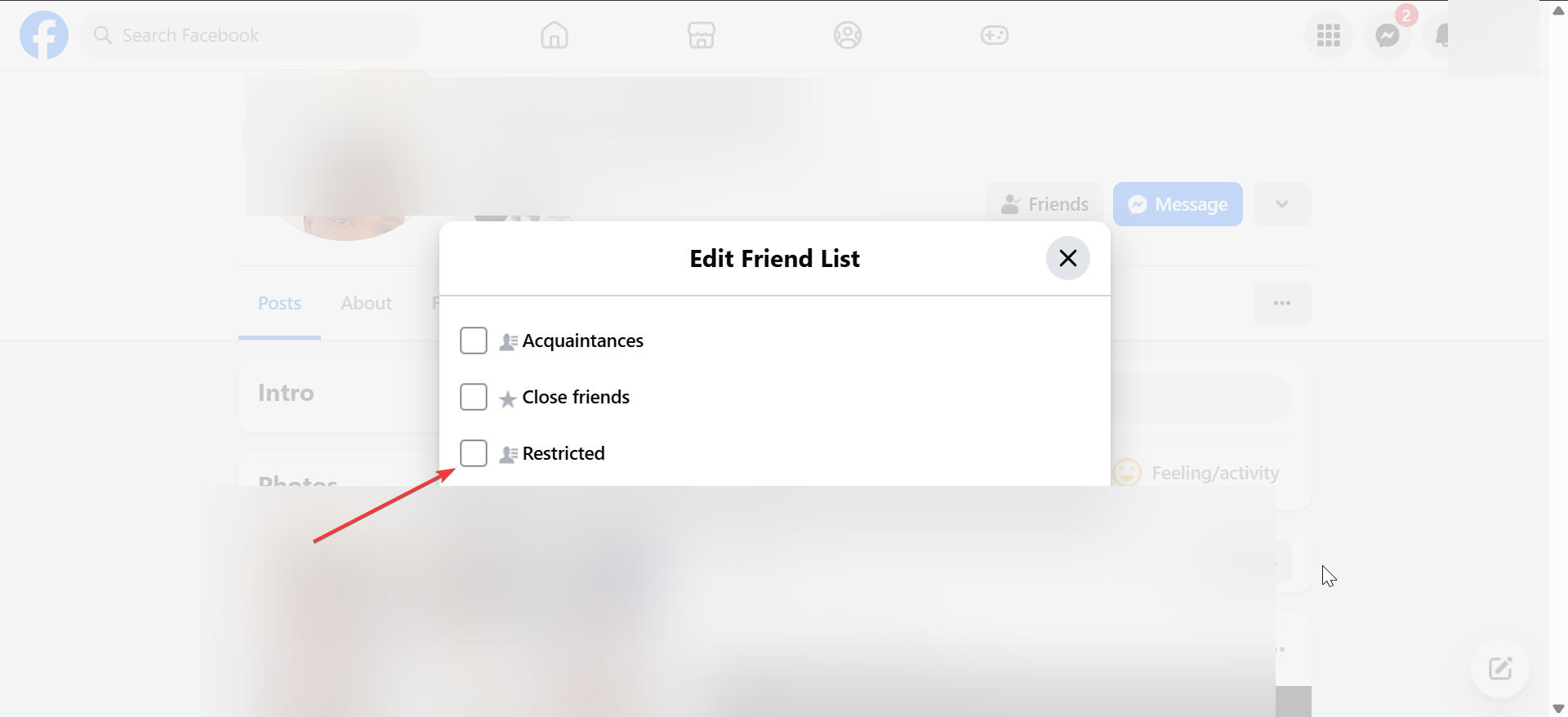
Open their profile, tap the Friends button, and select Edit Friend List. Add them to Restricted.
Removing someone from the restricted list
Go to Settings, open Blocking, and edit the Restricted list. Remove the person to restore normal visibility.
Common misconceptions about Facebook restriction
Many users misunderstand what Restrict changes actually.
Restricting does not hide your profile
Restricted users still see your name, profile photo, and public details.
Restricting does not block interaction entirely
They can still message, tag, and comment. Restrict focuses on post visibility only.
Summary
- Restrict limits what someone sees without notifying them.
- Restricted users only see Public posts and tagged content.
- Comments on your posts stay private unless approved.
- Messages, tags, and mentions still work normally.
- Restrict suits low-conflict privacy situations.
Facebook Restrict gives you quiet control over visibility without damaging relationships. Use it when you want distance without drama, and switch to stronger tools when safety or harassment becomes a concern.


Discussion (0)
Be the first to comment.