



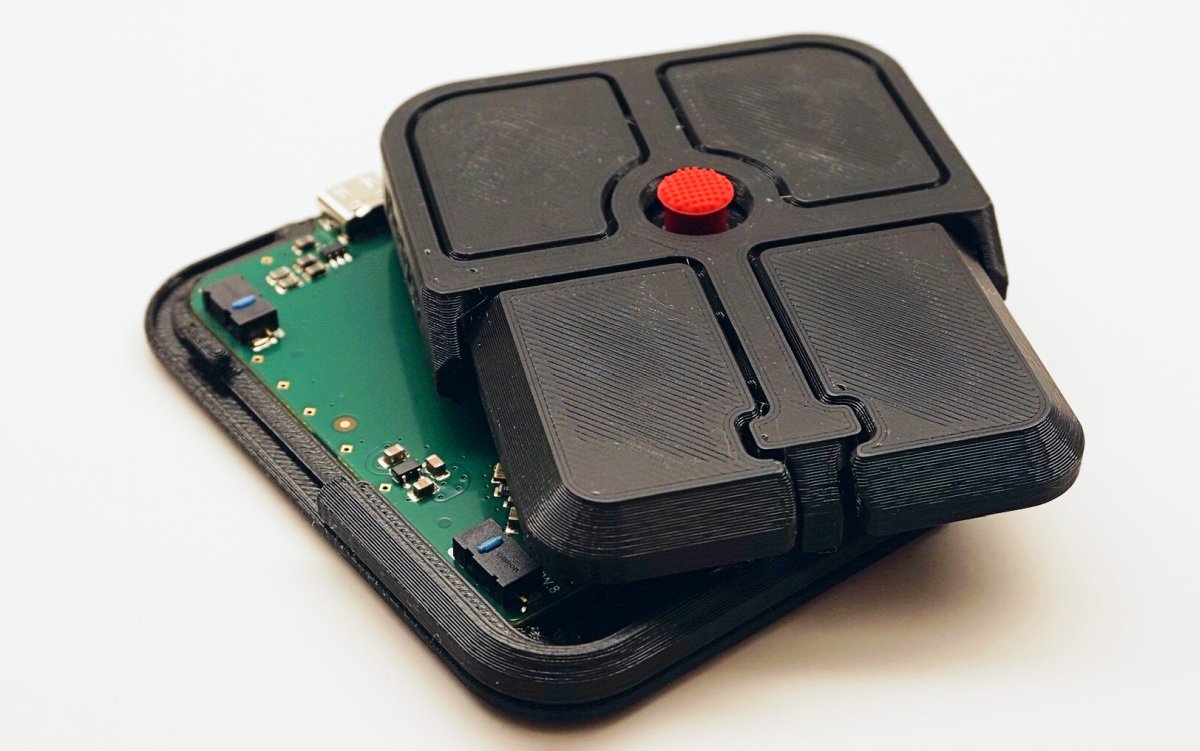
The idea is simple. Instead of placing a pointing stick in the middle of a laptop keyboard, the Bean puts a TrackPoint like nub inside a small external device. Around the nub are four Omron D2LS 21 clicky buttons, and the device supports QMK firmware and VIA software for customization.
That means the Bean can be used as a mouse, but it can also be configured for shortcuts, commands, or macros. This may be the most useful part of the device because it gives the Bean a purpose beyond basic cursor control.
The problem is that an external pointing stick works against the original reason the TrackPoint existed. IBM’s TrackPoint was useful because it sat between the keys and let you move the cursor without taking your hands off the keyboard. It saved time, saved space, and worked well in cramped places where using a mouse was not ideal.
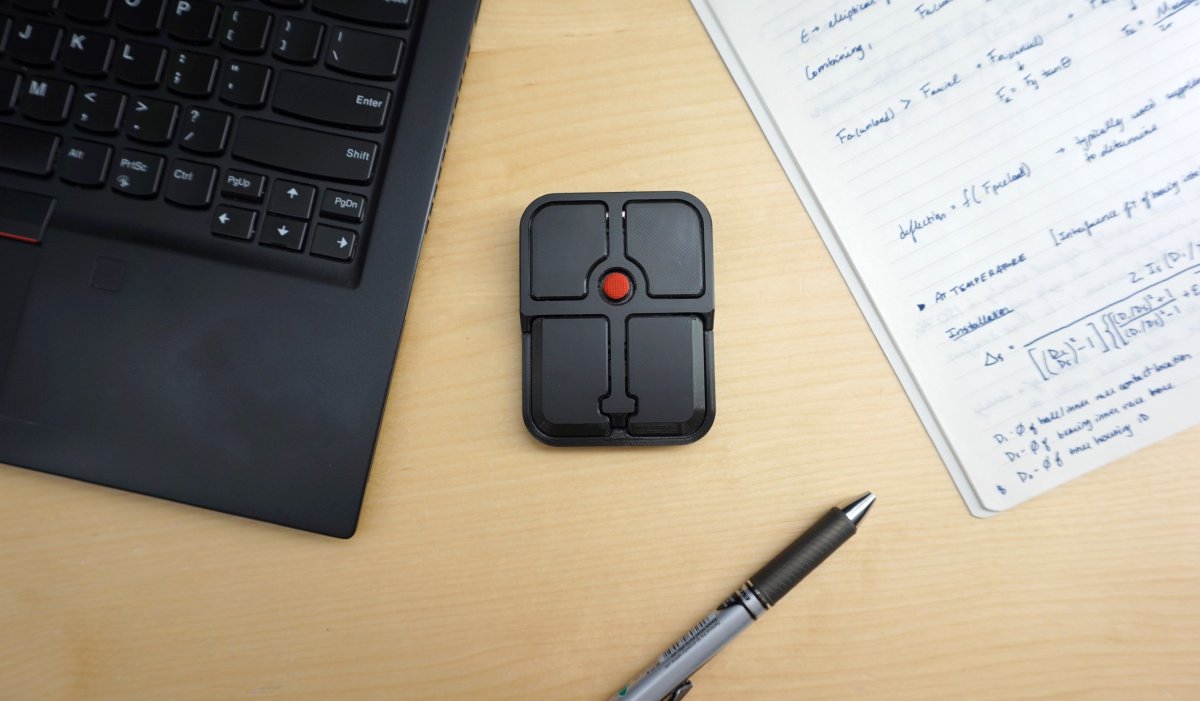
The Bean removes that advantage. Since it sits outside the keyboard, you still have to move your hand away to use it. That makes it less efficient than an integrated pointing stick and less natural than a normal mouse. It may also be harder to find by feel because the device is small and flat.
Here is the basic picture:
| Feature | Details |
|---|---|
| Product | Ploopy Bean |
| Type | External wired pointing stick mouse |
| Price | $70 CAD, about $51 at the time of report |
| Controls | TrackPoint like nub with four buttons |
| Buttons | Omron D2LS 21 clicky switches |
| Customization | QMK firmware and VIA software |
| Polling rate | 1,000Hz |
| Possible use | Mouse control, shortcuts, commands, macros |
| Main concern | Loses the hand on keyboard benefit of a real TrackPoint |
The Bean may still appeal to a small group of people who like unusual input devices or want a compact macro controller. It could also make sense as a presentation remote if a wireless version ever arrives, since a speaker could use it to move through slides or control a laptop from a podium.
As a replacement for a TrackPoint, though, the design is harder to justify. The original pointing stick worked because it was built into the keyboard. Turning it into a separate peripheral makes it more like a niche control pad than a practical mouse alternative.
The Ploopy Bean is an interesting idea, but its usefulness will depend on whether buyers see it as a customizable input gadget rather than a true TrackPoint replacement.

Discussion (0)
Be the first to comment.