



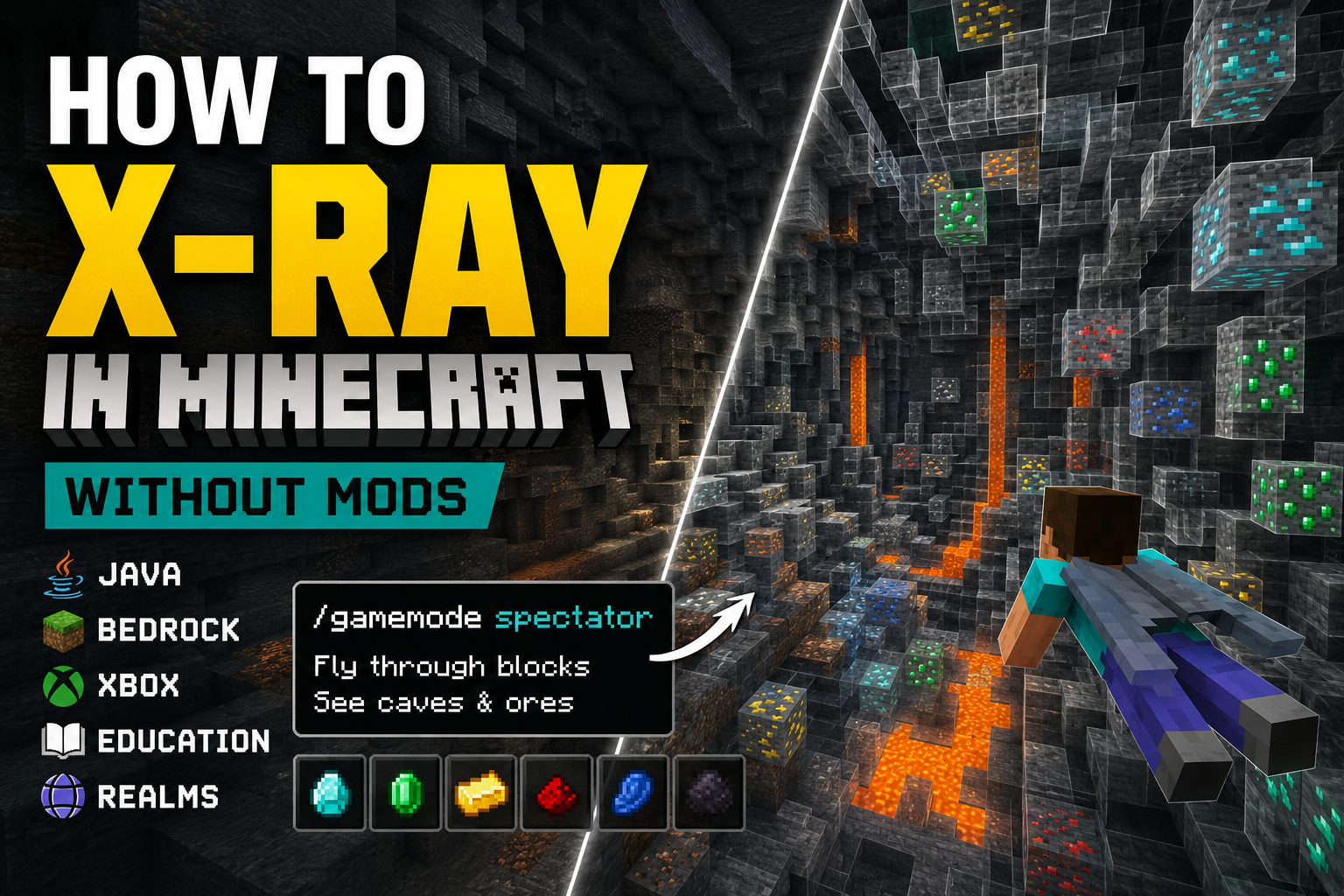
To X-ray in Minecraft without mods, enable cheats, open the chat, and enter /gamemode spectator. You can then fly below the surface and pass through blocks to locate caves, mineshafts, strongholds, ancient cities, and other underground structures.
When you finish, enter /gamemode survival to return to your previous gameplay.
Spectator Mode is the easiest built-in option for Java, Bedrock, Xbox, and current versions of Minecraft Education. However, it does not automatically reveal every ore block enclosed inside solid stone. For diamonds, ancient debris, and other hidden ores, an X-ray resource pack is usually more effective.
This guide is updated for Minecraft Java 26.2, Bedrock 26.30, and Minecraft Education 1.21.133. Mojang introduced year-based version numbers for Java and Bedrock in 2026, which is why recent releases now begin with 26 instead of 1.21. (Minecraft.net)
Important: Enabling cheats in a Bedrock world disables achievements for that world. Make a copy first if you want to preserve your original achievement-enabled save. (Microsoft Learn)
Which X-ray method should you use?
The best method depends on whether you want to locate underground structures or individual ore blocks.
| Your goal | Best method | Cheats required? | Download required? |
|---|---|---|---|
| Find caves, mineshafts, dungeons, or ancient cities | Spectator Mode | Yes | No |
| Find diamonds and other enclosed ores | X-ray resource pack | No command permission required | Yes |
| X-ray on Xbox | Spectator Mode | Yes | No |
| X-ray in Minecraft Education | Spectator Mode | Yes | No |
| X-ray on a Bedrock Realm | Spectator Mode or a Realm resource pack | Depends on method | Depends on method |
| Play in pure Survival with no cheats or downloads | No reliable official method | No | No |
Spectator Mode is built into Minecraft and lets you fly through solid blocks while remaining invisible and unable to interact with the world. Bedrock officially supports the /gamemode spectator command when cheats and the necessary permissions are enabled. (Microsoft Learn)
An X-ray resource pack is not the same as a gameplay mod. It normally changes the appearance of common blocks so that ores remain visible while stone, deepslate, netherrack, or other surrounding blocks become transparent.
How to X-ray in Minecraft without mods using Spectator Mode
Spectator Mode is the quickest option when you do not want to install mods or resource packs.
1. Enable cheats or commands
Open the settings for your world and enable cheats.
In a multiplayer world, you must also be an operator or have permission to use game mode commands.
2. Open the Minecraft chat
Use the appropriate chat control for your device:
- Press
Tin Java Edition. - Select the chat icon in Bedrock or Minecraft Education.
- Open chat through the controller interface on Xbox.
3. Enter the Spectator Mode command
Type the following command and submit it:
/gamemode spectator
Your character can now fly and pass through blocks.
4. Fly underground
Move below the surface and look for empty underground spaces.
Spectator Mode is particularly useful for finding:
- Caves
- Mineshafts
- Trial chambers
- Strongholds
- Dungeons
- Ancient cities
- Underground bases
- Lava pockets
- Large ore veins exposed to air
Spectators can pass through solid blocks and see out of them, but they cannot use items, open containers, break blocks, or interact with mobs. (Minecraft.net)
5. Record the location
Write down the coordinates of anything you want to investigate. You can then return to Survival Mode and mine toward those coordinates normally.
6. Return to Survival Mode
Open chat again and enter:
/gamemode survival
Your inventory and health should remain unchanged when switching into and out of Spectator Mode on Bedrock. (Minecraft.net)
Does Spectator Mode show every diamond?
No. Spectator Mode is better described as a cave finder than a complete ore finder.
Minecraft does not normally render block faces that are completely enclosed by other solid blocks. Consequently, you can easily see open caves and structures, but a diamond ore block surrounded on all six sides by deepslate may remain hidden.
You can still fly directly through the surrounding blocks to inspect an area, but an X-ray resource pack provides a clearer view of individual ores.
How to X-ray in Minecraft Java
Java players can use either Spectator Mode or an X-ray resource pack.
Method 1: Use Spectator Mode in Java
- Open a world in which commands are allowed.
- Press
Tto open chat. - Enter:
/gamemode spectator
- Fly below the surface.
- Record the coordinates of the cave, structure, or exposed ore.
- Enter the following command when finished:
/gamemode survival
Java also has a keyboard shortcut for switching between Spectator Mode and your previous game mode:
F3 + N
On a laptop, you may need to press Fn + F3 + N. The shortcut only works when you have permission to change game modes. Minecraft’s official hotkey documentation confirms that F3 + N cycles between Spectator Mode and the previous mode. (Minecraft.net)
Method 2: Install an X-ray resource pack in Java
Use this method when you want stone and deepslate to become transparent while ores remain visible.
1. Check your Java version
Look at the version shown in the Minecraft Launcher.
A resource pack made for an older version may not recognize newly added blocks. It may still load, but some textures could appear incorrectly or remain opaque.
At the time of publication, Java 26.2 is the latest stable Java release, while Java 26.3 is still available only through snapshots. (Minecraft.net)
2. Download a version-compatible pack
Choose a maintained X-ray resource pack from a recognized Minecraft repository.
For example, the current Xray Ultimate release on CurseForge lists support for Minecraft Java 26.2 and was updated on July 17, 2026. (CurseForge)
A Java resource pack should normally arrive as a .zip file. Do not run an executable installer for a basic texture pack.
3. Open the Resource Packs menu
Start Minecraft Java and select:
Options > Resource Packs
4. Open the pack folder
Select:
Open Resource Pack Folder
5. Move the downloaded file
Copy the resource pack’s .zip file into the folder that Minecraft opened.
Do not extract it unless the pack creator specifically instructs you to do so.
6. Activate the pack
Return to Minecraft and move the X-ray pack from Available to Selected.
Mojang’s official Java resource-pack instructions use the same process: open the Resource Packs menu, open the pack folder, paste the ZIP file, and activate it from the available packs list. (Minecraft.net)
7. Reload the textures
Enter your world. If the pack does not appear immediately, press:
F3 + T
This reloads Java’s textures, sounds, and other client resources. (Minecraft.net)
8. Improve underground visibility
X-ray packs can make surrounding blocks transparent while leaving the world very dark.
Try the following:
- Set brightness to its maximum level.
- Drink a Night Vision potion.
- Disable any shader that conflicts with transparent textures.
- Place the X-ray pack above other resource packs in the selected-pack list.
How to X-ray in Minecraft Bedrock
Bedrock Edition includes Windows, Android, iPhone, iPad, Xbox, PlayStation, Nintendo Switch, and several other platforms.
The two most practical methods are Spectator Mode and a Bedrock .mcpack resource pack.
Method 1: Use Spectator Mode in Bedrock
- Select Play.
- Find your world and select its edit or pencil icon.
- Open the world’s game settings.
- Turn on Activate Cheats.
- Enter the world.
- Open chat.
- Enter:
/gamemode spectator
- Fly underground and inspect the area.
- Enter the following command to return:
/gamemode survival
The Bedrock /gamemode command requires cheats and Game Director level permissions. Spectator is one of the officially supported game mode values. (Microsoft Learn)
Remember that enabling cheats disables achievements in that world. Copy the world before changing the setting if achievements are important to you. (Microsoft Learn)
Method 2: Install a Bedrock X-ray resource pack
Bedrock resource packs are commonly distributed as .mcpack files. Microsoft defines .mcpack as a compressed resource or behavior pack used to modify Bedrock Edition. (Microsoft Learn)
On Windows 10 or Windows 11
- Download a Bedrock-compatible X-ray
.mcpack. - Double-click the downloaded file.
- Allow Minecraft to open.
- Wait for the import confirmation.
- Select Play.
- Select the pencil icon beside your world.
- Open Resource Packs.
- Select My Packs.
- Choose the X-ray pack and select Activate.
- Load the world.
On Android
- Download the
.mcpackfile. - Open the Downloads folder using the Files app.
- Tap the pack.
- Select Minecraft when asked which application should open it.
- Edit your world and activate the pack under Resource Packs.
On iPhone or iPad
- Save the
.mcpackfile to the Files app. - Tap the file.
- Choose Open in Minecraft when prompted.
- Wait for the import message.
- Edit the desired world.
- Activate the pack under Resource Packs.
Microsoft’s Bedrock documentation confirms that opening a .mcpack imports it into Minecraft and makes it available in the Resource Pack or Behavior Pack section when editing a world. (Microsoft Learn)
How to X-ray in Minecraft on Xbox
Spectator Mode is the simplest and most reliable X-ray method on Xbox.
Use Spectator Mode on Xbox
- Highlight the world you want to use.
- Select the edit button.
- Make a copy of the world.
- Open the copied world’s settings.
- Enable Activate Cheats.
- Start the world.
- Open the chat interface.
- Enter:
/gamemode spectator
- Fly below the ground.
- When finished, enter:
/gamemode survival
This works because Xbox runs Bedrock Edition, which officially includes Spectator Mode. The main drawback is that activating cheats disables achievements for that world. (Minecraft.net)
Can you install an X-ray resource pack directly on Xbox?
Xbox does not provide the same straightforward arbitrary-file import process available on Windows and mobile. The supported workaround for bringing custom Bedrock content to a console uses Minecraft for Windows and a Realm.
You need:
- Minecraft Bedrock on a Windows 10 or Windows 11 computer
- A compatible
.mcpack - Access to a Minecraft Realm
- The same Microsoft account or permission to access the Realm on Xbox
Then:
- Import the
.mcpackinto Minecraft for Windows. - Activate it on a Bedrock world.
- Upload that world to your Realm.
- Open the Realm from your Xbox.
Microsoft documents this Windows-to-Realm-to-console workflow for Bedrock add-ons and packs. (Microsoft Learn)
A Java .zip resource pack will not work on Xbox. You need a pack built specifically for Bedrock Edition.
How to X-ray in Minecraft Education
Older tutorials often claim that Minecraft Education does not include Spectator Mode. That information is now outdated.
Spectator Mode was added to Minecraft Education in version 1.21.90.1 in July 2025. The current stable Education release is version 1.21.133, released on April 30, 2026. (Minecraft Education)
Use Spectator Mode in Minecraft Education
- Update Minecraft Education to a recent version.
- Create or open a world with cheats enabled.
- Make sure you are the host or an operator.
- Open the chat.
- Enter:
/gamemode spectator
- Fly through the ground to inspect caves and structures.
- Enter the following command when finished:
/gamemode survival
What if the command is unavailable?
You probably do not have operator privileges.
The host can grant operator status by entering:
/op PlayerName
To grant it to every current player, the host can use:
/op @a
Use the second command carefully because every player will receive the host-level abilities associated with operator status. Minecraft Education’s official permissions guide confirms that the host can use /op to grant another player operator privileges. (Minecraft Education)
If Spectator Mode remains unavailable after permissions are corrected, check the Education version. Versions older than 1.21.90.1 do not include the finished Spectator Mode feature.
How to X-ray in Minecraft Bedrock Realms
There are two ways to use X-ray features on a Bedrock Realm.
Option 1: Use Spectator Mode
You must be the Realm owner or have operator permissions.
- Enable cheats for the Realm world.
- Join the Realm.
- Open chat.
- Enter:
/gamemode spectator
- Inspect the underground area.
- Return with:
/gamemode survival
Enabling cheats affects the Realm world and disables achievements for it, so the owner should make the decision.
Option 2: Upload a world with an X-ray pack
The Realm owner can prepare the world on a Windows computer:
- Import the Bedrock
.mcpack. - Activate it under the world’s Resource Packs.
- Verify that it works locally.
- Upload or replace the Realm world with the prepared copy.
- Join the Realm from the desired device.
This is also the most practical route for using a custom Bedrock resource pack on Xbox. Microsoft’s official add-on guide instructs users to activate the add-on on a Windows Bedrock world, upload it to a Realm, and then open the enhanced Realm world on the console. (Microsoft Learn)
How to X-ray on a Java Realm
On a Java Realm, the owner or an operator can use:
/gamemode spectator
A Java X-ray resource pack is normally activated on the individual player’s client through Options > Resource Packs.
However, a Realm is still a shared multiplayer world. Ask the owner before using an X-ray pack, particularly when the Realm has a competitive economy, limited resources, PvP, or rules against unfair client-side advantages.
Do not use an X-ray pack on public or private servers that prohibit it.
How to X-ray in Minecraft without cheats
The most dependable option without cheats is an X-ray resource pack.
A resource pack does not require access to the /gamemode command. It visually replaces or hides selected textures instead.
Use:
- A Java
.zipresource pack for Java Edition - A Bedrock
.mcpackfor Bedrock Edition - A Windows-and-Realm transfer for an Xbox Bedrock pack
Can you X-ray with no cheats and no resource pack?
There is no supported Minecraft setting that provides full X-ray vision in ordinary Survival Mode without cheats or additional files.
Community-created glitches sometimes use:
- Pistons and slabs
- A composter and falling sand
- Boats or minecarts pushed into blocks
- Crawling or swimming camera clipping
These methods exploit temporary collision or rendering bugs. Current community demonstrations report piston-based methods on some 26.x releases, but results differ between Java, Bedrock, devices, and individual patches. They may reveal open cave spaces rather than completely enclosed ore blocks. (YouTube)
Glitches can also push the player into a block, cause suffocation damage, or stop working after an update. Create a world backup before experimenting with one.
For a reliable method, use Spectator Mode in a copied world or install an edition-compatible resource pack.
Why is my Minecraft X-ray resource pack not working?
The pack is for the wrong edition
Java and Bedrock packs are not interchangeable.
- Java packs are normally
.zipfiles. - Bedrock packs are normally
.mcpackfiles. - A Java pack cannot be imported into Xbox or Bedrock.
- A Bedrock pack will not appear in Java’s Resource Packs menu.
The pack is for an older Minecraft version
Minecraft 26.x introduced new blocks and pack-format changes. A pack built only for 1.20 or early 1.21 may not handle newer blocks correctly.
Download a version that explicitly lists your Minecraft release.
The resource pack is not activated
Importing or copying the file is not enough.
In Java, move it into the Selected Resource Packs column.
In Bedrock, edit the world and select:
Resource Packs > My Packs > Activate
Another pack is overriding it
Move the X-ray pack above other selected resource packs.
The pack at the top generally receives priority when several packs replace the same texture.
Java has not reloaded its textures
Press:
F3 + T
Minecraft’s official hotkey guide identifies this as the command for reloading textures, sounds, and client resources. (Minecraft.net)
Ores are visible but too dark
Increase the brightness and use Night Vision.
Some X-ray packs remove stone textures but do not change Minecraft’s lighting. An ore can therefore remain difficult to see even though nothing is covering it.
A shader is conflicting with the pack
Temporarily disable shaders or other graphics modifications.
Some shader pipelines change transparency, fog, lighting, or block-face rendering, which can prevent an X-ray pack from displaying as intended.
The Bedrock pack imported but does nothing
Check that:
- It appears under Resource Packs, not only Behavior Packs.
- It is activated for the correct world.
- It supports your Bedrock release.
- No Marketplace or global resource pack is overriding it.
- You restarted Minecraft after importing it.
Frequently asked questions
Can you X-ray in Minecraft without mods?
Yes. Enable cheats and enter /gamemode spectator. This requires no mods or downloads and works in current Java, Bedrock, Xbox, and Minecraft Education.
Can you X-ray in Minecraft without enabling cheats?
Yes, by using an X-ray resource pack. Java players can activate a .zip pack, while Bedrock players can import a compatible .mcpack.
There is no supported built-in full X-ray setting for ordinary Survival Mode without cheats.
What is the best way to find diamonds with X-ray?
Use a version-compatible resource pack that leaves diamond ore visible while making stone and deepslate transparent.
Spectator Mode is better for finding caves and large underground spaces because completely enclosed diamond ore may not be rendered from a distance.
Does the Spectator command work in Bedrock?
Yes. Bedrock supports /gamemode spectator, provided cheats are enabled and the player has sufficient permissions. (Microsoft Learn)
Does X-ray work on Xbox?
Yes. The easiest method is to enable cheats and use /gamemode spectator.
A custom Bedrock resource pack can also be transferred through a world prepared on Minecraft for Windows and uploaded to a Realm. (Microsoft Learn)
Can students use Spectator Mode in Minecraft Education?
Students need permission to run game mode commands. The host can grant operator status using /op PlayerName.
Spectator Mode is available in Minecraft Education versions 1.21.90.1 and later. (Minecraft Education)
Can I use X-ray on a Minecraft server?
Technically, a client-side resource pack may function on some multiplayer servers, but its use can violate the server’s rules.
Use it only when the owner has explicitly allowed it. This guide does not cover hiding X-ray use or bypassing server protections.
Will using Spectator Mode remove my inventory?
Switching between Spectator Mode and another game mode does not normally remove your inventory. Bedrock’s official Spectator documentation states that inventory, health, and held items remain unchanged during the switch. (Minecraft.net)
Why can I see caves but not diamonds?
Spectator Mode exposes open underground areas, but Minecraft does not render every face of blocks enclosed inside solid terrain.
Use an X-ray resource pack when you need hidden ore blocks to remain visible through stone or deepslate.
Final verdict
The quickest way to X-ray in Minecraft without mods is:
/gamemode spectator
It works best for caves, mineshafts, strongholds, ancient cities, underground builds, and other open structures.
For diamonds, emeralds, ancient debris, and ores surrounded by solid blocks, install a resource pack made for your exact Minecraft edition and version.
On Xbox, Spectator Mode is the easiest option. In Minecraft Education, update to version 1.21.90.1 or newer and make sure you have operator permissions. On Realms and multiplayer servers, obtain the owner’s permission before using any X-ray method.



Discussion (0)
Be the first to comment.