




If you have purchased a game from a third-party store, you may need to use a Steam key to activate it. A Steam key is a unique code that lets you redeem and add a game to your Steam library.
Once activated, the game is permanently linked to your account, and you can download and play it anytime. This guide explains exactly how to use a Steam key on Windows.
What Is a Steam Key?
A Steam key is a product activation code provided by game publishers or online stores. It allows you to unlock a game on Steam without buying it directly from the Steam store.
Steam keys are usually purchased from:
- Authorized game retailers
- Bundle websites
- Promotional offers
After redeeming the key, the game appears in your Steam library.
What You Need Before Using a Steam Key
Before you use a Steam key, make sure you have:
- A Steam account
- The Steam app installed on your PC
- A valid and unused Steam key
If you do not have Steam installed, download it from the official Steam website.
How to Use a Steam Key in the Steam App
Follow these steps to activate your game.
1: Open Steam
- Launch the Steam app on your PC.
- Log in to your account.
2: Open the Activate Product Window
- Click Games in the top menu.
- Select Activate a Product on Steam.
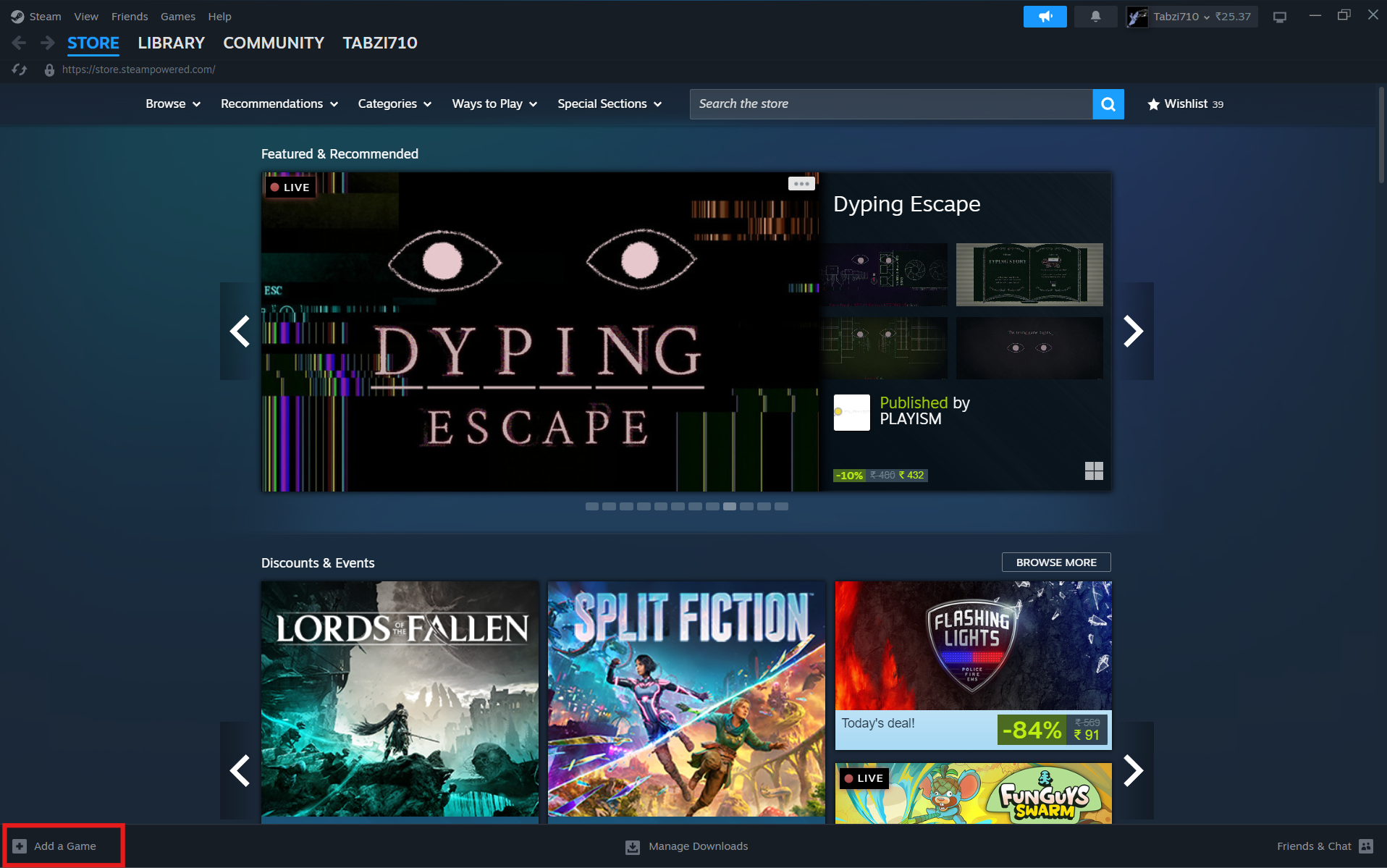
3: Enter the Steam Key
- Click Next and accept the terms.
- Enter your Steam key carefully.
- Click Confirm.
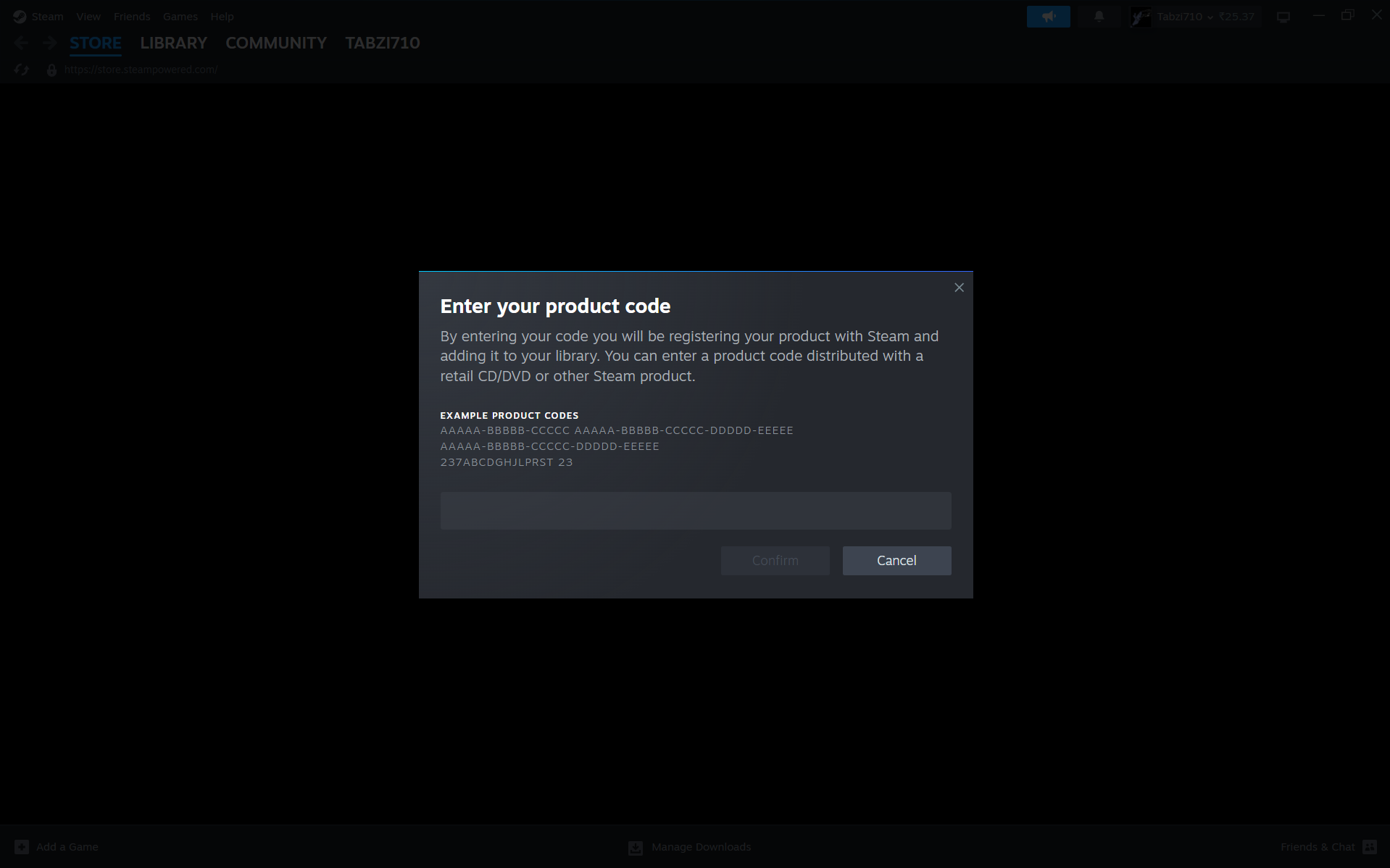
4: Install the Game
Once the key is verified:
- The game will be added to your library.
- Click Install to download it.
After installation, you can launch the game anytime.
Common Issues While Using a Steam Key
Sometimes, you may face issues when redeeming a key.
Common problems include:
- Invalid key – Check for typing errors
- Already used key – The code has already been redeemed
- Region restrictions – Some keys work only in specific regions
Make sure you purchase keys from trusted sources.
Tips for Using Steam Keys Safely
To avoid issues:
- Buy keys from authorized sellers only
- Do not share your key publicly
- Keep a copy of your purchase receipt
- Check region compatibility before buying
These steps help prevent activation problems.
Final Thoughts
Learning how to use a Steam key is simple and useful if you buy games outside the Steam store. With just a few steps, you can activate your game and start playing.
Once redeemed, the game stays in your library permanently, making it easy to access anytime.
FAQs
What is a Steam key?
A Steam key is a code used to activate and add a game to your Steam account.
Can I use a Steam key more than once?
No. Each key can only be used once.
Why is my Steam key not working?
It may be invalid, already used, or region restricted.
Do I need Steam installed to use a Steam key?
Yes. You need a Steam account and app to activate and play the game.



Discussion (0)
Be the first to comment.