




FuboTV works smoothly on Samsung Smart TVs, and you can install the app in just a few steps. Most modern Samsung models support FuboTV natively, so you can start streaming without extra hardware. If the app does not appear on your TV, this guide also covers compatibility checks and simple fixes.
Step 1: Check whether your Samsung TV supports the FuboTV app
You must confirm your TV’s compatibility before installing anything. FuboTV runs on Samsung Smart TVs from 2017 and newer, so older models will not show the app in the store.
Press the Home button on your remote and open Settings. Next, go to Support > About This TV and check the Model Code and the Year field.
Step 2: Connect your Samsung TV to the internet
FuboTV requires a stable internet connection. Make sure your TV is connected to Wi-Fi or Ethernet before you search for the app.
Press Home on your remote and go to Settings > General > Network > Open Network Settings. Now, connect to your Wi-Fi or wired network.
Step 3: Open Samsung Smart Hub
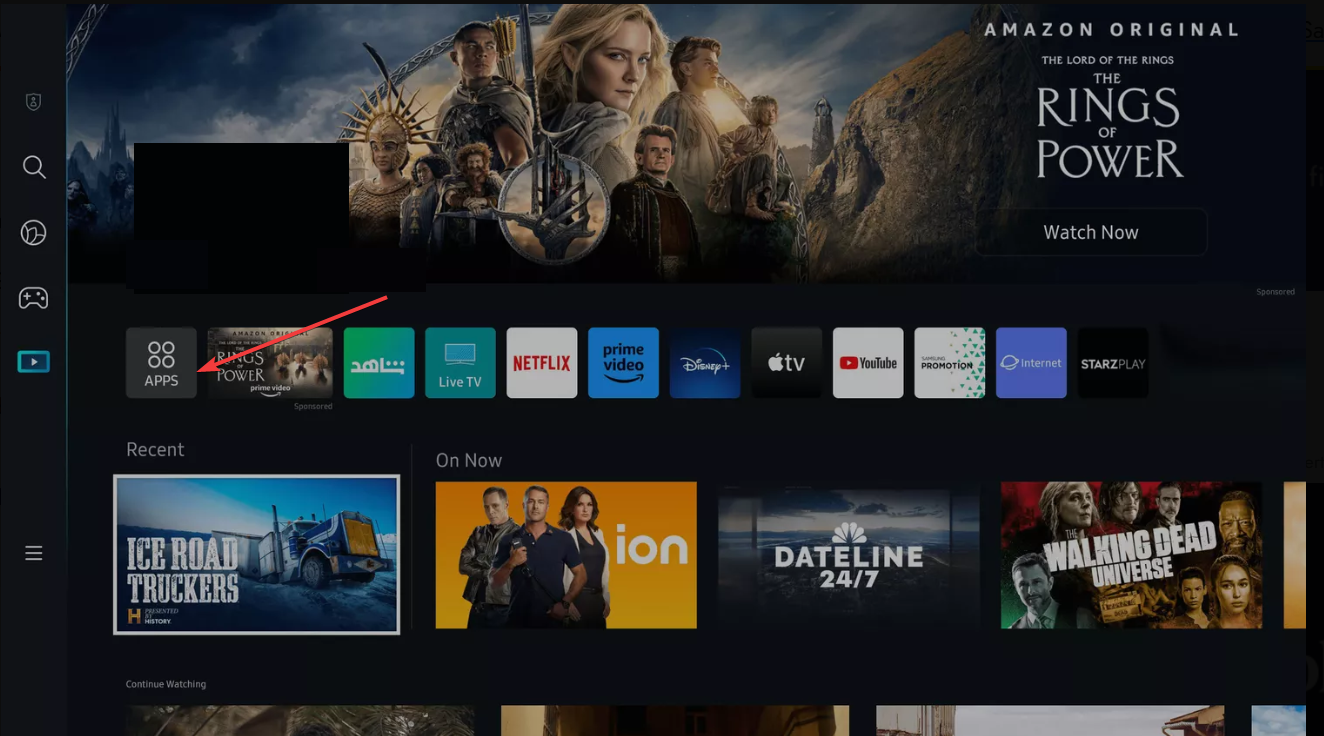
Smart Hub acts as your main app store. Press the Home button and scroll to Apps. Then select Apps to enter the Smart Hub.
Step 4: Search for the FuboTV app
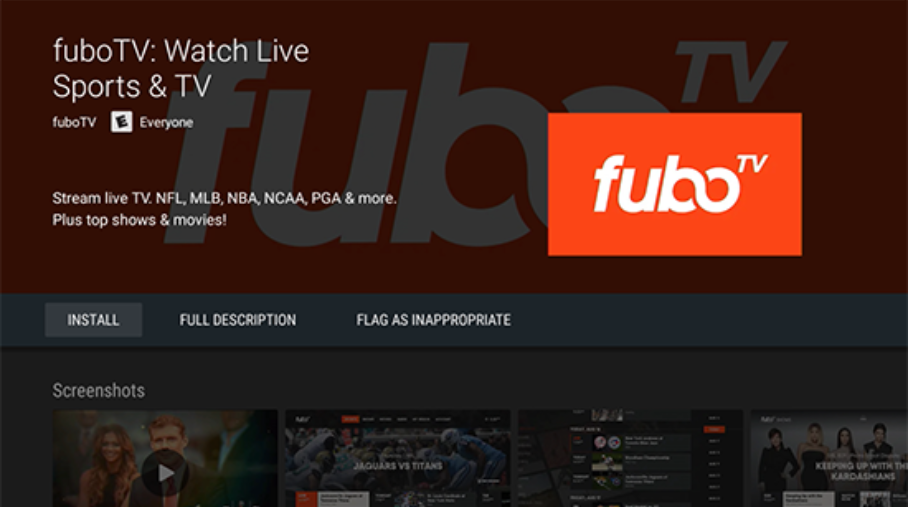
The search tool helps you find the right app quickly. Select the Search icon in Smart Hub and type fubo. Choose FuboTV from the results to open the app's page.
Step 5: Install FuboTV on Samsung Smart TV
On the FuboTV app page, choose Install and wait for the app to finish downloading. Finally, select Open and sign in to your account. Once signed in, your home screen loads, and channels become available.
If you do not see the FuboTV app
Sometimes the app does not appear in Smart Hub. This usually happens due to region restrictions, missing firmware, or Smart Hub issues.
Update Samsung TV firmware
Press Home, then go to Settings > Support > Software Update > Update Now.
Reset the Samsung Smart Hub
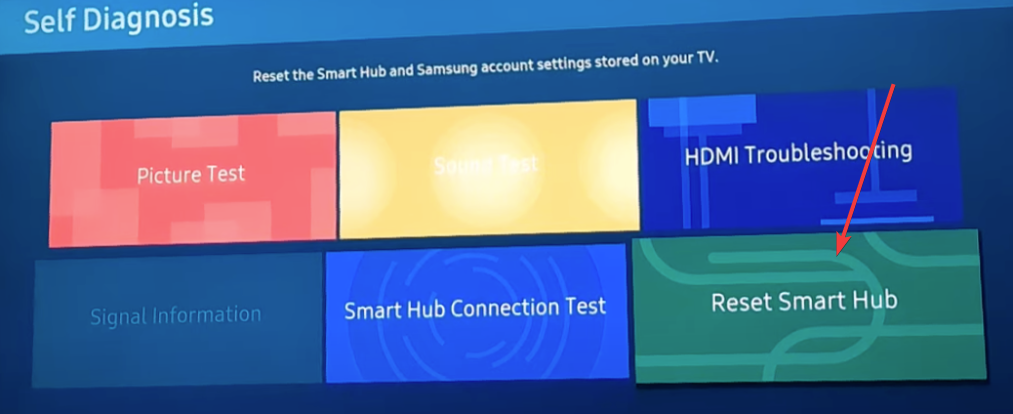
A Smart Hub reset clears glitches that prevent apps from showing up. Press Home, then go to Settings > Support > Self Diagnosis > Reset Smart Hub
Check TV region settings
If your TV is set to a region where FuboTV is unavailable, the app will not appear. Press the Home button on your remote, then select Settings > General > System Manager. Now review your region settings here.

Setting the correct region ensures Smart Hub shows the right apps for your location.
Troubleshooting installation problems
You might run into issues like slow downloads, greyed-out install buttons, or login errors. These problems usually relate to your network or cached data.
- Fix network or DNS issues: Go to Settings > General > Network > Network Status > IP Settings, then set DNS to a stable custom DNS. This works when the app fails to load or install.
- Clear app cache or reinstall FuboTV: Open Settings and go to Apps. Next, select FuboTV and select Clear Cache or Reinstall. Reinstalling gives you a clean, updated version of the app.
Workarounds for unsupported Samsung TVs
- Use a streaming device (Fire TV, Roku, Chromecast): A streaming stick guarantees FuboTV compatibility. It also provides faster updates and a smoother interface than older TV software.
- Cast from mobile to Samsung TV: Casting works if you want a quick solution without adding new hardware. You can start streaming on your phone and send it to your TV over Wi-Fi.
FAQs
Why does FuboTV not show up in Smart Hub? Your TV may be an unsupported model, need a firmware update, or be set to the wrong region.
Can I install FuboTV on a 2016 or older Samsung TV? No. You must use a streaming device or cast from your phone.
Why will FuboTV not sign me in? Check your internet connection, clear the cache, or restart the app.
Does FuboTV support 4K on Samsung TVs? Yes, but only for select channels and events. Your TV must support 4K HDR.
Summary
- Confirm your TV is a 2017 or newer Samsung model.
- Connect the TV to the internet.
- Open Smart Hub and search for FuboTV.
- Install the app and sign in.
- Update firmware or reset the Smart Hub if the app does not appear.
- Use a streaming device if your TV is unsupported.
Conclusion
Samsung Smart TVs make installing FuboTV simple when the model is compatible and the software is up to date. Most installation issues are resolved through firmware updates or a Smart Hub reset. If your TV is older, a streaming stick gives you an easy and reliable way to watch Fubo without replacing your television.


Discussion (0)
Be the first to comment.