




If the App Store disappeared or stopped working on your device, you can usually get it back with a few simple steps. Whether you’re on iPhone, Windows, or Android, this guide shows how to restore or reinstall your device’s app marketplace quickly and safely.
1) Download or restore the App Store on iPhone and iPad
Check if the App Store is hidden or restricted

Open Settings > Screen Time > Content & Privacy Restrictions > iTunes & App Store Purchases. Set Installing Apps and Deleting Apps to Allow. This restores the App Store if parental controls blocked it.
Reset the Home Screen layout
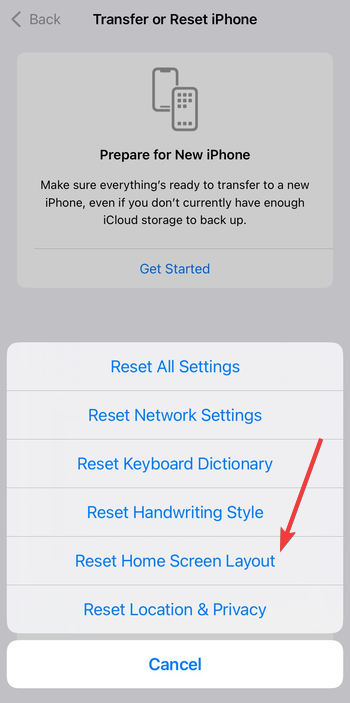
Go to Settings > General > Transfer or Reset iPhone > Reset > Reset Home Screen Layout. If the App Store icon was hidden in a folder, this returns it to the default layout.
Update iOS to restore system apps
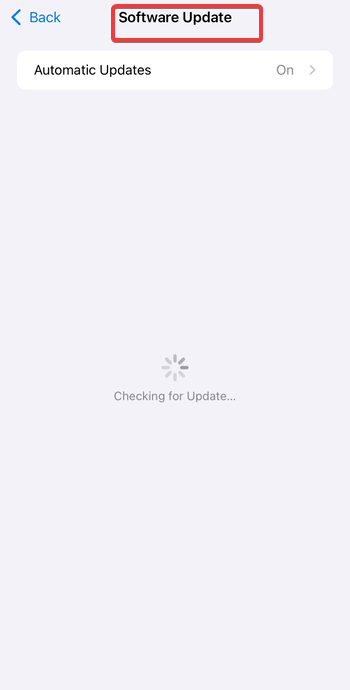
Open Settings > General > Software Update and install updates. System updates reinstall missing core apps, including the App Store.
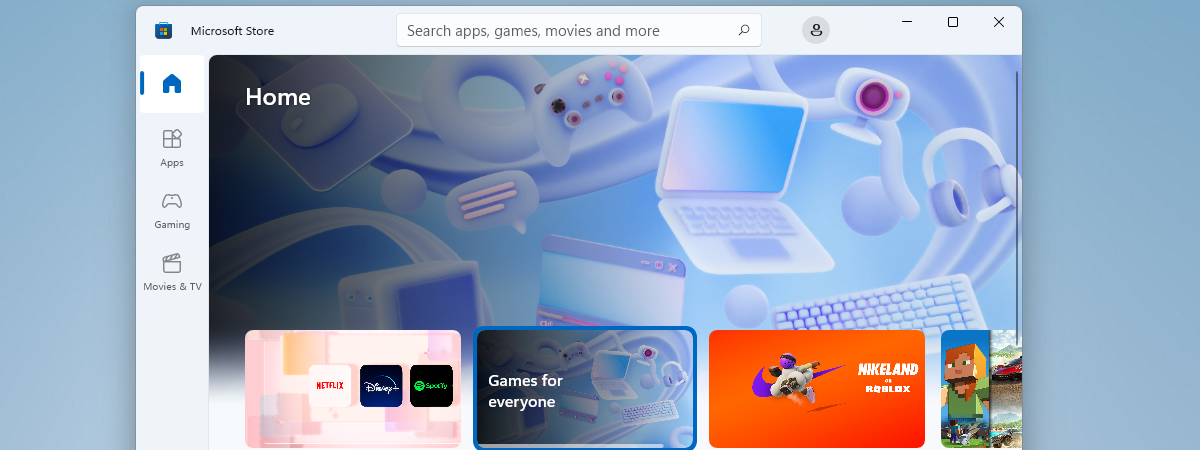
2) Download or reinstall the Microsoft Store on Windows
Use PowerShell to Reinstall Microsoft Store
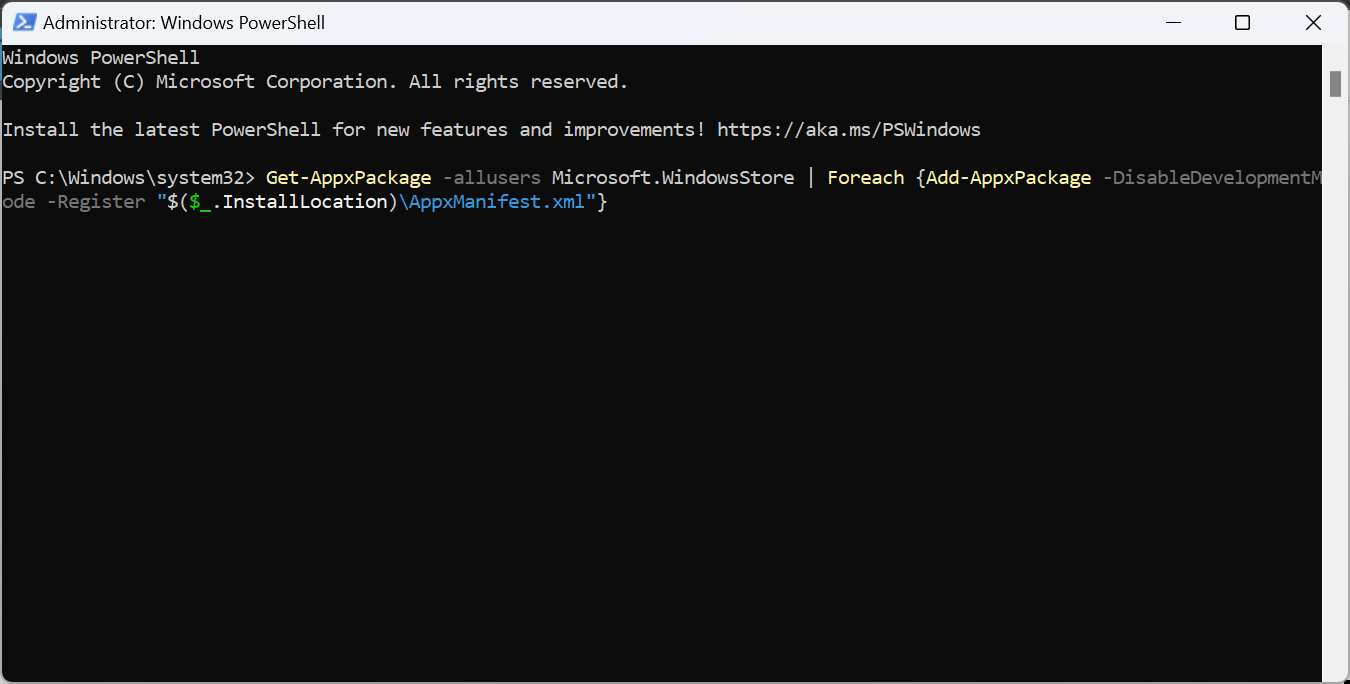
Right-click Start, search for powershell, and click Run as administrator under Windows PowerShell in the right pane. Click Yes when the UAC window shows up and run the command below to re-register the Store using system files.
Get-AppxPackage -allusers Microsoft.WindowsStore | Foreach {Add-AppxPackage -DisableDevelopmentMode -Register "$($_.InstallLocation)\AppxManifest.xml"}This is the fastest safe method when the Store was removed or won’t open.
Repair or reset the Microsoft Store app
Open Settings > Apps > Installed apps > Microsoft Store > Advanced options. Click Repair, then Reset if needed. This clears corruption and restores defaults.
Reinstall from Microsoft’s official page
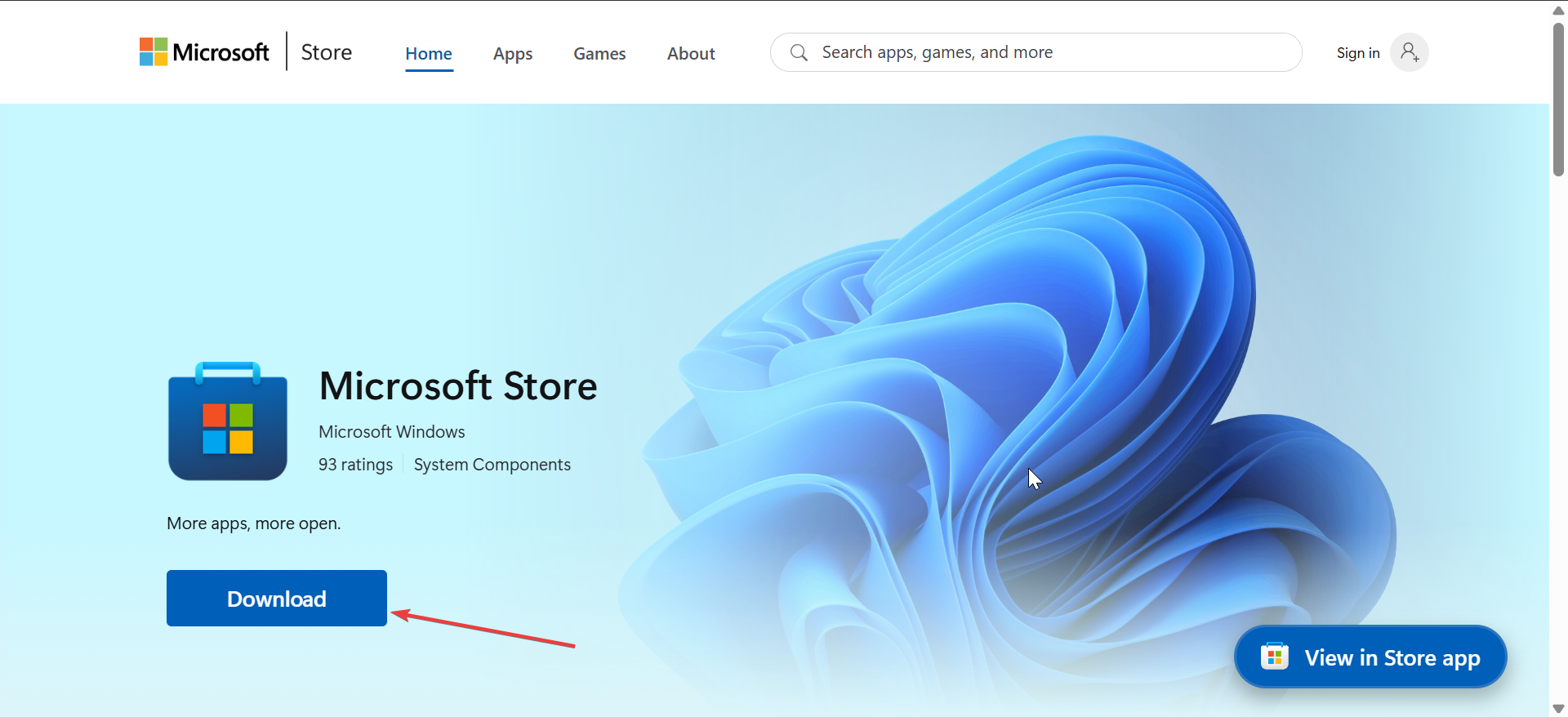
If the app is completely missing, open your browser, go to the official Microsoft page to download the app. Next, double-click the installer and follow the onscreen instructions to complete the installation. Avoid third-party download sites to prevent tampered builds.
3) Download or restore the Google Play Store on Android
Check If the Play Store Is Disabled
Open Settings > Apps > Google Play Store. Tap Enable if available. Many phones ship with the Play Store preinstalled, but it can be disabled.

Reinstall the Play Store using an APK
If it’s missing, sideload the latest Play Store APK. Go to Settings > Apps > Install unknown apps, allow your browser, then open the APK file to install.
Update Google Play Services
Open Settings > Security (or Apps) > Google Play Services and update. Outdated Play Services can block Play Store launches or downloads.
Troubleshooting Common App Store Download Errors
- Internet or region-based issues: Switch to reliable Wi-Fi and verify region settings. Some stores limit availability based on country; adjusting the region in account settings may resolve the error.
- Clear cache or reset account settings: Clearing cache/data in the App Store, Play Store, or Microsoft Store fixes stuck downloads. Sign out and back into your account to refresh entitlements.
- Check for system updates: Install the latest versions of iOS, Android, or Windows. Compatibility changes in newer OS builds often restore store functionality.
Tips to keep the App Store working
- Keep your OS updated
- Review region settings
- Clear cache periodically.
FAQs on App Store download
Can I download the App Store on my device? No, the App Store can’t be downloaded like a regular app. It comes pre-installed on all Apple devices, including iPhones, iPads, and Macs. If you can’t find it, it’s likely hidden or restricted, not deleted.
Why is the App Store missing from my iPhone or iPad? If the App Store is missing, it’s often due to parental restrictions or Screen Time settings that hide it. Go to Settings > Screen Time > Content & Privacy Restrictions > iTunes & App Store Purchases and make sure “Installing Apps” is set to Allow.
Can I reinstall the App Store if it’s deleted? The App Store cannot be permanently deleted, only hidden. To restore it, open Settings > General > Reset > Reset Home Screen Layout. This will place the App Store back on your first Home Screen without affecting other apps.
Is there a way to download the App Store on Android or Windows? No, the App Store is exclusive to Apple devices. Android users have the Google Play Store, while Windows users can use the Microsoft Store.
What should I do if the App Store isn’t working or won’t load? Start by checking your internet connection and ensuring your device’s date and time are correct. If it still won’t load, sign out and back into your Apple ID, restart your device, or update to the latest iOS version.
Summary
- Check if the App Store or equivalent is hidden or disabled.
- Reset the layout or reinstall with PowerShell/APK when needed.
- Update your OS to maintain compatibility.
- Use only official or verified sources for installers.
Conclusion
Once you identify why the store disappeared, restoration takes minutes. Follow the steps for your platform, keep software current, and you’ll regain full access to apps and updates.

Discussion (0)
Be the first to comment.