




Rocket League no longer appears in the Steam Store, but you can still download it if you owned it before it moved to the Epic Games Store. Steam keeps your old license active, and you can reinstall the game at any time from your Library. New players must use the Epic Games Store instead.
This guide walks you through checking eligibility, downloading Rocket League on Steam, and fixing issues if the game does not show up.
Table of contents
- Check if you are eligible to download Rocket League on Steam
- Download Rocket League on Steam if you previously owned it
- Fix Steam not showing Rocket League in your library
- Fix Rocket League not downloading or installing on Steam
- What to do if you never owned Rocket League on Steam
- Tips for downloading Rocket League on Steam
- FAQs about downloading Rocket League on Steam
- Summary
Check if you are eligible to download Rocket League on Steam
Steam removed Rocket League from public purchase, so only existing owners can install it. You need to confirm that your Steam account previously purchased or redeemed the game.
How Steam determines your ownership
Steam licenses link to the account used at the moment of purchase. If you owned Rocket League before the transition, the game remains permanently tied to that account.
How to confirm ownership in your Steam account
You can confirm ownership by checking your Library and Steam purchase history. If Rocket League appears under your account, Steam still considers it registered.
Download Rocket League on Steam if you previously owned it
Once you confirm eligibility, you can download and install the game through the Steam client. The process works the same way as reinstalling other delisted games.
Find the game in your Steam library
- Open Steam and sign in.
- Select Library.
- Use the search bar and type Rocket League.
- If you do not see it, select View and enable Hidden games.
Install Rocket League from the Steam client
- Select Rocket League from your Library.
- Click Install.
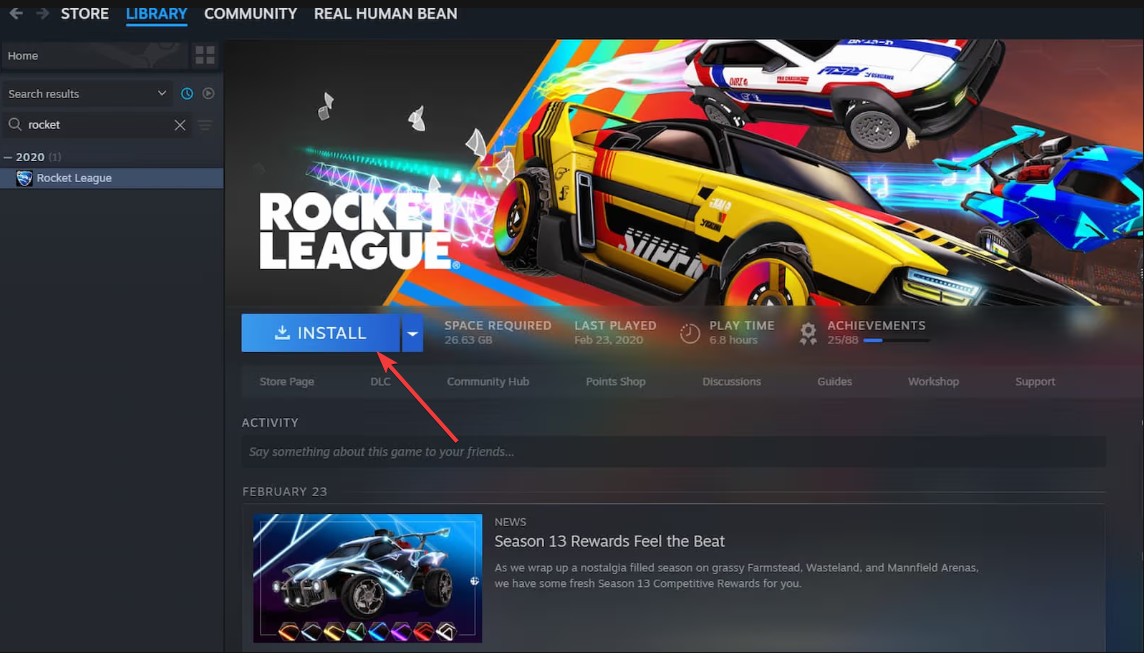

- Pick an install location and confirm.
- Wait for Steam to download the required files.
Fix Steam not showing Rocket League in your library
Some users may own Rocket League yet not see it listed. Steam can sometimes hide the game due to filters, cache issues, or account mix-ups.
- Refresh your Steam license data: Restart Steam to force a license rescan. If the game still does not appear, open Steam Settings, choose Downloads, and select Clear Download Cache. Log back in and check your Library again.
- Check for multiple Steam accounts: If you used more than one Steam account in the past, you may have installed Rocket League on a different profile. Switch accounts and recheck the Library.
- Restore library filters and hidden items: Open your Library and click View. Make sure Hidden games is enabled and that your Library filter is set to All games instead of categories such as Installed or Ready To Play.
Fix Rocket League not downloading or installing on Steam
You might see Rocket League in your Library yet struggle to install it due to missing files, download issues, or platform limitations.
Verify game files and missing executable errors
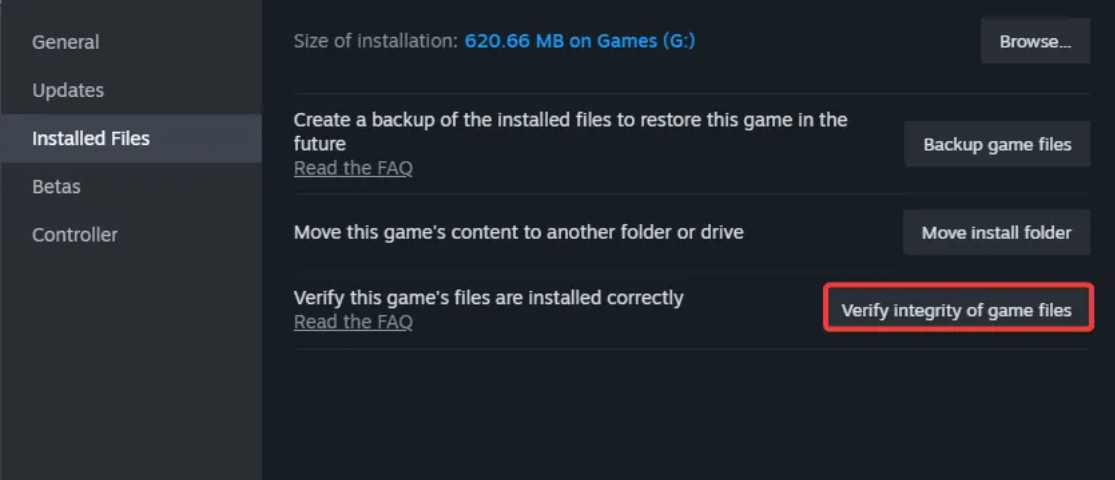
- Right-click Rocket League in your Library.
- Select Properties.
- Go to Installed files.
- Click Verify integrity of game files.

Fix download stuck or slow issues
- Open Steam Settings.
- Select Downloads.
- Change the Download Region.
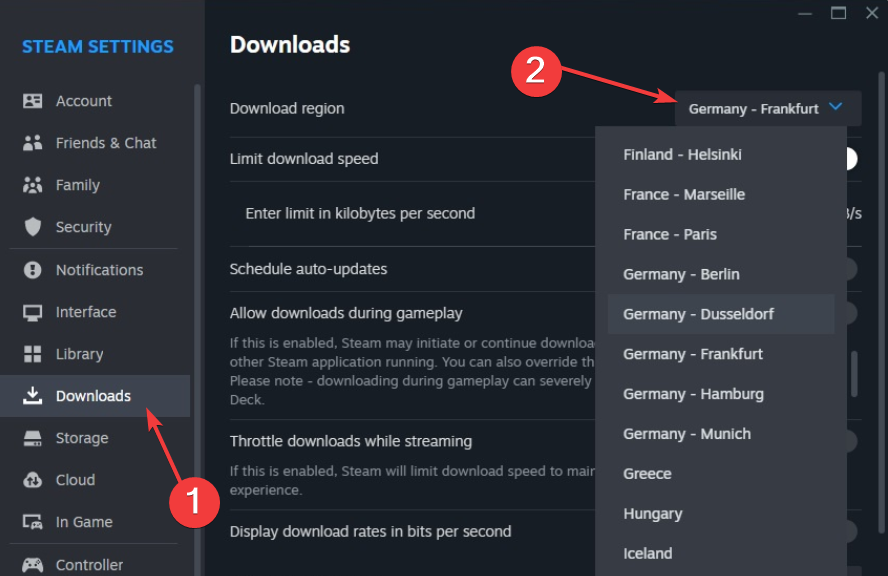

- Turn off Limit Bandwidth.
- Restart Steam and retry.
Fix “app not available on your platform” errors
Legacy macOS builds are no longer supported, so the game installs only on Windows or Steam Deck. If you see this error, download the game on a supported platform or update your OS if applicable.
What to do if you never owned Rocket League on Steam
New players must use the Epic Games Store because the game is fully delisted from Steam.
Download Rocket League from Epic Games Store
- Install the Epic Games Launcher.
- Search for Rocket League.
- Click Get to add it to your account.
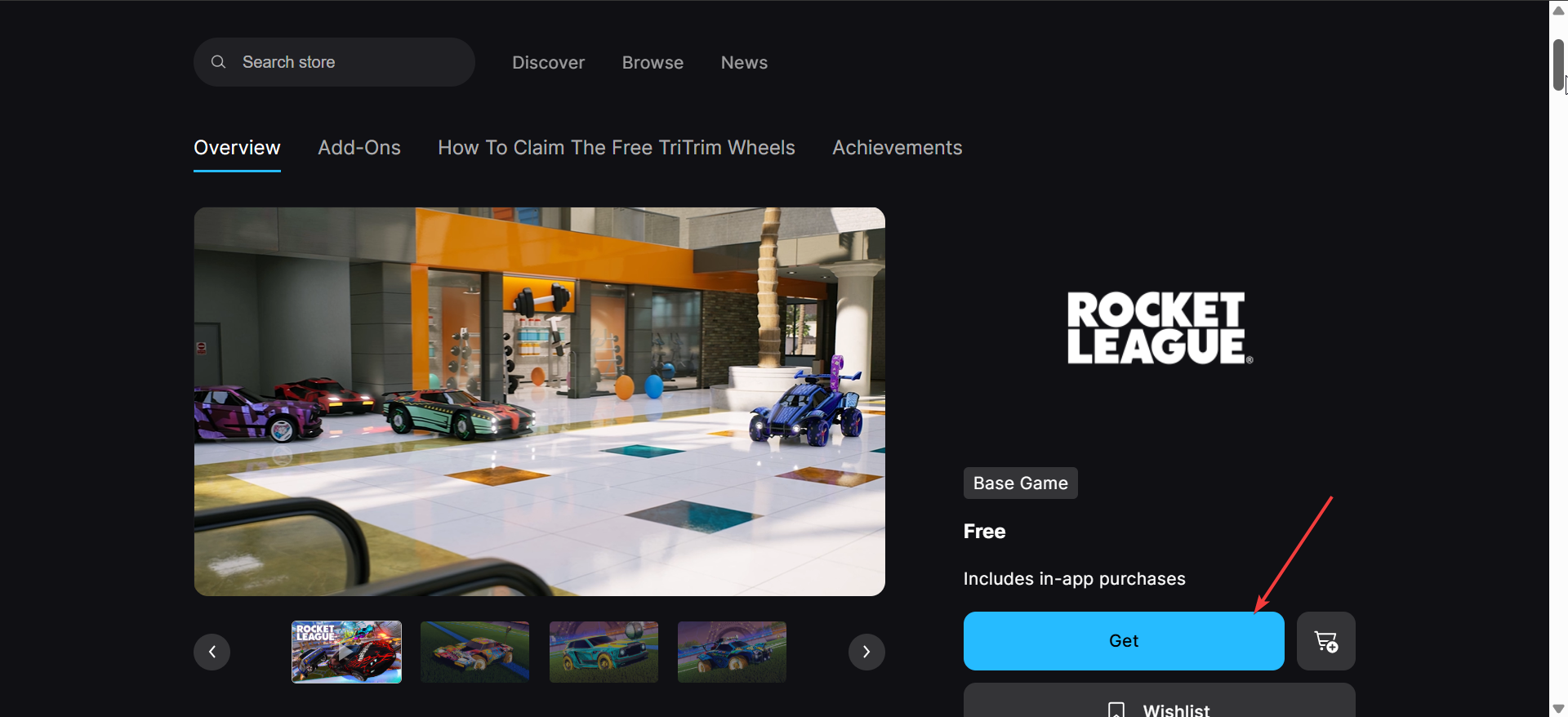

- Download the game from your Library.
Link Epic and Steam for cross-progression
Linking your Epic account allows you to keep your progress across platforms. Open the Epic account settings, connect your Steam account, and enable Rocket League cross-progression.
Tips for downloading Rocket League on Steam
- Enable hidden games to avoid missing older titles in your Library.
- Switch Steam accounts if you used more than one in the past.
- Clear Steam’s download cache if the game fails to appear after login.
- Use Steam Deck’s desktop mode if the game does not display under Gaming Mode.
- Update Steam before troubleshooting installation errors.
FAQs about downloading Rocket League on Steam
Can new players download Rocket League on Steam?
No. The game is delisted, so only existing owners can download it on Steam.
Why did Rocket League leave Steam?
Epic acquired Psyonix, and the game became an Epic Games Store title. Existing Steam players retained access.
Can Steam Deck users install Rocket League?
Yes, if you previously owned the game. It appears in Desktop Mode under your Library.
Does cross-play still work between Steam and Epic?
Yes. Linking your Epic account enables cross-play, cross-progression, and synced rewards.
Summary
- Rocket League is not available for new purchases on Steam.
- Existing owners can still download it from their Library.
- You can fix missing Library entries by refreshing Steam and checking filters.
- Installation issues usually resolve through file verification or download cache resets.
- New players must use the Epic Games Store and can still link to Steam for cross-play.
Rocket League is still easy to reinstall on Steam if you previously owned it, but new players must download it from Epic. This guide helps you confirm eligibility, install the game, and resolve common issues so you can return to the arena quickly.


Discussion (0)
Be the first to comment.