




Power BI Desktop is Microsoft’s free data visualization tool for building interactive dashboards and reports. To use it, you first need to download and install the app correctly on your Windows PC. Your desktop also needs to be Windows 10 or 11 (64-bit), at least 4 GB RAM, and around 2 GB of free disk space.
The .NET 4.7.2 framework and a screen resolution of 1440x900 or higher are also recommended. If your PC meets these requirements, we have detailed the right way to download the Power BI Desktop app in this guide.
1) Download Power BI Desktop via the Microsoft Store
Open the Microsoft Store app and search for Power BI Desktop. Click the Get button, followed by Install. Lastly, wait for the installation to finish and launch it from the Start menu.
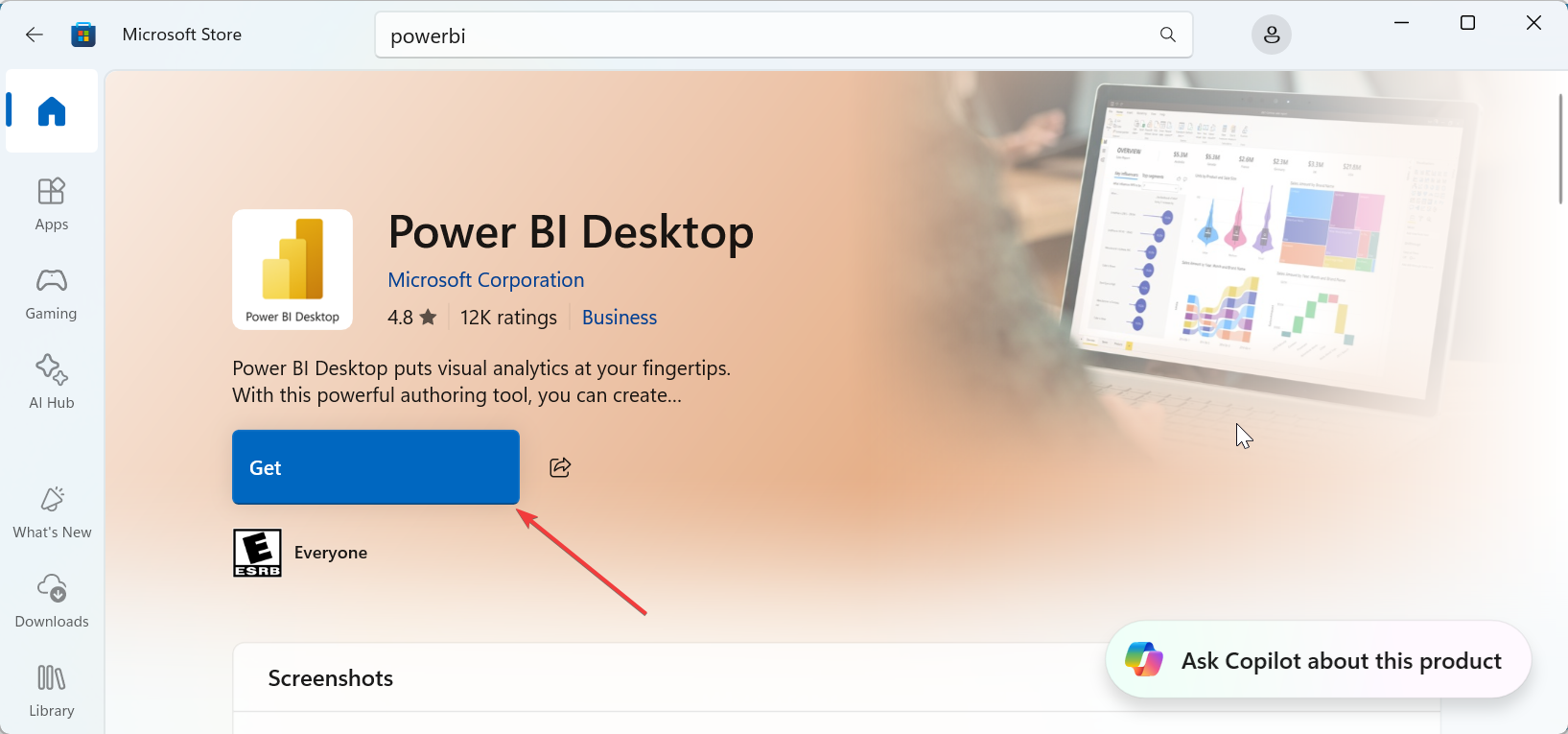
Tip: Use this method if your organization allows Microsoft Store downloads or if you don’t have administrator privileges.
2) Download Power BI Desktop (Standalone Installer)
Visit https://www.microsoft.com/en-us/download/details.aspx?id=58494 to get the Power BI Desktop installer, select your preferred language, and click Download. Choose between PBIDesktopSetup_x64.exe or PBIDesktopSetup.exe (x86). Finally, run the file and follow the onscreen installation steps.
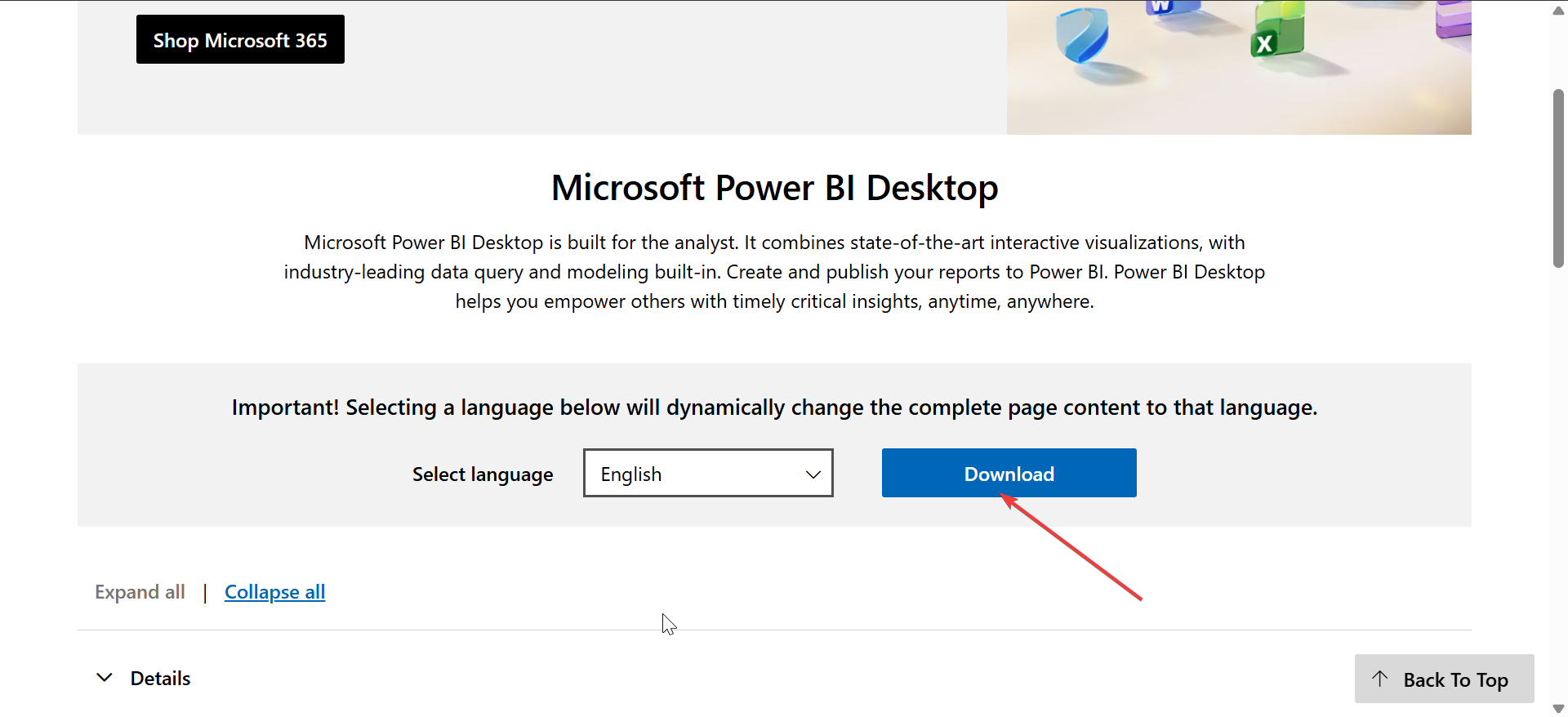
After installation, open Power BI Desktop from your Start menu. The first launch might take a few seconds to initialize. Also, go to File > About periodically to verify the current build number and check for updates. Keeping Power BI Desktop updated ensures access to the latest visuals, connectors, and performance improvements.
Tip: Pick 64-bit if you’re on a modern Windows 10 or 11 PC. Only choose 32-bit if your Office installation is 32-bit and you need compatibility between both tools.
3) Enterprise or Offline Installation
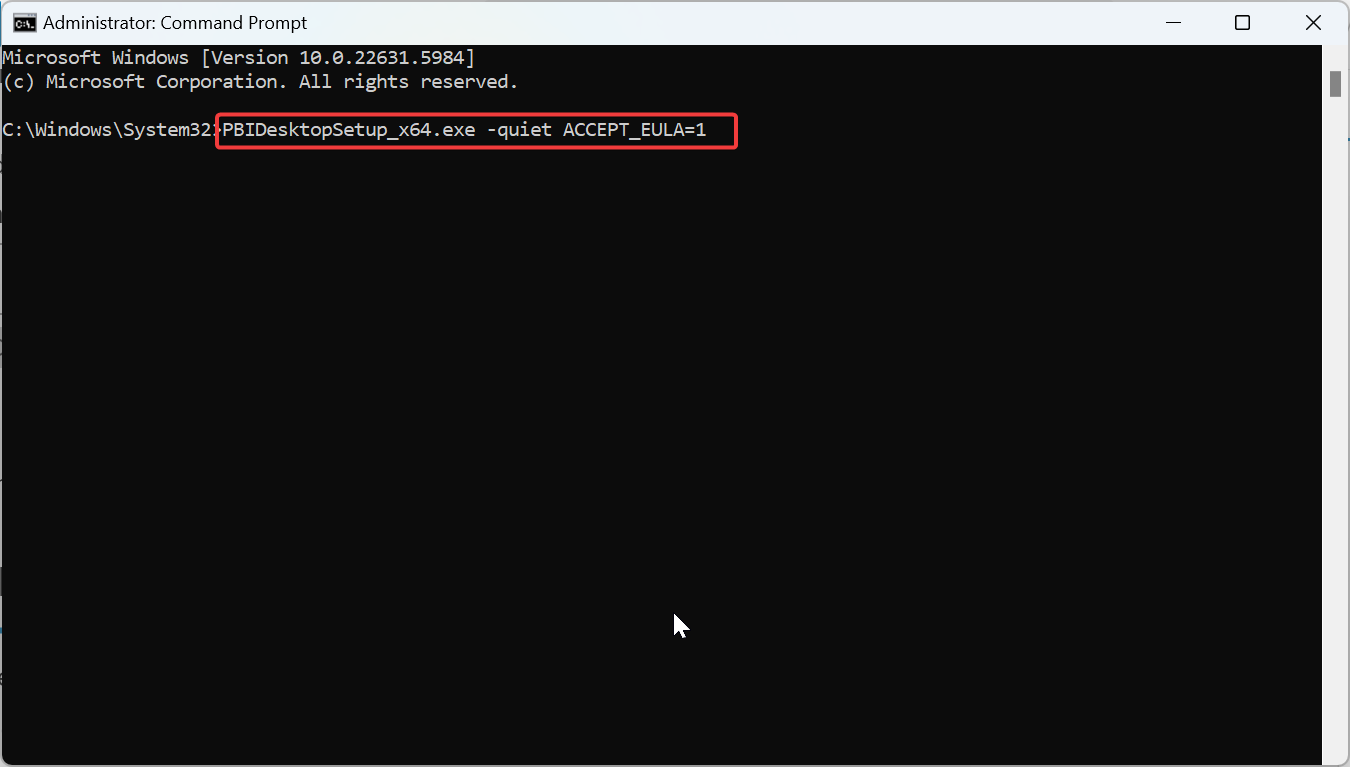
IT administrators or advanced users can deploy Power BI Desktop across multiple systems using silent installs or deployment scripts. For a silent or command-line install (unattended setup), run the command below:
PBIDesktopSetup_x64.exe -quiet ACCEPT_EULA=1This command installs Power BI Desktop silently and accepts the license automatically - ideal for SCCM or Intune rollouts.
4) Power BI Desktop for macOS and web alternatives
Power BI Desktop isn’t available for macOS, but you can still use Power BI in your browser or through virtualized Windows setups.
Use Power BI Service (Web)
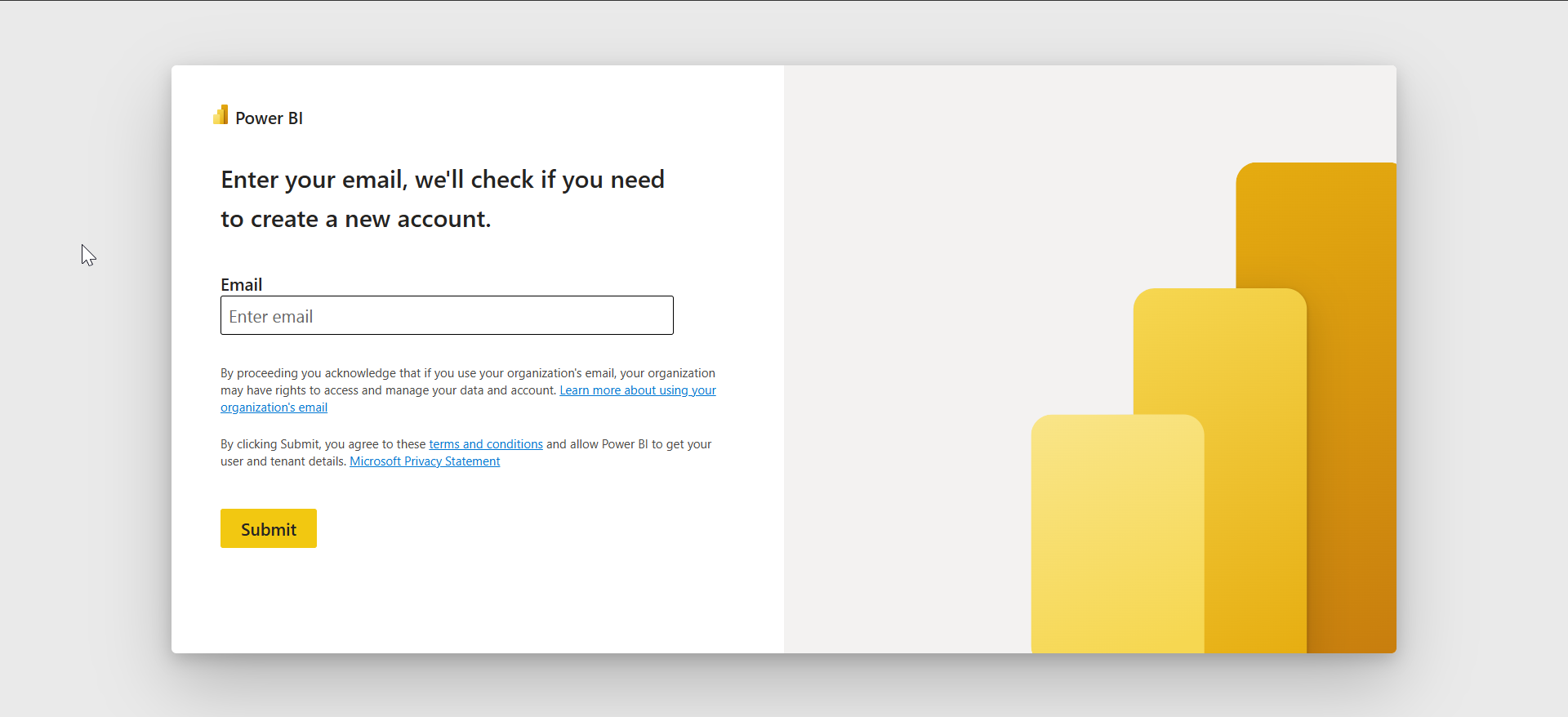
You can sign in to the Power BI web service and build reports directly in your browser. It’s the best option for Mac users who want to access data visualization tools without a Windows installation. Just go to the official website, sign in with your email, and you will be connected to your account.
Run Power BI Desktop on a Mac
If you prefer the full desktop experience, install Windows through Parallels, VMware Fusion, or Boot Camp. This lets you run Power BI Desktop as if you were on a native Windows machine.
5) Troubleshooting Download or Installation Issues
- Installer fails or freezes: Ensure your Windows system is up to date and that the .NET Framework is enabled. Disable third-party antivirus temporarily and re-run the installer as an administrator.
- Microsoft Store blocked by IT policy: Some corporate environments disable the Microsoft Store. In that case, use the standalone installer instead or ask your administrator for deployment access.
- Error: App Not Compatible With This Device: Check your Windows version and architecture under Settings > System > About. Power BI Desktop only works on 64-bit Windows 10 and 11.
Tips for Power BI Desktop
- Install the 64-bit version for better performance.
- Save PBIX files often - Power BI Desktop doesn’t auto-save.
- Check the monthly update notes to discover new features.
FAQs
Is Power BI Desktop free? Yes, it’s completely free for local use and report creation.
Can I install Power BI Desktop without admin rights? Yes, if you download it from the Microsoft Store.
Does Power BI Desktop work on Windows 7? No, it only supports Windows 10 and later.
Can I use Power BI on a Mac? Yes, through Power BI Service or virtualization tools.
Summary
- Check your PC’s system requirements.
- Choose between the Microsoft Store or standalone installer.
- Select the 64-bit version if possible.
- Fix any installation issues using the steps above.
- Start building your first Power BI report.
Conclusion
Downloading Power BI Desktop takes just a few minutes if you choose the right method. Whether you install it through the Microsoft Store or an offline installer, you’ll have a full-featured analytics tool ready to visualize your data instantly.

Discussion (0)
Be the first to comment.