



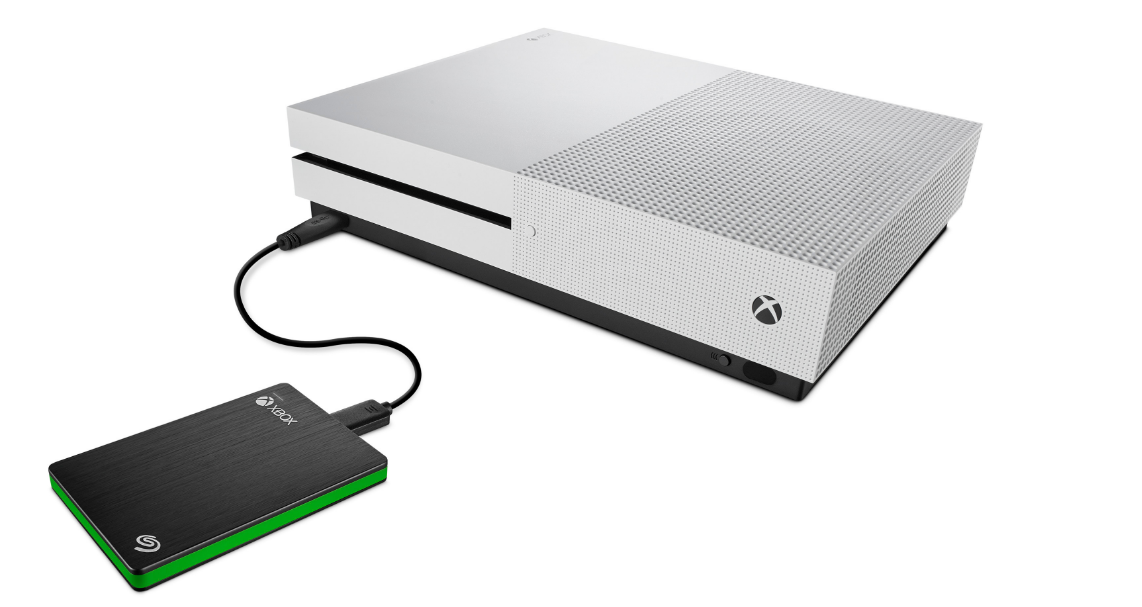
Storage fills up faster than most people expect on Xbox. Modern games are large, updates are frequent, and if you’re using Xbox Game Pass, your library grows even faster.
That’s why external storage isn’t optional anymore for many players. The real question is what kind of storage actually makes sense. Not everything works the same way, and choosing the wrong option can limit how you use your games.
Understanding Xbox Storage: What You Need to Know First
Before looking at recommendations, it’s important to understand how Xbox handles storage.
There are two main categories:
- Expansion cards (SSD, high-speed) – Required for running Xbox Series X|S optimized games
- External HDD/SSD (USB) – Good for storing games and playing older titles
This distinction matters. You can store next-gen games on external drives, but you can’t run them directly unless you’re using the official expansion solution.
Best Overall: Seagate Storage Expansion Card
Seagate Storage Expansion Card for Xbox Series X|S
If you want a seamless experience, this is the best option.
It plugs directly into the Xbox and behaves like internal storage. That means:
- Full support for Xbox Series X|S optimized games
- No performance compromises
- No need to move games back and forth
It’s expensive compared to other options, but it’s also the only one that fully matches internal SSD performance.
Best External SSD: Samsung T7 Portable SSD
Samsung T7 Portable SSD
If you want faster load times without paying for an expansion card, this is a strong alternative.
It works well for:
- Playing Xbox One and backward-compatible games
- Storing Series X|S games for quick transfer
- Reducing load times compared to HDD
It doesn’t replace the expansion card, but it’s a good middle ground between speed and cost.
Best Budget Option: WD Elements Portable HDD
WD Elements Portable HDD
If you just need more space at the lowest cost, a traditional HDD still makes sense.
You get:
- Large storage capacity for a low price
- Reliable performance for storing games
- Ability to play older titles directly
The downside is speed. Load times are slower, and transferring games takes longer.
But for pure storage, it’s hard to beat.
Best High-Capacity Option: Seagate Game Drive for Xbox
Seagate Game Drive for Xbox
Designed specifically for Xbox, this drive offers large capacities and a simple plug-and-play experience.
It’s ideal if you:
- Have a large game library
- Use Game Pass heavily
- Want a dedicated drive for your console
Like other HDDs, it’s not meant for running next-gen games directly, but it’s excellent for storage.
Real-World Usage: Which One Should You Choose?
The right choice depends entirely on how you use your Xbox.
If you mainly play newer, optimized games, the expansion card is the only option that gives you a full experience without compromises.
If you play a mix of older and newer games, an external SSD like the Samsung T7 offers a good balance.
If your priority is storage capacity, especially for Game Pass, an HDD is the most practical choice.
Most users end up using a combination. Fast storage for active games and larger drives for everything else.
Limitations You Should Know
The biggest limitation is how Xbox handles next-gen games.
Only the official expansion card can run them directly. Everything else requires moving files back to internal storage.
Also, not all external drives deliver the same performance. Cheap SSDs or older HDDs can feel noticeably slower.
So while storage is flexible, it’s not interchangeable.
Final Thoughts
Buying storage for Xbox isn’t just about capacity. It’s about how you plan to use it.
If you want simplicity and performance, the expansion card is the best option.
If you want flexibility and value, external SSDs and HDDs still make a lot of sense.
The best setup for most people isn’t one drive. It’s the right combination of speed and storage.
FAQs
Can I play Series X|S games from an external hard drive?
No, you can store them, but you need the expansion card to play them directly.
Is an SSD worth it over an HDD?
Yes, for faster load times and transfers, but it costs more.
How much storage do I need?
At least 1TB if you play multiple large games regularly.
Can I use multiple external drives?
Yes, Xbox supports multiple drives connected at once.
What’s the best overall option?
The Seagate Storage Expansion Card offers the best performance and compatibility.
Discussion (0)
Be the first to comment.