



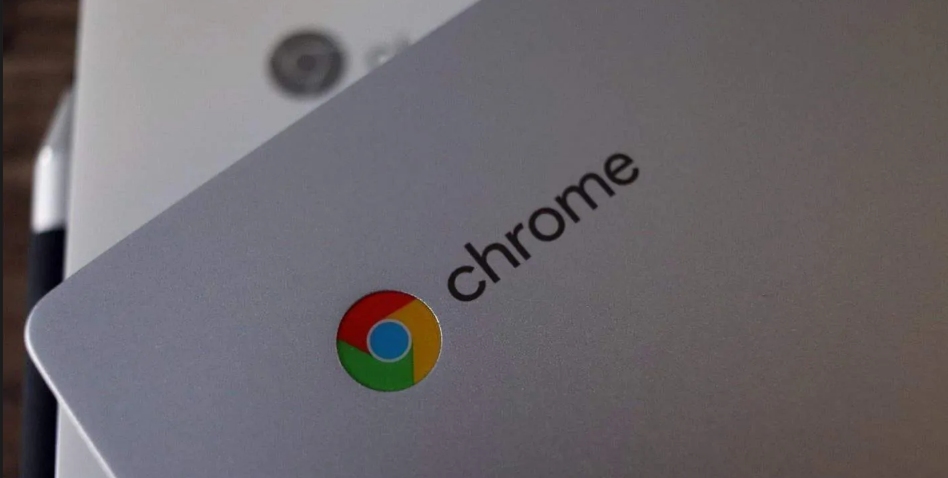
Chromebooks have always sat in an interesting space. Not quite traditional laptops, not quite tablets, and definitely not built for everyone.
In 2026, the question isn’t whether Chromebooks are “good.” It’s whether they make sense for how you actually use a computer.
And the answer depends entirely on that.
What a Chromebook Really Is Today
A Chromebook runs on ChromeOS, which is built around a simple idea:
- Most work happens in the browser
- Apps are either web-based or Android apps
- The system stays lightweight and fast
Over time, Chromebooks have evolved. They’re no longer just “cheap laptops for students.” But they still follow that same philosophy.
Where Chromebooks Feel Surprisingly Good
This is where they’ve improved the most.
Everyday Work Feels Effortless
For tasks like:
- Browsing
- Writing documents
- Emails
- Streaming
Chromebooks feel fast and clean.
There’s:
- No bloat
- Minimal background clutter
- Very quick startup and resume
You open it, and you’re already working.
Battery Life Is Still a Strong Advantage
Chromebooks are efficient by design.
- Long battery life is common
- Standby drain is minimal
- You don’t constantly think about charging
That matters more than most people expect.
Maintenance Is Almost Nonexistent
On a Chromebook:
- Updates are automatic
- Security is built-in
- No antivirus management
It’s the closest thing to a “just works” laptop experience.
Where Chromebooks Still Fall Short
This is where expectations need to be realistic.
Heavy Software Is Still a Problem
If you rely on:
- Full desktop apps
- Specialized software
- Advanced tools
You’ll run into limitations.
Even with Linux support, it’s not the same experience as Windows.
Gaming Is Limited
You’re not buying a Chromebook for:
- AAA gaming
- High-end graphics
Cloud gaming helps, but it’s not a full replacement.
Offline Work Is Better, But Not Perfect
Things have improved, but:
- Some apps still rely heavily on internet
- Offline workflows are not always seamless
If you’re often without connectivity, it matters.
The Real Question: Who Is It For?
This is where the answer becomes clear.
A Chromebook Is Worth It If You:
- Spend most of your time in a browser
- Use Google Workspace or similar tools
- Want something simple and reliable
- Don’t want to manage your system
For students, writers, casual users, and light professionals, it’s often more than enough.
It’s Not Worth It If You:
- Need Windows-specific software
- Do heavy editing (video, 3D, etc.)
- Want flexibility for everything
In those cases, a Windows laptop gives you more freedom.
What Changed by 2026
Chromebooks didn’t become powerful machines overnight.
What changed is:
- Web apps became more capable
- Android apps became more usable
- Hardware improved significantly
So the gap between “basic” and “practical” has narrowed.
But the core idea hasn’t changed.
Real-World Insight
Most people don’t need powerful machines. They need:
- Fast startup
- Smooth browsing
- Reliable performance
Chromebooks deliver that extremely well.
The problem is when people expect them to behave like full Windows laptops. That’s where disappointment starts.
Price vs Value
Chromebooks still offer strong value:
- Lower cost compared to many laptops
- Less maintenance over time
- Longer usable life for basic tasks
But the value comes from fit, not price alone.
A cheap device that doesn’t match your needs is still a bad purchase.
So, Are Chromebooks Worth It in 2026?
Yes, but only if you’re buying them for the right reasons.
They are:
- Simple
- Fast for everyday use
- Low maintenance
They are not:
- Universal replacements for all laptops
- Designed for heavy or specialized work
Final Thoughts
A Chromebook in 2026 is not about compromise. It’s about clarity.
If your work lives in the browser and you value simplicity, it can feel better than a traditional laptop.
If you need flexibility and power, it will feel limiting.
The decision isn’t about the device. It’s about how closely it matches what you actually do every day.
FAQs
Are Chromebooks good for students
Yes, especially for browsing, notes, and assignments.
Can Chromebooks replace Windows laptops
Only for light to moderate use cases.
Do Chromebooks work offline
Yes, but not as seamlessly as full desktop systems.
Are they secure
Yes, ChromeOS has strong built-in security.
Should I buy one in 2026
Only if your usage fits what Chromebooks are designed for.



Discussion (0)
Be the first to comment.