



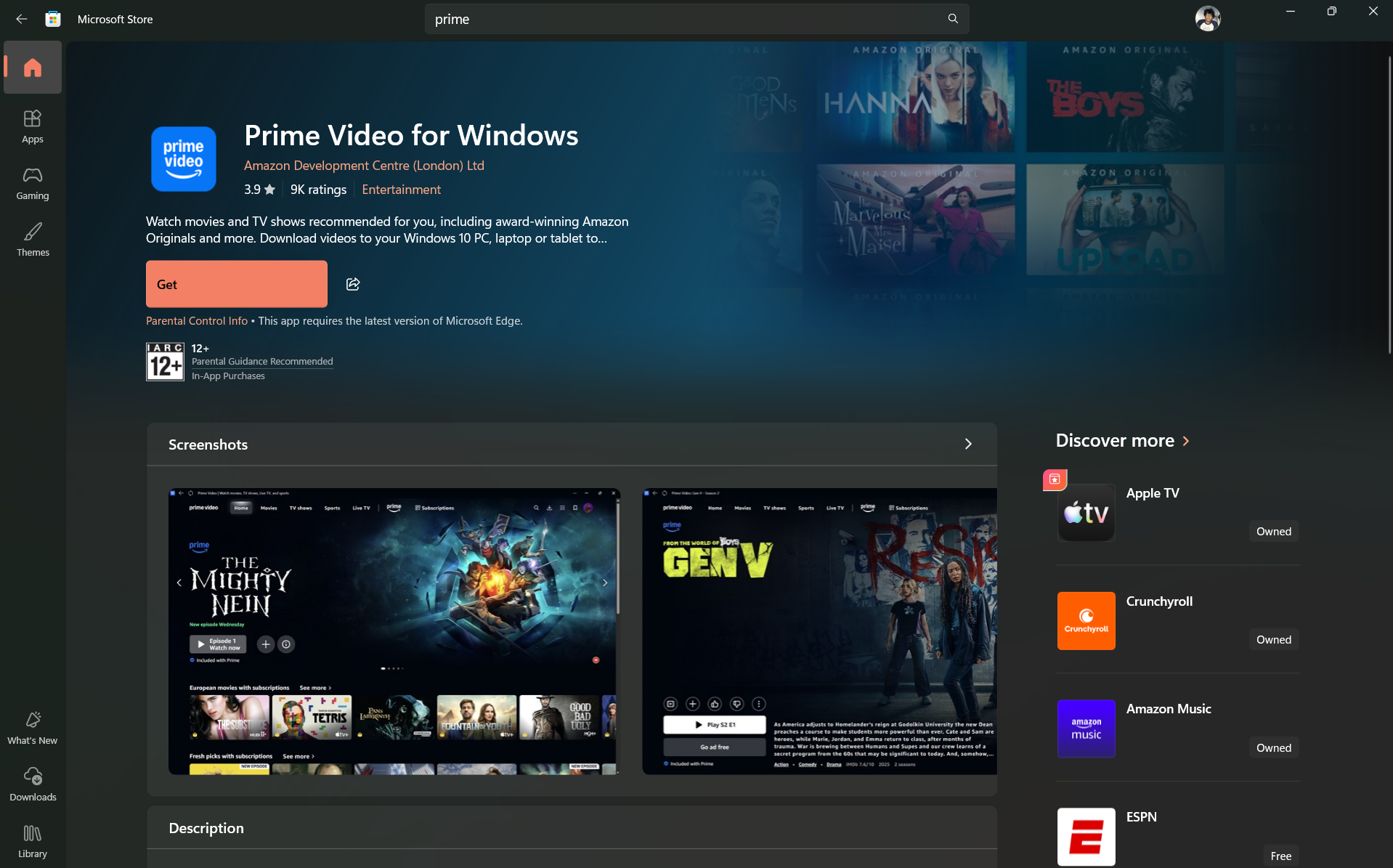
For a long time, watching Prime Video on a Windows PC meant using a browser. That worked, but it wasn’t always the best experience.
Now, the official Amazon Prime Video app is available through the Microsoft Store, giving Windows users a dedicated way to watch content without relying on Chrome or Edge.
At first glance, that sounds like a small change. In practice, it fixes a few long-standing limitations.
What the Prime Video App on Windows Actually Is
This isn’t just a shortcut to the website. It’s a proper app built for Windows, designed to handle streaming more efficiently than a browser.
You get a more focused interface, better control over playback, and features that aren’t always available through web playback.
It’s essentially bringing the mobile or TV app experience closer to desktop.
Key Features That Actually Matter
The biggest advantage of the app is functionality, not design.
You can:
- Download content for offline viewing
- Stream in higher quality without browser limitations
- Manage your watchlist more easily
- Access a cleaner, distraction-free interface
Offline downloads are the standout feature. That alone makes the app worth considering if you watch content on a laptop while traveling.
How It Compares to Watching in a Browser
Browsers are convenient, but they come with limitations.
Streaming quality can vary depending on DRM restrictions, and offline viewing isn’t available at all.
The app removes those constraints and provides a more consistent experience.
That said, browsers are still faster to access. If you only watch occasionally, the difference may not matter.
Performance and Real-World Usage
In daily use, the app feels smoother than browser playback, especially for longer sessions.
Playback is stable, navigation is simpler, and you don’t have to deal with tabs or background processes.
The ability to download shows changes how you use it entirely. It turns your laptop into a more flexible media device.
Limitations You Should Know
The app isn’t perfect.
It doesn’t fundamentally change the Prime Video experience. You’re still using the same library and interface structure.
Also, if you’re someone who prefers quick access through a browser, installing a separate app may feel unnecessary.
And like most store apps, updates and performance improvements can be gradual.
Who Should Actually Use It
The app makes the most sense if you:
- Watch content regularly on a Windows laptop
- Need offline viewing
- Prefer a dedicated, distraction-free experience
If you only watch occasionally or prefer using a browser, you’re not missing much by skipping it.
The Bigger Picture
This move reflects a broader shift.
Streaming platforms are treating desktop apps more seriously again, especially as laptops become primary entertainment devices for many users.
It’s less about replacing browsers and more about offering a better option for users who want it.
Final Thoughts
The Prime Video app on Windows doesn’t reinvent anything, but it improves the experience in practical ways.
Offline downloads alone make it worth using for many people.
If you already use Prime Video frequently, the app is a better way to access it. If not, the browser is still good enough.
FAQs
Is the Prime Video app free on Windows?
Yes, you just need an active Prime subscription.
Can I download shows for offline viewing?
Yes, that’s one of the main advantages of the app.
Is it better than watching in a browser?
For regular use, yes. For occasional viewing, the difference is smaller.
Does it support high-quality streaming?
Yes, it generally offers more consistent quality than browsers.
Should I install it?
If you watch frequently or travel with your laptop, it’s worth it.



Discussion (0)
Be the first to comment.