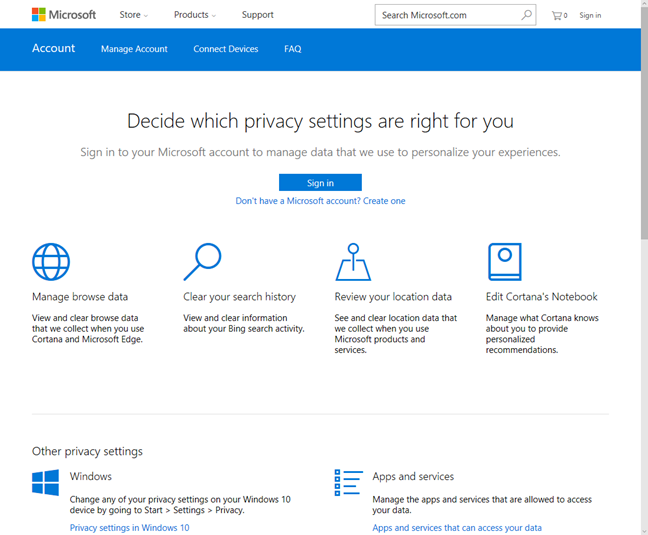
Microsoft has created a portal where anyone with a Microsoft account can view all the personal data that it is stored by this company on their servers. You can see the browsing history that Microsoft has about you, your search history, your location history, the data stored by Cortana in her notebook and your Microsoft Health activity. Here's how to review all this data and how to delete it, if you no longer wish for Microsoft to store it on their servers:
When does Microsoft store personal data about you?
Microsoft stores personal data when you are using its products and services using a Microsoft account. Yes, it's also storing data when you are not using a Microsoft account but that data can't be identified as belonging to you as a specific person.
First, when you create a Microsoft account, you must give personal details like your name, e-mail address, phone number and so on. Each time you use that Microsoft account, some personal data is stored about you. Here are the Microsoft products and services that will inevitably store some personal data, depending on how you use them: Windows 10, Cortana, Xbox One and Xbox 360, Skype, Microsoft Office and Office 365, OneDrive, Windows 10 Mobile and Windows Phone, Microsoft Band, Azure, etc. If you want to know what data is stored about you, you should visit Microsoft's Privacy portal.
Then, provide the e-mail address for your Microsoft account and press Next. You are asked to enter the password for your Microsoft account. Do so and press Sign in. If you have enabled two-step verification, you might need to provide a security code after your password. Once you are authenticated, you can view the data that Microsoft has stored about you.
What data can I see in Microsoft's Privacy portal?
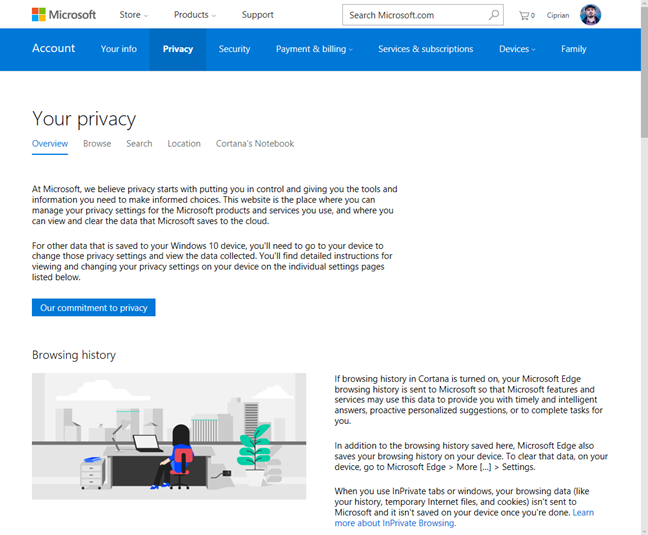
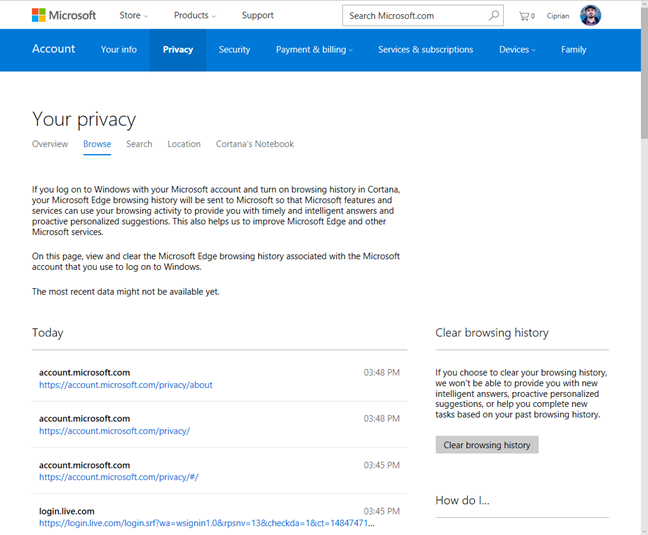
After you have signed into the Microsoft Privacy portal, you are shown an overview of the types of data that are stored about you. Scroll down the list and you will see that Microsoft stores your browsing history if this feature is turned on in Cortana. If it is, then your Microsoft Edge browsing history is sent to Microsoft.
Microsoft, stored, privacy, personal, data
Scroll further down and you see that your search history is also stored but only when you use Bing as a search engine or when you search using Cortana which, in turn, uses Bing. If you use only Google as your search engine, then Google will have your search history, not Microsoft.
Microsoft, stored, privacy, personal, data
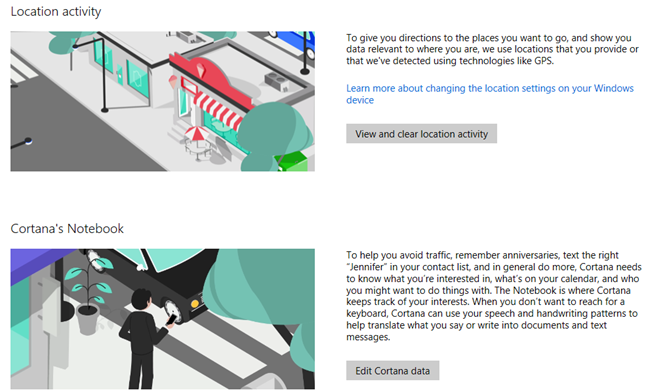
Going further down, you see that your location activity is stored as well. However, if you also own an Android smartphone, you will quickly see that Microsoft stores a fewer location data than Google does. This data includes the last known location of your Windows 8.1 and Windows 10 devices (this includes smartphones with Windows) and location data from Bing and Microsoft Health GPS-based activities.
Then, you have Cortana's Notebook and, unless you heavily use Cortana, there will be very little data stored here. The Notebook is where Cortana keeps track of your interests and you will see data, only if you have personalized your interests and you have asked Cortana to keep track of them and provide help and recommendations based on your interests.
Microsoft, stored, privacy, personal, data
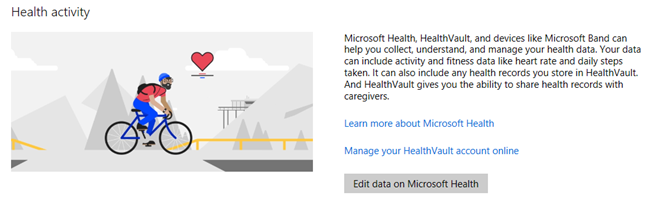
Lastly, you have your health activity which will not be empty if you have used devices like the Microsoft Band or services like Microsoft Health or HealthVault. For most people, there won't be any health activity data on Microsoft's servers.
Microsoft, stored, privacy, personal, data
What other privacy settings do I have available?
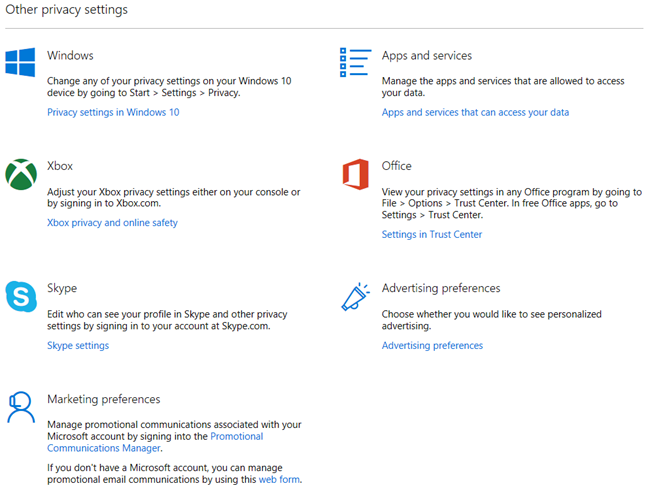
When you finish with the main types of personal data and scroll further down, you see a section named "Other privacy settings". Here you will find links with information about where you can learn more about your privacy settings for Windows 10, Xbox, skype, Office and so on. Don't hesitate to browse through them and see where they take you.
Microsoft, stored, privacy, personal, data
How to delete the data that Microsoft has about me?
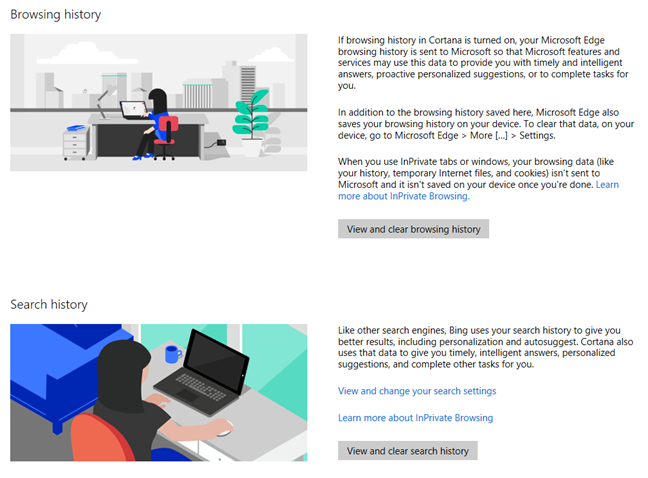
For each category of personal data, Microsoft provides you with a link for viewing and clearing that data. If you click on it, you will see in detail the exact data stored by Microsoft and when it was stored. In the screenshot below you can see a sample of the browsing history that was stored by Microsoft about me. To clear it, I just pressed the "Clear browsing history" button on the right.
Microsoft, stored, privacy, personal, data
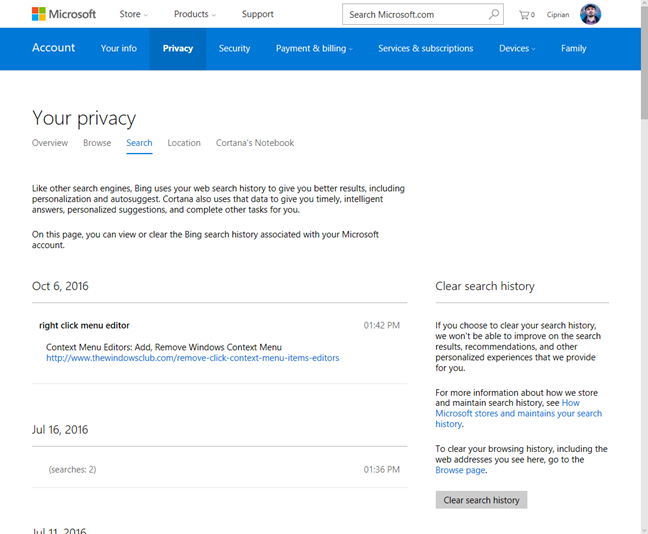
The search history looks similar to the screen below. To clear it, click or tap "Clear search history".
Microsoft, stored, privacy, personal, data
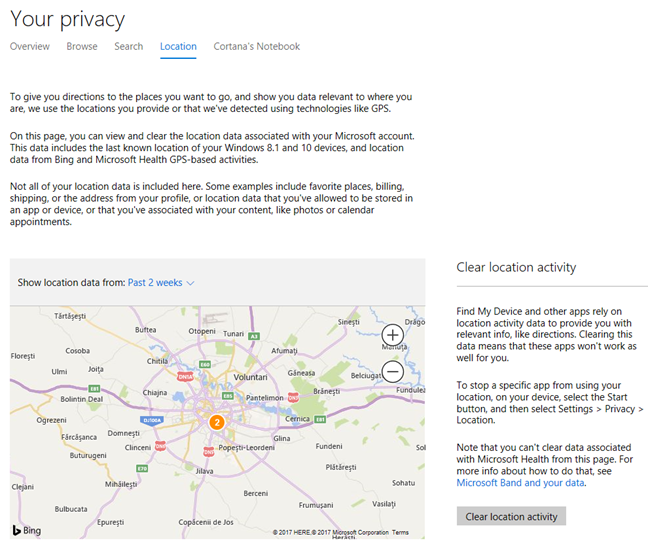
Here's is your location activity. As you can see, Microsoft shows your location history on a map and you can delete it by clicking or tapping "Clear location activity" on the right.
Microsoft, stored, privacy, personal, data
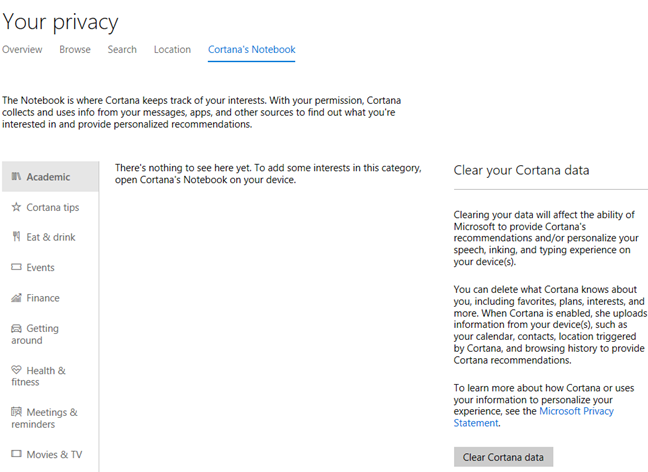
Last but not least, go to Cortana's Notebook to see the data that is stored about you by Cortana. When you want to remove it, press "Clear Cortana data".
Microsoft, stored, privacy, personal, data
Microsoft stores a fewer personal data than Google does
After reviewing the data that Microsoft is storing about you, I encourage you to see what Google stores too. Go to the Google Dashboard and review all your data. If you are using Google devices and services, you will see that this company tends to store a lot more personal data about their users.
What do you think about Microsoft's Privacy portal?
Microsoft's Privacy portal is definitely a step in the correct direction. It provides more transparency and it allows users to delete their own data, which is great. Try it out, clear your data if you want to, and let us know what you think. Do you find this portal useful? Is there anything else Microsoft should do from a privacy perspective?
Seems like I’m spending half my time discovering new unrequested apps that clog up my computer and breach my privacy. These should all be opt-in, not opt-out. I shouldn’t have to do research to discover all the features that I never asked for that need deleting.
A Hartley ·
Absolutely. Windows is NOT freeware and does NOT need to sell our data to offset costs. If Microsoft want to provide an ‘enhanced’ service by allowing advertisers and other service providers to access my personal data so that they can ‘target’ me, then give me the option to ‘opt-in’ to this facility. Having demonstrated that they are not fit and secure custodians of personal data they now want me to use a two-step verification using a cell-phone??? This hegemon has totally over-developed its business – operating systems & basic software utilities – and should now diversify so that it can focus on getting a fast, light, secure operating system for serious users into place. Their misuse of their growing power to control any machine foolish enough to use their recent products is real cause for concern. As a serious personal computer user, I am perfectly happy with W7 – even that has far too many ‘widgets’ that I never use and just slow down my machines. It’s time to push for an ‘opt-in’ model to everything except the bare-bones op-sys.
Todd Banon ·
Microsoft claims in their EULA they will share the content of files stores on local hard drives, which implies they have given themselves the ability to view (which means copy) information which is protected by law from viewing and copying, including HIPAA protected hospital information, copyright protected content, our 4th ammendment protections, government secrets, and even your child’s photos. All this junk they post here sidesteps the main issue by couching this in ambiguous “legal-speak” like “personal information” and other bologne. We need strong laws and affirmations from Microsoft (and at this point government regulators), that Microsoft WILL NOT and has in fact CRIPPLED its own ability to view (= copy) such files stored on local machines. Any computer grad student worth his/her salt, could easily construct such a P2P encrypted system for a few thousand. Microsoft fails to do this despite its billinos. It’s illegal and antitrust. Without this assurance and enforcement of the laws of this land, this is all nonsense and meaningless.












Discussion (3)
Seems like I’m spending half my time discovering new unrequested apps that clog up my computer and breach my privacy. These should all be opt-in, not opt-out. I shouldn’t have to do research to discover all the features that I never asked for that need deleting.
Absolutely. Windows is NOT freeware and does NOT need to sell our data to offset costs. If Microsoft want to provide an ‘enhanced’ service by allowing advertisers and other service providers to access my personal data so that they can ‘target’ me, then give me the option to ‘opt-in’ to this facility. Having demonstrated that they are not fit and secure custodians of personal data they now want me to use a two-step verification using a cell-phone??? This hegemon has totally over-developed its business – operating systems & basic software utilities – and should now diversify so that it can focus on getting a fast, light, secure operating system for serious users into place. Their misuse of their growing power to control any machine foolish enough to use their recent products is real cause for concern. As a serious personal computer user, I am perfectly happy with W7 – even that has far too many ‘widgets’ that I never use and just slow down my machines. It’s time to push for an ‘opt-in’ model to everything except the bare-bones op-sys.
Microsoft claims in their EULA they will share the content of files stores on local hard drives, which implies they have given themselves the ability to view (which means copy) information which is protected by law from viewing and copying, including HIPAA protected hospital information, copyright protected content, our 4th ammendment protections, government secrets, and even your child’s photos. All this junk they post here sidesteps the main issue by couching this in ambiguous “legal-speak” like “personal information” and other bologne. We need strong laws and affirmations from Microsoft (and at this point government regulators), that Microsoft WILL NOT and has in fact CRIPPLED its own ability to view (= copy) such files stored on local machines. Any computer grad student worth his/her salt, could easily construct such a P2P encrypted system for a few thousand. Microsoft fails to do this despite its billinos. It’s illegal and antitrust. Without this assurance and enforcement of the laws of this land, this is all nonsense and meaningless.